
PixelsMeasure
Measure what you see in pixels
Designed for iPhone, iPad, Mac
Free · In-app purchases
- Age rating4+
- CategoryDeveloper Tools
- Developer东东 张
- LanguagesEnglish+ 9 more
- Size18.2 MB
Links to the official App Store page
Download.org hosts no file of PixelsMeasure. The button opens its official App Store page, published by 东东 张. Listing last checked on Nov 24, 2026.
Screenshots


About
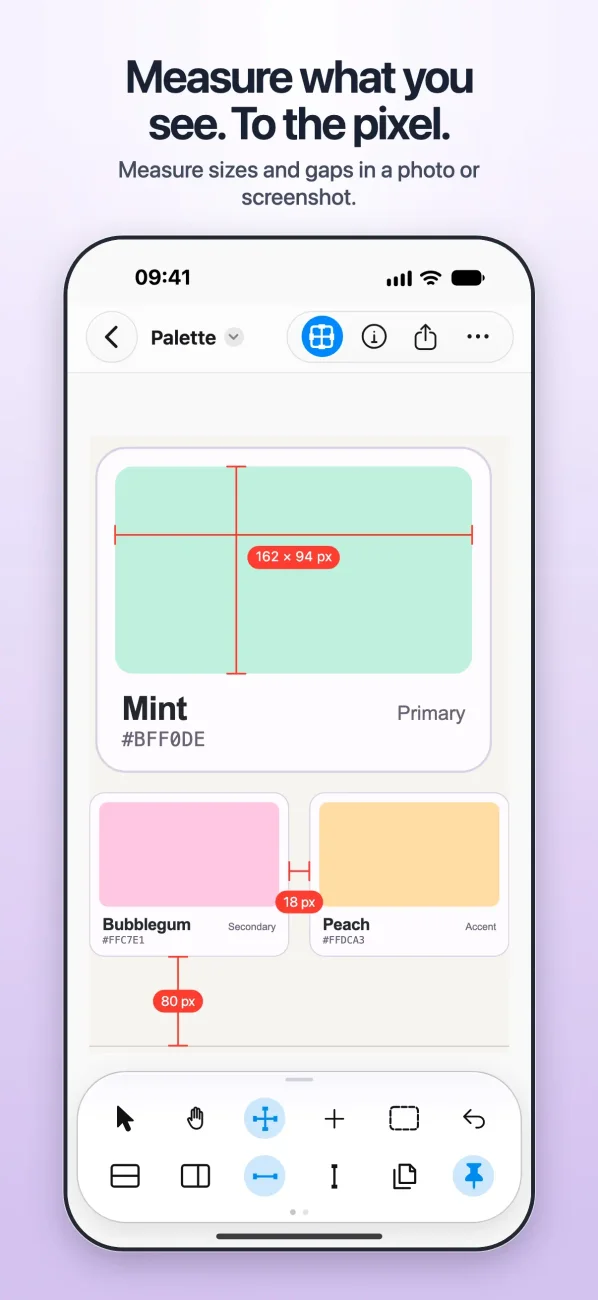
Measure widths, heights, and gaps in screenshots, photos, and mockups with PixelsMeasure. Open an image from Photos or Files, or send it to PixelsMeasure from the share sheet.
• Check spacing and alignment. Move the Probe over the image to measure between nearby edges, pin the values you want to keep, or use Cross to read coordinates and line up elements.
• Inspect the details. Pinch to zoom in to individual pixels, adjust edge detection tolerance, and edit the position and size of saved measurements in the inspector. Organize them in layers as your document grows.
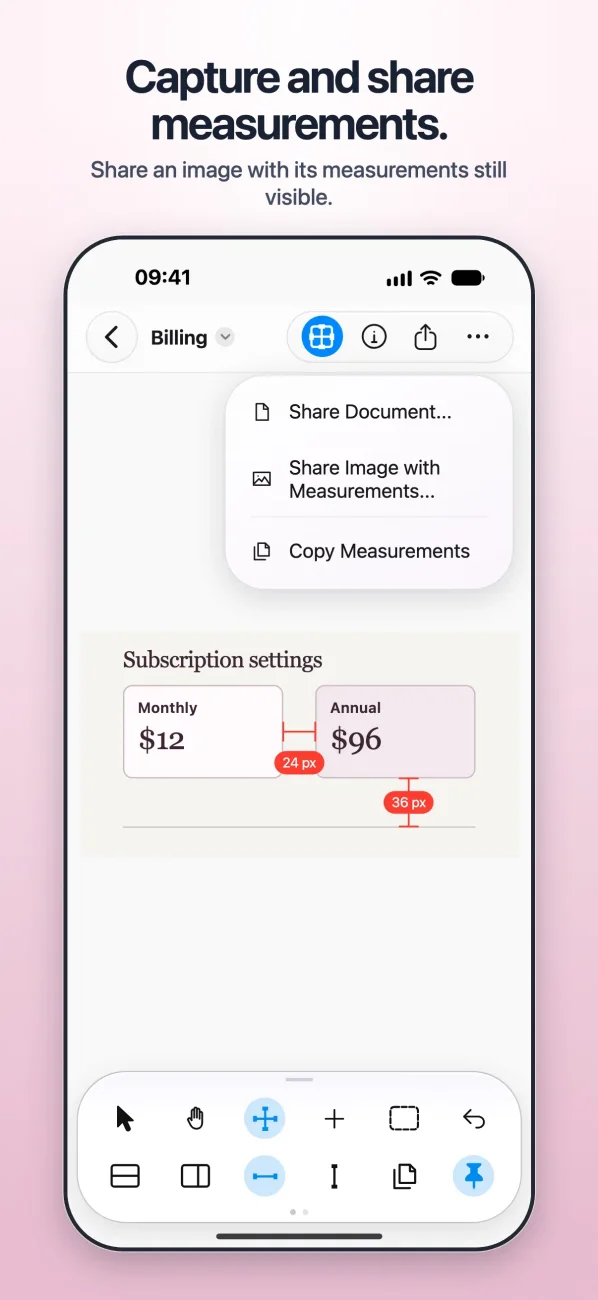
• Keep measuring later. Save and share editable .pixelsmeasure files, open them on Mac, iPhone, and iPad using iCloud Drive, or export an annotated PNG for a design review or bug report.
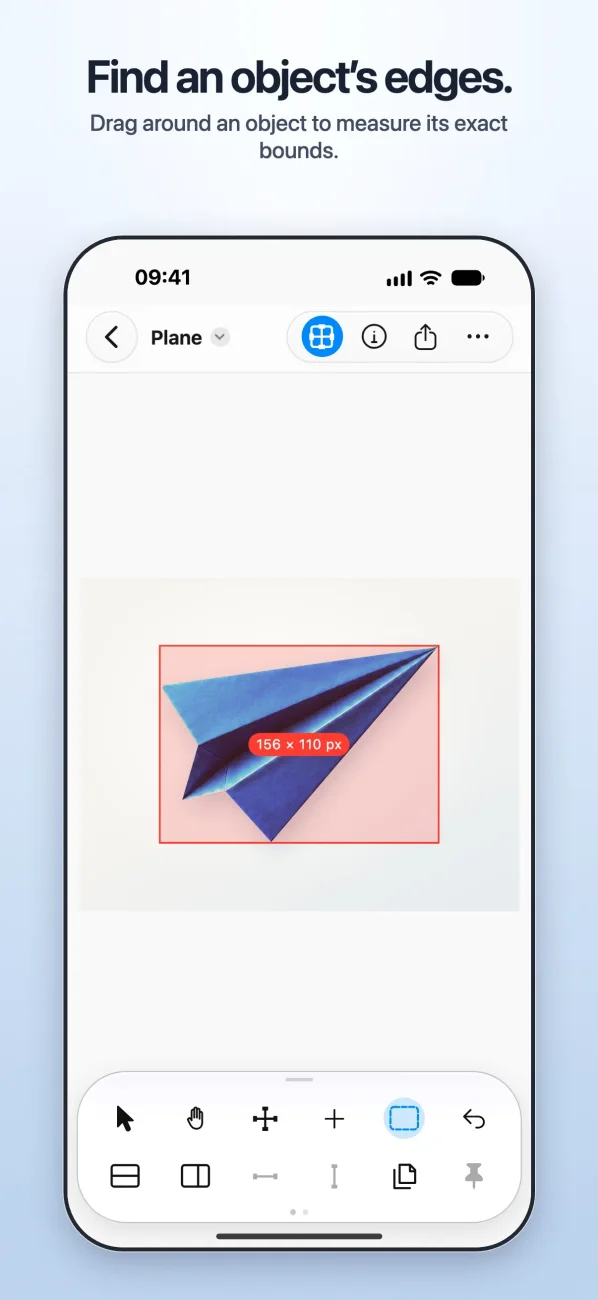
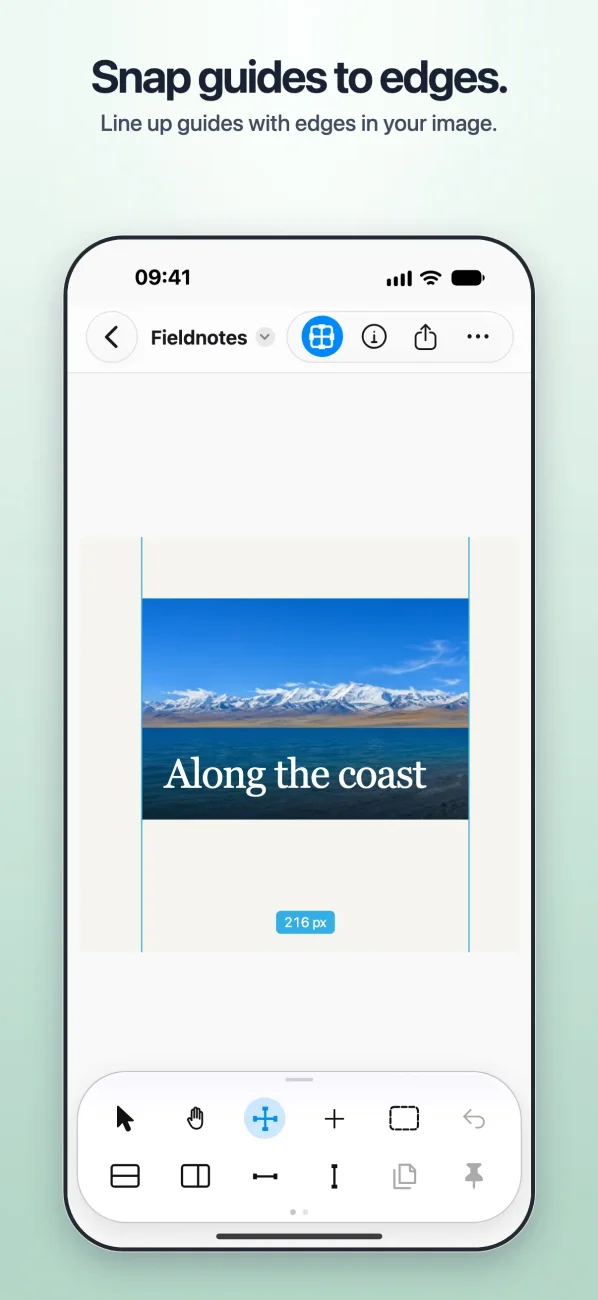
Free tools include Probe, Cross, saving and sharing documents, and adding up to three measurements per document. PixelsMeasure Pro unlocks unlimited measurements, object and area measurement, snapping guides, batch copying, and image cropping and rotation. Pro is available as a monthly or yearly subscription or a one-time lifetime purchase. Try the Pro tools in the included sample document.
Terms of Service: https://pixelsmeasure.com/#/terms-of-service
Privacy Policy: https://pixelsmeasure.com/#/privacy
What’s new
Version 5.0.1 · Nov 22, 2026
• Pixel rulers show image coordinates, and the inspector previews the copied output for selected measurements. Measurements are copied in layer order.
• The sample document includes a video walkthrough of the measurement tasks. You can open it from Settings.
• Document previews refresh after autosave, and saving and closing edited documents is more reliable.
App privacy
What 东东 张 declares on the App Store about how this app handles data.
-
Data not collected
The developer does not collect any data from this app.
Privacy practices may vary, for example with the features you use or your age.
Information
- Seller
- 东东 张
- Category
- Developer Tools
- Version
- 5.0.1
- Updated
- Nov 22, 2026
- Released
- Aug 12, 2022
- Size
- 18.2 MB
- Requires
- iOS 17.0 or later
- Age rating
- 4+
- Price
- Free
- In-app purchases
- Yes
- Languages
- English, French, German, Italian, Japanese, Korean, Russian, Simplified Chinese, Spanish, Traditional Chinese
- Copyright
- Copyright © 2022-2026 ZDDHUB. All rights reserved.
You might also like
-
 PixelKit: Design & Dev ToolsPixel Converter, PPI & CSS
-
 Libraried: UI ComponentsFor Use With SwiftUI
-
 ResolutionerCalculate or scale resolutions
-
 Device Info ToolHardware and software details
-
 WebSSH - Sysadmin ToolboxSSH & SFTP client since 2012!
-
 a-Shell miniLocal Unix terminal (& ssh)
-
 Proxyman - Capture HTTPSCapture HTTPS from your iPhone
-
 Pyto IDEPython & WASM
-
 ScriptableAutomation using JavaScript
-
 Web InspectorDeveloper Console for Safari