- Age rating4+
- CategoryProductivity
- DeveloperKRISHNA PINNAMANENI
- Size2.2 MB
Links to the official App Store page
Download.org hosts no file of PlanMeasure Takeoff. The button opens its official App Store page, published by KRISHNA PINNAMANENI. Listing last checked on Nov 24, 2026.
Screenshots



About
Measure plans, organize quantities, and build an estimate on iPhone, iPad, or Mac.
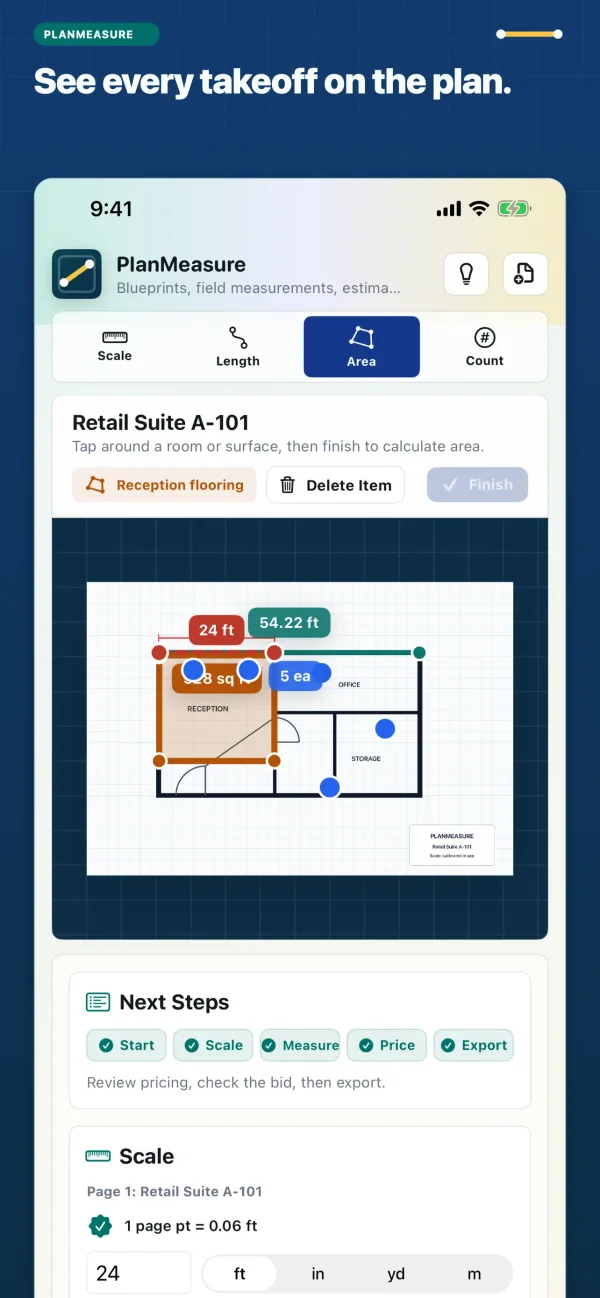
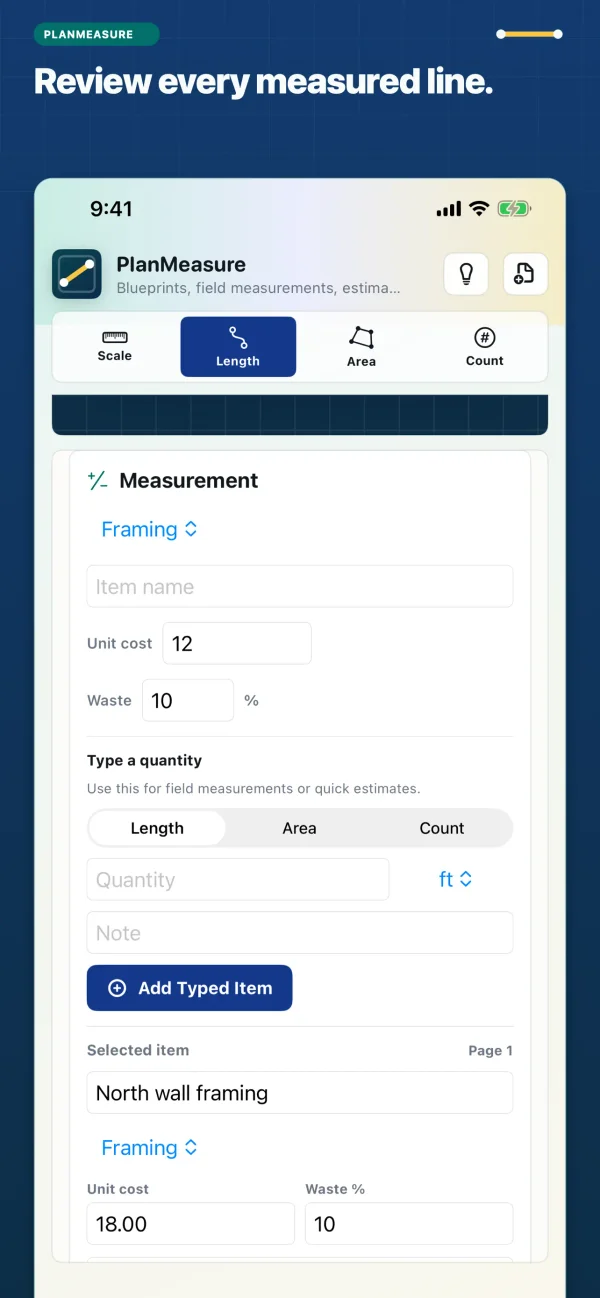
PlanMeasure Takeoff opens blueprint PDFs and plan images, measures lengths, areas, and counts, and helps you price the work. Plans and project data are processed locally; no account or plan upload is required.
CHECK THE SCALE
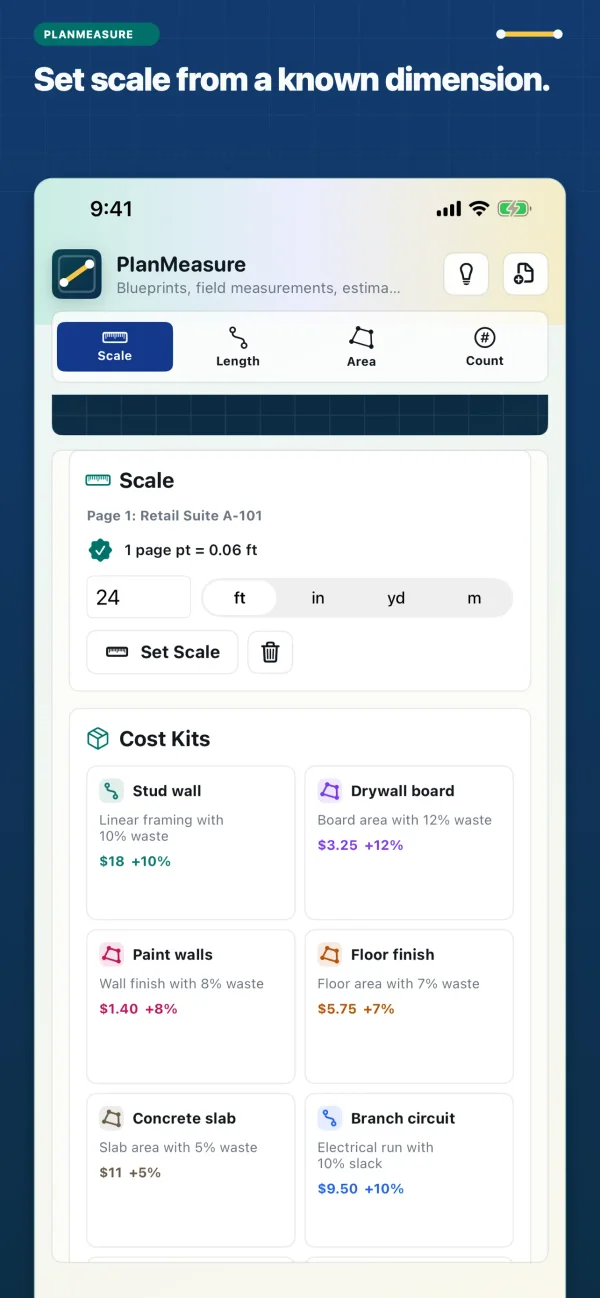
• Calibrate each sheet from a known dimension.
• Use architectural, engineering, and metric PDF scale presets.
• Check the scale against a second known dimension and see its provenance and verification status.
• Review missing-scale warnings before export. A printed scale alone cannot confirm that a scanned or resized plan is accurate.
ORGANIZE BY ROOM OR FLOOR
• Label selected items with a room, floor, zone, or other location.
• Search those labels and keep them in CSV exports.
• See location subtotals in text and PDF reports, with length, area, and count quantities kept separate.
• Items missing a page or required scale are identified and excluded from location subtotals.
• Locations are assigned manually; the app does not automatically divide a drawing into rooms.
MEASURE AND PRICE
• Trace lengths and areas, count fixtures, and enter field quantities.
• Snap to traced endpoints, midpoints, intersections, or the grid, with optional angle constraints and a touch loupe.
• Apply unit prices, waste, and slack; reuse personal cost kits.
• Convert estimated quantities into whole-package material orders using your package coverage.
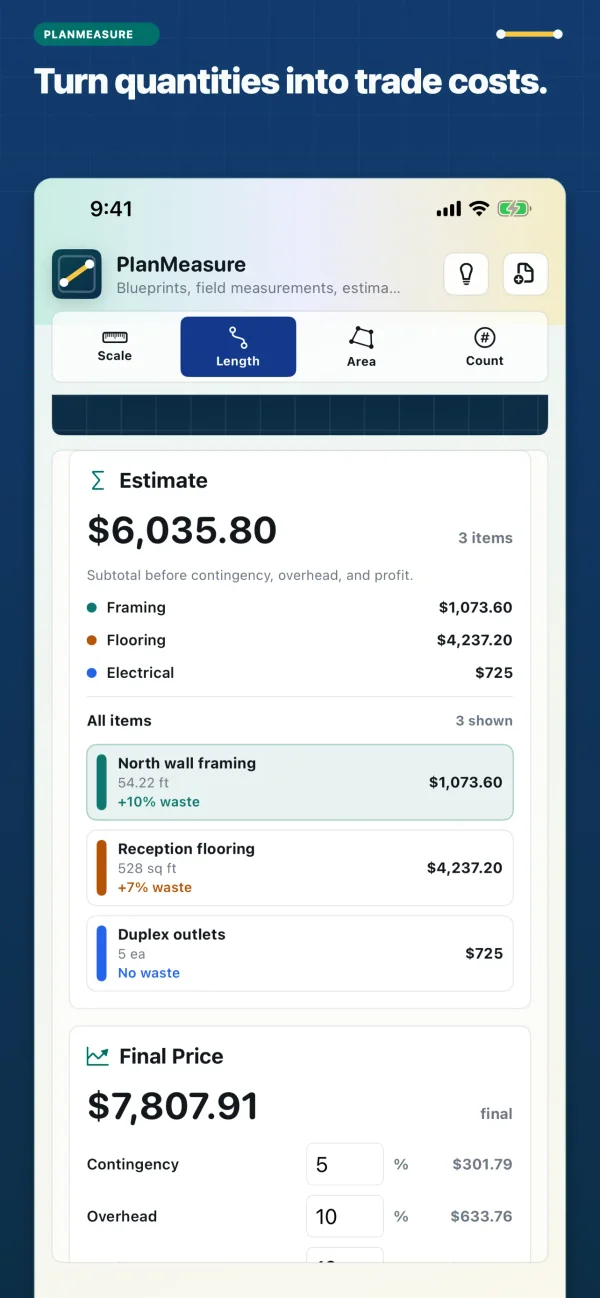
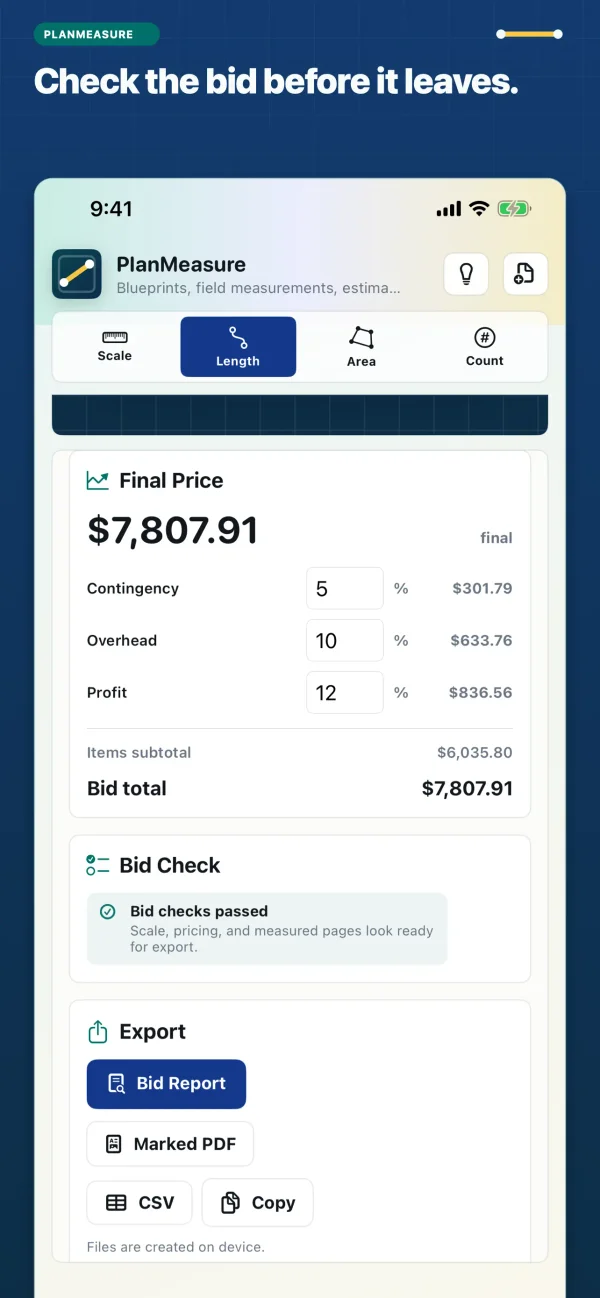
• Review package counts, overage, trade totals, and missing-price checks.
• See purchase estimates and extra whole-package costs in the editor and reports. These use your entered unit rate, including any labor in that rate, and exclude tax and delivery. Existing bid totals remain unchanged.
• Calculate contingency, overhead, profit, and a final bid total.
KEEP AND SHARE YOUR WORK
• Undo and redo changes across the estimating workflow.
• Restore automatic draft checkpoints after an interrupted session.
• Export a portable project backup with its plan pages and restore it as a separate copy on a compatible device.
• Export CSV, marked-up plans, and PDF bid reports.
• Try the included demo before importing your own plan.
For framing, flooring, drywall, painting, roofing, concrete, electrical, plumbing, HVAC, and general estimating.
Measurements depend on the source drawing, calibration, and your inputs. Verify dimensions, scope, prices, and exported quantities before ordering materials or submitting a bid.
• Preview measured quantities before applying a known-dimension scale change, including the affected item count and reminders when units change.
What’s new
Version 1.8 · Oct 15, 2026
Preview a scale correction before applying it.
• See before-and-after quantities for measured items on the selected page.
• See how many items will use the new scale and which count, manual and actual quantities stay fixed.
• Check unit prices and package coverage when changing units.
• Use Undo to restore the previous scale.
Also includes whole-package purchase estimates and extra rounding costs in the editor and text, PDF and CSV reports. Purchase estimates use the entered unit rate and exclude tax and delivery.
App privacy
What KRISHNA PINNAMANENI declares on the App Store about how this app handles data.
-
Data not collected
The developer does not collect any data from this app.
Privacy practices may vary, for example with the features you use or your age.
Information
- Seller
- KRISHNA PINNAMANENI
- Category
- Productivity
- Version
- 1.8
- Updated
- Oct 15, 2026
- Released
- Jun 3, 2026
- Size
- 2.2 MB
- Requires
- iOS 17.0 or later
- Age rating
- 4+
- Price
- Free
- Copyright
- © 2026 Launchdesk Labs
You might also like
-
 ScaleTap: PDF Plan MeasureFast Construction Takeoff
-
 DraftPlanar: PDF Plan ViewerConstruction takeoff & markup
-
 PlanBridge: Measure PDF PlansConstruction Project Organizer
-
 PlanMeasureMeasure floor plans & maps
-
 Planformer – Smart TakeoffsConstruction takeoff estimator
-
 PlanTape: Blueprint MeasureMeasure floor plans to scale
-
 PlanInspect CAD DWG PDF ViewerMeasure & Mark Up Plans
-
 PlanFormManage Construction Plans
-
 CountBricks AI Estimator AppVoice AI Take-Offs & Proposals
-
 DXF Viewer: CAD & Measure ToolOpen & Measure DXF & DWG Files