
DraftPlanar: PDF Plan Viewer
Construction takeoff & markup
Designed for iPhone, iPad, Mac
Free · In-app purchases
- Age rating4+
- CategoryProductivity
- DeveloperDraft Planar LLC
- LanguagesEnglish+ 13 more
- Size80.7 MB
Links to the official App Store page
Download.org hosts no file of DraftPlanar: PDF Plan Viewer. The button opens its official App Store page, published by Draft Planar LLC. Listing last checked on Nov 24, 2026.
Screenshots




About
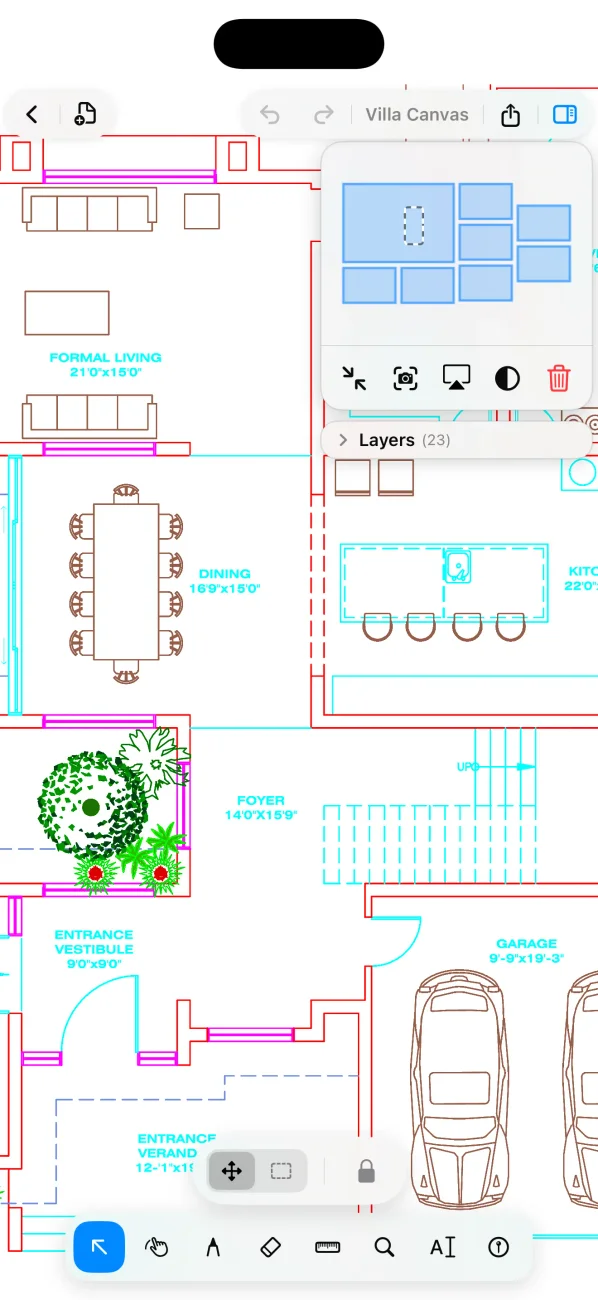
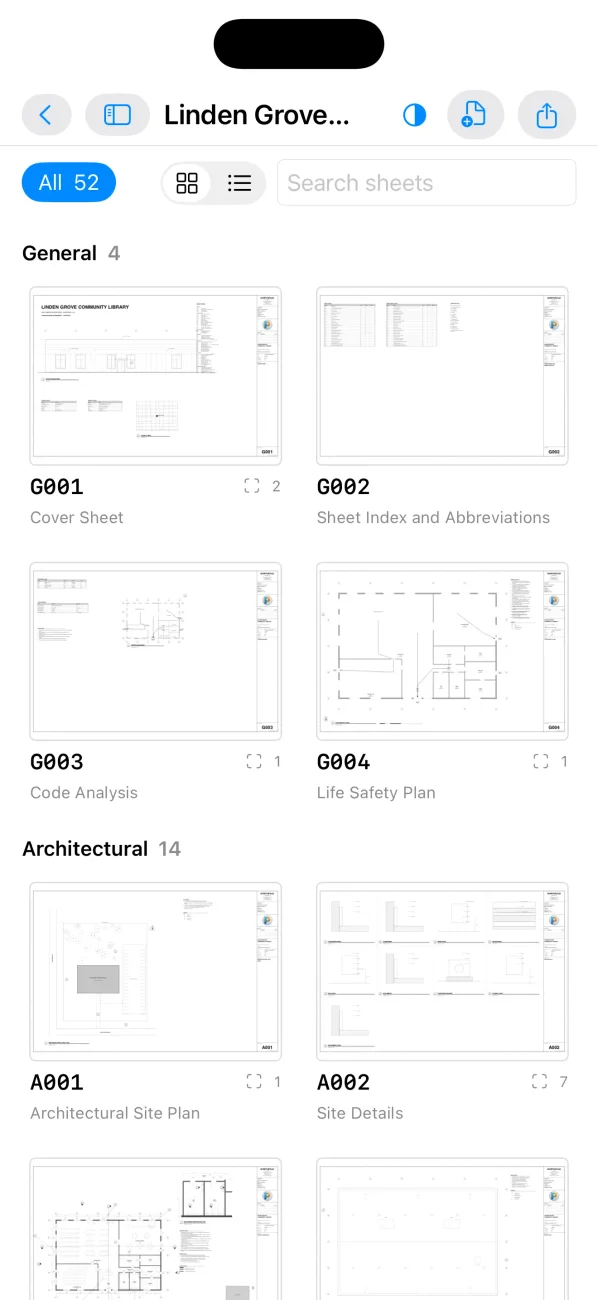
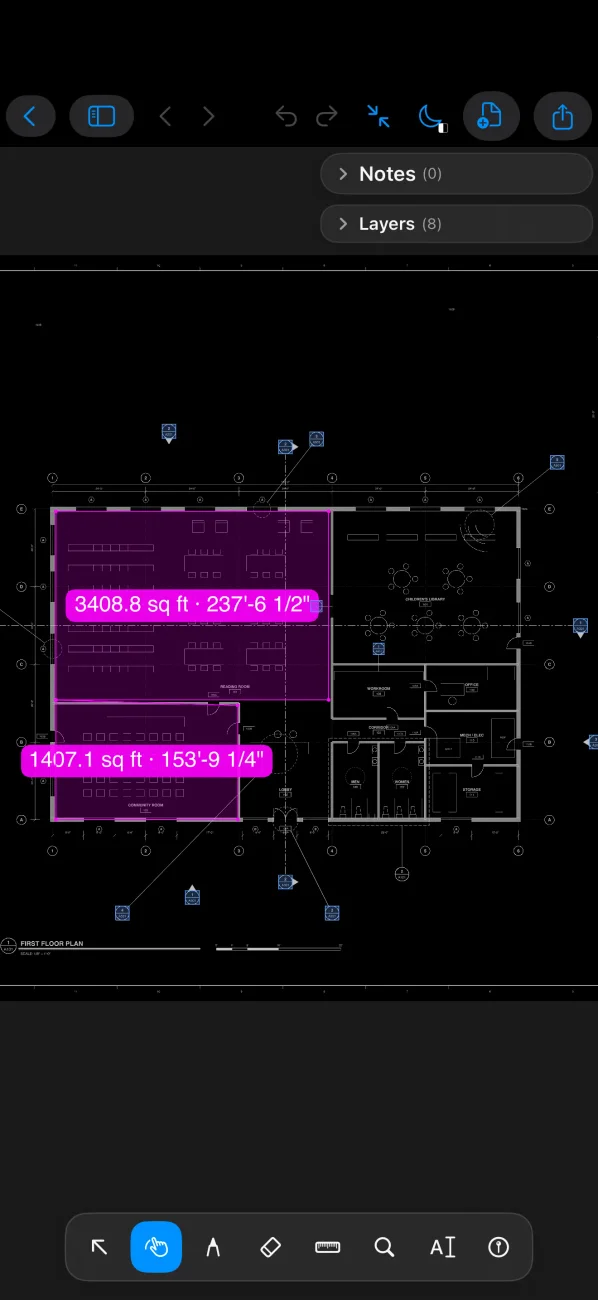
A fast PDF plan viewer for Mac and iPad, with takeoff and markup built in. DraftPlanar opens huge construction drawing sets side by side on an infinite canvas and keeps them fast: 500+ page sets pan and zoom at 60 FPS, and lines and text stay sharp at any zoom. Also on iPhone.
IF YOUR PDF READER IS SLOW ON DRAWINGS
A single construction sheet can hold hundreds of thousands of lines, hatches and text runs. Readers built for ordinary documents lag, blur or stall on them. DraftPlanar was built from the ground up for drawings, from reading the file to drawing it on screen, so large sets stay smooth on Mac and iPad.
AT THE DESK ON MAC. IN THE FIELD ON IPAD.
• Mac: lay the whole set out on a large display, use a single-letter shortcut for every tool, take off quantities precisely with a trackpad or mouse, and present to the room over AirPlay.
• iPad: mark up with Apple Pencil, measure by touch with a magnifier that shows the exact point under your finger, pin notes with a photo or voice memo, and keep working with no signal.
One subscription covers Mac, iPad and iPhone.
WHAT YOU CAN DO
• Takeoff
Length chains, area and perimeter, angles with a 15° snap, and count series that total across sheets. Points snap to the PDF's own vector lines, and every sheet keeps its own scale. DraftPlanar reads the scale printed in the title block and checks it against dimensions on the drawing. Totals sit in a list beside the plan, and export to PDF or CSV.
• Markup
Draw and redline with Apple Pencil. The ink is vector, so it stays sharp when you zoom in. An eraser that removes only your strokes, text boxes (including Chinese, Japanese and Korean input) and text highlighting.
• Copy & Export Drawing Details
Select part of a PDF drawing and copy its vector lines and text, or export the selection as SVG or a one-page PDF. Vector details stay sharp; scanned regions copy as images.
• Notes & Punch Lists
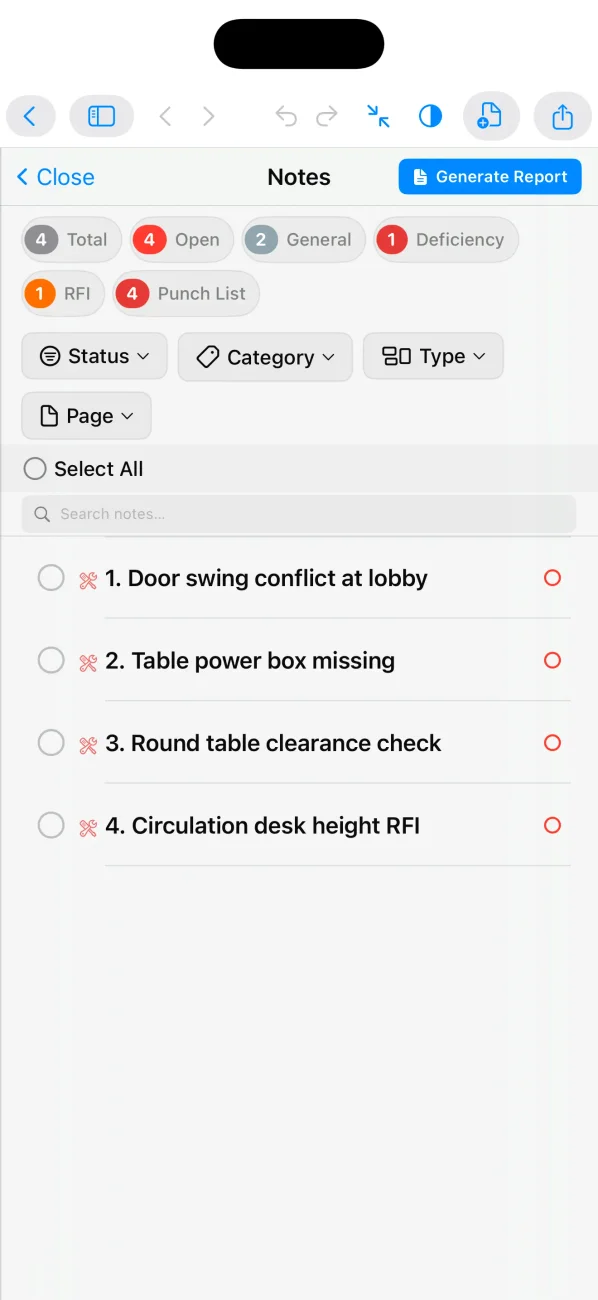
Drop numbered notes on the exact spot on the drawing, with category, priority, status, assignee and due date. Add a photo or voice memo, filter the list, and export a punch-list PDF report anyone can read.
• Search
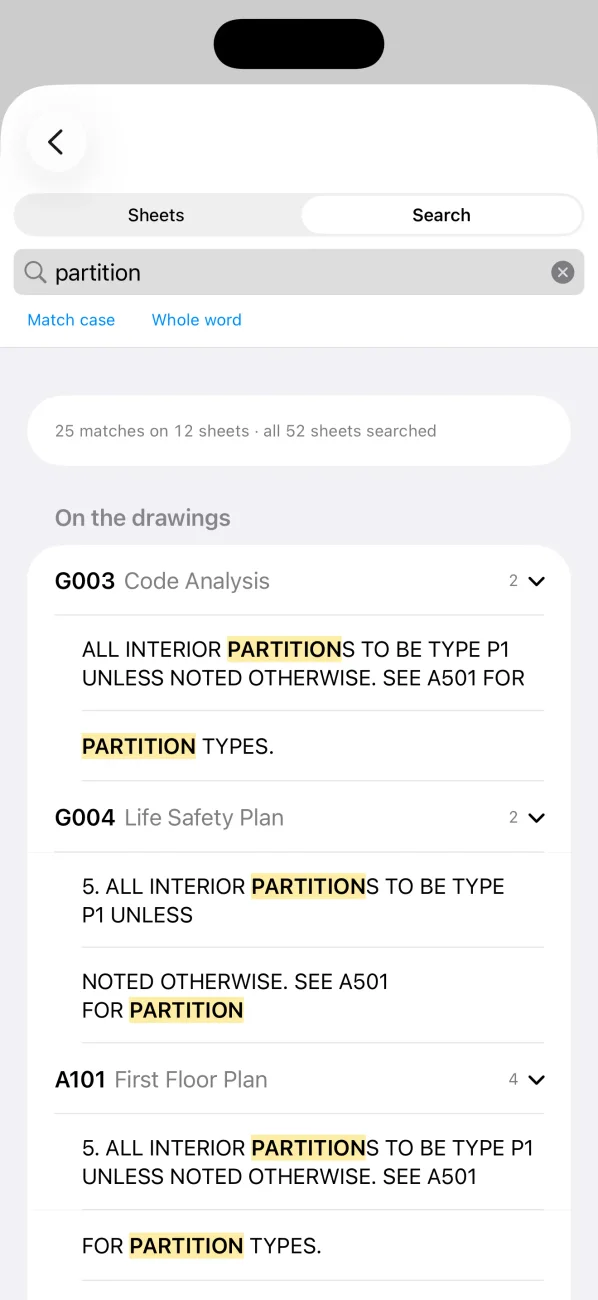
Find any word in native PDFs, in scans and photos (text recognition runs on your device), and in text you typed.
• Compare Revisions
Overlay two versions of a PDF page by page, so what changed stands out.
• PDF Layers
Turn individual layers on and off, such as architecture, structure or MEP, and filter long layer lists by name.
• And more
Adaptive dark mode, AirPlay presenting with a pointer, PDF export, and a built-in Feature Guide with every shortcut.
100% PRIVATE & OFFLINE
- All processing happens on your device. No cloud uploads. No tracking.
- Works without Wi-Fi or internet, on the job site and in the air.
- No account required.
PRICING
DraftPlanar is free to download and includes a 14-day free trial of every Pro tool. DraftPlanar Pro unlocks importing documents, markup, takeoff and measurement, compare, search, layers, notes and export. Without Pro you can still open and view the canvases you created.
SUBSCRIPTION INFORMATION
• DraftPlanar Pro Monthly — auto-renewable, 1 month
• DraftPlanar Pro Annual — auto-renewable, 1 year
• Payment will be charged to your Apple Account at confirmation of purchase
• Subscriptions automatically renew unless canceled at least 24 hours before the end of the current period
• You can manage and cancel subscriptions in your Account Settings
Measurements are approximate and depend on the PDF and its scale. Verify critical dimensions before relying on them.
Terms of Use: https://www.draftplanar.com/terms
Privacy Policy: https://www.draftplanar.com/privacy
What’s new
Version v1.6.1 · Nov 23, 2026
• Revisions (Beta): Import the next issue of a drawing set and see what changed: revised, new and removed sheets, every change outlined, and the old and new sheet laid over each other. Your markups carry forward to the new sheets.
• Materials and Prices (Beta): Import a supplier's price list from Excel, Numbers or CSV. Before anything changes you see the new items, the price changes and any rows that need fixing. Start from the sample CSV.
• Free Trial, Nothing to Press: Pro is free for 14 days, starting the first time you open a canvas.
• Faster on Scanned Plans: Finding detail markers on plans without a text layer is about three times faster and easier on the battery, and large sets no longer stall while loading.
• Fixes: The PDF Content Changed prompt now appears every time a drawing changes.
Both Betas can be turned off in the gallery's ⋯ menu. We'd love your feedback.
App privacy
What Draft Planar LLC declares on the App Store about how this app handles data.
-
Data not collected
The developer does not collect any data from this app.
Privacy practices may vary, for example with the features you use or your age.
Information
- Seller
- Draft Planar LLC
- Category
- Productivity
- Version
- v1.6.1
- Updated
- Nov 23, 2026
- Released
- Mar 25, 2026
- Size
- 80.7 MB
- Requires
- iOS 26.0 or later
- Age rating
- 4+
- Price
- Free
- In-app purchases
- Yes
- Languages
- English, Dutch, French, German, Italian, Japanese, Korean, Portuguese, Russian, Simplified Chinese, Spanish, Swedish + 2 more
- Copyright
- © 2026 Draft Planar LLC
You might also like
-
 PlanMeasure TakeoffBlueprint PDF estimator
-
 ScaleTap: PDF Plan MeasureFast Construction Takeoff
-
 PlanInspect CAD DWG PDF ViewerMeasure & Mark Up Plans
-
 PlanBridge: Measure PDF PlansConstruction Project Organizer
-
 DXF Viewer: CAD & Measure ToolOpen & Measure DXF & DWG Files
-
 PlanFormManage Construction Plans
-
 Planformer – Smart TakeoffsConstruction takeoff estimator
-
 SnapDWG: DWG Viewer & PDFDwg, CAD Reader & Converter
-
 Drawboard ProjectsCollaborative design reviews
-
 CADrawCAD Drawing tools