Planningify : Work timesheet
Manage timesheet and work time
Designed for iPhone, iPad, iPod touch
Free · In-app purchases
- Age rating17+
- CategoryUtilities
- DeveloperAlexandre Thil
- LanguagesEnglish+ 65 more
- Size29.9 MB
Links to the official App Store page
Download.org hosts no file of Planningify : Work timesheet. The button opens its official App Store page, published by Alexandre Thil. Listing last checked on Nov 25, 2026.
Screenshots
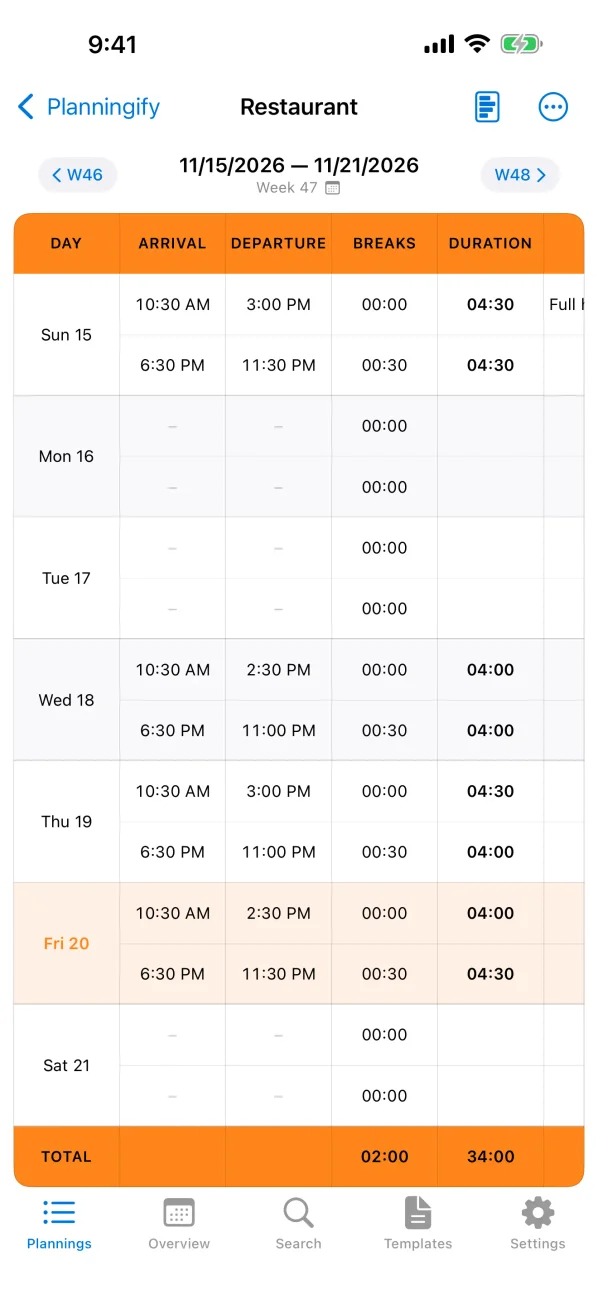

About
Easily track and calculate your working hours, plannings and agendas, count overtime and extra hours with work time tracker and management software iziTime / Planningify Planning worklog). Print your PDF timesheets and time tables, export per e-mail, iCloud, Google Drive, or any spreadsheet like Excel, Numbers or Google Sheets.
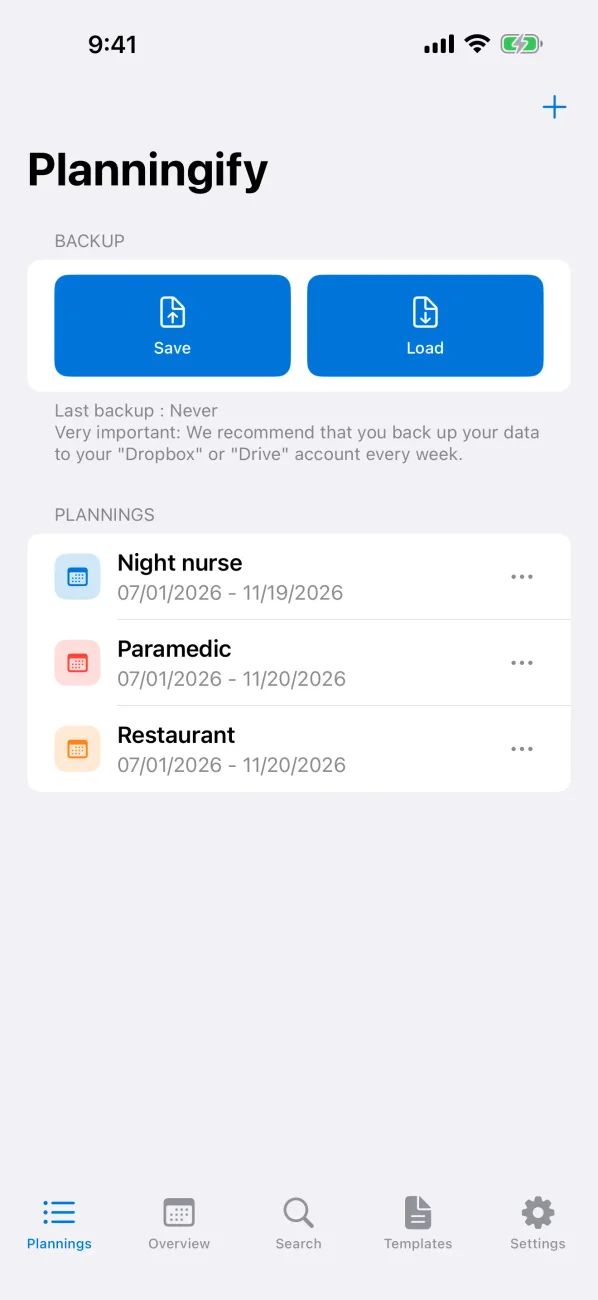
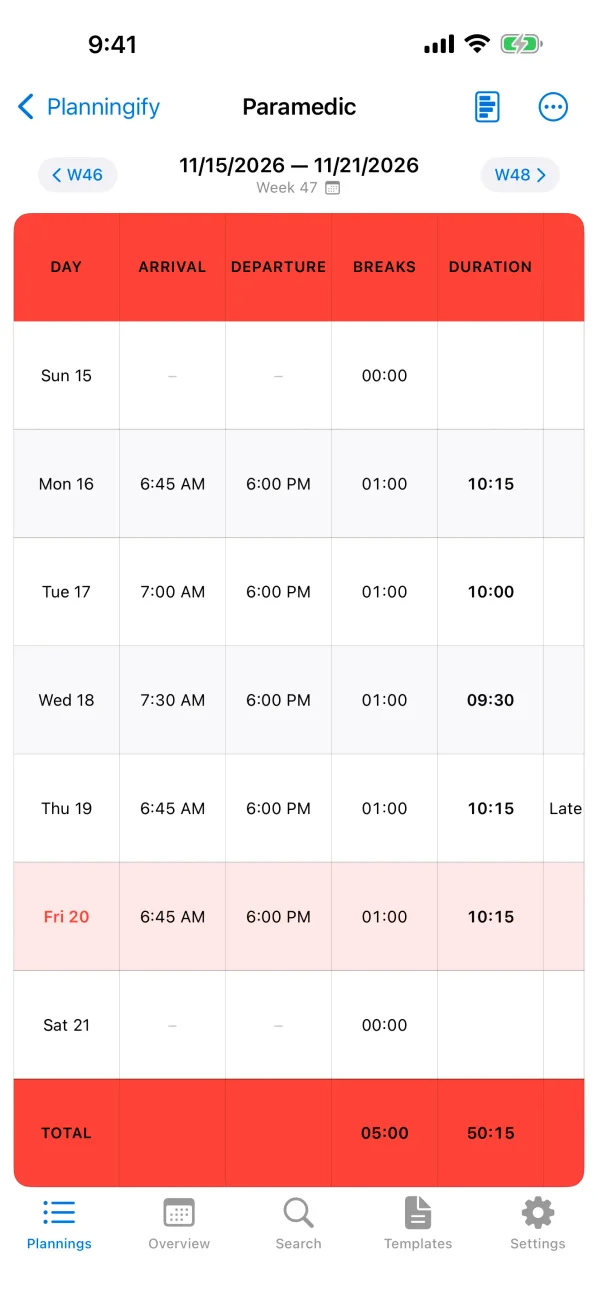
• Only one screen (calendar) to easily clock in and clock out each day and week your worked hours (arrival time, departure, breaks, comments and notes, hourly rate...). Create and use predefined hour templates (morning week, evening week…)
• Overtime wizard to automatically calculate extra and overtime hours in only one click ! Total duration = Expected hours - Worked hours.
• Users say: "Great, I'm a temporary worker and iziTime allows me to record my hours with and without breaks, and to know how many hours I already did, and how many I have to do in the month. I recommend at 200%"
"This app allows me to easily manage my rest and overtime hours". I appreciate the ease of use.
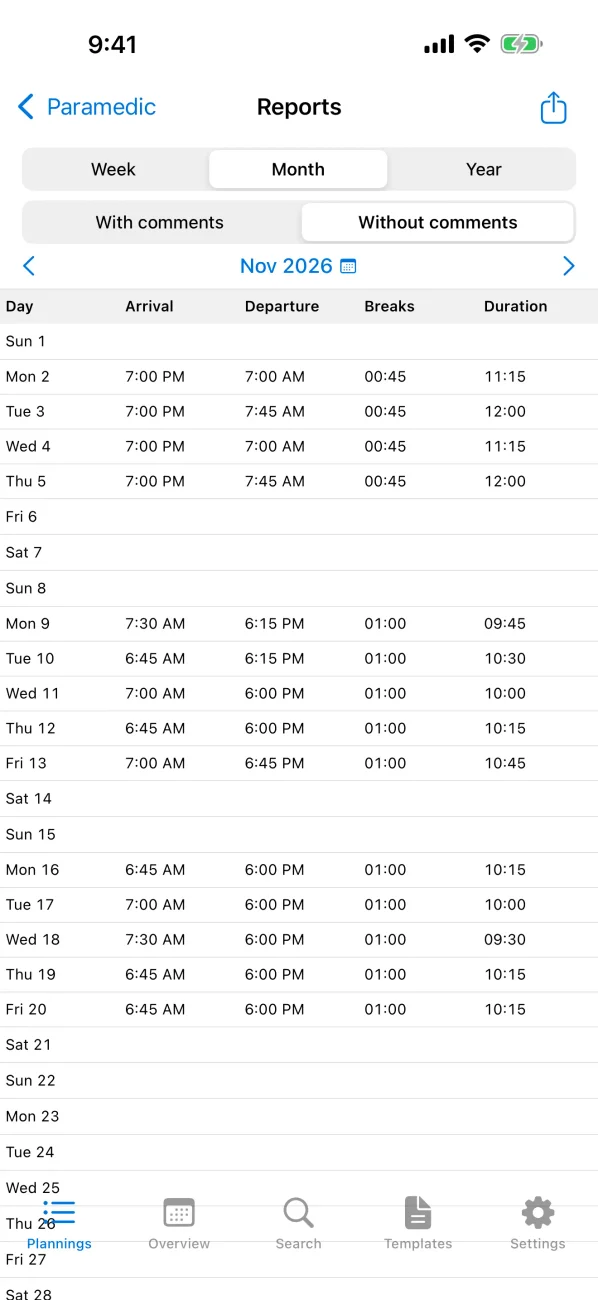
• Reports and PDF timesheets are printable (total of worked hours per planning, day, month and year. You can save your hours to any spreadsheet software like Google Sheets, Excel, Numbers or OpenOffice (csv-friendly).
• Daily paid hourly rate can be changed (ex: 120% paid), any comment and note can be added to save the tasks to be performed, days off, blank holidays, sickness, duty, business trips, meals and mileage expenses...
• Our calendar is compatible with any kind of schedule or job : shift work (morning week, afternoon, evening and night), shifts, office job as well as shifted and variable hours. Freelancers and projects managers can invoice time spent for each client and activity (One planing per customer).
• Also suitable for sport activity tracking, social working and school timetable.
• Features:
- One or multiple agendas
- Predefined schedule templates
- Print timesheet and PDF export to Drive and e-mail
- Automatic calculation of extra and overtime hours
- Compatibility : Data import (csv), export to spreadsheet (gross and net wage and salary calculation, transfer to third party...)
- Tailorable and customizable schedule (columns, colors, locale, first day of the week)
- Synchronize with Dropbox (optional) and share between multiple devices
- Dark mode option to save energy
To follow us or contact us:
- Web: https://www.izitime.app
- Facebook: https://www.facebook.com/iziTimeApp/
Frequently asked questions:
- How to clock in and clock out my working hours ? Click on your planning / schedule, then choose each time on each box: Arrival time, departure, unpaid breaks). Slide the screen to the left to add comments, overtime and hourly rates. Use the button located at the top right of screen to automatically calculate your extra and overtime hours
- How to print or export time tables: Schedule, Menu, Reports, then click the the top-left button
- How to create and use a model or week type ? Menu > Templates > Create. Then once on your schedule, click the button (top right) then Load from a template."
izi Time is free (clock in and out hours, printing, import, export...) ! Only certain functions are paid (multi schedules, multi shifts, models...).
- Your iTunes account is debited on purchase confirmation. When renewing, your account is charged the same amount within 24 hours before the end of the current period. These options are billed through iTunes and are automatically renewed each year.
- Automatic renewal can be disabled in user account settings. You can create, modify, or cancel your subscriptions whenever you want from your iTunes account. The automatic renewal cancellation must be made at least 24 hours before the end of the current subscription period. No cancellation is possible during the current active period.
EULA: https://www.hooliapps.com/izitime/eula
Data privacy : https://www.hooliapps.com/izitime/privacy
What’s new
Version 26.11.0 · Nov 23, 2026
Welcome to the all-new Planningify! We have completely rewritten the application from the ground up to provide a smoother experience, lots of new features, and a brand-new companion app for the Apple Watch.
App privacy
What Alexandre Thil declares on the App Store about how this app handles data.
-
Data used to track you
May be used to track you across apps and websites owned by other companies.
- Location
- Browsing history
- Identifiers
- Usage data
- Diagnostics
-
Data linked to you
May be collected and linked to your identity.
- Location
- Browsing history
- Identifiers
- Usage data
- Diagnostics
-
Data not linked to you
May be collected but is not linked to your identity.
- Diagnostics
Privacy practices may vary, for example with the features you use or your age.
Information
- Seller
- Alexandre Thil
- Category
- Utilities
- Version
- 26.11.0
- Updated
- Nov 23, 2026
- Released
- Nov 11, 2016
- Size
- 29.9 MB
- Requires
- iOS 15.0 or later
- Age rating
- 17+
- Price
- Free
- In-app purchases
- Yes
- Languages
- English, Afrikaans, Arabic, Armenian, Azerbaijani, Basque, Belarusian, Bengali, Bulgarian, Burmese, Cambodian, Catalan + 54 more
- Copyright
- © 2016 Alexandre Thil
You might also like
-
 Work Hours CalculatorTime, shift & salary tracker
-
 Hours Calculator, Minutes CalcBetween Two Times, Dates, Work
-
 Hours and minutes, calculatorMathematical operations
-
 Time Calculator - Work HoursDate, Calendar & Salary Clock
-
 Overtime Calculator - Pay CalcOT: Weekly, monthly, yearly
-
 Work Hours Tracker: TimesheetOvertime & Pay Calculator, Log
-
 Work Log - Shift TrackerTrack Hours, Shifts & Pay
-
 Time Card Calculator AppWork Hours & Overtime Tracker
-
 # Simple Table - Note as tableNote as Table / Sheet simply
-
 Time-CalculatorSimply !