PlanThat: Shared Planner
Calendar, Tasks & Live RSVP
Designed for iPhone, iPad, Mac
Free · In-app purchases
- Age rating4+
- CategoryProductivity
- DeveloperZackery Griffin
- LanguagesEnglish+ 5 more
- Size32.3 MB
Links to the official App Store page
Download.org hosts no file of PlanThat: Shared Planner. The button opens its official App Store page, published by Zackery Griffin. Listing last checked on Nov 22, 2026.
Screenshots
About
One tap. Plans actually happen.
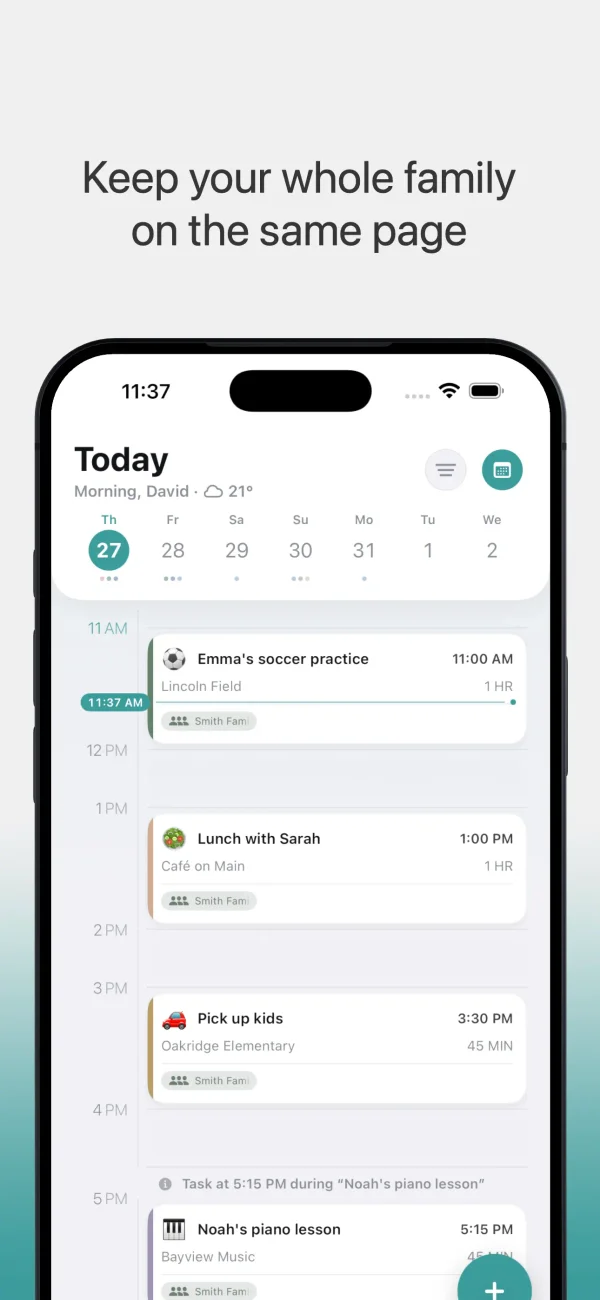
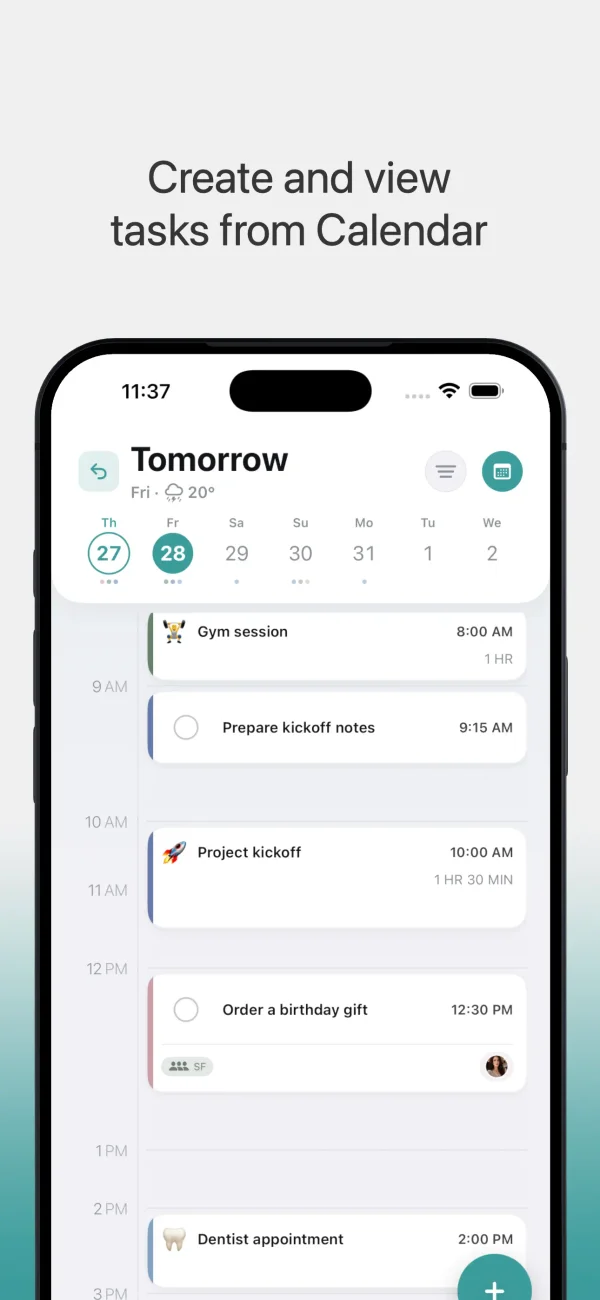
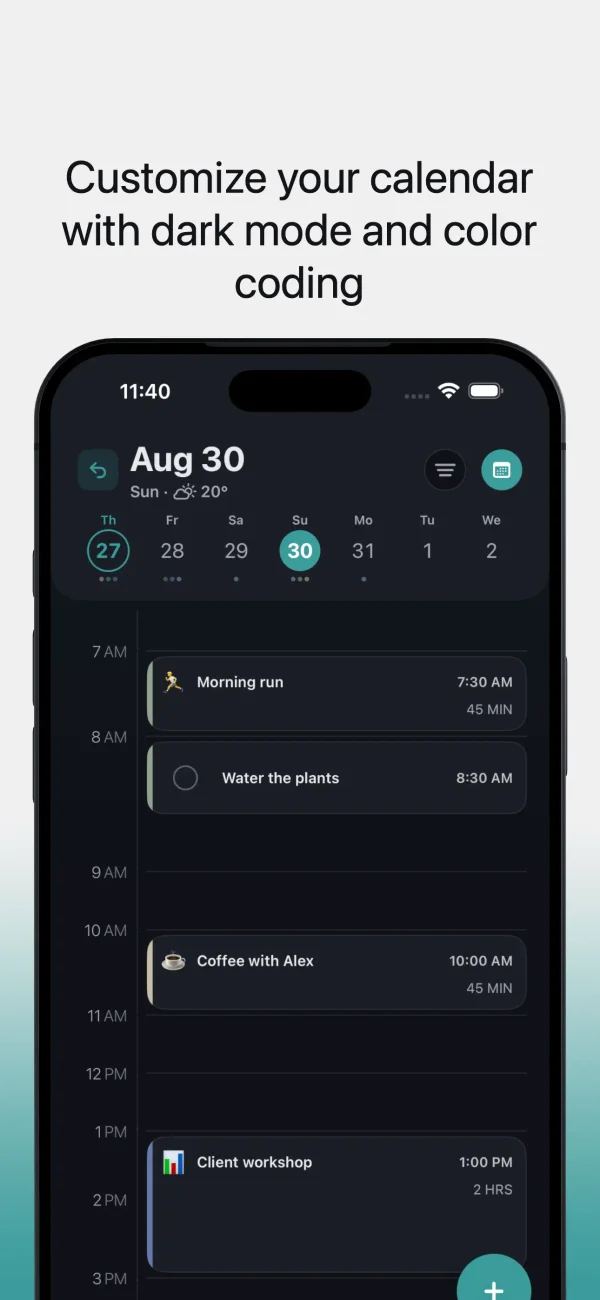
Plan your events and to-dos on one simple timeline. No more group chat mess. No more "what time again?" No more plans that fall apart.
FOCUS ON WHAT'S NEXT
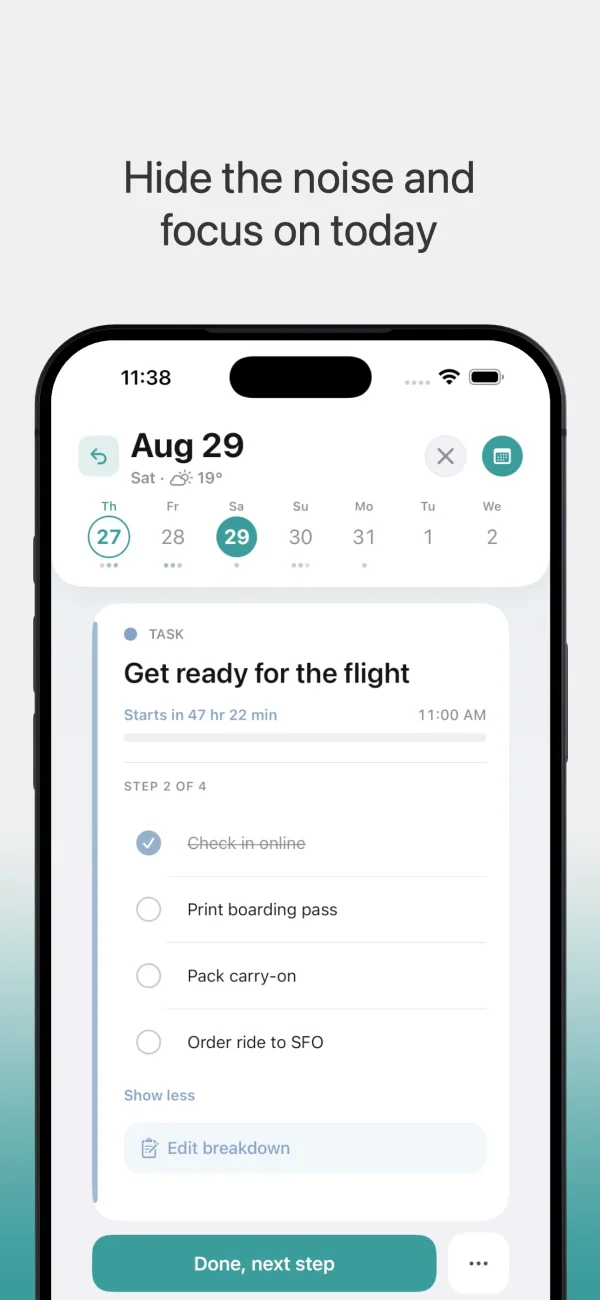
A busy mind loses track fast. PlanThat shows you one simple timeline, not a long list. Focus Mode cuts through the noise and shows only what matters next. Less stress. More done.
NOTES
Packing lists, gift ideas, the door code for the cabin. Notes keeps them right beside your plans. Add headings, bold, bullets, and checklists, pin the ones you use most, and share a note with your group so everyone works from the same list. Your plans and to-dos get the same rich formatting too. On Mac, Notes opens in its own window.
ON EVERY SCREEN YOU USE
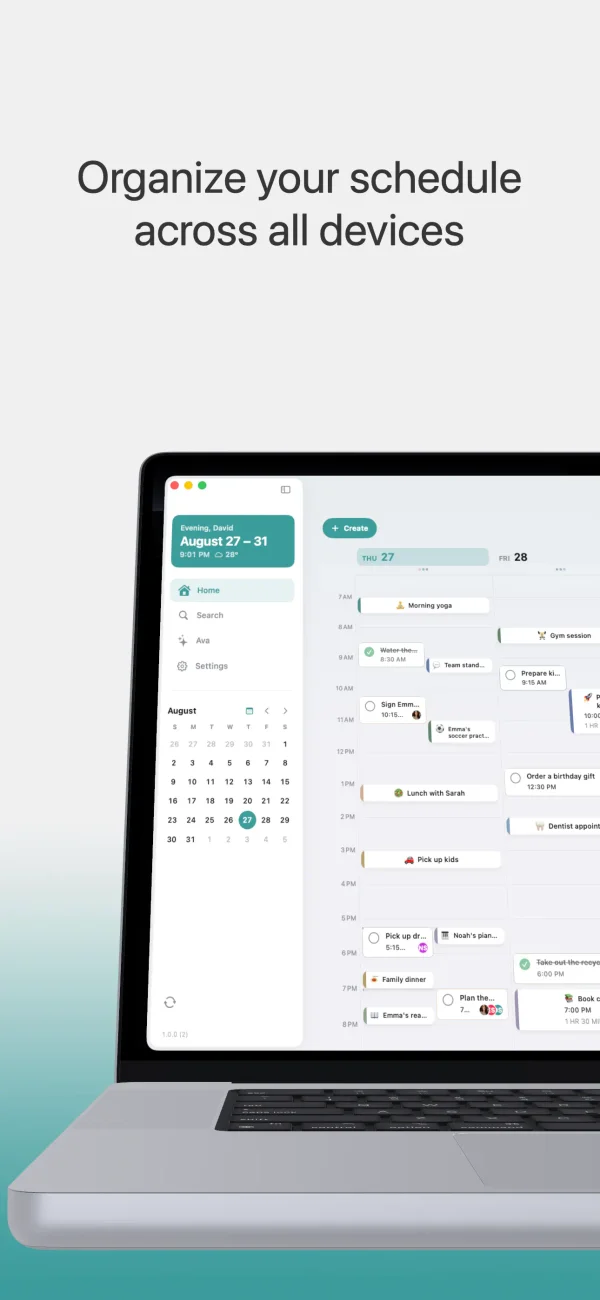
iPhone, iPad, Mac, and Apple Watch. Your timeline follows you, so the plan is always a glance away. The Mac app is built natively for the desktop, with room to see your whole week at once.
GREAT FOR GROUPS
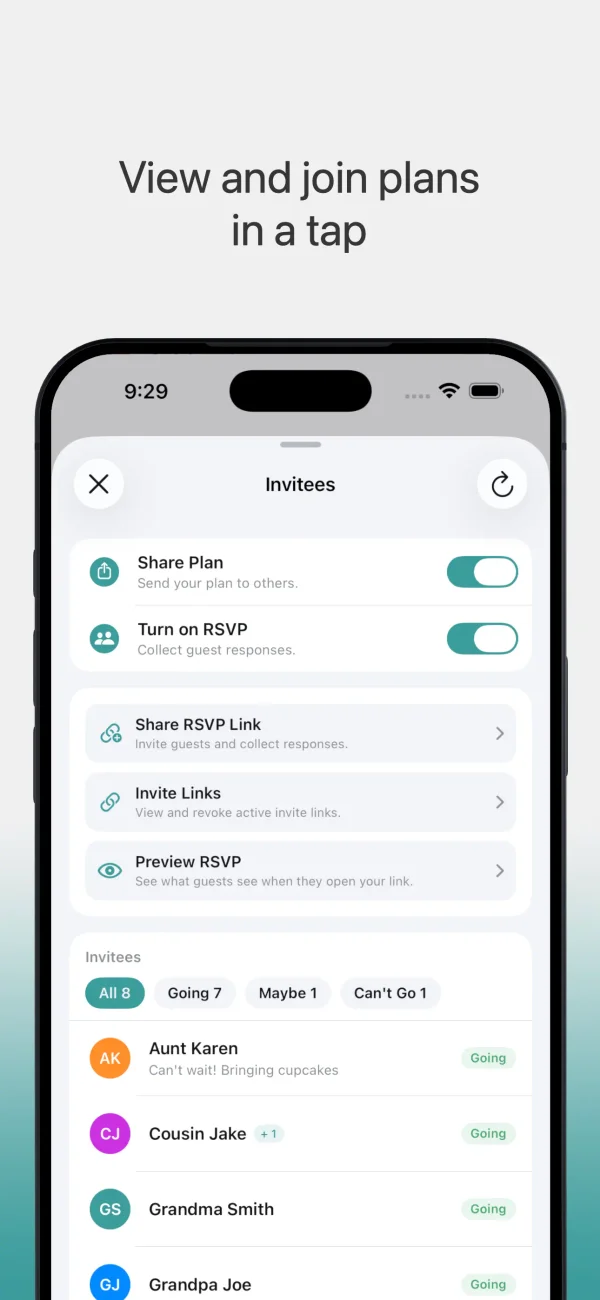
You shouldn't be the only one who remembers. Share a plan and everyone sees the same thing at the same time. The people you invite don't even need the app.
WORKS WITH YOUR CALENDARS
The events you already keep in Apple Calendar and Google Calendar show up right on your PlanThat timeline, so everything lives in one place. They stay read-only until you choose to turn one into a full PlanThat plan you can edit and share.
MEET AVA
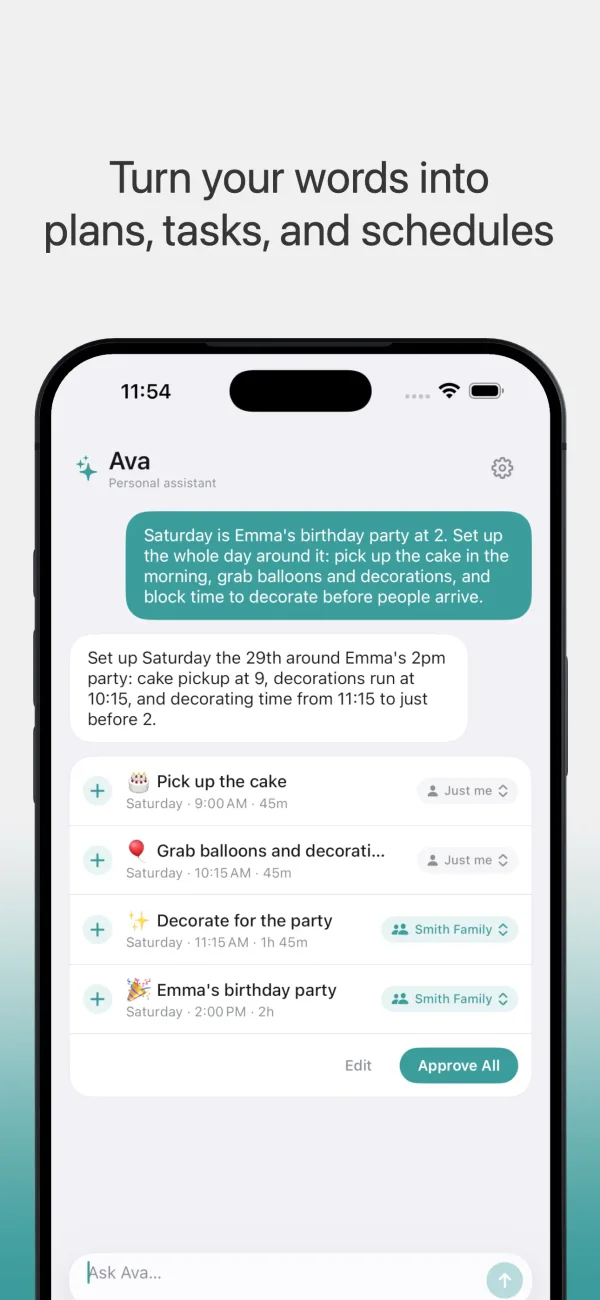
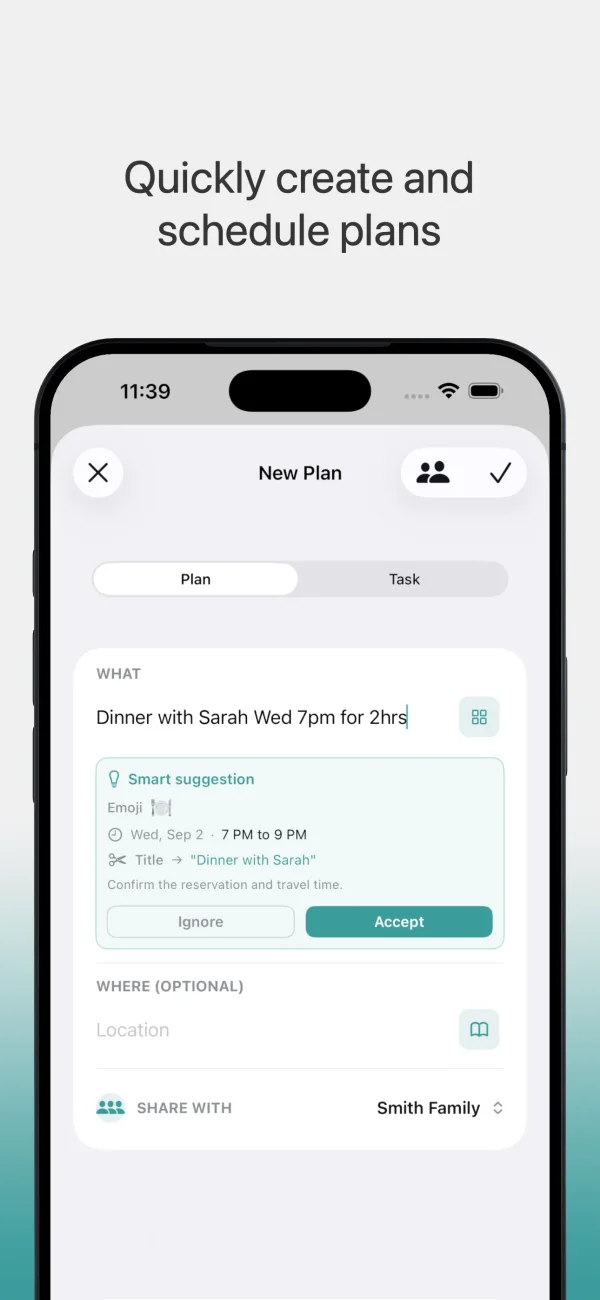
Ava is your planning assistant. Ask for what you need in plain words and she suggests plans you can accept or skip. Nothing lands on your timeline until you say so.
GET A REAL RSVP
Tired of "maybe" and no reply? Send a link and let people RSVP in seconds. No account needed. Now you know who's coming.
NEVER MISS A DUE DATE
Give any to-do a deadline and PlanThat reminds you before time runs out. A quick "Due soon" or "Overdue" tag keeps the important things in view.
KNOW WHEN TO LEAVE
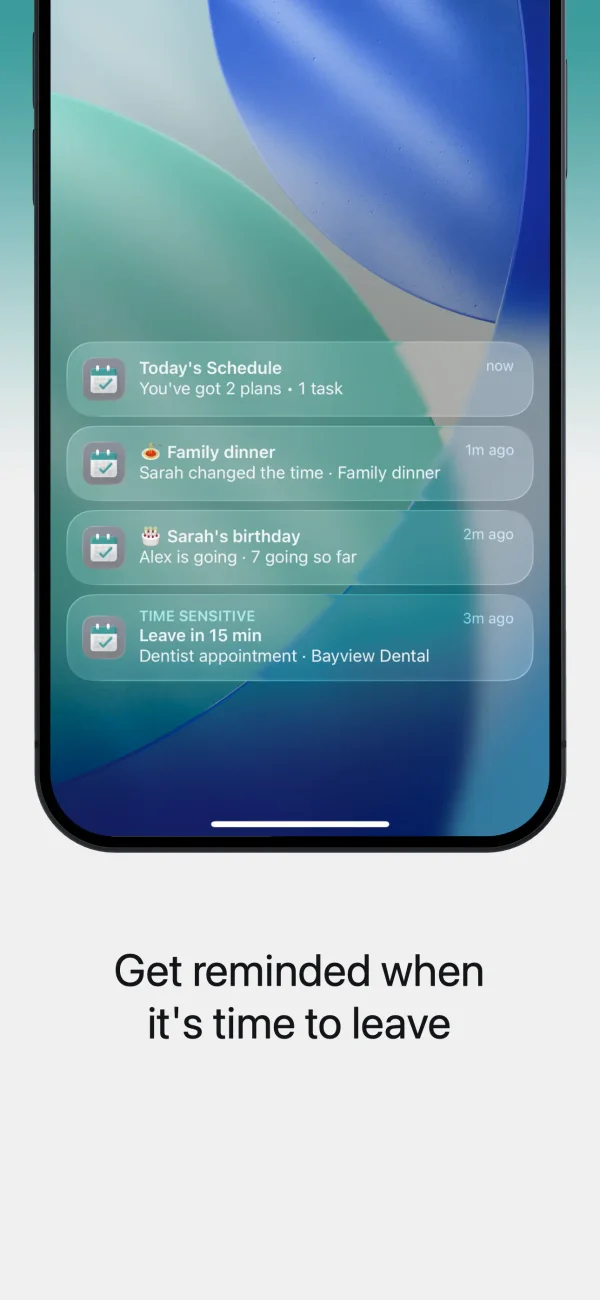
See the weather and drive time on a plan, and get a reminder when it's time to go.
ALWAYS WITH YOU
Keep your next plan on your Lock Screen and Dynamic Island. The details stay with you.
SPEAKS YOUR LANGUAGE
Fully translated into English, Spanish, Portuguese, French, German, and Greek. Type a plan in your own words and PlanThat understands it.
PERFECT FOR
• Families
• Couples
• Friend groups
• Busy professionals
• School and sports schedules
• Travel and events
WHY PEOPLE LOVE PLANTHAT
• Everyone stays in sync, so you're not the only one who remembers
• Just type it. "Dinner Friday 7pm" becomes a plan instantly
• Focus Mode shows only what's next, not an endless list. Great for ADHD and busy minds
• One shared timeline instead of scattered group chats
• Shared notes and checklists that live right next to your plans
• The same plans on your iPhone, iPad, Mac, and Apple Watch
PLANTHAT+
• Group plan sharing
• Share plans with a link
• RSVP with guest management
• Ava, your planning assistant
• Live weather and drive time
• Live Activities, including "time to leave" reminders
Privacy Policy and Terms of Service:
https://planthat.app/legal-privacy
https://planthat.app/legal-terms
What’s new
Version 8.1.3 · Nov 21, 2026
Bug fixes and notes improvements for a smoother, steadier experience.
App privacy
What Zackery Griffin declares on the App Store about how this app handles data.
-
Data linked to you
May be collected and linked to your identity.
- Purchases
- Location
- Contact info
- User content
- Identifiers
- Usage data
-
Data not linked to you
May be collected but is not linked to your identity.
- Diagnostics
Privacy practices may vary, for example with the features you use or your age.
Information
- Seller
- Zackery Griffin
- Category
- Productivity
- Version
- 8.1.3
- Updated
- Nov 21, 2026
- Released
- Jun 9, 2026
- Size
- 32.3 MB
- Requires
- iOS 18.6 or later
- Age rating
- 4+
- Price
- Free
- In-app purchases
- Yes
- Languages
- English, French, German, Greek, Portuguese, Spanish
- Copyright
- © 2026 PlanThat
You might also like
-
 Plans: Notes & To-Do ListsMinimalist reminders & widget
-
 Prazo: Calendar & To-Do ListDaily planner & reminders
-
 Vibelist: Sequential TodolistFocus on what's actionable
-
 Anythings: To-Do List & TasksKeeps itself in order
-
 MyBox: Message YourselfNo server for your saves
-
 DebtShield: Debt CollectionCall Log & Evidence Journal
-
 KeepCue: Day Planner, RoutinesVisual Timeline, To-Do Inbox
-
 Planote - Daily Planner TasksSchedule Organizer, To-do list
-
 Nyblit 2: To-Do List & PlannerState-Based Productivity
-
 Find that Book - OCR libraryPhotos & keywords recognition