Plans: Notes & To-Do Lists
Minimalist reminders & widget
Designed for iPhone, iPad
Free · In-app purchases
- Age rating4+
- CategoryProductivity
- DeveloperLunus Technologies
- LanguagesEnglish+ 7 more
- Size15.5 MB
Links to the official App Store page
Download.org hosts no file of Plans: Notes & To-Do Lists. The button opens its official App Store page, published by Lunus Technologies. Listing last checked on Nov 23, 2026.
Screenshots
About
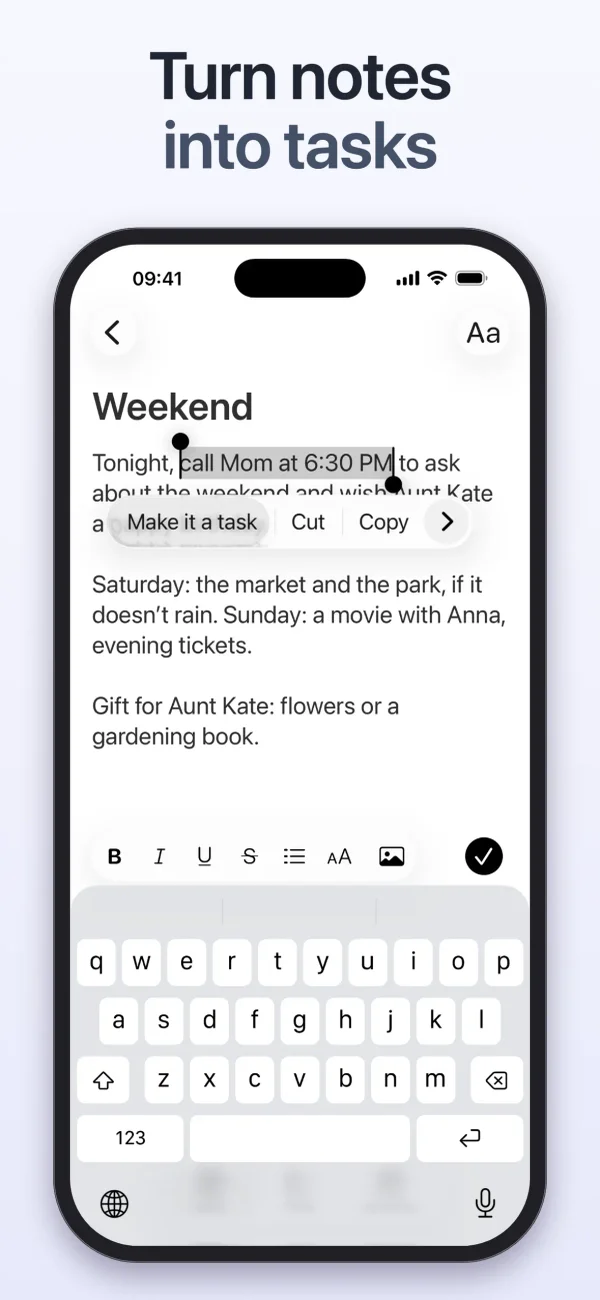
Your to-dos hide in your notes. Plans helps you get them out: select any sentence, tap "Make it a task", and it lands on the right day with the time already set. Notes, tasks and your calendar, together in one minimalist app — now on Apple Watch too.
NOTES
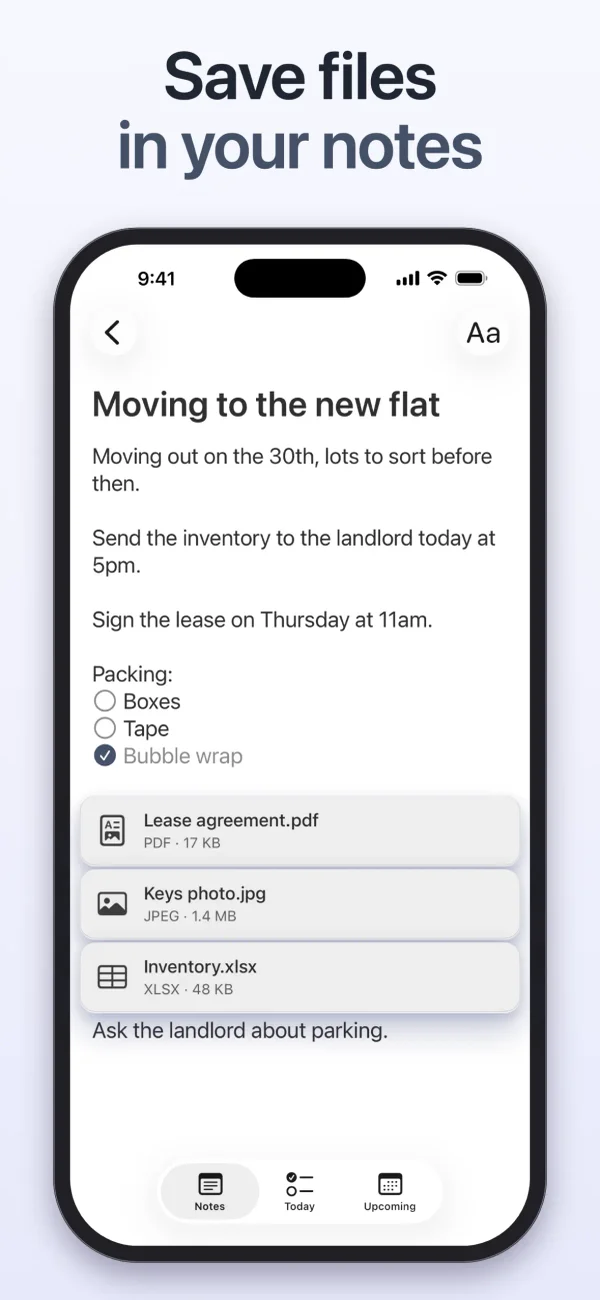
• Write freely: formatting, checklists, photos and scanned documents
• Attach PDFs and any other files with the paperclip
• Select any text and turn it into a task. Plans reads the date and time from your words
• Select a list and it becomes a checklist task
• Folders, pinning and search
• Save text, links and files from other apps with the share sheet
TASKS
• Add a task in a single line, with the date and time right in the text
• Lists with subtasks
• Time, reminders and daily repeat
• Move a task to another day with a swipe
• Every task links back to the note it came from
PLANNING
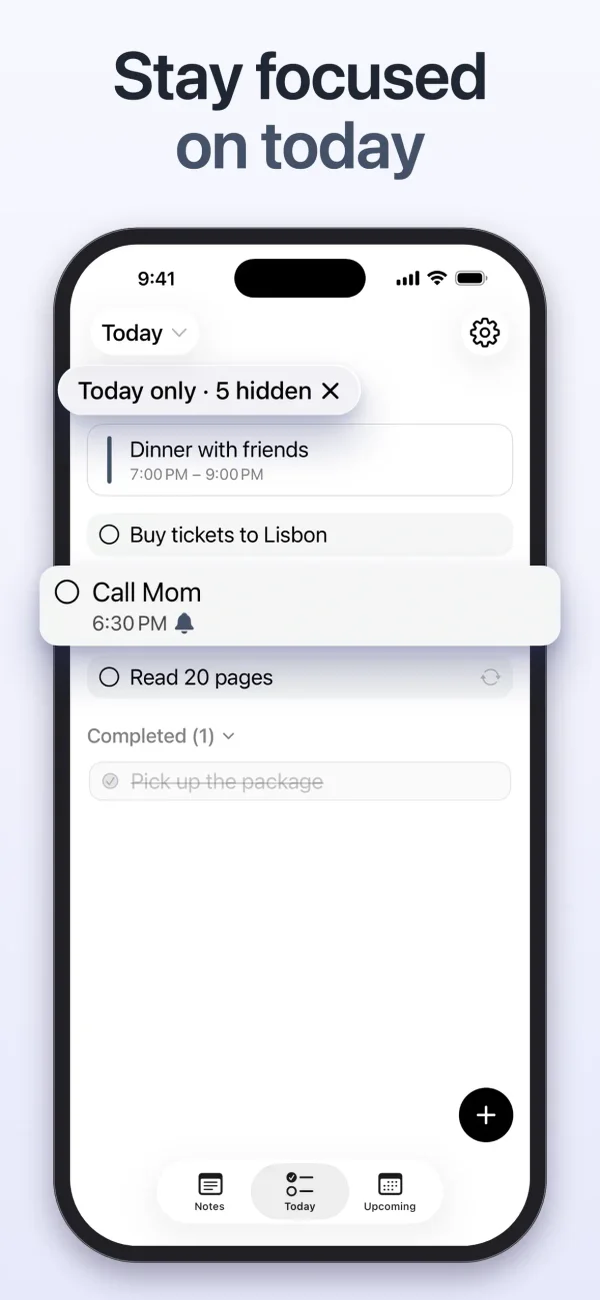
• Today — only what needs doing now. Tap Today again to hide everything else
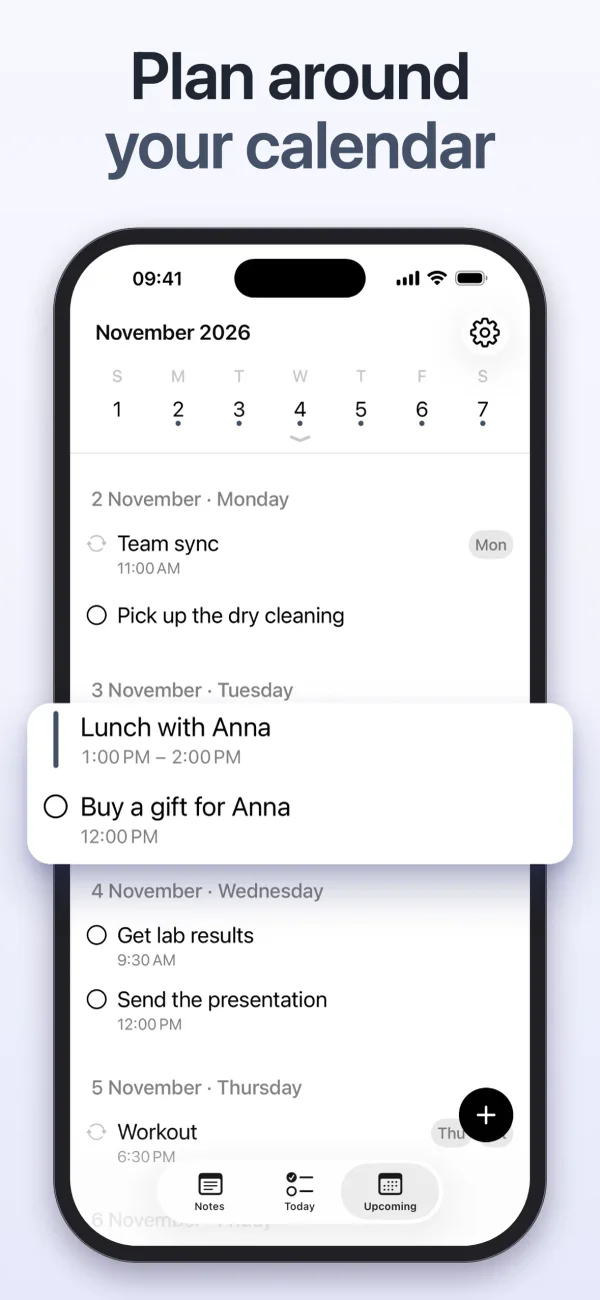
• Upcoming — the whole week on one screen, plus a month calendar
• Events from your iPhone Calendar next to your tasks, including Google Calendar
• A daily summary of overdue tasks at the time you choose
WIDGETS AND QUICK ACCESS
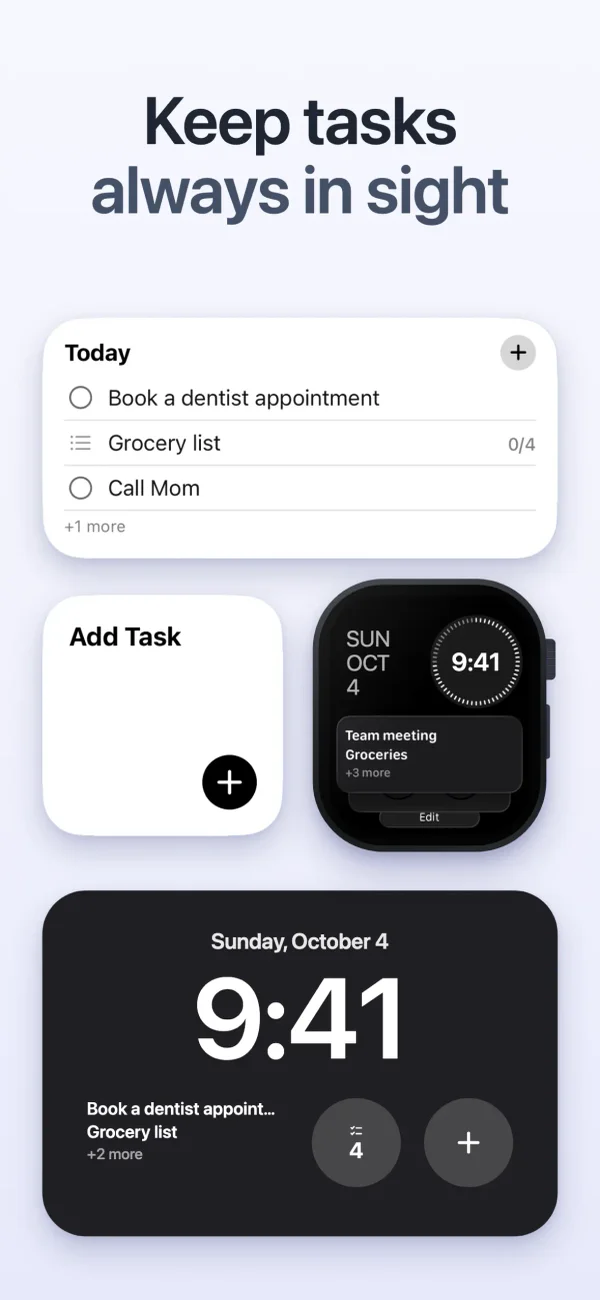
• Today's tasks on the Home Screen and Lock Screen, checked off right there
• A new task or note from the app icon, or by voice with Siri
APPLE WATCH
• Today's tasks and the week ahead on your wrist
• Check tasks off and add new ones by voice
• Today's tasks on your watch face and in the Smart Stack
PLANS PRO
A one-time purchase, no subscription:
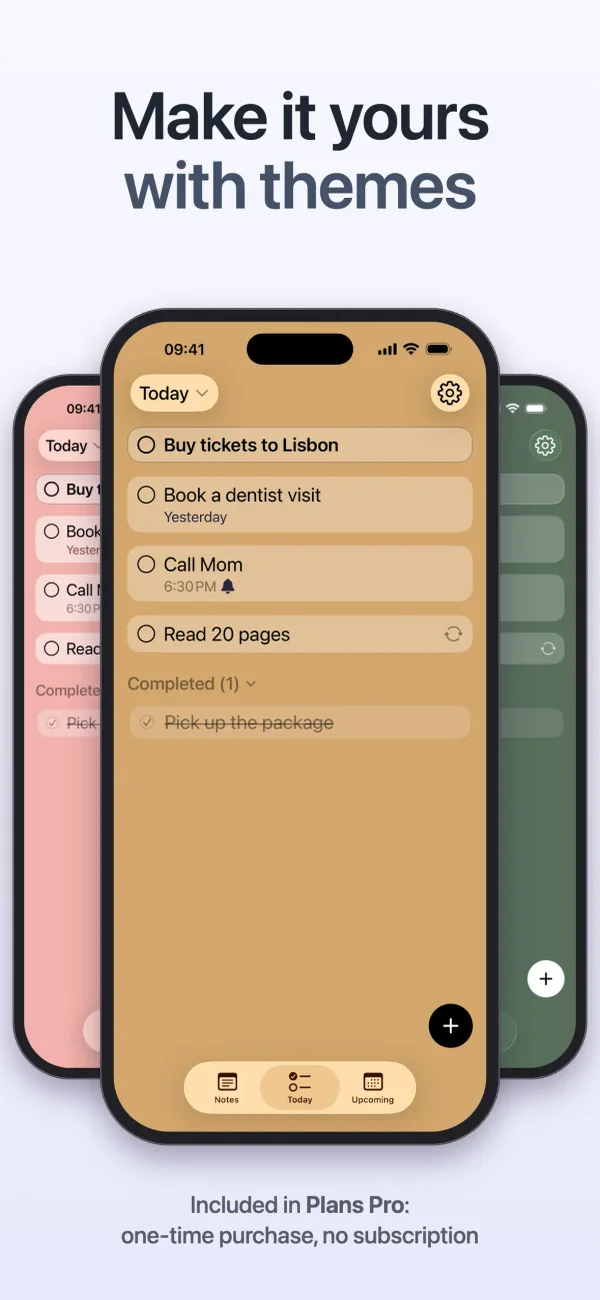
• Six color themes and app icons
• Plans on Apple Watch
• Unlimited files in notes (10 files are free)
• Reminders ahead of time — an hour, a day, or any moment you set
• Repeat on weekdays, weekends or any days you choose
• Task duration — see when it starts and ends
• Note fonts: Rounded, Monospaced, Charter and Avenir Next
• Export all notes to Markdown
Works on iPhone, iPad and Apple Watch, synced with your own iCloud. Light, dark and Lavender themes and the Lavender icon are free.
What’s new
Version 1.9.2 · Nov 22, 2026
New in Plans Pro: paper texture — a subtle grain on backgrounds and cards that works with any theme.
App privacy
What Lunus Technologies declares on the App Store about how this app handles data.
-
Data not linked to you
May be collected but is not linked to your identity.
- Usage data
Privacy practices may vary, for example with the features you use or your age.
Information
- Seller
- Lunus Technologies, TOO
- Category
- Productivity
- Version
- 1.9.2
- Updated
- Nov 22, 2026
- Released
- Jul 19, 2026
- Size
- 15.5 MB
- Requires
- iOS 17.6 or later
- Age rating
- 4+
- Price
- Free
- In-app purchases
- Yes
- Languages
- English, French, German, Japanese, Portuguese, Russian, Simplified Chinese, Spanish
- Copyright
- © 2025 ТОО Lunus Technologies
You might also like
-
 WishNote: Notes & To-DoGoals, Notebooks & Reminders
-
 Prazo: Calendar & To-Do ListDaily planner & reminders
-
 Anythings: To-Do List & TasksKeeps itself in order
-
 Vibelist: Sequential TodolistFocus on what's actionable
-
 WeekOS: Weekly Planner & GoalsBrain Dump & Habit Calendar
-
 Ordo: Brain DumpMessy thoughts, sorted.
-
 PlanThat: Shared PlannerCalendar, Tasks & Live RSVP
-
 Visual Mind Map & GTD - VisuelSecond brain & ADHD Organizer
-
 Clair AppYour Tasks, Cards & Notes
-
 Totalist: Smart Shopping listSimple task and Price list