
PLANZ: Study Planner & Timer
Timetable, Pomodoro & To-Do
Designed for iPhone, iPad, Mac
In-app purchases
- Age rating4+
- CategoryProductivity
- DeveloperAmandeep Bhardwaj
- LanguagesEnglish+ 8 more
- Size46.2 MB
Links to the official App Store page
Download.org hosts no file of PLANZ: Study Planner & Timer. The button opens its official App Store page, published by Amandeep Bhardwaj. Listing last checked on Nov 8, 2026.
Screenshots

About
Every planner makes you figure out when to do things. PLANZ does it for you.
Add your tasks, set your available hours, and PLANZ auto-schedules everything into your day — no manual time-blocking, no drag-and-drop, no guesswork.
No account. No email. No trial countdown. Free to start.
THE ONLY PLANNER THAT SCHEDULES ITSELF
Most planning apps are just fancy to-do lists. You still have to drag tasks around, guess how long things take, and rebuild your schedule every time something changes.
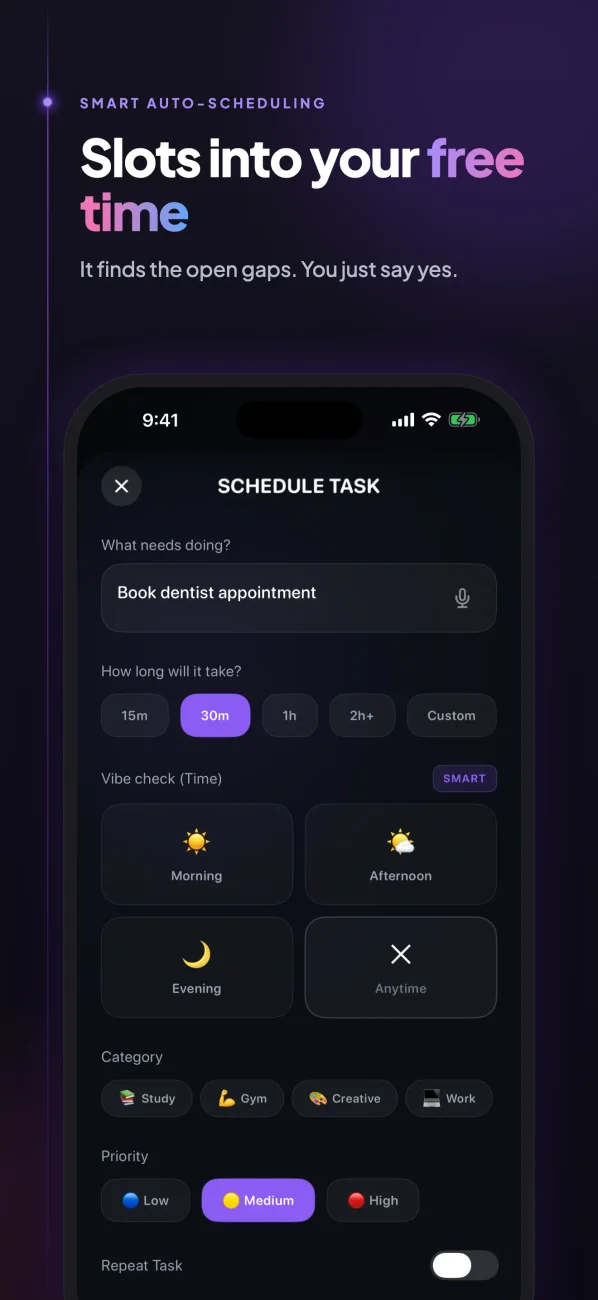
PLANZ is different. Its auto-scheduling engine finds the best open gap in your day and drops your task there — automatically. You add the what. PLANZ figures out the when.
HOW IT WORKS
1. Tell PLANZ your available hours (once).
2. Add a task with a rough duration.
3. PLANZ slots it into the right time — no drag, no guess.
Add an urgent task, change your availability, or defer something, and PLANZ reflows your whole day instantly.
BUILT FOR PEOPLE WHO ACTUALLY WANT TO GET THINGS DONE
• Auto-Scheduling Engine — best-fit gap finding places tasks into your real free time. Not a rigid template. Your actual day.
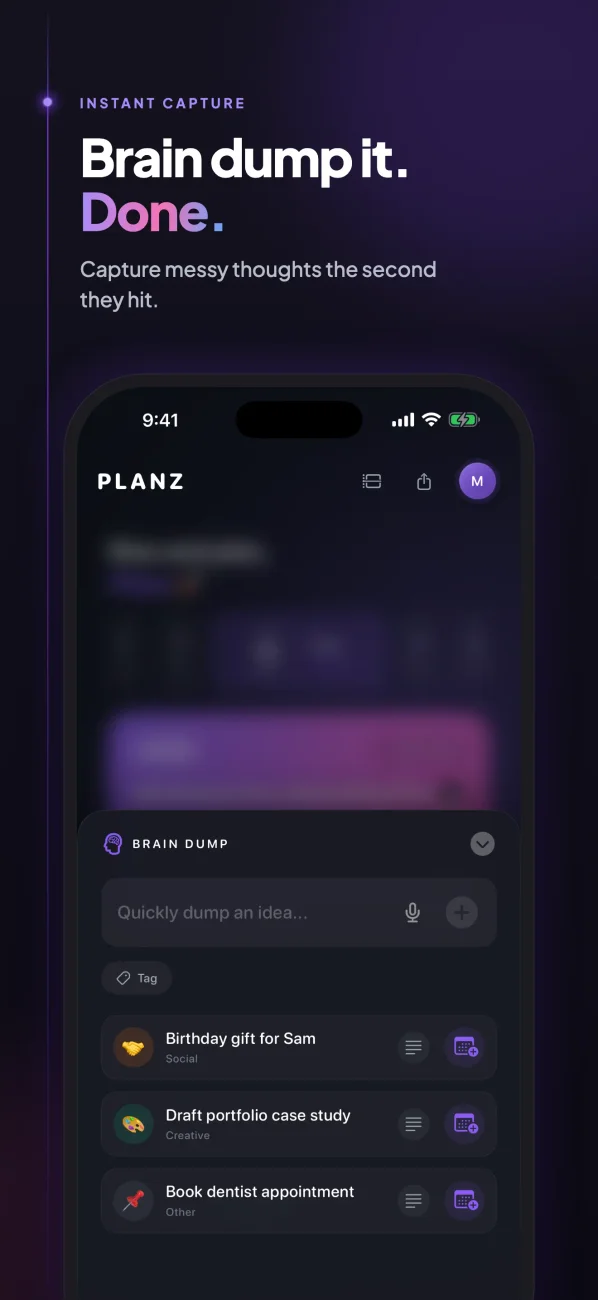
• Brain Dump + Siri — capture an idea the second it strikes, by typing or voice. PLANZ schedules it later.
• Day Timeline — a clean morning / afternoon / evening view with a "Next Up" card so you always know what's next.
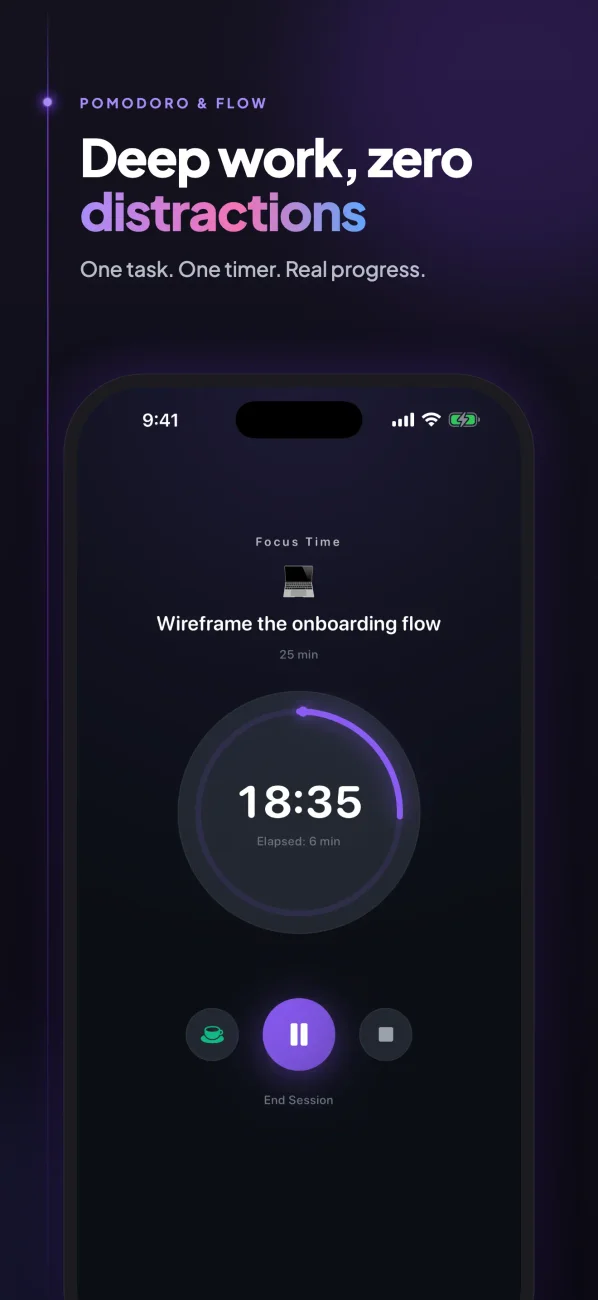
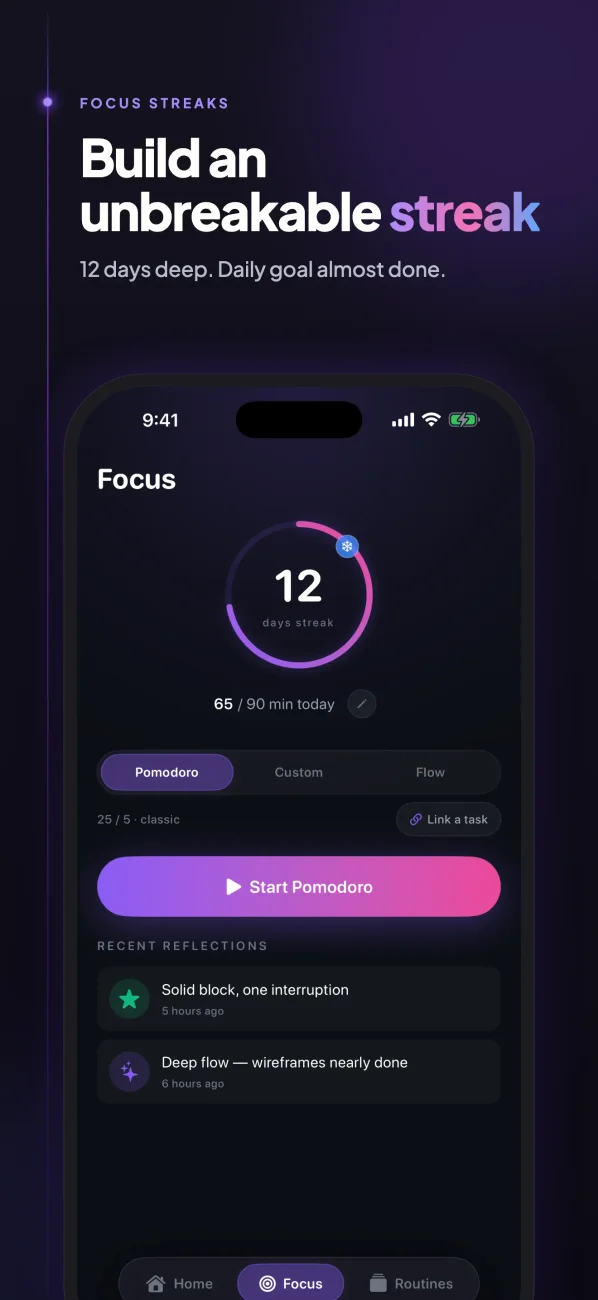
• Focus Timer — Pomodoro, Custom, and Flow sessions tied to each task, with streaks and a daily goal. A live timer follows you on the Lock Screen and Apple Watch.
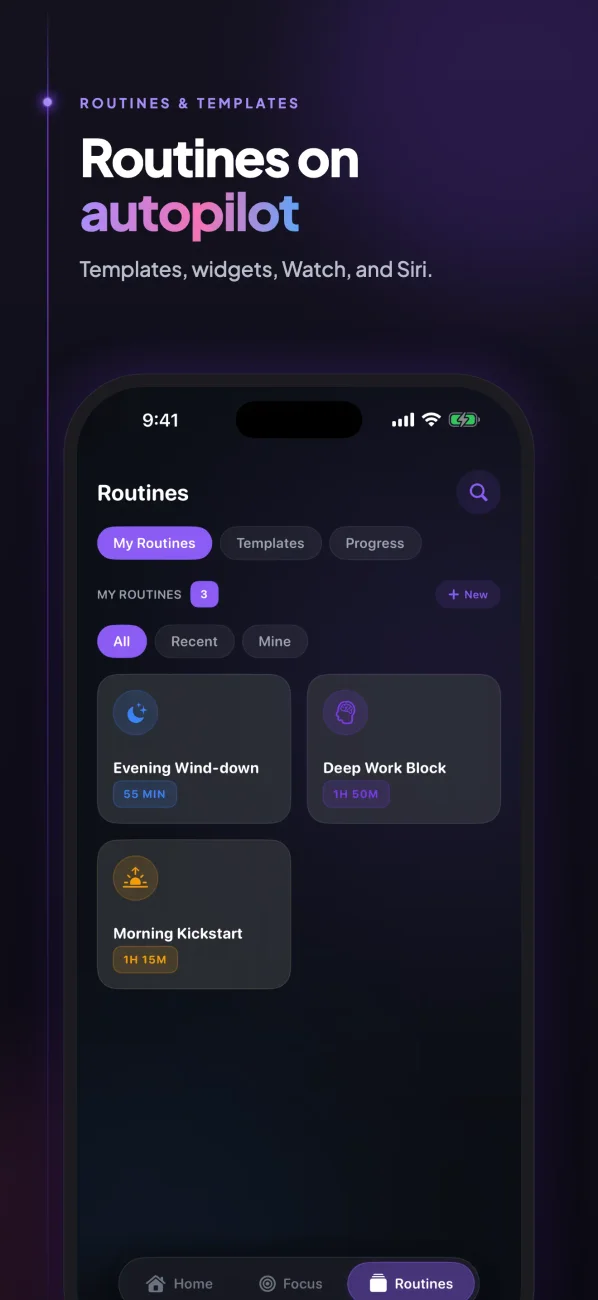
• Routines & Templates — build morning routines, workouts, and weekly rituals that repeat and reschedule themselves.
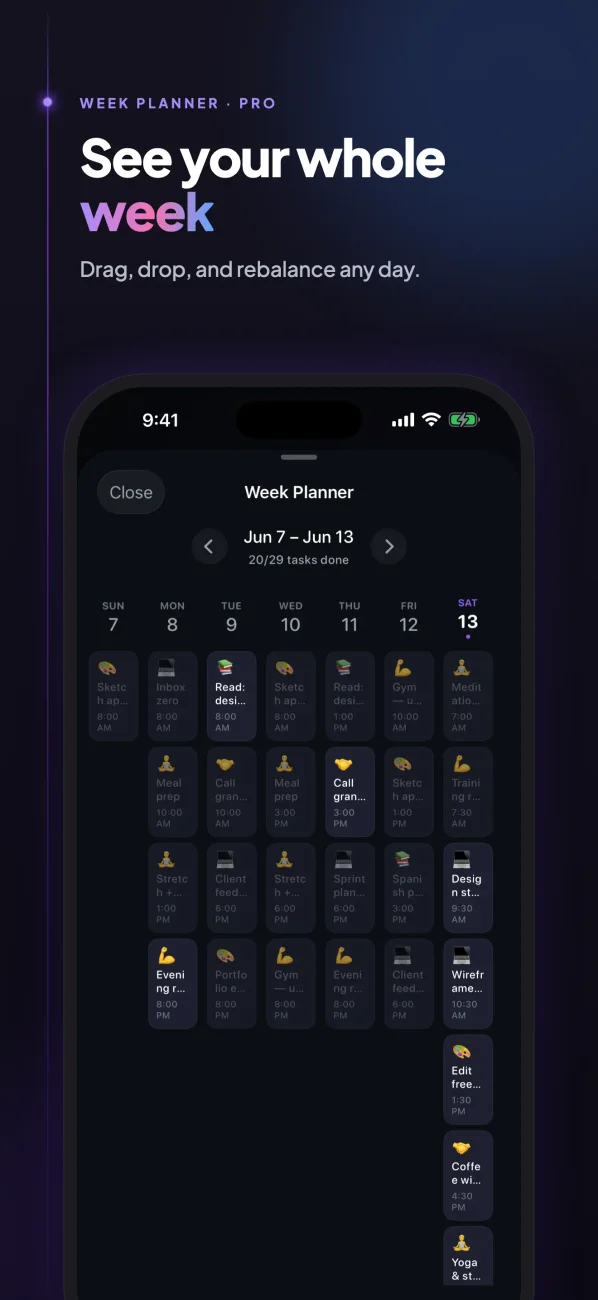
• Week Planner — a 7-day drag-and-drop view to see and rebalance your whole week. (Pro)
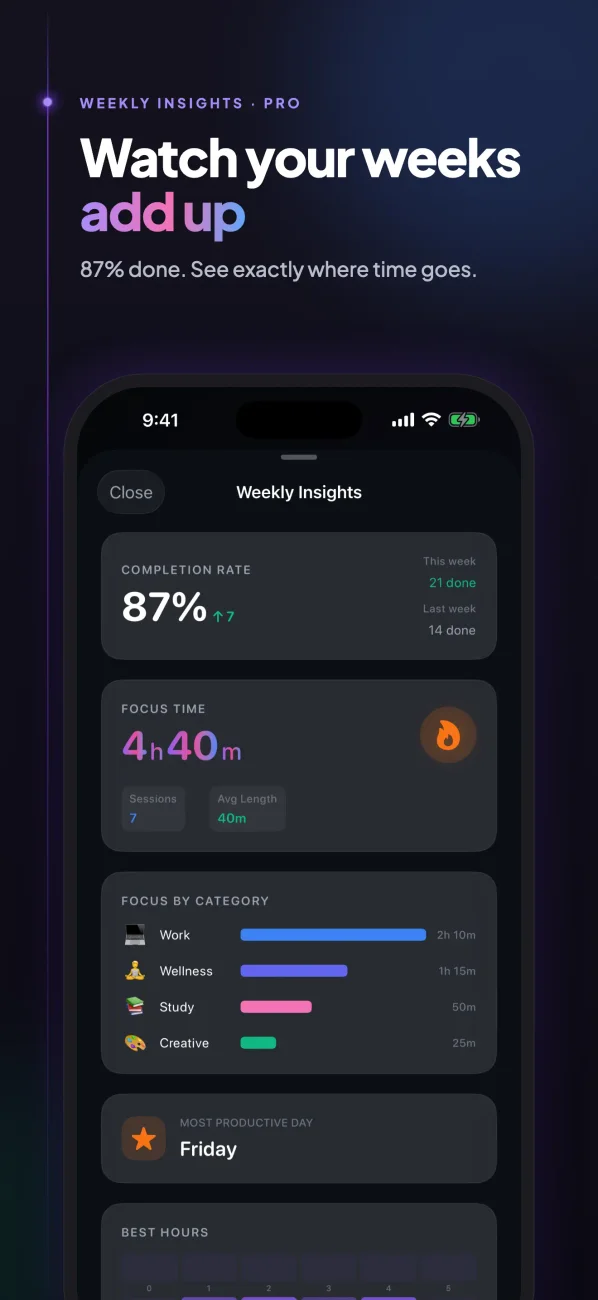
• Weekly Insights — completion rate, focus hours, a productivity heatmap, and trends so you learn when you actually work best. (Pro)
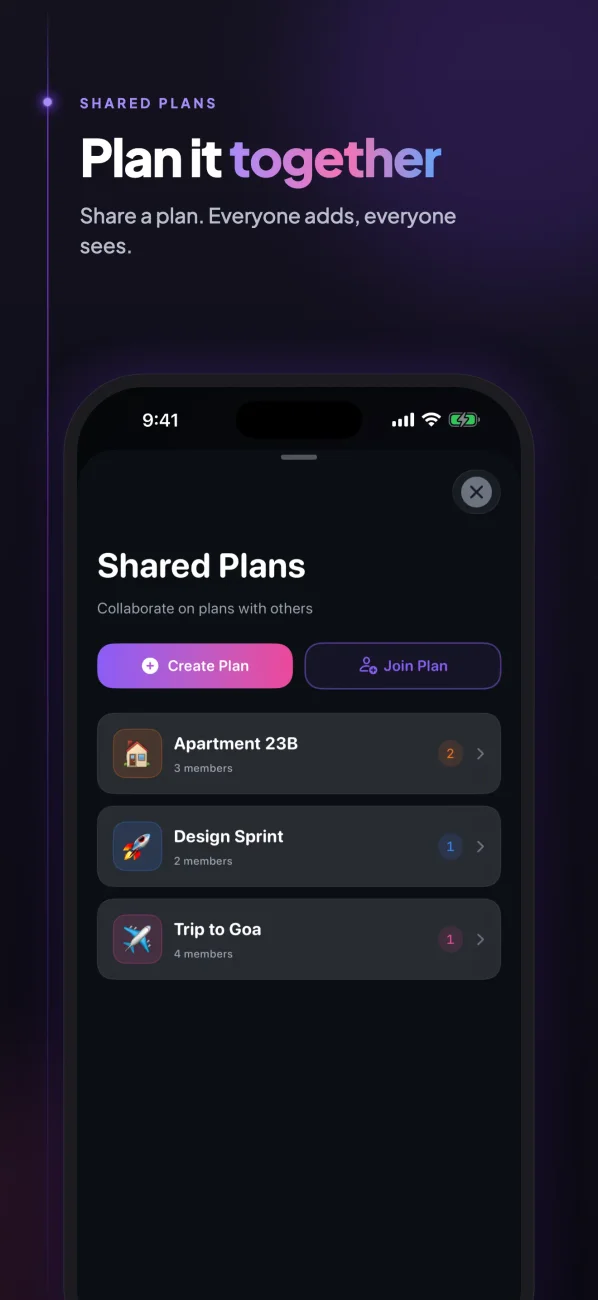
• Shared Plans — share a plan with roommates, partners, or teammates. Everyone adds, everyone sees, in real time.
• Apple Watch app — start a focus session and check what's next, right from your wrist.
• Works everywhere — iPhone, iPad, Mac, and Apple Watch, synced over iCloud. One purchase covers all your devices.
FREE OR PRO — YOUR CHOICE
PLANZ is free to use, supported by ads. Go ad-free by inviting friends, or upgrade to Pro for the Focus tab, Week Planner, Weekly Insights, Export Schedule, unlimited routines, custom themes, and app icons.
Pro Monthly: $6.99 · Pro Annual: $34.99 (save 58%)
Lifetime Pro can be earned through referrals — no purchase required.
Stop planning your day. Let PLANZ plan it for you.
Download free and finish what you start.
What’s new
Version 1.3 · Oct 30, 2026
• Rate PLANZ right from your Profile
• Fixed: invite and referral links now open the App Store
• Smoother onboarding and scheduling, plus stability improvements
App privacy
What Amandeep Bhardwaj declares on the App Store about how this app handles data.
-
Data used to track you
May be used to track you across apps and websites owned by other companies.
- Identifiers
- Usage data
-
Data not linked to you
May be collected but is not linked to your identity.
- Identifiers
- Usage data
- Diagnostics
Privacy practices may vary, for example with the features you use or your age.
Information
- Seller
- Amandeep Bhardwaj
- Category
- Productivity
- Version
- 1.3
- Updated
- Oct 30, 2026
- Released
- May 8, 2026
- Size
- 46.2 MB
- Requires
- iOS 17.0 or later
- Age rating
- 4+
- In-app purchases
- Yes
- Languages
- English, French, German, Italian, Japanese, Korean, Portuguese, Spanish, Traditional Chinese
- Copyright
- © 2026 Amandeep Bhardwaj
You might also like
-
 Quartz: Focus & FlowPomodoro, Flowmodoro & more
-
 Daily Planner: AI To Do ListHabit Tracker & Focus Timer
-
 TimeLoop: Day & Weekly PlannerAI life organizer & to do list
-
 AppBlocker: PEAKScreen Time & Study Timer
-
 LoopTask - Focus Loop TimerPlaylist Focus Loop Timer
-
 DocLib VaultLocal vault for files & media
-
 Instink Handwritten NotesJot ideas fast, by hand
-
 DopaGuard: Digital WellbeingLimits for impulsive use
-
 Plandy: Calendar & To Do ListDaily Planner, Notes & Habits
-
 My Week: Weekly PlannerSimple Week Plan & To-Do List