- Age rating4+
- CategoryMusic
- DeveloperINTEGRAL SOUND DESIGN
- LanguagesJapanese+ 1 more
- Size15.5 MB
Links to the official App Store page
Download.org hosts no file of PlayBacker for iPad. The button opens its official App Store page, published by INTEGRAL SOUND DESIGN. Listing last checked on Nov 12, 2026.
Screenshots




About
■ Loading Audio File From
- Music Library in device ( Apple Music not supported )
- In App Storage / File Sync
- iCloud Drive
- and other file providers
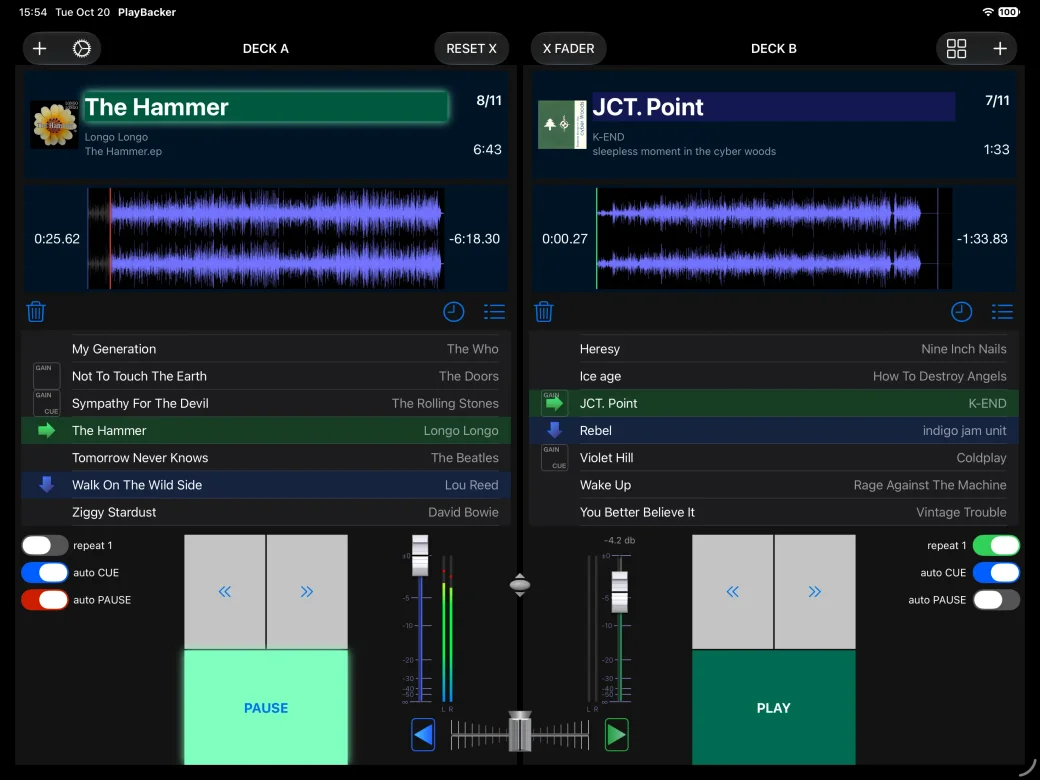
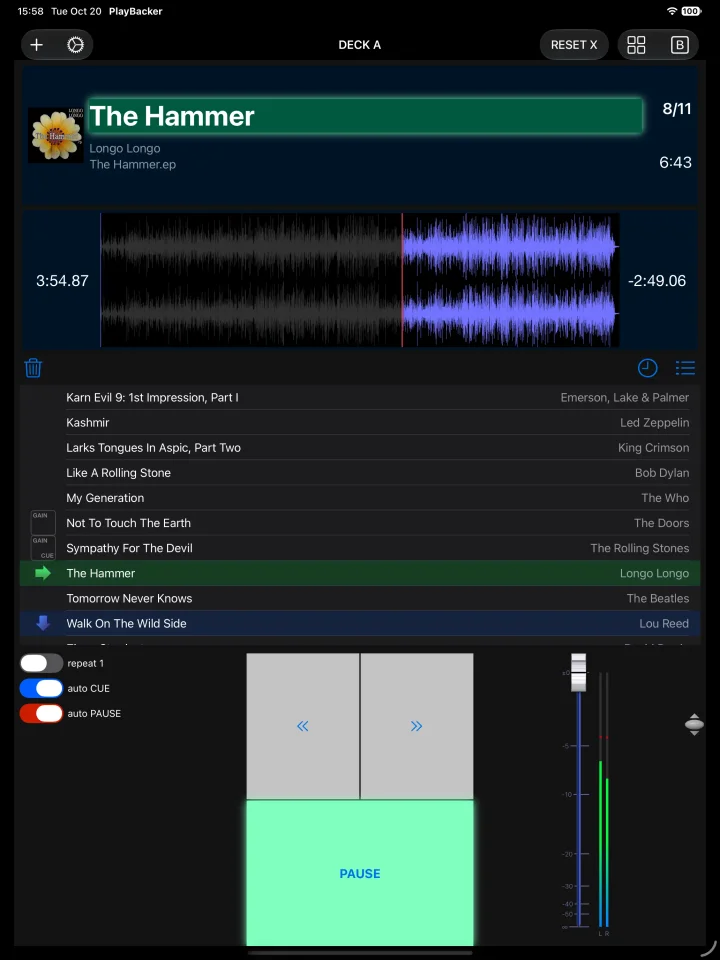
■ Decks + Cross Fader
- Auto Pause / Auto Cue
- Repeat ( 1 track / all tracks )
- Skip Tail ( of silence end of file )
- Volume Fader
- CueList Mode
- Mono Sum / Pan Pod
- Auto Cross Fade ( period changeable )
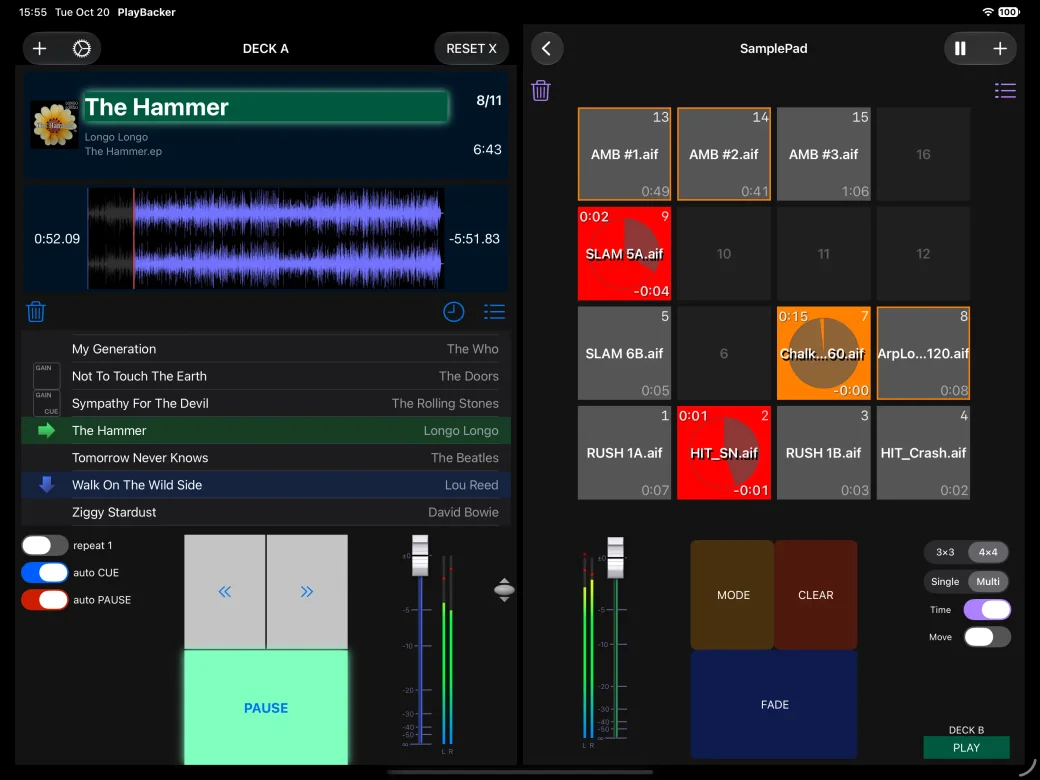
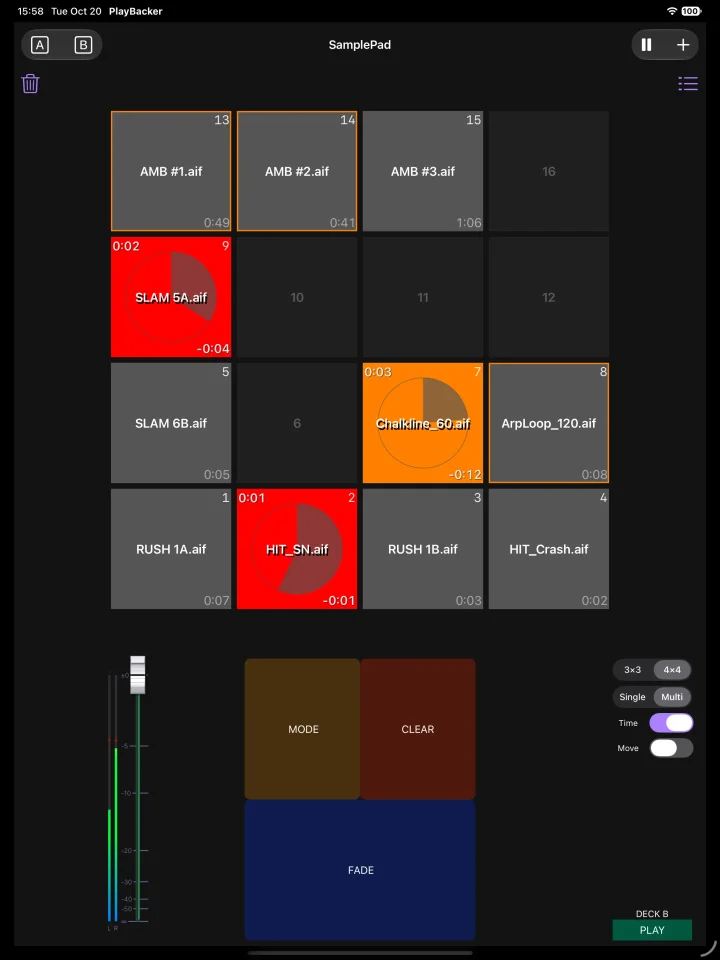
■ SamplePad
- 3×3 / 4×4 Layout changeable
- Single Play / Multi Play Mode
- 1 Shot Play / Loop Play Pad Mode
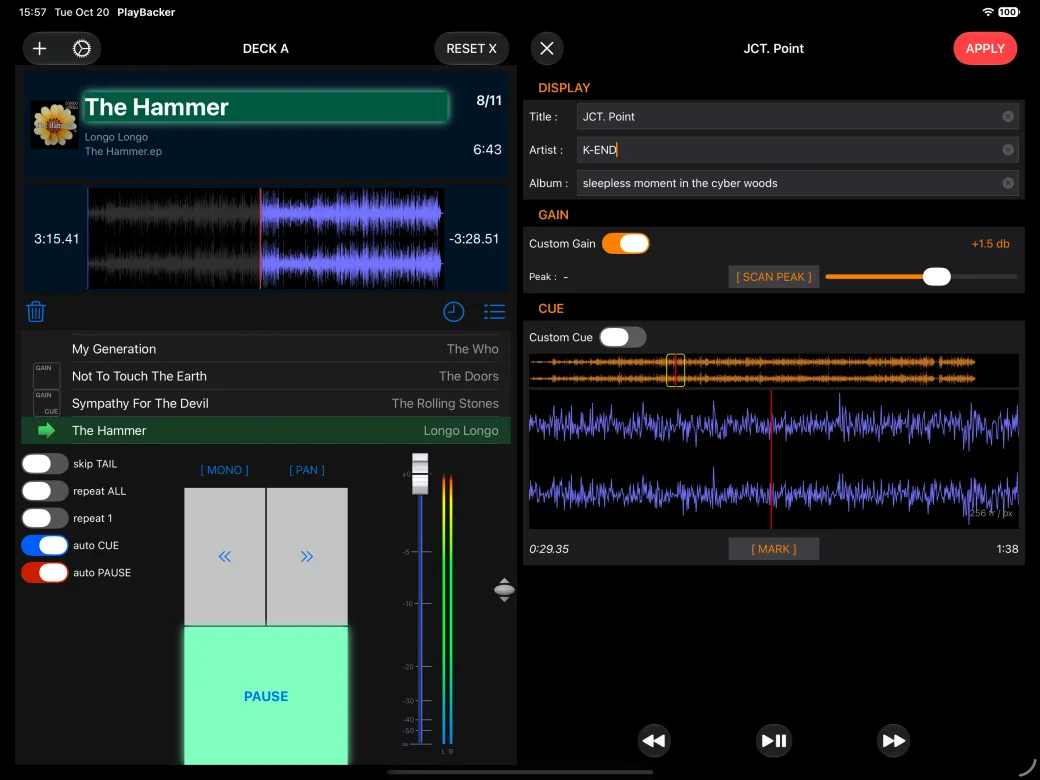
■ Track Editor
- Mounted on CueList Mode view
- Title, Gain and Start Cue Points etc of each track are editable
■ Remote Controls
- Supports ‘Control Center’ ( DECK A only )
- Supports remote control by keyboard shortcuts of external keyboards
- Supports remote control by external (Bluetooth included) MIDI devices
What’s new
Version 3.3 · Oct 21, 2026
■ Supporting version for the new iOS 27
* Supported minimum version changed to iOS 15 and later caused by development environments.
■ Changes - Some interfaces were improved.
As more support for window live resize, evaluation of displaying the XFader and Dual Deck has changed.
- SamplePad : Pad number indication has added on active pad. User can percept pad number although the pad has a track.
- SamplePad : Ratio of pads depending on the view size / Size of Playing Chart / PadList Mode shows all 16 pads although while user selected display `9` pads.
- User Files Picker ( + > App Storage ) : `download` row action ( swipe to trailing direction ) has added. ( only appears of un downloaded files )
■ Bug Fixes - below issues have fixed.
- Track Editor : Wave view showed waveform swapped L/R.
- MIDI : `Auto Cue` MIDI status change message had not exported.
App privacy
What INTEGRAL SOUND DESIGN declares on the App Store about how this app handles data.
-
Data not collected
The developer does not collect any data from this app.
Privacy practices may vary, for example with the features you use or your age.
Information
- Seller
- INTEGRAL SOUND DESIGN
- Category
- Music
- Version
- 3.3
- Updated
- Oct 21, 2026
- Released
- Sep 1, 2015
- Size
- 15.5 MB
- Requires
- iOS 15 or later
- Age rating
- 4+
- Languages
- Japanese, English
- Copyright
- © 2015-2026 Integral Sound Design
You might also like
-
 HS-1Music
-
 79Signal Player RemoteYour Mac show. In your hands.
-
 Rhythm Change MetronomeMusic
-
 Time Director ProBroadcast timing tool
-
 SpinCut DJMix, Scratch & Controller DJ
-
 KLANG2Music
-
 Check1.2 - Band Practice & PARecording, Tuner & Feedback
-
 AudioMixerMultitrack Player
-
 Spectrum Eye RTASpectrum analyzer & SPL meter
-
 doozzooTeach & Learn Music Easily