
- Age rating4+
- CategoryMusic
- Developer株式会社LALAMO
- LanguagesEnglish+ 1 more
- Size76.2 MB
Links to the official App Store page
Download.org hosts no file of SpinCut DJ. The button opens its official App Store page, published by 株式会社LALAMO. Listing last checked on Nov 23, 2026.
Screenshots
About
SpinCut DJ 4.0
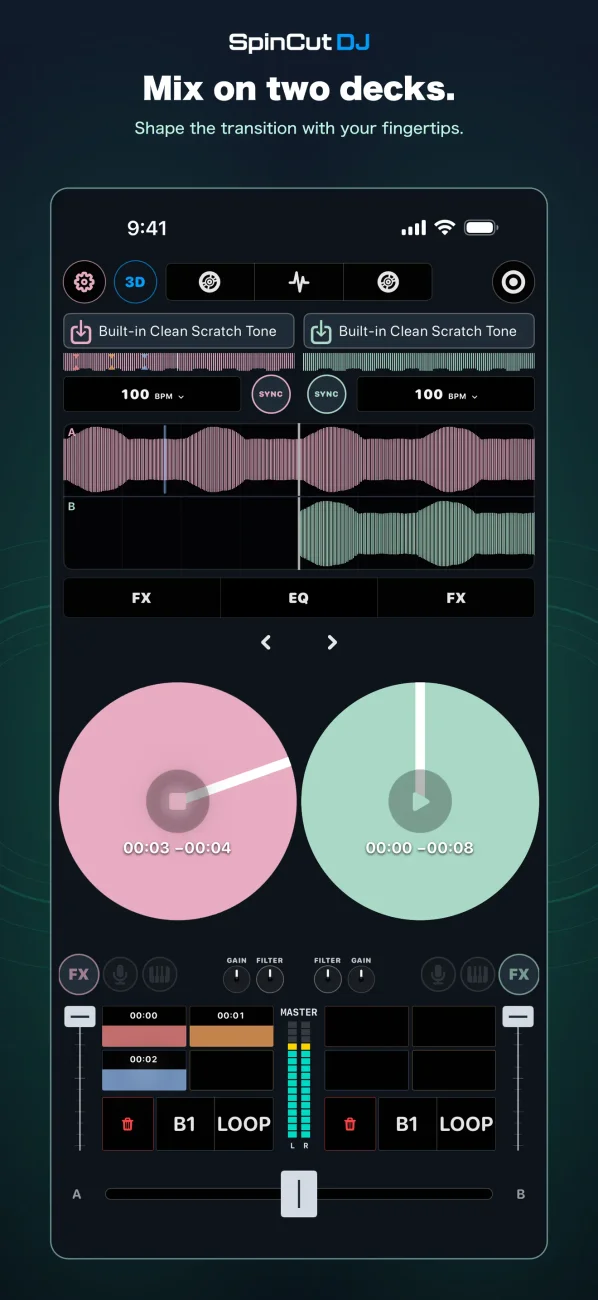
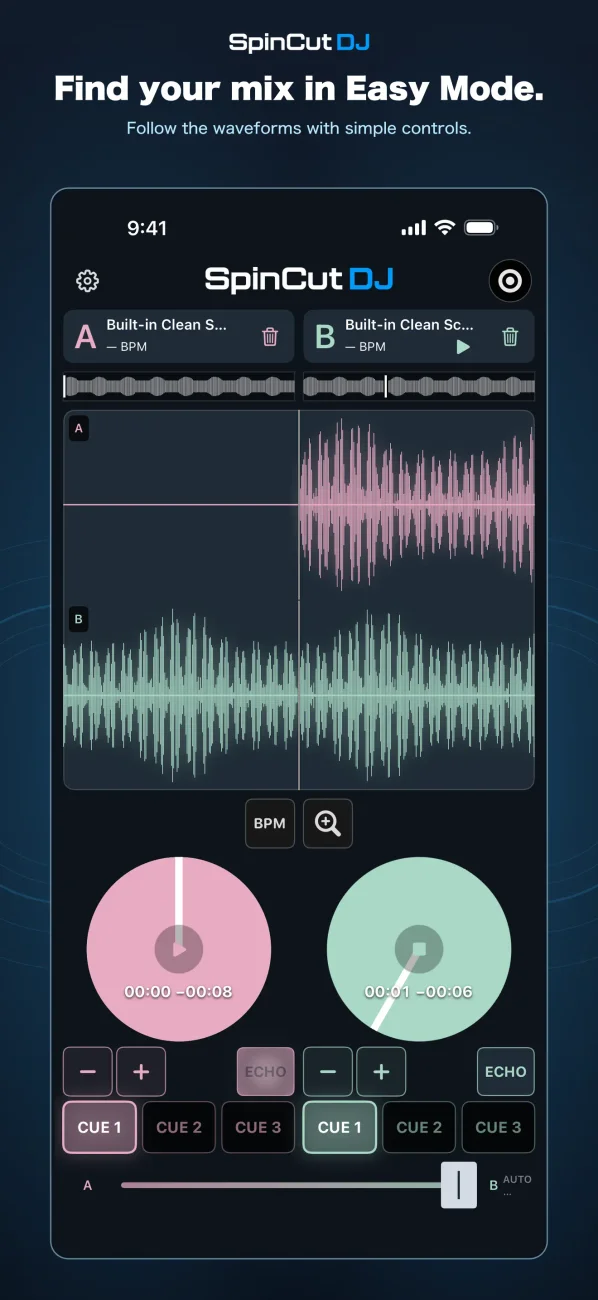
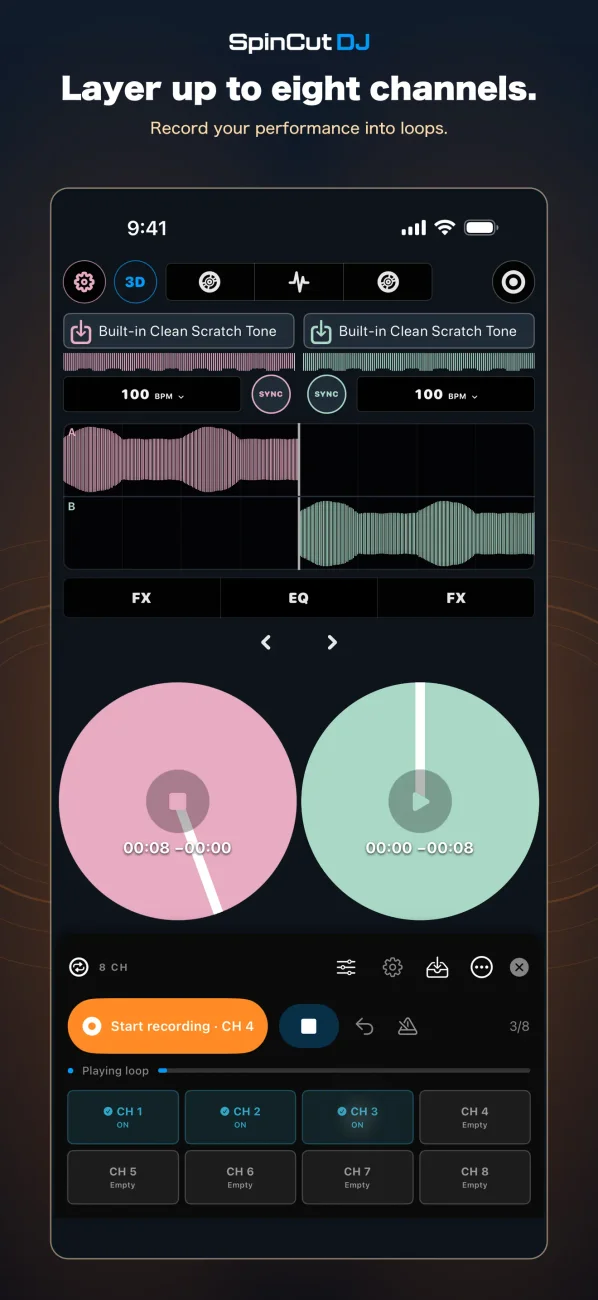
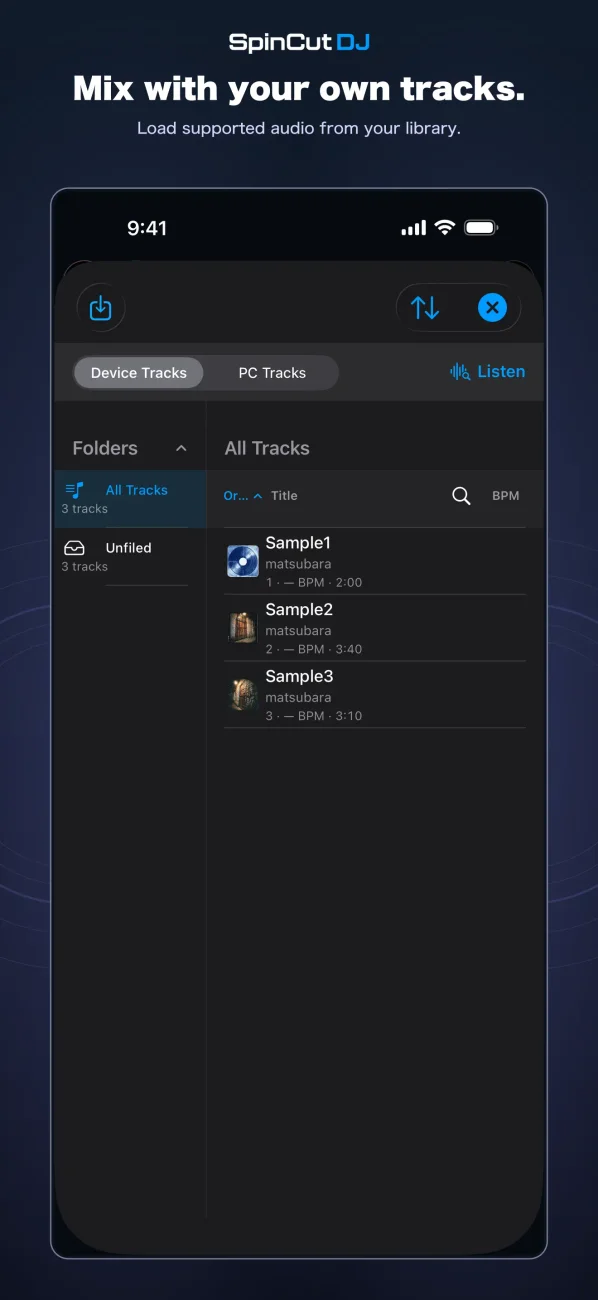
A redesigned portrait interface, one-finger Easy Mode, per-deck ECHO and 50 deck colours let you DJ your way. Layer scratches and performances with the eight-channel Audio Looper, switch individual recorded channels on or off, and save the finished mix to your library.
YOUR TRACKS. YOUR MIX.
SpinCut DJ brings two-deck mixing, expressive scratching and creative performance tools to iPhone and iPad. Load your own audio files and build your mix with touch controls or a DDJ-FLX4 or DDJ-200 controller.
YOUR MAC LIBRARY, AWAY FROM HOME
Sign in with the same SpinCut account to browse tracks and folders from your Mac. Select LOAD to fetch a track over the internet. Once its opening audio is ready, playback can begin while the rest continues downloading. Separate tabs keep your device tracks and Mac library organized.
GO LIVE IN SPINCUT WORLD
Stream your DJ performance to your Personal Room in SpinCut World and share music in a virtual space. Show or hide the live broadcast area in Settings.
MIX WITH CONFIDENCE
Blend two tracks with channel and crossfader controls. Shape your sound with EQ, filters and FX, and add variety with performance pads. Organize device tracks in folders, move tracks and change their order.
EXPLORE VOCALS AND INSTRUMENTALS
Use vocal and instrumental controls to explore new combinations. Stem processing is required before separated audio is available.
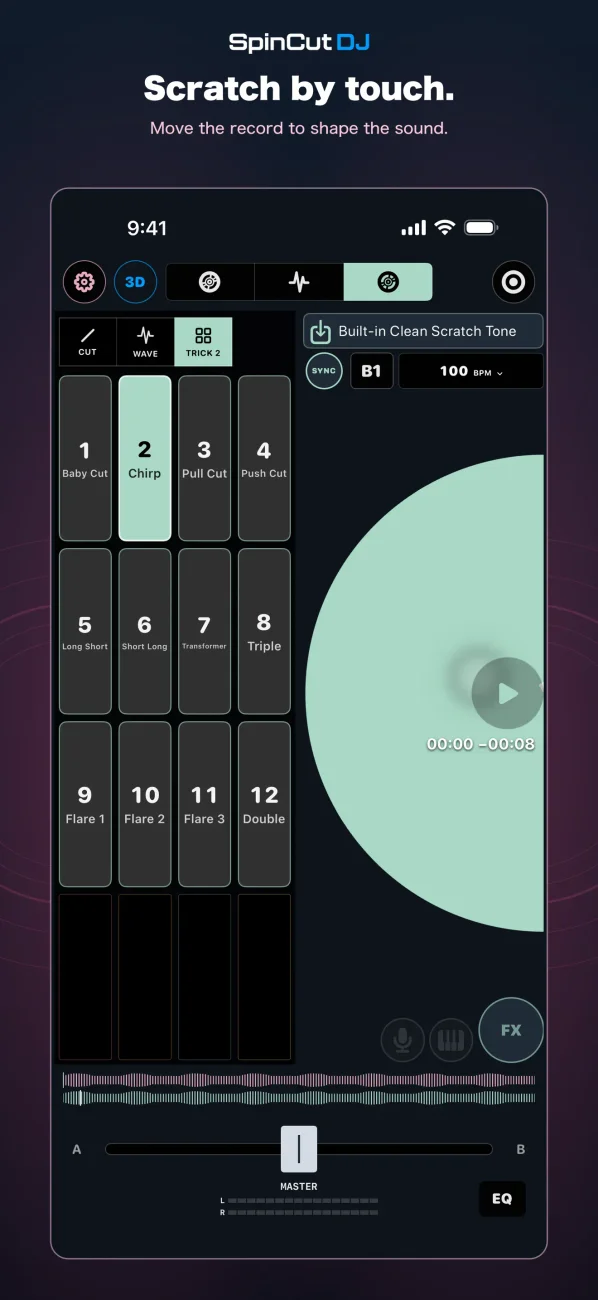
SCRATCH YOUR WAY
Scratch directly on the screen, or use the jog wheels of a connected DDJ-FLX4 or DDJ-200 for hands-on performance.
SEE MORE OF YOUR MUSIC
Switch to the large waveform view to see track structure and playback position clearly as you mix.
DDJ-FLX4 AND DDJ-200 USB CONTROLLER SUPPORT
Connect a supported controller via USB to control playback, cues, jog wheels, mixer controls and more. Controllers are sold separately. A compatible USB connection and appropriate power supply are required. DDJ-200 support uses USB MIDI; Bluetooth MIDI is not supported. DDJ-200 has no audio output, so audio comes from the iPhone or iPad.
Remote library access requires a compatible Mac version of SpinCut DJ, the same account on both devices, your Mac running and awake with sharing enabled, and an internet connection on both devices. Playback start time depends on the connection. Fetched audio uses temporary storage on your device. This feature does not provide a subscription music catalog.
Feature availability may depend on your account and plan.
Use supported audio files you have the necessary rights to use. Ensure you also have the necessary rights for live broadcasting.
What’s new
Version 4.0.4 · Nov 20, 2026
• Added DDJ-200 USB MIDI controller support for playback, CUE, jog wheels, tempo and SYNC. Bluetooth MIDI is not supported.
• Drag the overview waveform below the track title to seek in portrait.
• LOOP selection now stays open until you dismiss it.
• Dismiss BPM/pitch controls by tapping outside.
• Apply your selected background color across Settings, including landscape margins.
• Improved Japanese and English text, help and operation guides.
App privacy
What 株式会社LALAMO declares on the App Store about how this app handles data.
-
Data linked to you
May be collected and linked to your identity.
- Purchases
- Contact info
- User content
- Identifiers
-
Data not linked to you
May be collected but is not linked to your identity.
- Identifiers
- Usage data
Privacy practices may vary, for example with the features you use or your age.
Information
- Seller
- LALAMO CORPORATION
- Category
- Music
- Version
- 4.0.4
- Updated
- Nov 20, 2026
- Released
- Sep 20, 2026
- Size
- 76.2 MB
- Requires
- iOS 17.0 or later
- Age rating
- 4+
- Price
- Free
- Languages
- English, Japanese
- Copyright
- © 2026 LALAMO CORPORATION
You might also like
-
 Guanche's DJ BoothTwo-deck offline DJ mixer
-
 KeepDJ - DJ Mixer ConsoleLive Mixing & Set Recorder
-
 OpenDeck DJBeat-synced single-deck player
-
 DJ Mix DeckTwo decks. Your own music.
-
 DualWave DJ – Music MixerBPM Sync, Loops & Recording
-
 Harmovio: AI DJ & Music MixerMix Songs, Automix & Learn
-
 DJ Scratcher NeoVinyl Turntable & Song Mixer
-
 AlyDeejay: Dj App & AI AutomixMix Music & Perform Live
-
 DJ Mixer StudioMix Music Offline & Record
-
 B2B StudioLive DJ sets with track IDs