
- Age rating4+
- CategoryDeveloper Tools
- DeveloperVDT LABS S.R.L.
- LanguagesEnglish
- Size9.4 MB
Links to the official App Store page
Download.org hosts no file of PLIST Editor Mobile. The button opens its official App Store page, published by VDT LABS S.R.L. Listing last checked on Nov 25, 2026.
Screenshots
About
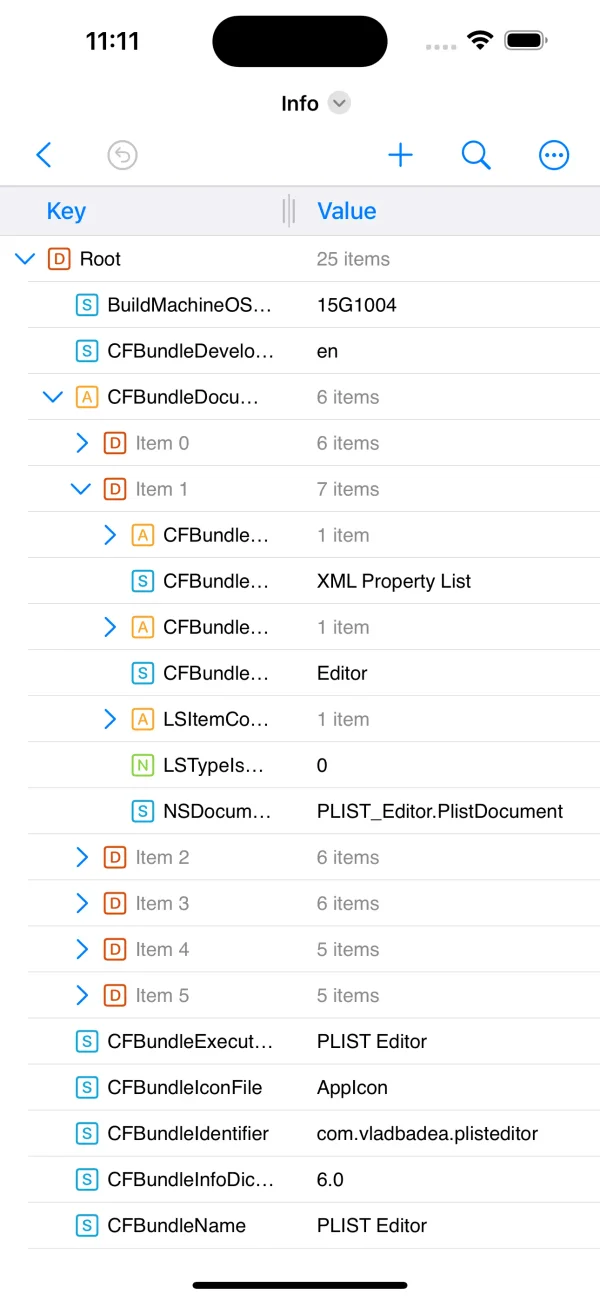
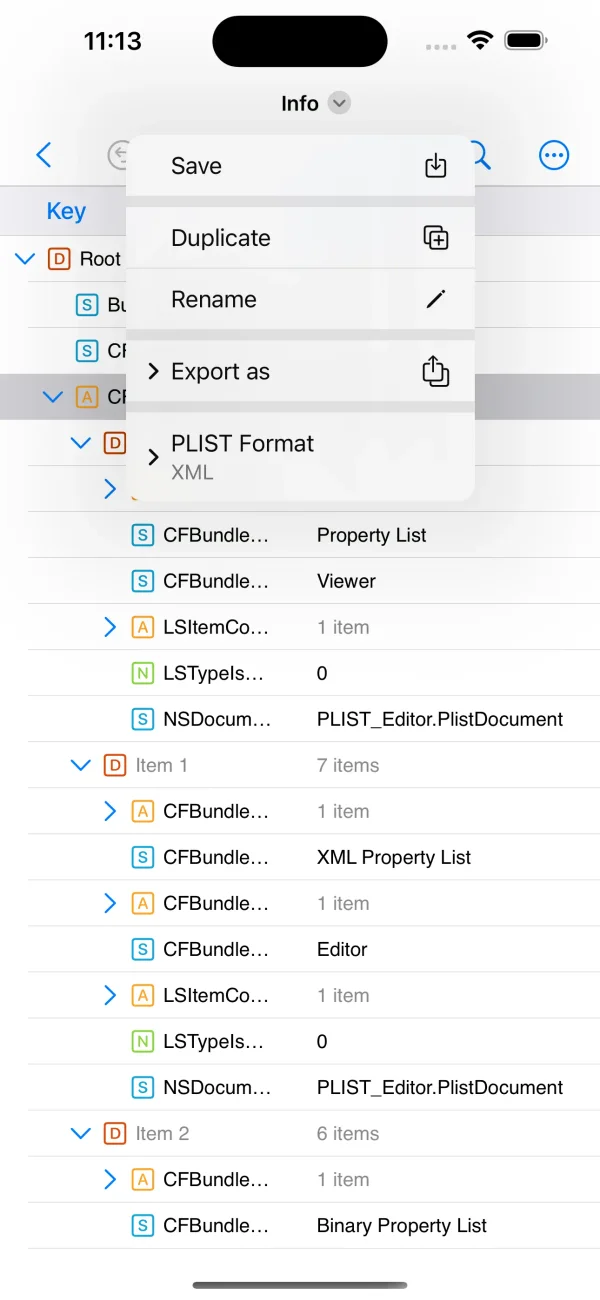
PLIST Editor allows you to create, visualize, modify and save property list (.plist) documents.
PLIST Editor is probably the only "source control friendly" property list editor that you can find on the market (except Xcode, of course). For all plist types (XML, Binary and OpenStep/ASCII), it maintains the order of dictionary elements and the editing capabilities are on parity with Xcode, so you don't see a difference between a file edited in PLIST Editor and one edited in Xcode.
IMPORTANT: PLIST Editor is available as free to download, but there are a few features not available: i.e. Save documents, Find & Replace, Sort.
In order to get the most out of the app, and to enable the aforementioned features, "Premium" is recommended to be purchased ("Premium" is a one-time in-app purchase).
Core features of the app:
• Open and save property list files in XML, Binary and OpenStep/ASCII format.
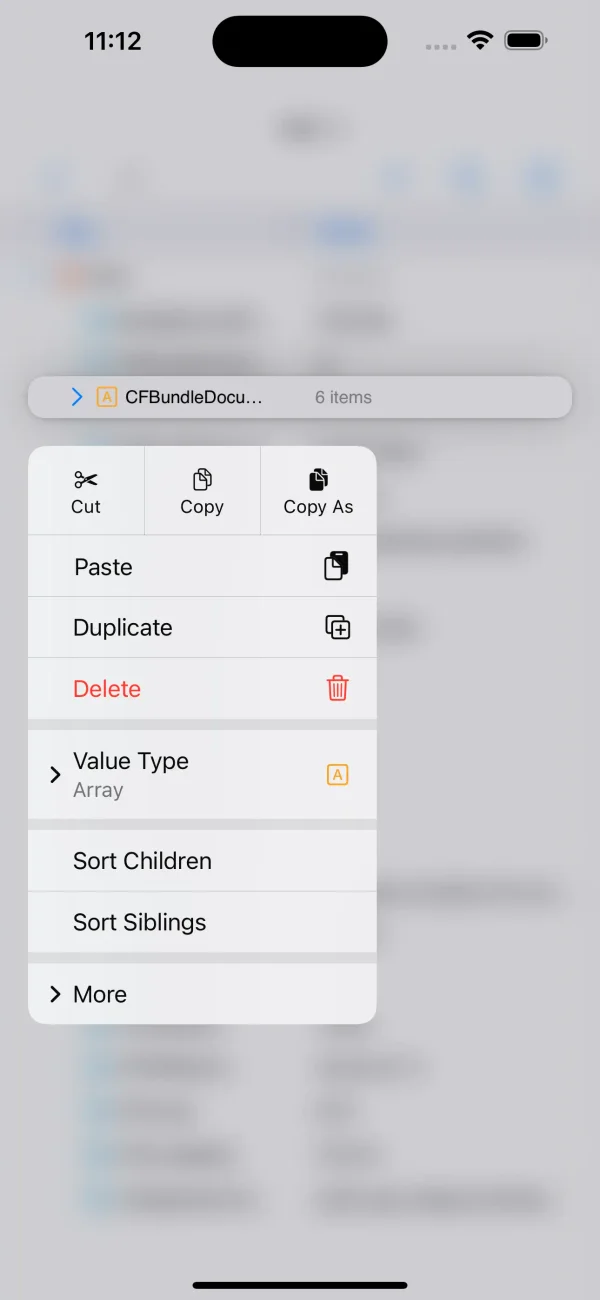
• Cut, copy, paste, duplicate, delete and reorder elements
• "Source control" friendly - the order of dictionary elements is preserved, showing them in the same order as they are defined in the file. Similarly, when the property list is written to disk, the order of items from a dictionary written to disk is the same as the one seen on screen. This is especially useful when you keep the files in a repository, because only the relevant changes will be shown when diff-ing the edited files.
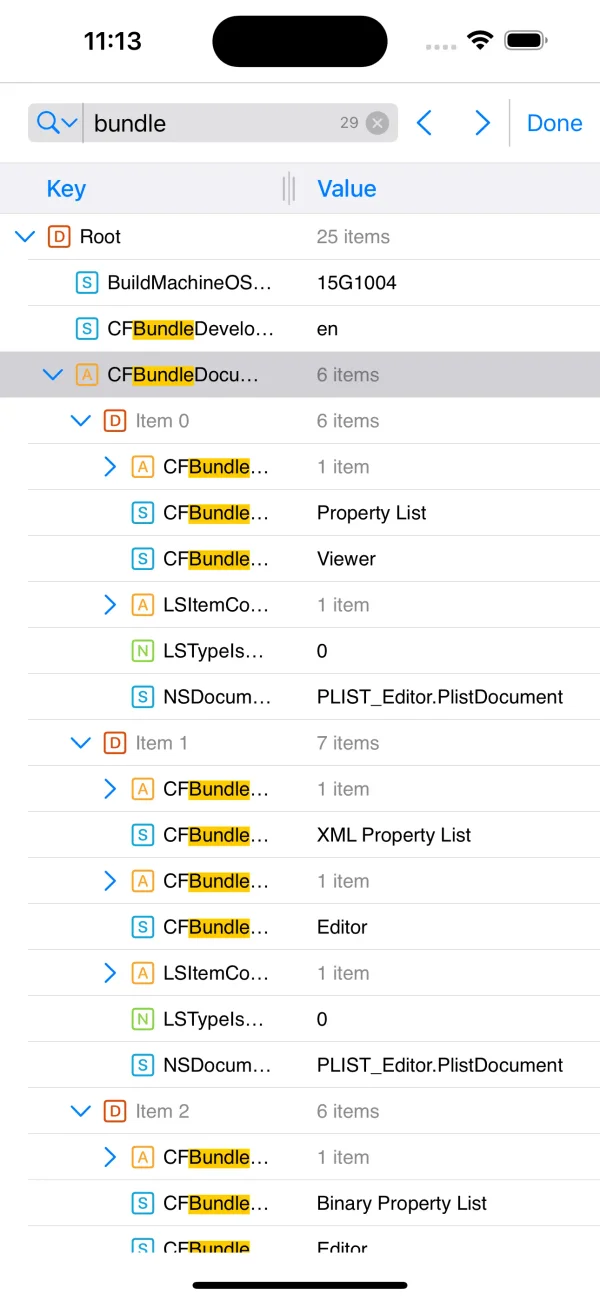
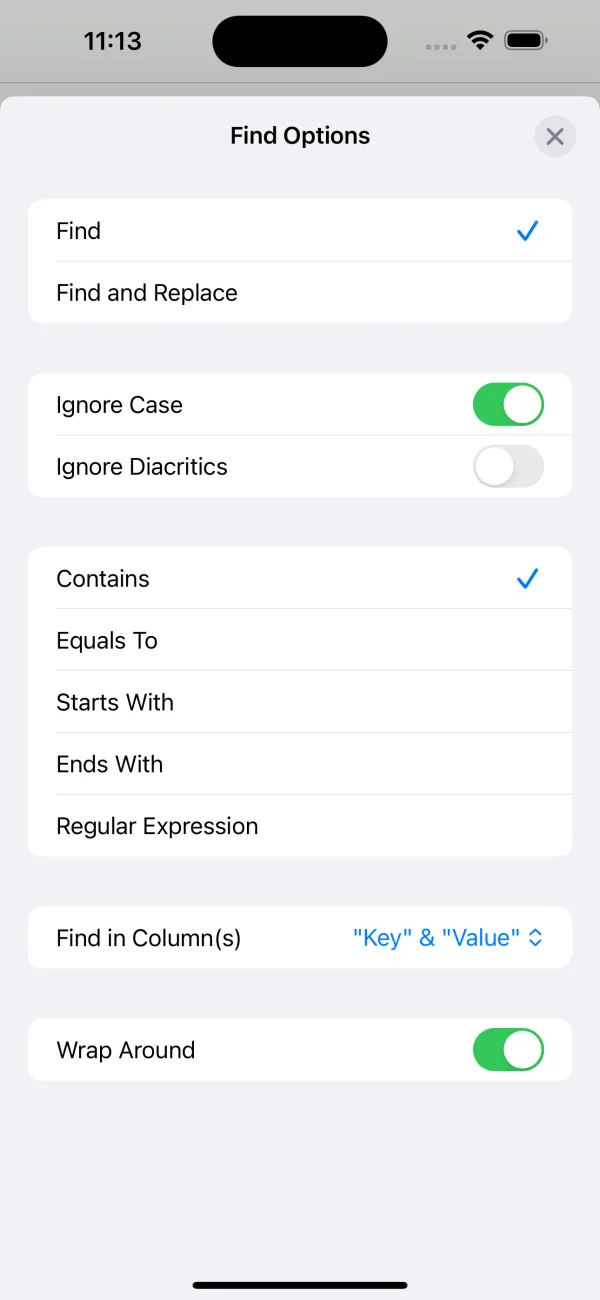
• Find & Replace text in the property list elements. You can choose where the Find (and Replace) will take place: in "Key" column or "Value" column or both.
• Find & Replace also lets you configure where in the text to look for matches: "Contains", "Equals To", "Starts With", "Ends With" and "Regular Expression"
• Sort children or siblings by key, type, value or sub-key
• Edit the elements of a property list by double tapping a key or value.
• Open and edit the files created using NSKeyedArchiver without any loss of information
• Copy elements as Swift objects
• Copy elements as JSON data, both readable and compact JSON
• Copy elements as XML, Binary (Base 64 encoded) and OpenStep/ASCII plists
• Embed selected elements in array or dictionary
• Shift elements to left or right
• Move elements up or down by pressing a row and then moving it to the desired location
• Resize the columns for better readability by dragging the separator
• Open and edit the files created using NSKeyedArchiver without any loss of information
• Export files as JSON (compact or readable) and PLIST (XML, Binary, OpenStep/ASCII)
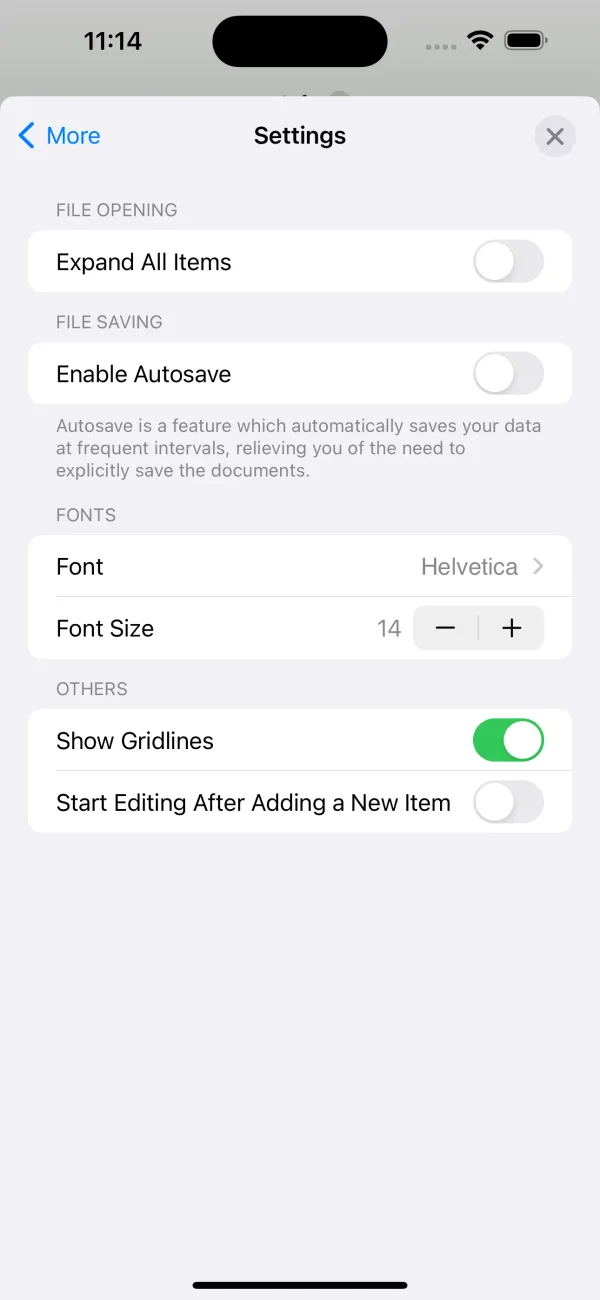
• Option, in Settings to choose the default font, along with the font size
• Option, in Settings, to enable (or disable) Auto Save
• Undo & Redo
• Dark mode
• Portrait & landscape
• Split view and slide over for iPad
• Keyboard support if you have an external keyboard connected or use “Universal control”
If you're also interested in the Mac version of this app visit https://vdt-labs.com/plist-editor
What’s new
Version 1.4 · Aug 25, 2024
Improvements
• Settings now has an additional option which can sort all the children of all dictionaries by key, either ascending or descending, when a document is openend or reverted. This option is available under "File Opening" section, as is titled "Sort Children of Dictionaries by Key".
―――
If you enjoy PLIST Editor Mobile and find it useful, please also consider PLIST Editor, the sibling app specifically made for Mac.
We constantly want to improve the quality of our apps. For any feedback, questions and ideas please contact us at plist.editor.contact@gmail.com
App privacy
What VDT LABS S.R.L. declares on the App Store about how this app handles data.
-
Data not collected
The developer does not collect any data from this app.
Privacy practices may vary, for example with the features you use or your age.
Information
- Seller
- VDT LABS S.R.L.
- Category
- Developer Tools
- Version
- 1.4
- Updated
- Aug 25, 2024
- Released
- Oct 22, 2023
- Size
- 9.4 MB
- Requires
- iOS 16.0 or later
- Age rating
- 4+
- Price
- Free
- In-app purchases
- Yes
- Languages
- English
- Copyright
- © 2024 VDT Labs S.R.L.
You might also like
-
 ResolutionerCalculate or scale resolutions
-
 ScriptableAutomation using JavaScript
-
 SQLite Mobile ClientDeveloper Tools
-
 SQLiteFlow - SQLite EditorManage your SQLite databases
-
 Device Monitor Z: CPU x RAM OSHW Device Info & System Status
-
 JellyCutsSupercharge your Shortcuts
-
 JaysonJSON editor with Shortcuts
-
 MySQL Mobile ClientDeveloper Tools
-
 Visual File EditorA must have source code editor