
DuoBook: Pocket Mac
Turn iPhone Duo into a Mac
Designed for iPhone
Free · In-app purchases
- Age rating4+
- CategoryProductivity
- DeveloperMEHDI CHITSAZ
- LanguagesEnglish+ 14 more
- Size12.5 MB
Links to the official App Store page
Download.org hosts no file of DuoBook: Pocket Mac. The button opens its official App Store page, published by MEHDI CHITSAZ. Listing last checked on Nov 26, 2026.
Screenshots




About
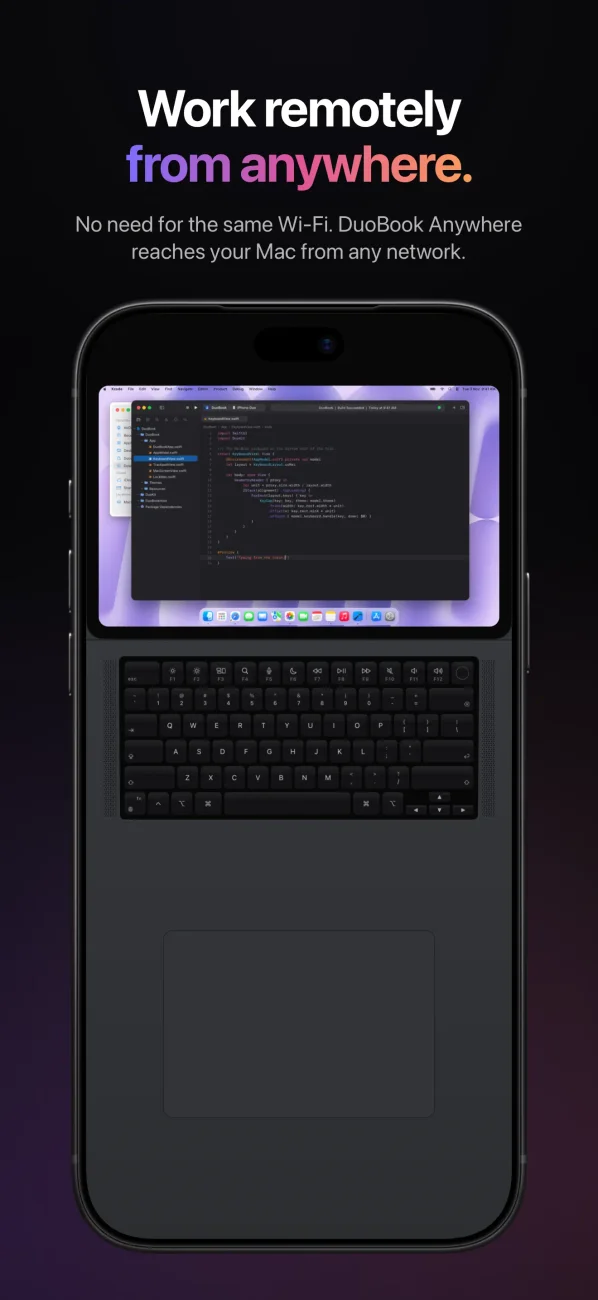
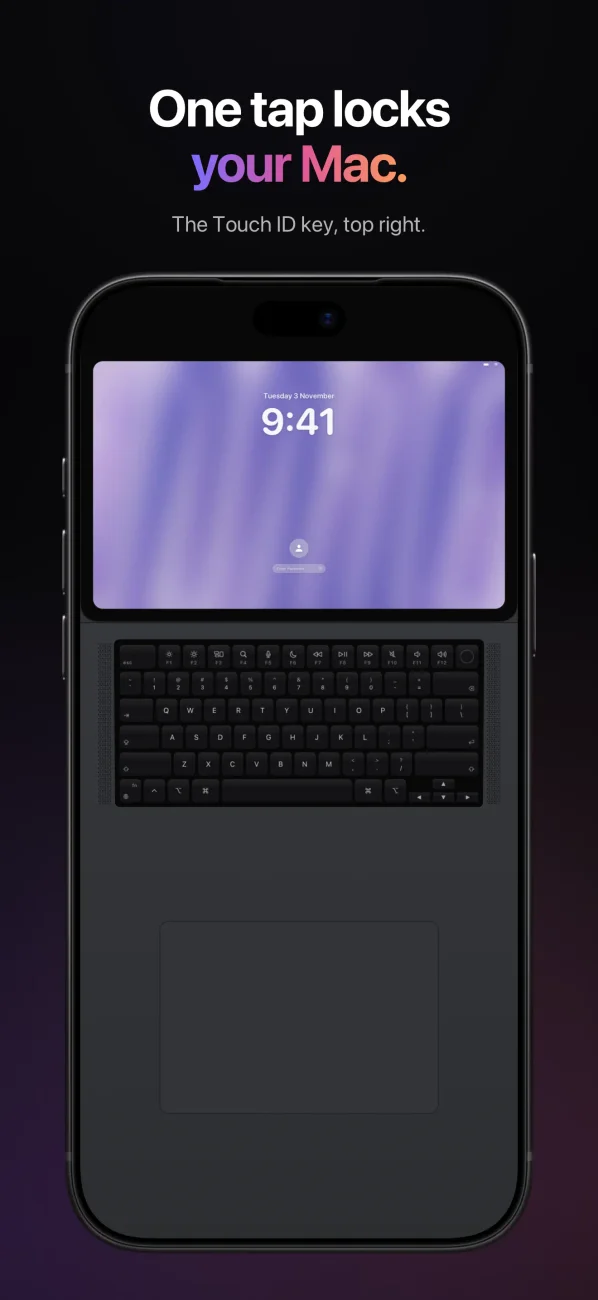
DuoBook turns your iPhone into a tiny laptop for your Mac. Fold iPhone Duo like a laptop: the top half shows your Mac’s screen, live, and the bottom half becomes a full keyboard and trackpad that control it.
Made for iPhone Duo, it follows the hinge as you fold: laptop, or flat with a big trackpad. Closed, the outside screen is the lid: stickers, skins, engraving, your initials or a photo, even a glowing mark. It also works on any iPhone with iOS 17 or later.
And it works from anywhere, not just on your home Wi-Fi: at a café, at work or on the train, your Mac is a tap away.
40 YEARS OF APPLE, IN YOUR POCKET
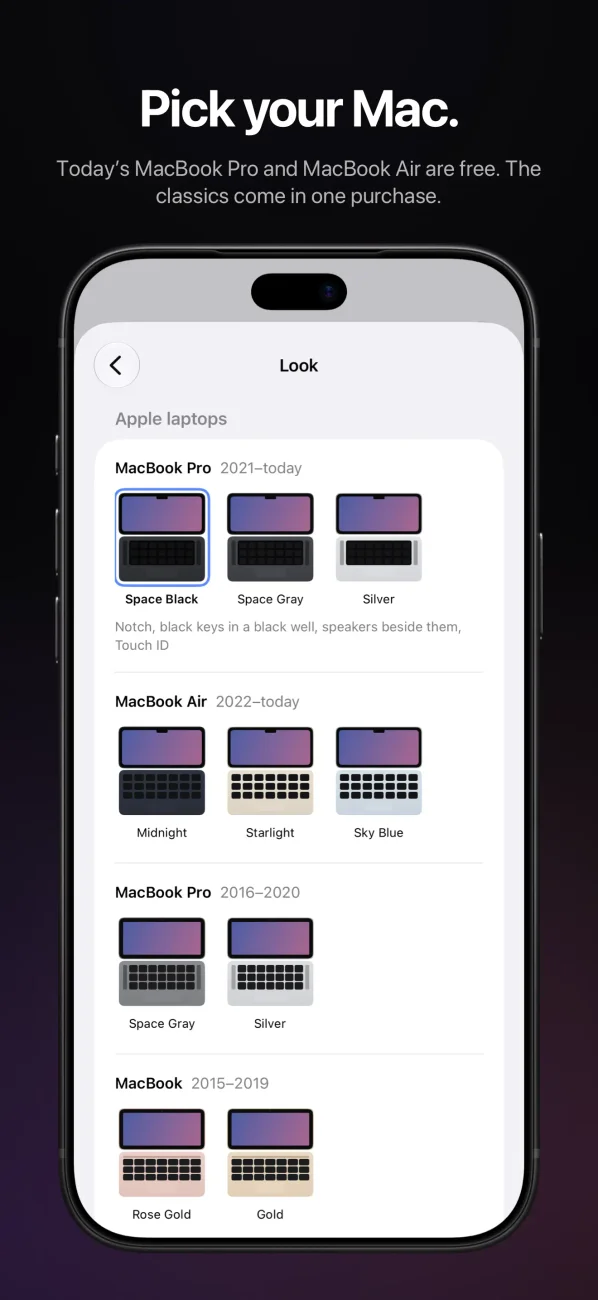
• Dress it as any Mac laptop: today’s MacBook Pro and MacBook Air, the Touch Bar MacBook Pro, the 12-inch MacBook, the white MacBook, the PowerBook, and the colorful clamshell iBook
• Or as a classic computer: the Macintosh, Lisa, Apple II, iMac G3 in four colors, eMac, iMac G4, the G4 Cube, and classic home computers from the 80s. The monitor sits on top, its keyboard and mouse below, and the mouse buttons work
• Everything matches the machine: the notch or camera, the keys, the trackpad (with a click button or a trackball on older ones), the speakers, the key sounds, and the lid
• The lid: marks in each era’s style, the real backs of the classics, skins (carbon, walnut, leather, marble, denim, camo, see-through), stickers, and your own engraving
A FULL KEYBOARD
• Every key, laid out like a Mac laptop, with a top row for brightness, Mission Control, Spotlight, dictation, Do Not Disturb, media, and volume
• Hold ⌘ ⌥ ⌃ ⇧ while you type, tap one to apply it to the next key, or double-tap to lock it
• The Touch ID key locks your Mac
• U.S., European or Japanese layout, like your Mac’s
• Real key click sounds and haptics
• Pair a Bluetooth keyboard with your iPhone and it types on the Mac too
A REAL TRACKPAD
• Tap to click, two-finger tap to right-click, drag, scroll with momentum, pinch to zoom
• Three- and four-finger swipes for Mission Control, App Exposé, and switching desktops
• Or touch the Mac’s screen directly
YOUR MAC, FROM ANYWHERE
• At home it finds your Mac on Wi-Fi in a blink
• Away from home, you pick the way for each Mac: through your router (DuoBook Host sets up most home routers by itself), your own VPN, or DuoBook Anywhere
• Another network, or a router that won’t let DuoBook in? DuoBook Anywhere, an optional subscription with a free week, connects your iPhone and Mac through DuoBook’s relay. Nothing to set up
• Pair once with a 6-digit code shown on both screens. Every connection is encrypted end to end, through the relay too
MORE
• Hear your Mac’s sound on your iPhone
• Copy on the Mac, paste on the iPhone, and send your iPhone’s clipboard to the Mac
• Send photos and files to the Mac’s Downloads folder
• Choose which display to show on Macs with more than one
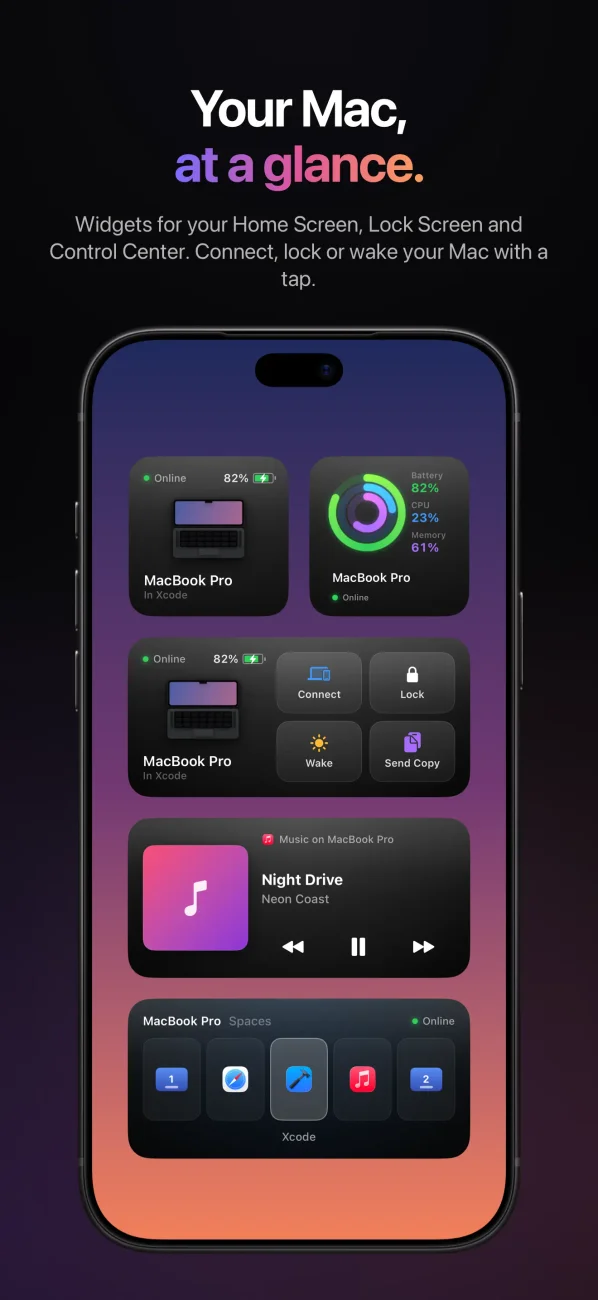
• Widgets, Control Center controls and Shortcuts for your Mac
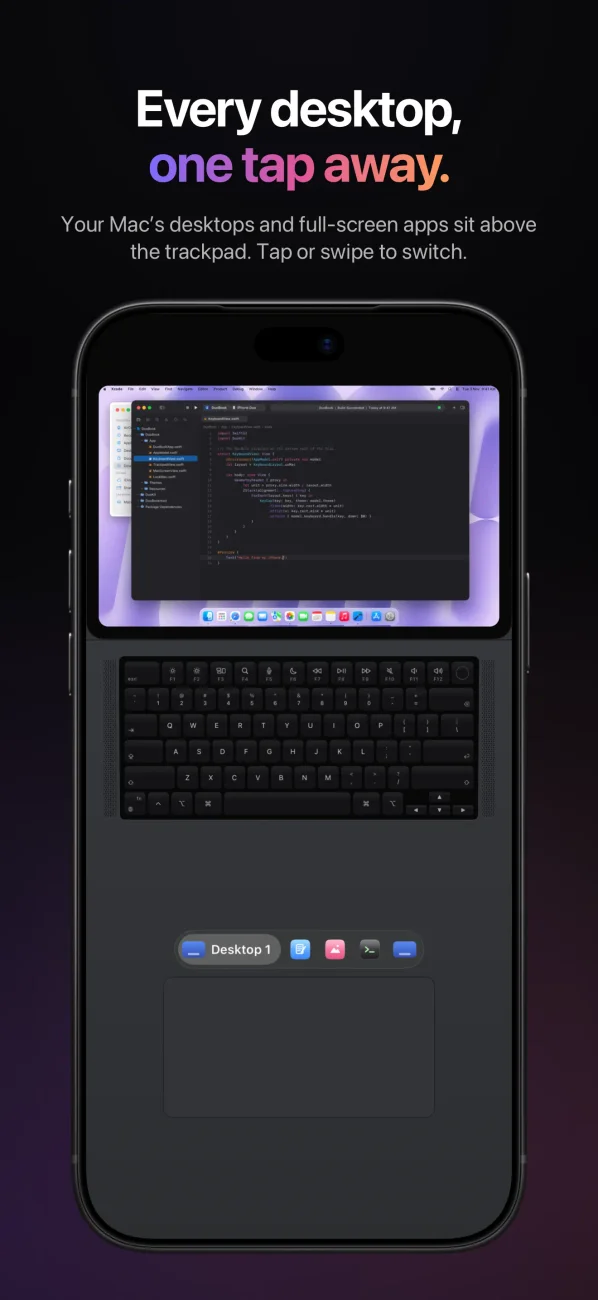
• A bar to switch your Mac’s desktops and full-screen apps
• Fill iPhone Screen: your Mac’s desktop in your iPhone’s shape
• Five app icons
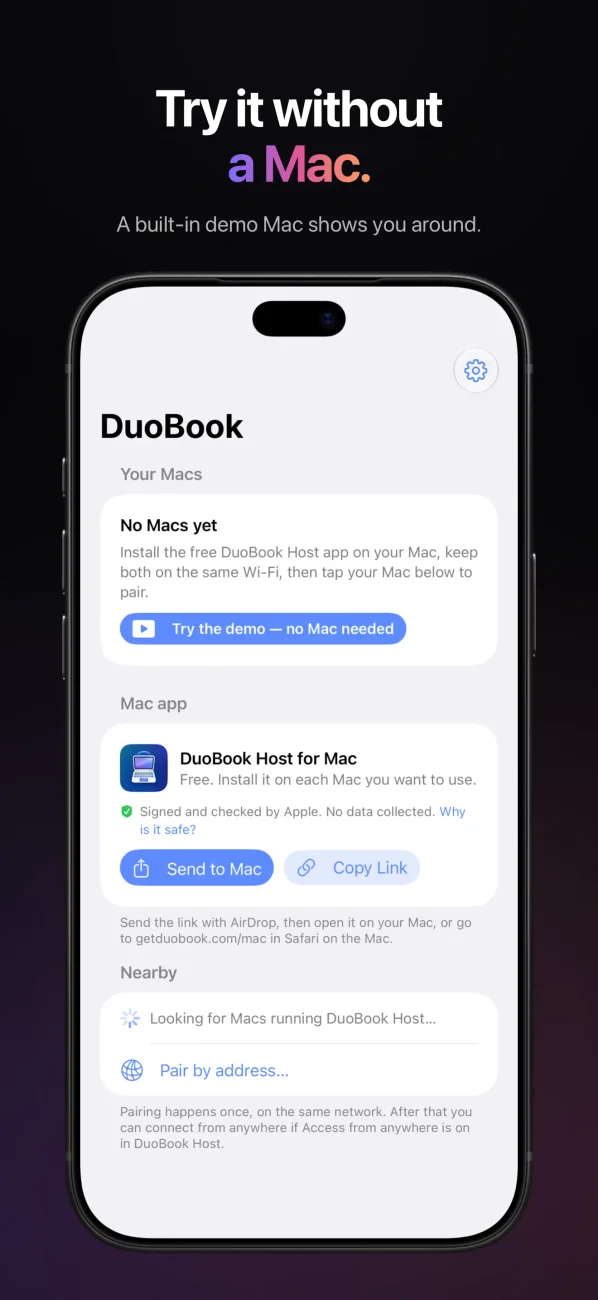
• A built-in demo Mac, so you can try everything before setting up
WHAT YOU NEED
• A Mac with macOS 14 Sonoma or later, running the free DuoBook Host app from getduobook.com/mac
• On the Mac, allow Screen Recording and Accessibility for DuoBook Host (it shows you how)
PRIVACY
DuoBook collects no data. No account, no analytics, no ads. Your screen goes from your Mac to your iPhone encrypted end to end, so not even DuoBook’s relay can see it.
DUOBOOK ANYWHERE
Optional. $4.99 a month or $49.99 a year in the US (local prices elsewhere), with a free week. Payment is charged to your Apple Account. It renews automatically unless you turn it off at least 24 hours before the period ends; manage it in your App Store account settings. DuoBook stays free at home and whenever your iPhone reaches your Mac directly.
Terms of Use: https://www.apple.com/legal/internet-services/itunes/dev/stdeula/
Privacy Policy: https://getduobook.com/privacy/
What’s new
Version 1.4 · Nov 26, 2026
New in DuoBook 1.4:
• Away from home, your way: under each Mac, pick how DuoBook reaches it: through your router, DuoBook Anywhere, your own VPN or relay, or only at home. If that way doesn't work, DuoBook says why and what to do.
• Spaces bar: your Mac's desktops and full-screen apps sit above the trackpad. Tap one to go there, or swipe across to go one over.
• Widgets everywhere: eight new Home Screen widgets, including your Mac's battery and storage, what's playing and its clipboard. Plus Lock Screen widgets, Control Center controls, and Shortcuts to connect, lock, wake and keep your Mac awake.
• Fill iPhone Screen: your Mac's desktop takes the shape of your iPhone, upright too, with no black bars.
• A keyboard like your Mac's: U.S., European or Japanese, matching your Mac. Hold ⌥ to see what each key types.
• Five new app icons: Blue, Black, Glass, Silver and Gold.
• Now in Dutch, Swedish, Polish, Turkish and Russian.
• Leave DuoBook and your covered Mac locks in seconds instead of a minute. Taking a screenshot no longer reconnects.
• Clearer messages when your MacBook's lid is closed, or when your router lets nothing in from outside.
• DuoBook Host is now a full Mac app, with a window for your iPhones, away from home, and screen and privacy settings.
Update DuoBook Host on your Mac to 1.4 for the spaces bar, Fill iPhone Screen, widgets and the new away-from-home choices. It updates by itself.
App privacy
What MEHDI CHITSAZ declares on the App Store about how this app handles data.
-
Data not collected
The developer does not collect any data from this app.
Privacy practices may vary, for example with the features you use or your age.
Information
- Seller
- MEHDI CHITSAZ
- Category
- Productivity
- Version
- 1.4
- Updated
- Nov 26, 2026
- Released
- Nov 2, 2026
- Size
- 12.5 MB
- Requires
- iOS 17.0 or later
- Age rating
- 4+
- Price
- Free
- In-app purchases
- Yes
- Languages
- English, Dutch, French, German, Italian, Japanese, Korean, Polish, Portuguese, Russian, Simplified Chinese, Spanish + 3 more
- Copyright
- © 2026 Mehdi Chitsaz
You might also like
-
 TypeDrawYour new Notebook
-
 Pocket Mac LabYour Mac on iPhone and iPad
-
 Callsign: Desk Busy SignLets the room know you’re busy
-
 PXS External Screen DesktopYour phone is the computer
-
 InfiniteX2P Pro — Desktop ModePro Desktop for Your iPhone
-
 DuotronicRetro calendar & reminders
-
 choclift: Workflow Sweetenerdesktop touch controls
-
 Marko: Markdown ViewerFast, native offline reader
-
 OpenDisplayUse your iPad as a Mac Monitor
-
 Carriage: TypewriterFocus writing, made for Duo