
PocketToDo - Simple Tasks
Small tasks. Pulled by scene.
Designed for iPhone
In-app purchases
- Age rating4+
- CategoryProductivity
- DeveloperIMAE Tasuku
- LanguagesJapanese+ 1 more
- Size8.3 MB
Links to the official App Store page
Download.org hosts no file of PocketToDo - Simple Tasks. The button opens its official App Store page, published by IMAE Tasuku. Listing last checked on Nov 12, 2026.
Screenshots

About
"Capture it before you forget."
PocketToDo is a quiet ToDo app built around one thing: never losing the small tasks.
---
■ The big ones get done. The small ones slip.
"Quick reply." "Submit the shift form." "Send that sticker."
These small tasks get buried in long lists, lost in notification streams, and quietly pass their moment.
But they're not big enough to deserve their own note.
PocketToDo is a place to catch and finish exactly those — the small things that take two taps on your phone.
---
■ Just two ideas.
【When you capture: hold by weight】
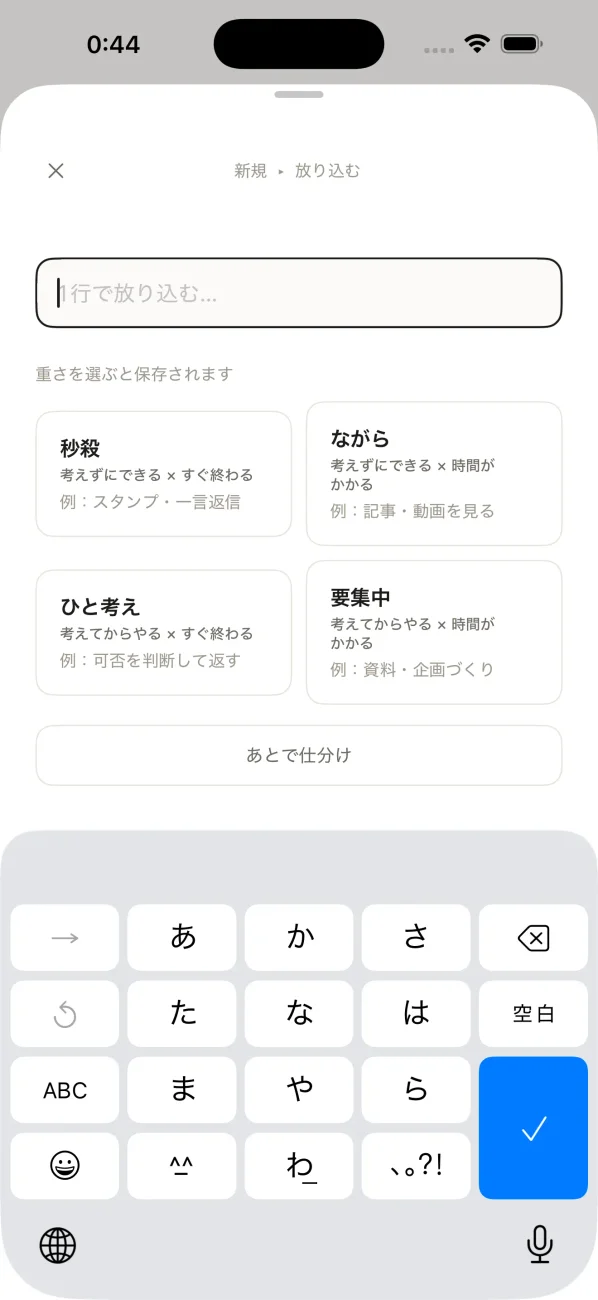
On drop-in, pick one of 4 tiles — head (light/heavy) × time (short/long):
Snap · Casual · Think · Focus
【When you pull: filter by scene】
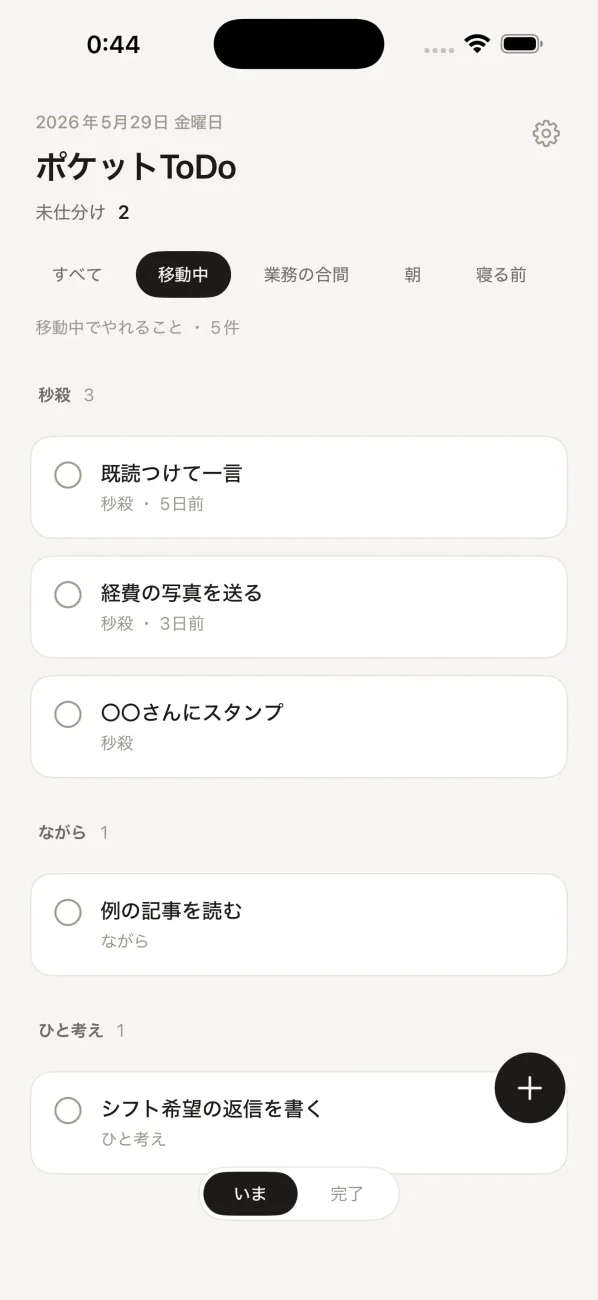
On the home screen, switch between 4 scenes — and only the tasks doable right now appear, lightest first.
On the go → Snap + Casual + Think
Before bed → Snap only
Morning → Snap + Casual
Between tasks → Snap + Casual
"What I can actually do, right now" — only that, in front of you.
---
■ Quiet by design.
· No notifications. Nothing nags you.
· Sorted by ease, not urgency. Small wins, stacked up.
· One-line capture + one tap to weight. Three seconds, done.
· Capture from Siri, Shortcuts, widgets, or the Action button — without opening the app.
· Stored only on your device. No account, no sign-in.
---
■ Free features
· Capture, edit, complete tasks
· 4 scenes (On the go, Between tasks, Morning, Before bed)
· Customize which weights appear per scene
· Daily repeating tasks (complete it, and it comes back tomorrow)
· One-line capture from Siri, Shortcuts, and the Action button
· Home Screen and Lock Screen widgets, plus Control Center (iOS 18)
· Last 7 days of completed history
· Default + dark themes
· Manual CSV export (keep an external record)
---
■ PocketToDo Pro features
· Full history (no 7-day cutoff)
· Review: tasks finished this week and month, weight breakdown, and streaks for daily tasks
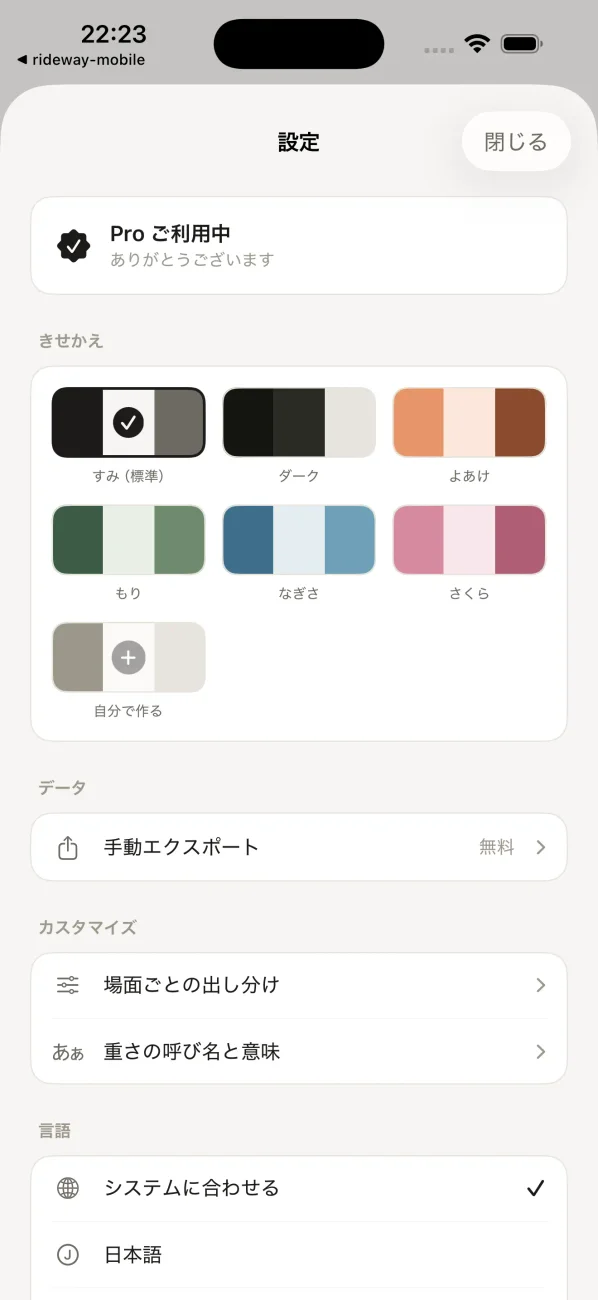
· 4 additional color themes (Yoake, Mori, Nagisa, Sakura)
· Make up to 3 custom palettes of your own (widgets follow your theme)
· The home-screen icon follows your chosen theme
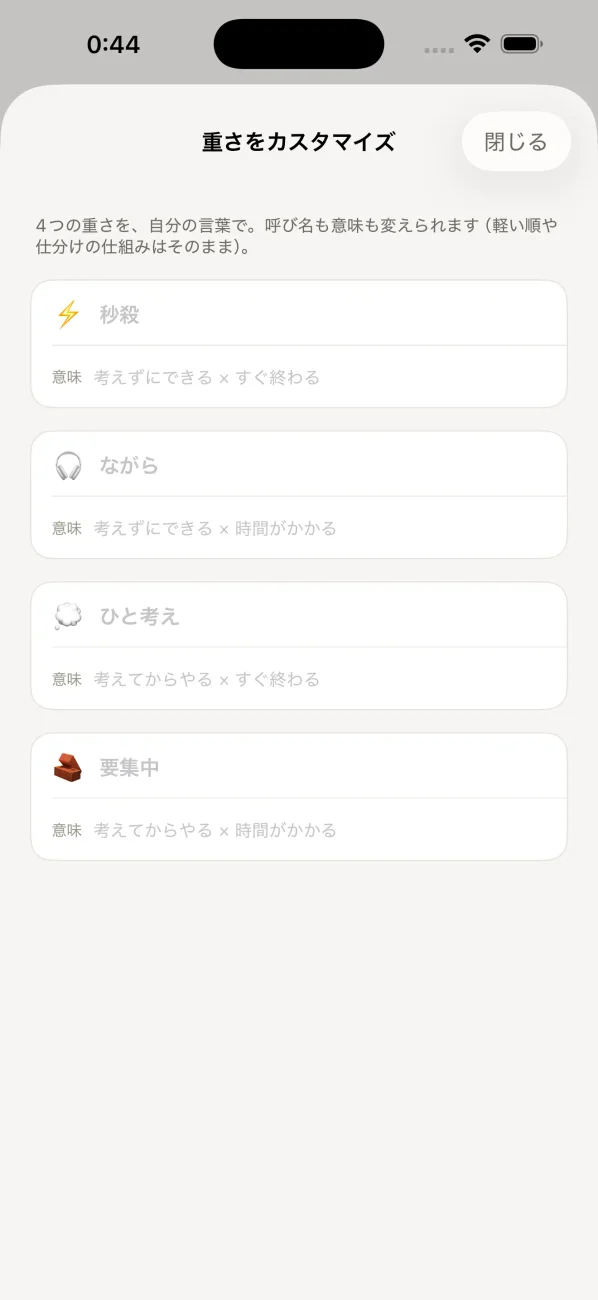
· Rename the 4 weights — both name and meaning — in your own words
Pricing: $23.99 / year · $2.99 / month · $58.99 one-time
※ Yearly ≈ 39% off vs monthly (~$2/mo effective)
※ 7-day free trial on subscriptions
■ Terms (subscriptions)
- Yearly: $23.99 / year (includes a 7-day free trial; billed after the trial ends)
- Monthly: $2.99 / month (includes a 7-day free trial; billed after the trial ends)
- Lifetime: $58.99 (one-time payment, no auto-renewal)
Subscriptions (yearly, monthly) auto-renew unless canceled at least 24 hours before the end of the current period; payment is charged to your Apple ID at renewal. Manage or cancel anytime in Settings > Apple ID > Subscriptions.
Terms of Use (Apple standard EULA): https://www.apple.com/legal/internet-services/itunes/dev/stdeula/
Privacy Policy: https://atimekusau535-hub.github.io/pockettodo/en/privacy.html
---
■ Privacy first
PocketToDo collects no personal information whatsoever.
Tasks and settings are stored only on your device, never sent to any server.
We embed no analytics SDKs and no advertising SDKs.
The best way to protect data is to not collect it in the first place.
---
■ Get in touch
X (Twitter): @bon_dev_
Support: https://atimekusau535-hub.github.io/pockettodo/en/support.html
Bugs and feature requests very welcome.
What’s new
Version 1.2(6) · Oct 6, 2026
■ Complete tasks right from the widget
Tap the circle on a Home Screen widget to check a task off without opening the app. Tap anywhere else to add, as before.
■ Large widget, split by weight
The large widget sorts your tasks into the four weights. Your custom weight names show up too.
■ Small and medium widgets show newest first
What you just added is at the top. The medium widget now shows up to six tasks in two columns.
■ Undo a completed task
Tapping the circle now shows a check before the task goes away. Tap again to cancel, or use Undo at the bottom of the screen right after.
Plus easier-to-read text and circles in the widgets.
App privacy
What IMAE Tasuku declares on the App Store about how this app handles data.
-
Data not linked to you
May be collected but is not linked to your identity.
- Purchases
Privacy practices may vary, for example with the features you use or your age.
Information
- Seller
- IMAE Tasuku
- Category
- Productivity
- Version
- 1.2(6)
- Updated
- Oct 6, 2026
- Released
- Jun 13, 2026
- Size
- 8.3 MB
- Requires
- iOS 17.0 or later
- Age rating
- 4+
- In-app purchases
- Yes
- Languages
- Japanese, English
- Copyright
- © 2026 Imae Tasuku
You might also like
-
 GroupPocketFor sharing calendar channel
-
 ToDo Task Management - TaspeProductivity
-
 Graphooo Easy Chart MakerGraphs from Labels & Numbers
-
 Perfect LockProductivity
-
 Drop [Stacking ToDo]Focus on what you’ve achieved.
-
 3 Seconds Memo - Simple NotesNever lose an idea.
-
 Simpli - write & clearSimple lists for tasks & notes
-
 Retro TODOレトロOS風のシンプルTODO
-
 LifeToBeVisualize your life journey
-
 Playlyst: Tasks, Focus, HabitsA simple to-do list & schedule