- Age rating4+
- CategoryProductivity
- DeveloperADAM MICHAEL OGDEN
- LanguagesEnglish
- Size8.3 MB
Links to the official App Store page
Download.org hosts no file of PolyInvert. The button opens its official App Store page, published by ADAM MICHAEL OGDEN. Listing last checked on Nov 18, 2026.
Screenshots

About
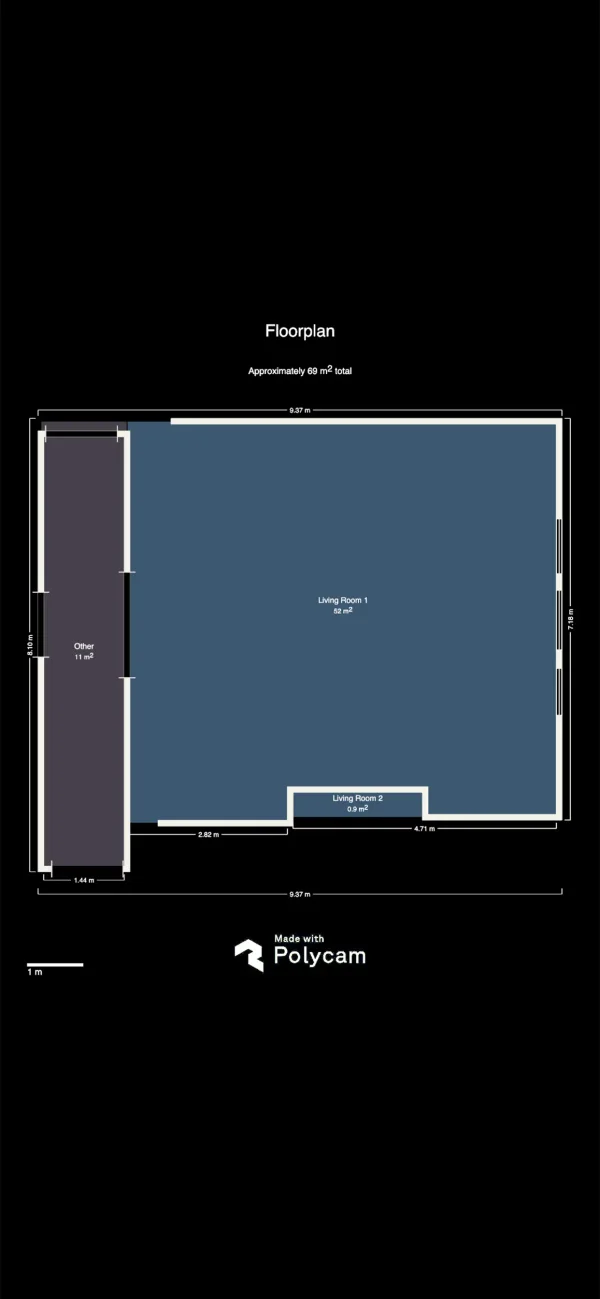
Transform PDF documents and images into inverted color versions with just one tap. PolyInvert is the perfect tool for converting Polycam floor plans, architectural drawings, documents, and images for viewing in darkmode.
PERFECT FOR POLYCAM USERS
Export your Polycam floor plans directly into PolyInvert and instantly invert them. Works seamlessly with PDF, PNG, and SVG exports from Polycam.
KEY FEATURES
• Smart Color Inversion - Advanced algorithms optimized for each file type
• Multi-Format Support - PDF, PNG, SVG, and ZIP archives
• Batch Processing - Import and invert multiple files at once
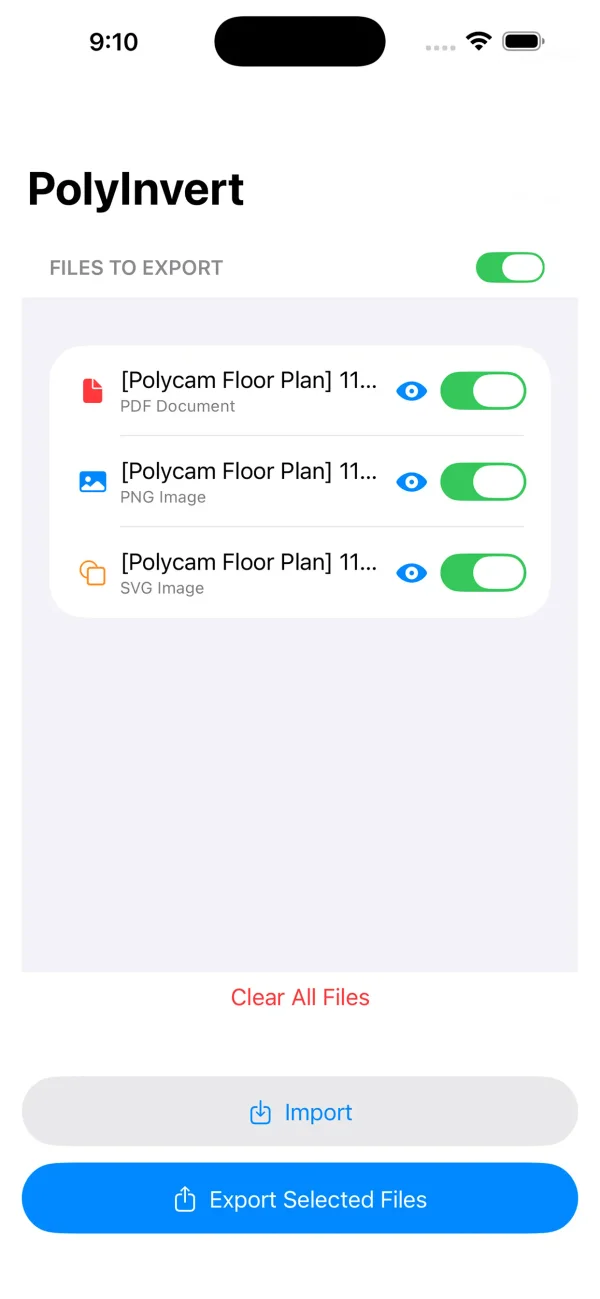
• One-Tap Export - Share via Messages, Mail, Files, or any app
• ZIP Support - Automatically extracts and processes archive contents
• Privacy First - All processing happens locally on your device
• No File Size Limits - Process documents of any size
• Universal App - Works on iPhone, iPad, and Mac
HOW IT WORKS
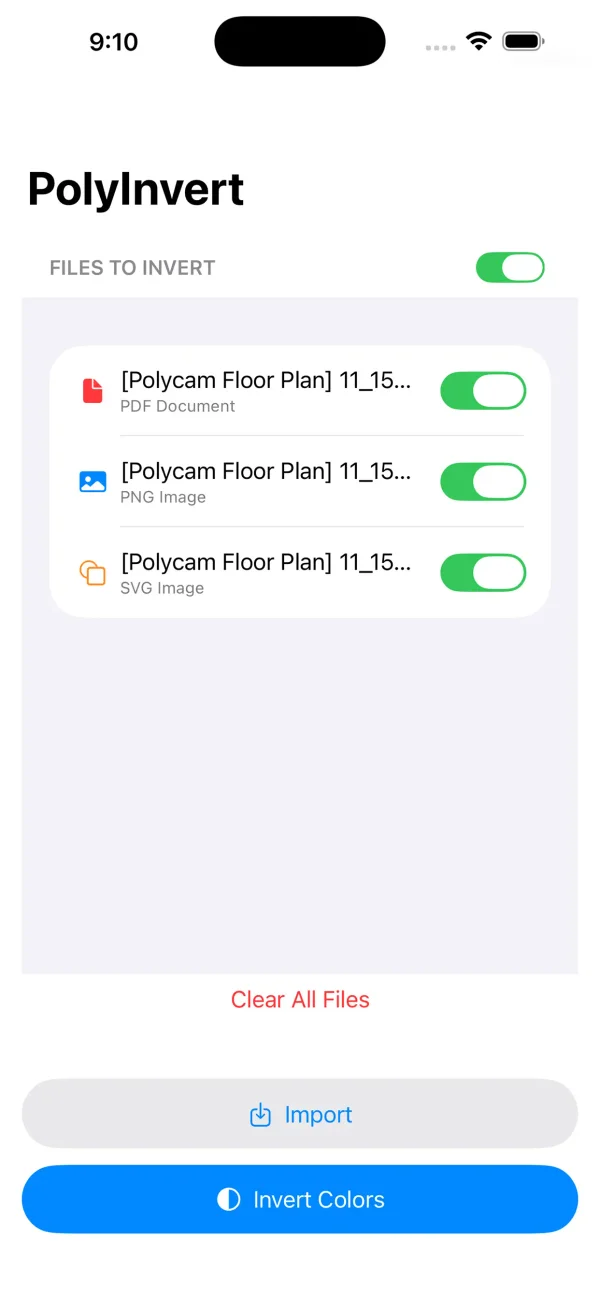
1. Import your files from iCloud Drive, Files app, or directly from Polycam via the share sheet.
2. Tap "Invert All" to process all files, or invert individually
3. Export inverted files via iOS Share Sheet to save or share anywhere
PRIVACY & SECURITY
Your files stay private. PolyInvert processes everything locally on your device. We never upload, store, or access the content of your files. What you invert stays on your device.
USE CASES
• Invert Polycam floor plans to dark mode for Blackout Lighting Console
• Create dark mode versions of documents
• Improve contrast on architectural drawings
• Invert scanned documents for easier reading
• Prepare images for presentations
• Process technical diagrams and schematics
FREE WITH OPTIONAL AD REMOVAL
PolyInvert is completely free to use with ads. Remove all ads permanently with a one-time in-app purchase that syncs across all your devices.
TECHNICAL DETAILS
• Supports PDF, PNG, and SVG files
• Handles multi-page PDFs with ease
• ZIP archive auto-extraction
• Maintains original file quality
• Preserves document structure and formatting
• Fast processing with optimized algorithms
MADE BY AMOGAFFER
PolyInvert is developed by AMOGaffer with a focus on simplicity, privacy, and reliability. We're committed to creating tools that just work.
REQUIREMENTS
• iOS 17.0 or later
• iPadOS 17.0 or later
• macOS 14.0 or later (Apple Silicon)
Need help? Contact us at contact@amogaffer.com
Privacy Policy: https://amogaffer.com/privacy/polyinvert/
What’s new
Version 1.0.1 · Dec 5, 2025
Adds easy bug reporting and feature requests
Bug fixes
App privacy
What ADAM MICHAEL OGDEN declares on the App Store about how this app handles data.
-
Data used to track you
May be used to track you across apps and websites owned by other companies.
- Identifiers
-
Data not linked to you
May be collected but is not linked to your identity.
- Identifiers
- Usage data
Privacy practices may vary, for example with the features you use or your age.
Information
- Seller
- ADAM MICHAEL OGDEN
- Category
- Productivity
- Version
- 1.0.1
- Updated
- Dec 5, 2025
- Released
- Dec 4, 2025
- Size
- 8.3 MB
- Requires
- iOS 17.0 or later
- Age rating
- 4+
- Price
- Free
- In-app purchases
- Yes
- Languages
- English
- Copyright
- © 2025 AMOGaffer
You might also like
-
 Callsheet To CalendarAdd callsheets to calendar
-
 sACN Viewer (OF COURSE)sACN Viewer
-
 ISINAC ARProductivity
-
 Slyyd Lighting ControlFast reliable lighting
-
 Elgato Stream Deck ConnectControl iPad with Stream Deck
-
 CallTime: Call Sheets & PayFor Filmmakers/Crewmembers
-
 Eclipse: Dark Mode PDF ReaderNight-Friendly PDF Viewer
-
 Total CrewTime tracking in Film Industry
-
 QyreMake it happen, easier.
-
 Scenario mobileFilm diagrams, gear list, crew