Pomodoro Study Timer & Tracker
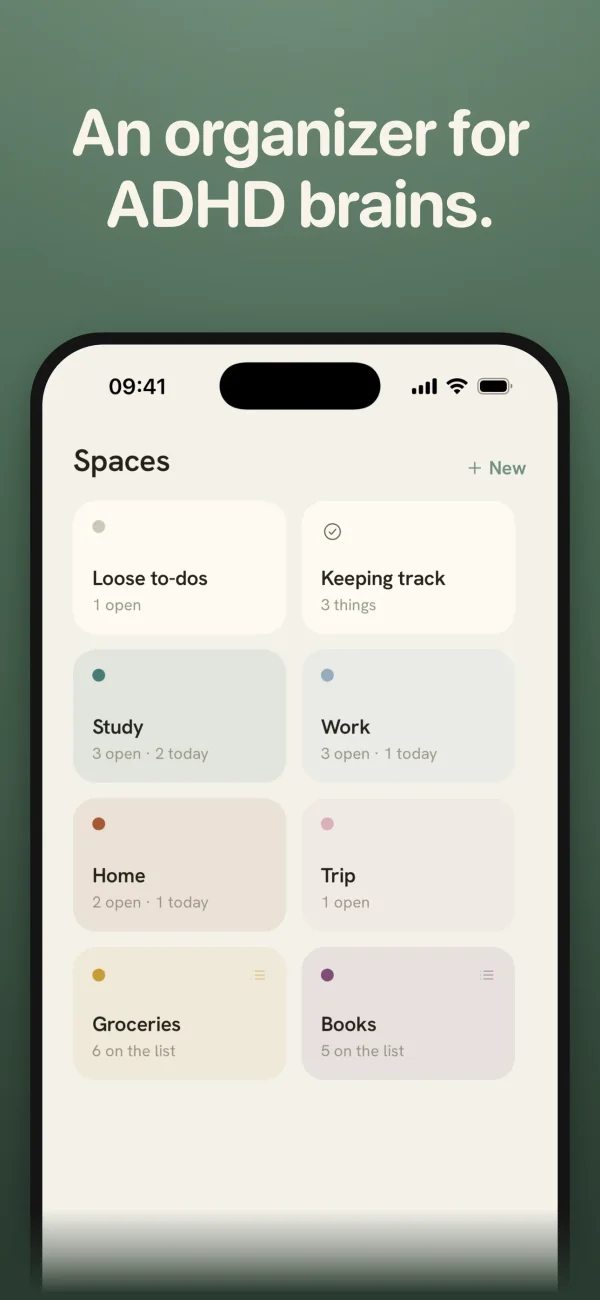
Brain dump & ADHD organizer
Designed for iPhone, iPad
Free · In-app purchases
- Age rating9+
- CategoryProductivity
- DeveloperMujaheth Mohammad
- LanguagesEnglish+ 20 more
- Size44.2 MB
Links to the official App Store page
Download.org hosts no file of Pomodoro Study Timer & Tracker. The button opens its official App Store page, published by Mujaheth Mohammad. Listing last checked on Nov 23, 2026.
Screenshots


About
For when you know what to do and still can't start. Just start with 3 minutes, and the timer carries on from there.
Calibrate is a calm pomodoro timer and to-do list, built for the moment before you begin.
EMPTY YOUR HEAD FIRST
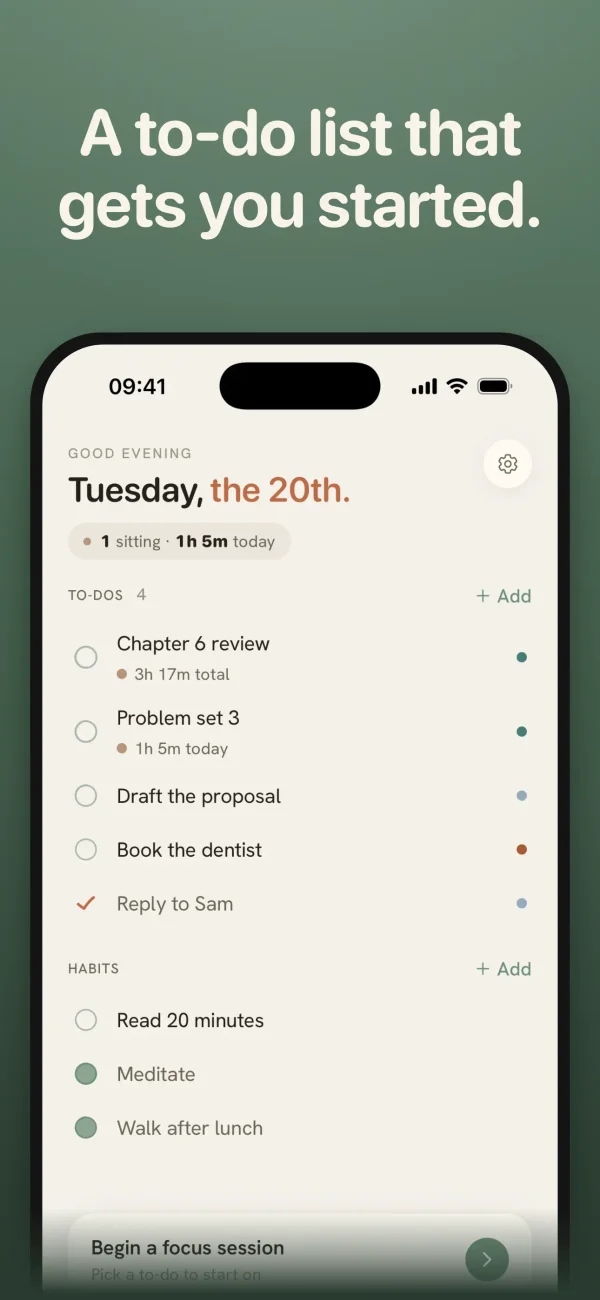
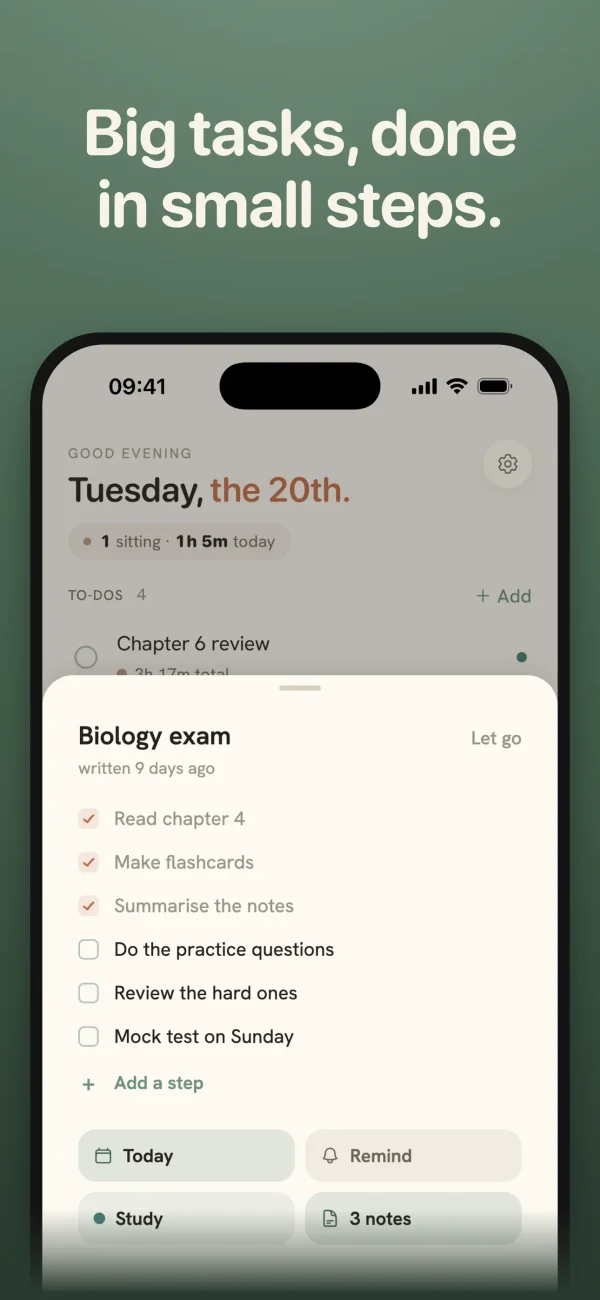
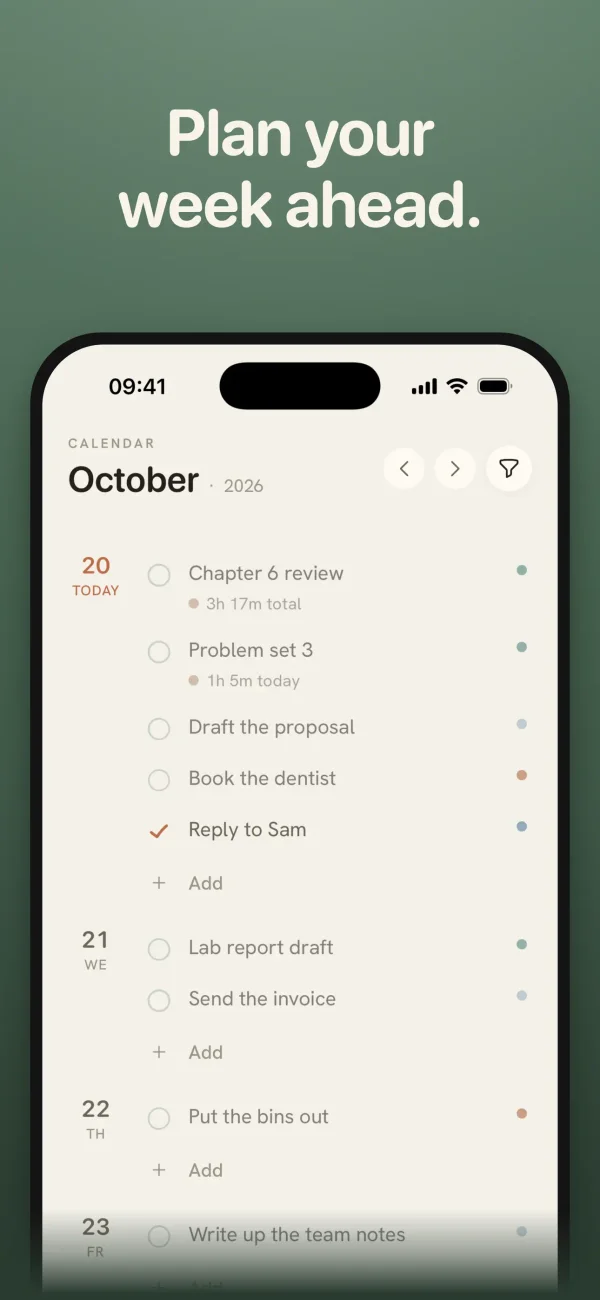
Brain-dump every loose thing into one list for today. Big ones break into small steps. Spaces keep work, home and health apart, so today stays short. Every to-do gets a day, or waits without nagging you.
START FROM YOUR LIST
Swipe any to-do to just start: three minutes, then your block carries on by itself.
REAL BLOCKS, REAL BREAKS
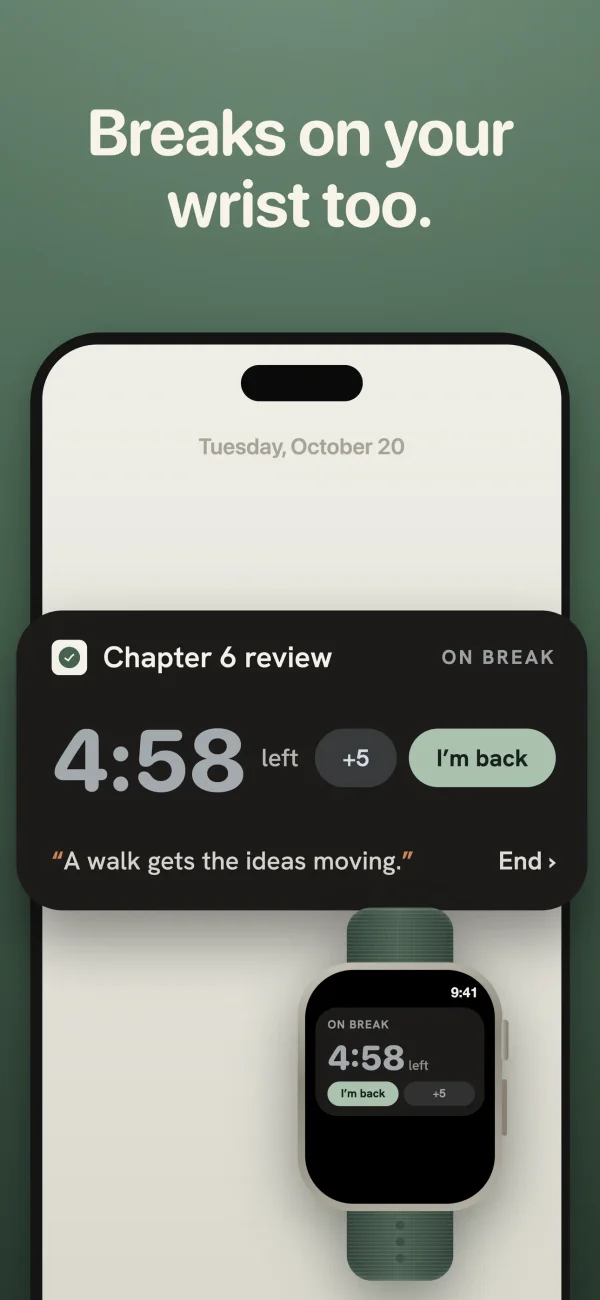
Each block ends with one question: how was your focus? Then you choose: a break, or the next block. In the flow? Keep going, and answer when you stop.
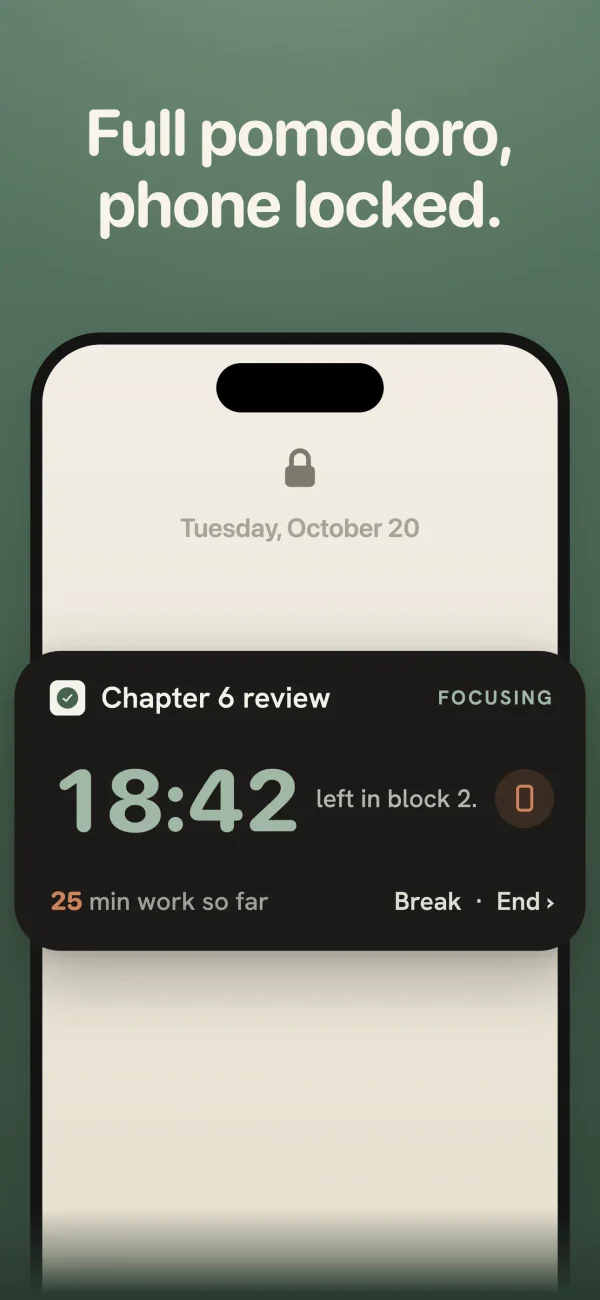
YOUR LOCK SCREEN DOES THE WORK
The whole session lives on your Lock Screen and Apple Watch: the countdown, the check-ins, the next-block choice. Nothing needs unlocking. You never have to open the app.
AN HONEST WEEK, NOT A SCORE
The weekly recap shows how much you really did. Facts, never grades. No streaks, no scores. Miss a day, nothing breaks.
WHO IT'S FOR
Students in long study sessions. ADHD brains: the app never punishes a wandered mind, it just asks kindly. Anyone who's tried blockers and streak apps and wants something gentler.
Calibrate helps you notice. It never notices for you.
Focus sessions, to-dos, spaces and lists are free, all of it, unlimited. Calibrate Plus adds the long view: your weekly recap, your busiest hours, your habits month by month, and unlimited keeping track. Monthly, or one purchase that's yours for good.
Privacy policy: https://usecalibrate.app/privacy.html
Terms of use: https://usecalibrate.app/terms.html
What’s new
Version 2.1.8 · Nov 14, 2026
Repeating to-dos: set a to-do to repeat every day, on weekdays, on the days you pick, or monthly. Only today's shows up on your list.
Move to next week: a to-do you keep carrying from day to day can go to next week in one tap. It comes back on Monday.
App privacy
What Mujaheth Mohammad declares on the App Store about how this app handles data.
-
Data not linked to you
May be collected but is not linked to your identity.
- Usage data
Privacy practices may vary, for example with the features you use or your age.
Information
- Seller
- Mujaheth Mohammad
- Category
- Productivity
- Version
- 2.1.8
- Updated
- Nov 14, 2026
- Released
- Apr 10, 2026
- Size
- 44.2 MB
- Requires
- iOS 17.0 or later
- Age rating
- 9+
- Price
- Free
- In-app purchases
- Yes
- Languages
- English, Czech, French, German, Hungarian, Indonesian, Italian, Japanese, Korean, Malay, Norwegian Bokmål, Polish + 9 more
- Copyright
- © 2026 MJ
You might also like
-
 HelloHabit - Habit TrackerTasks, Routines, & Streaks
-
 VPN Cat Pro 2026VPN Unlimited, VPN Super
-
 2026 Planner & Agenda - FloretYearly Digital Cute Calendar
-
 Focus To-Do: Focus Timer&TasksPomodoro timer for work&study
-
 Todo List & Reminder - TodoeryTodo list widget, Tasks remind
-
 Yandex Disk secure storageFiles & media cloud storage
-
 Alice: AI assistantChat with AI-assistant Alice
-
 FocusPomo · Pomodoro TimerProductivity|for Work & Study
-
 minical - Planner & CalendarSchedule Organizer with Widget
-
 Mi ArgentinaProductivity