PracticeSession: Slow & Loop
Music practice: key & stems
Designed for iPhone
Free · In-app purchases
- Age rating4+
- CategoryMusic
- DeveloperPractice Session
- LanguagesEnglish
- Size53.8 MB
Links to the official App Store page
Download.org hosts no file of PracticeSession: Slow & Loop. The button opens its official App Store page, published by Practice Session. Listing last checked on Nov 16, 2026.
Screenshots

About
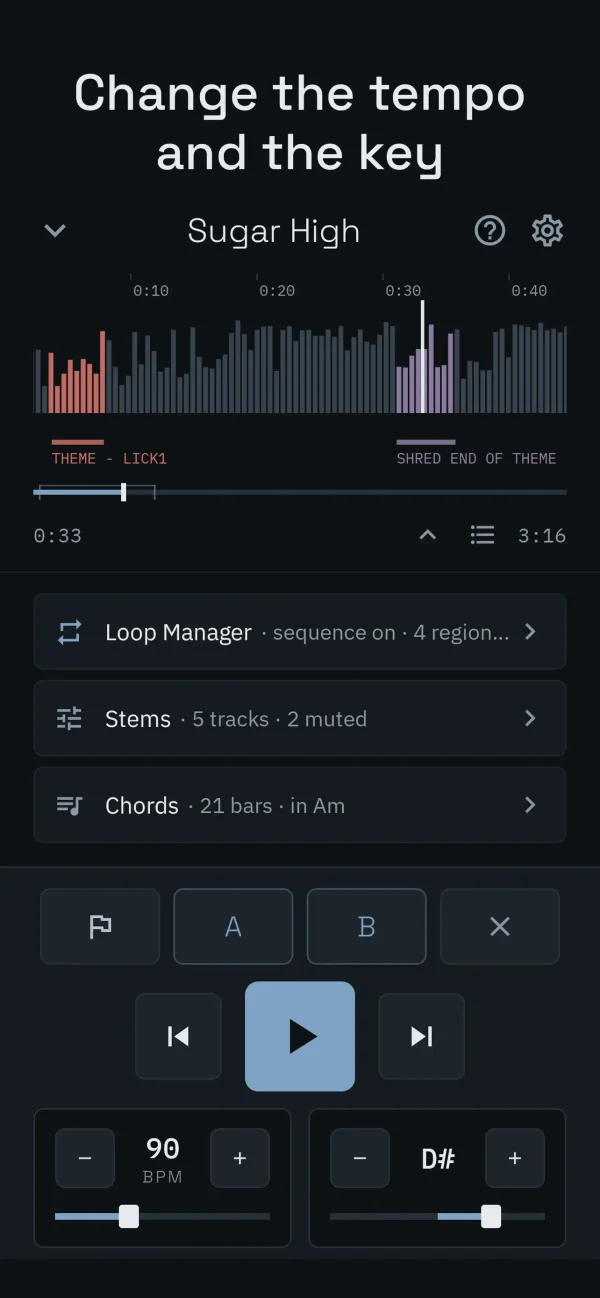
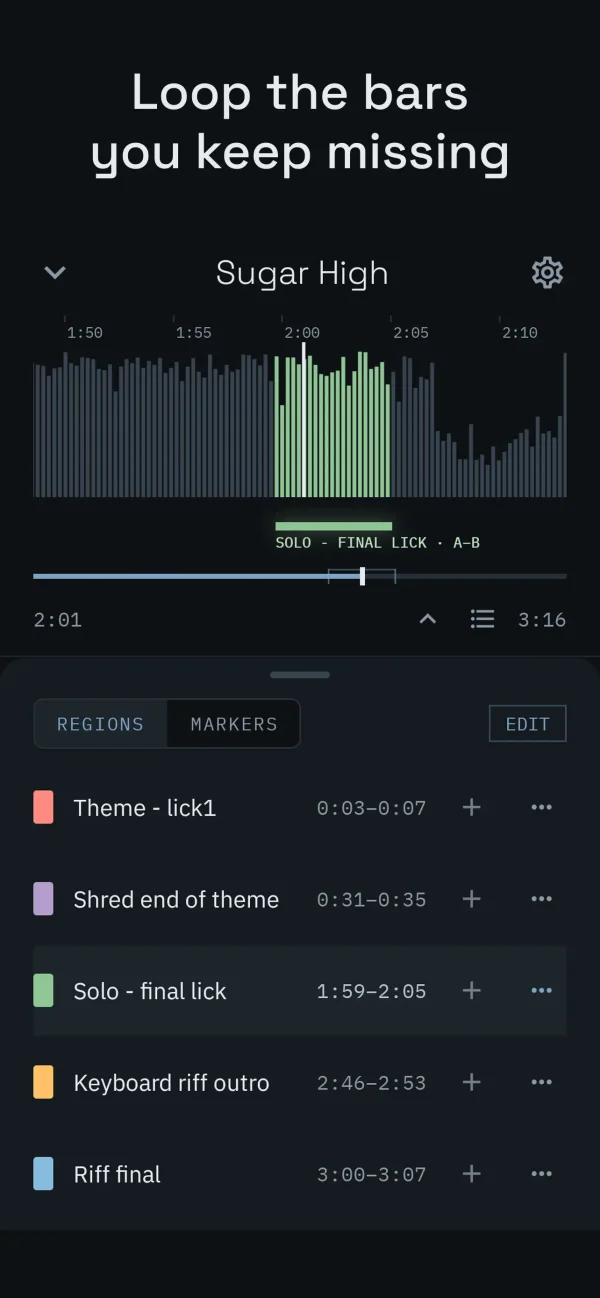
PracticeSession is a complete music practice toolkit, made for the phone. Slow a song down, loop the two bars you keep missing, change the key, and isolate the part you are learning.
Import your own audio and work on it offline, with no account, no ads and nothing to sign up for.
What the free app does
Independent speed and pitch, so tempo and key move separately.
A waveform you can zoom into, with regions and markers placed where the music needs them.
Looping that starts where you tap, on a passage as short as you like.
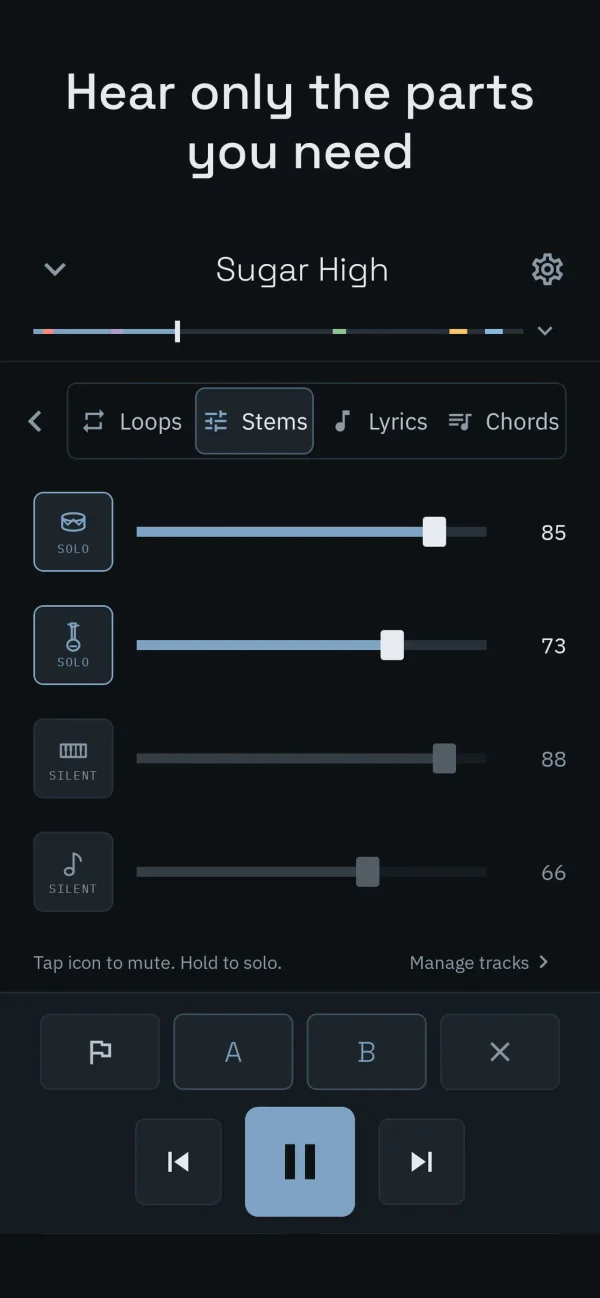
Stems: play a song as separate parts, mute the guitar, solo the bass. Bring your own, or separate a song in the cloud with credits you buy in the app.
A chromatic tuner, so you can tune without leaving the app.
Song notes: what to fix, a checklist, tuning, capo, and files you attach to the song.
Background playback, with controls on the lock screen.
What Pro adds
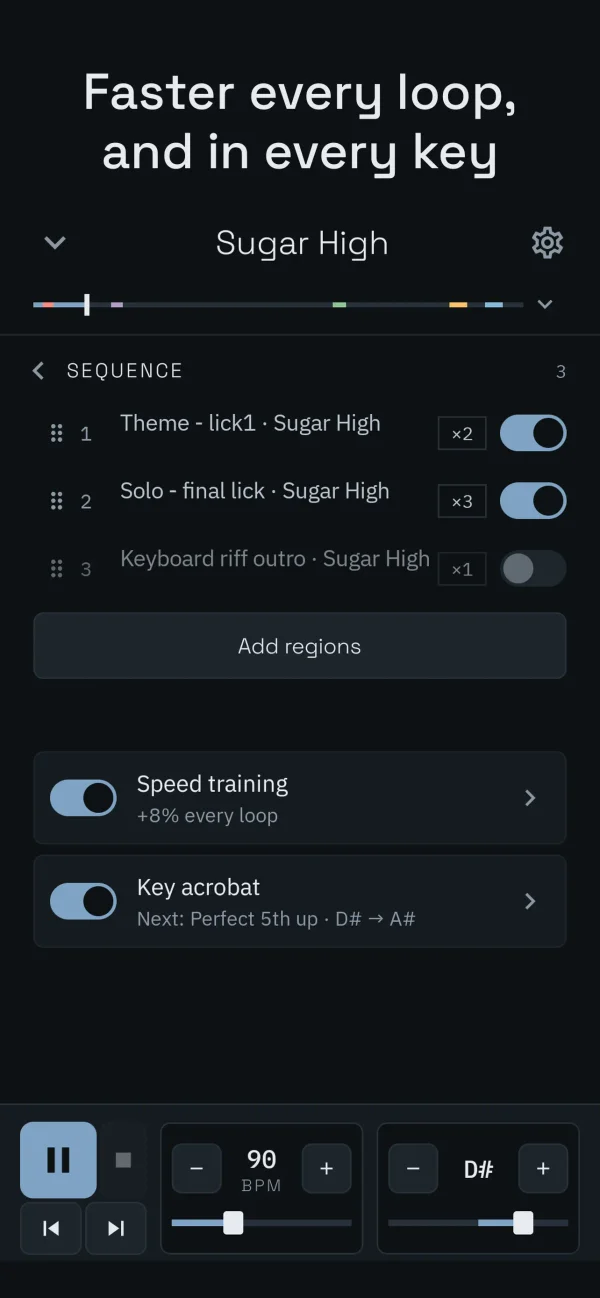
Loop Manager: chain regions into a sequence, and let Speed Training and Key Acrobat raise the tempo and move the key as you loop.
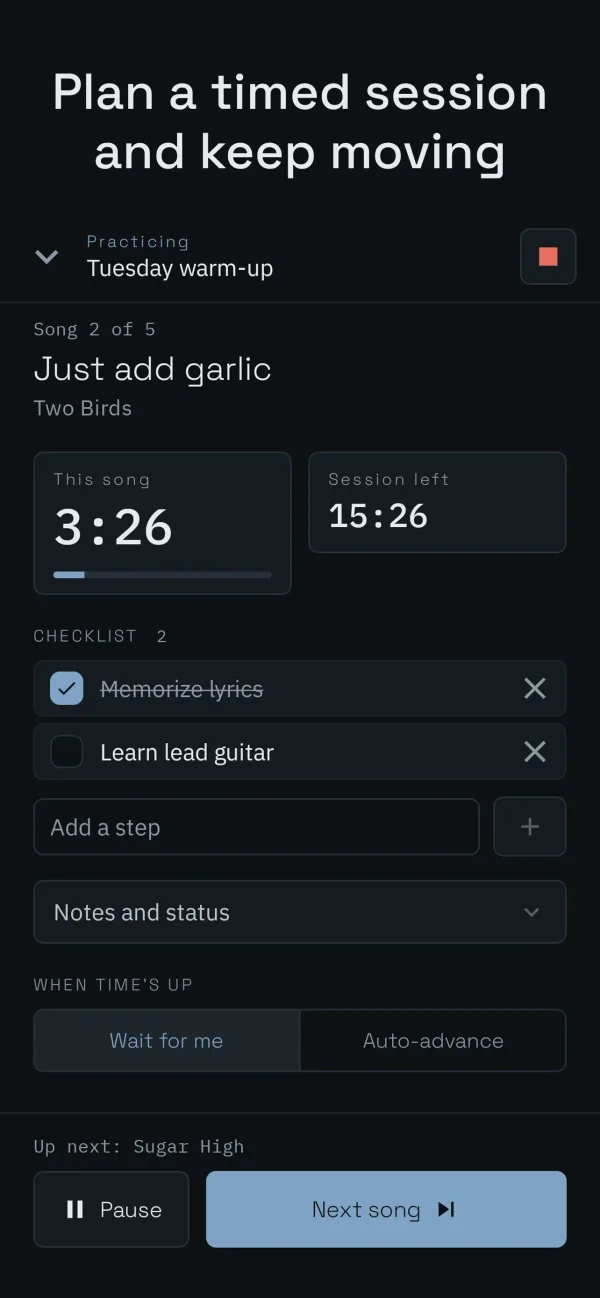
Practice Manager: plan a timed session across songs, run it with a cue when time is up, and note what to work on next.
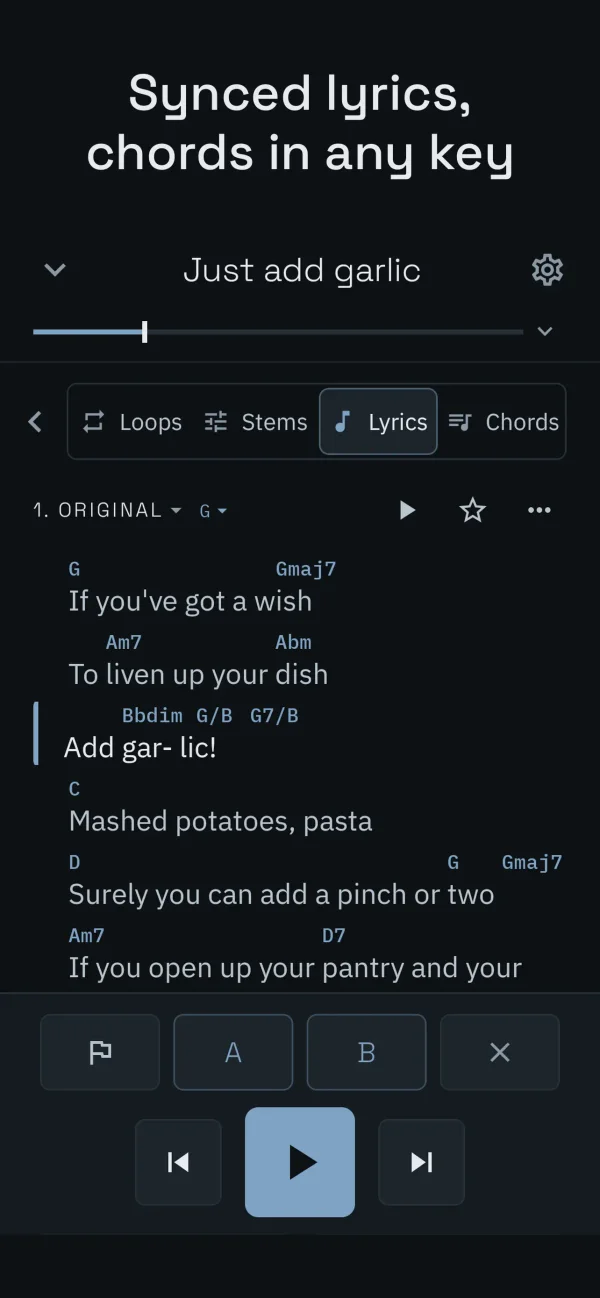
Lyrics: words that follow the song, timed by tapping along, with sections, versions and chords over the lines.
Chords: a chord chart for the song, read as symbols, degrees or Nashville numbers, in any key.
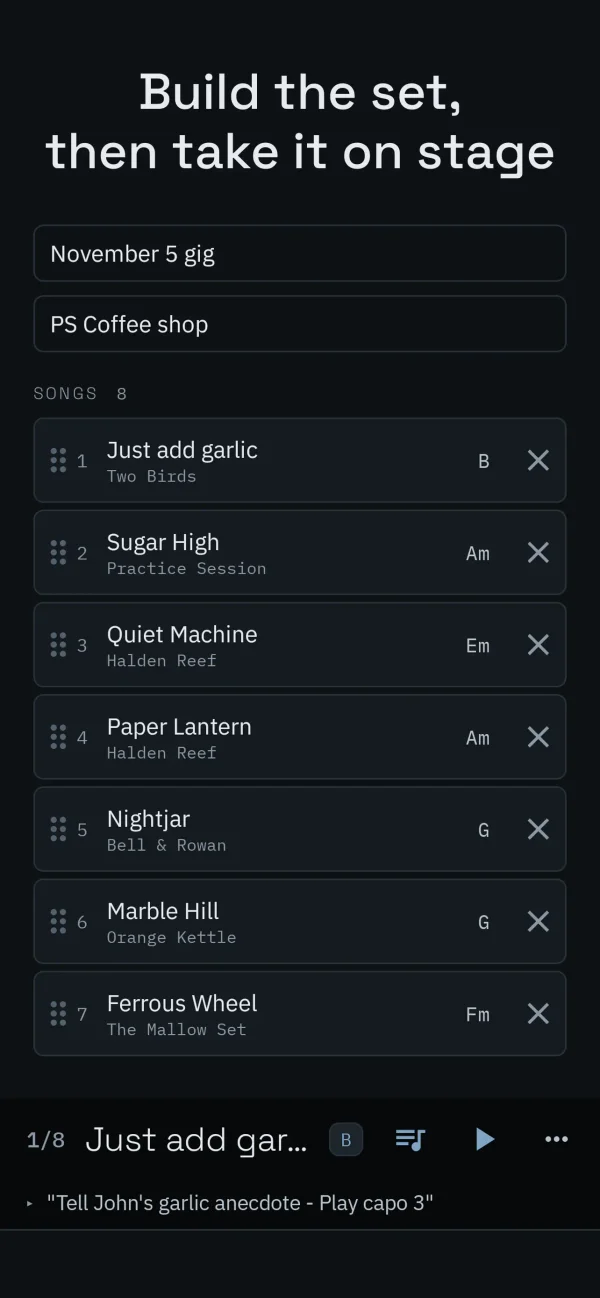
Setlists: build running orders, keep a key and a note per song, and run a set on stage with the words in front of you.
A 14-day trial opens all of it, with no account and nothing to cancel. When the trial ends, everything you wrote in Lyrics and Chords stays readable.
With the desktop app
PracticeSession also runs on macOS, Windows and Linux. Sign in with the same email and your library follows you: the songs, the regions and sequences you built, your notes and your setlists.
What’s new
Version 1.7.0 · Oct 27, 2026
Tune a song to the cent. Hold the pitch value to fine-tune by cents, and the tuning is saved with the song. With Pro, Detect measures how far a recording sits from A440 and corrects it in one tap.
Previous and next can now jump between lyric lines or sections, or by a few seconds. Hold either button to choose. Headphone and lock screen buttons can step through lyrics too.
App privacy
What Practice Session declares on the App Store about how this app handles data.
-
Data linked to you
May be collected and linked to your identity.
- Purchases
- Contact info
- User content
- Identifiers
Privacy practices may vary, for example with the features you use or your age.
Information
- Seller
- Practice Session
- Category
- Music
- Version
- 1.7.0
- Updated
- Oct 27, 2026
- Released
- Oct 1, 2026
- Size
- 53.8 MB
- Requires
- iOS 16.0 or later
- Age rating
- 4+
- Price
- Free
- In-app purchases
- Yes
- Languages
- English
- Copyright
- © 2026 Practice Session
You might also like
-
 WayLoop: Slow Down & LoopMusic speed changer & practice
-
 Flip Pick CompanionLearn. Practice. Play. Create.
-
 Fretbox: Guitar Tab PlayerSlow down, loop, play offline
-
 Guitar Arpeggios ProApp for learning arpeggios
-
 Refrain: Audio LooperA/B loop player for practice
-
 Music Speed Changer AIAI Music Speed Changer
-
 AudiolyzeReal-Time Audio Analyzer
-
 Encore for Setlist.fmTrack concert setlists
-
 Riffloop: Stem & Vocal RemoverChord Finder & Backing Tracks
-
 ABLooplay: A-B Audio LooperAB Repeat & Slow Down Music