WayLoop: Slow Down & Loop
Music speed changer & practice
Designed for iPhone, iPad, Mac, iPod touch
Free · In-app purchases
- Age rating4+
- CategoryMusic
- DeveloperSimone Alaimo
- LanguagesEnglish+ 10 more
- Size24.5 MB
Links to the official App Store page
Download.org hosts no file of WayLoop: Slow Down & Loop. The button opens its official App Store page, published by Simone Alaimo. Listing last checked on Nov 23, 2026.
Screenshots
About
Learn any song, one slow loop at a time.
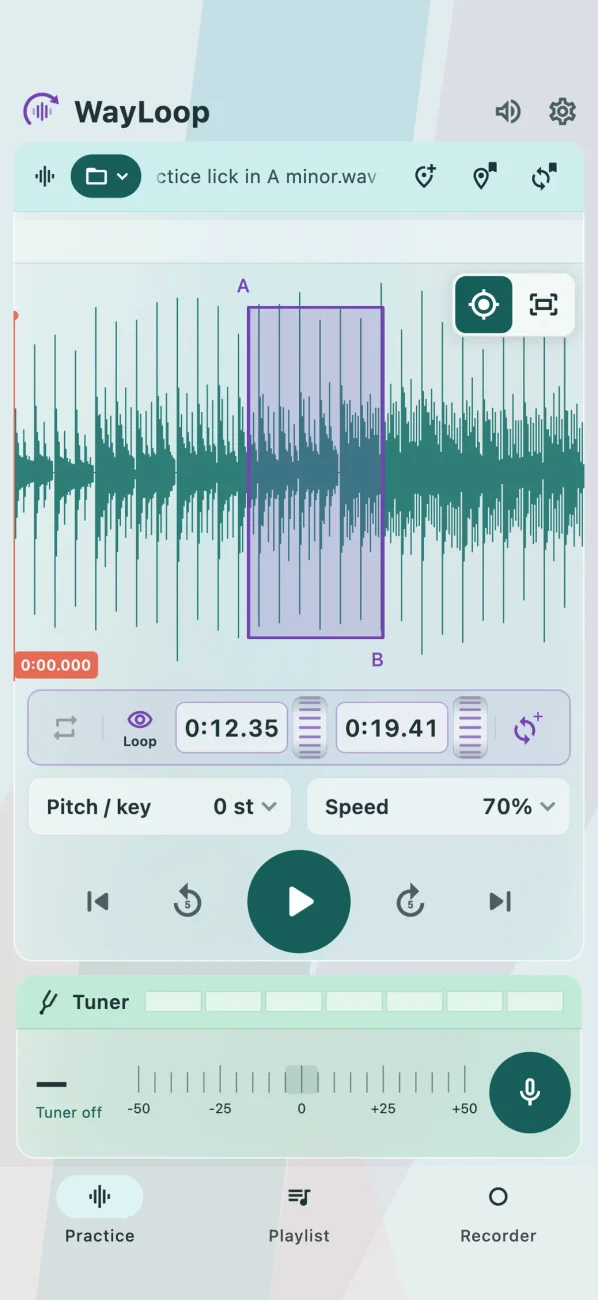
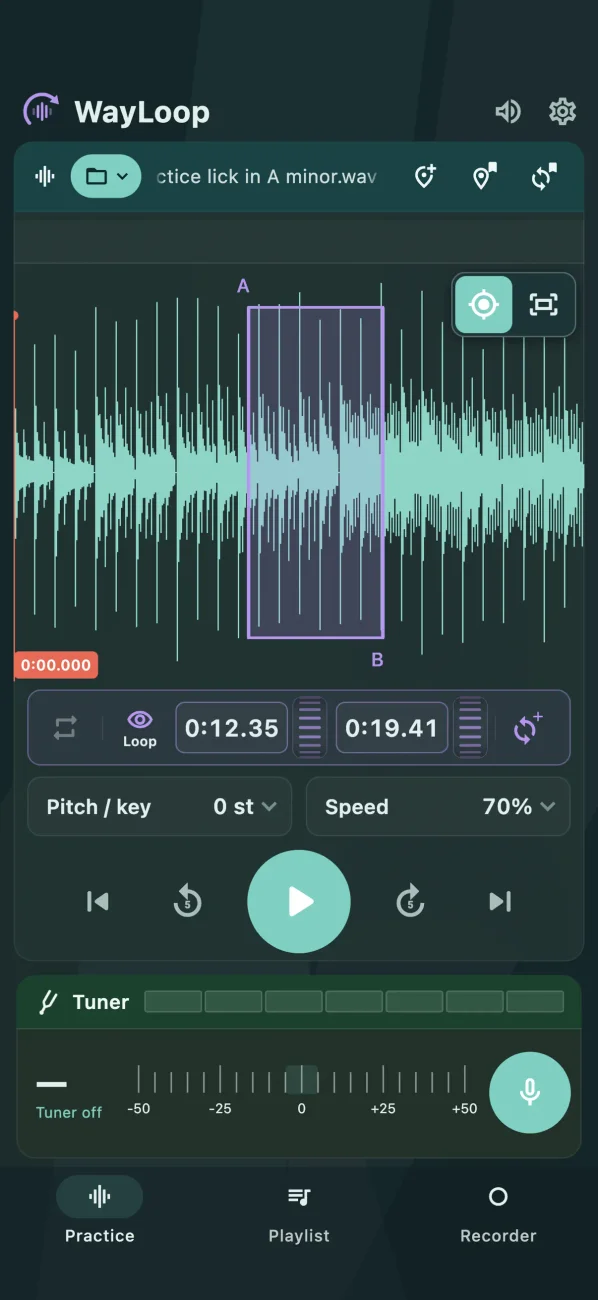
That solo is too fast to catch? WayLoop slows it down without changing its pitch, loops the bar that trips you up, and brings it back up to speed as your fingers learn it. It works with your own audio files: open a WAV, MP3, M4A, OGG, FLAC or AIFF file from the Files app and start practicing.
• Slow down, same pitch: from 25% to 200% speed, and the song stays in its key. Hear every note of a fast run.
• Shift the pitch: move a song up or down by semitones and fine-tune it in cents, to match a tuned-down guitar or your vocal range.
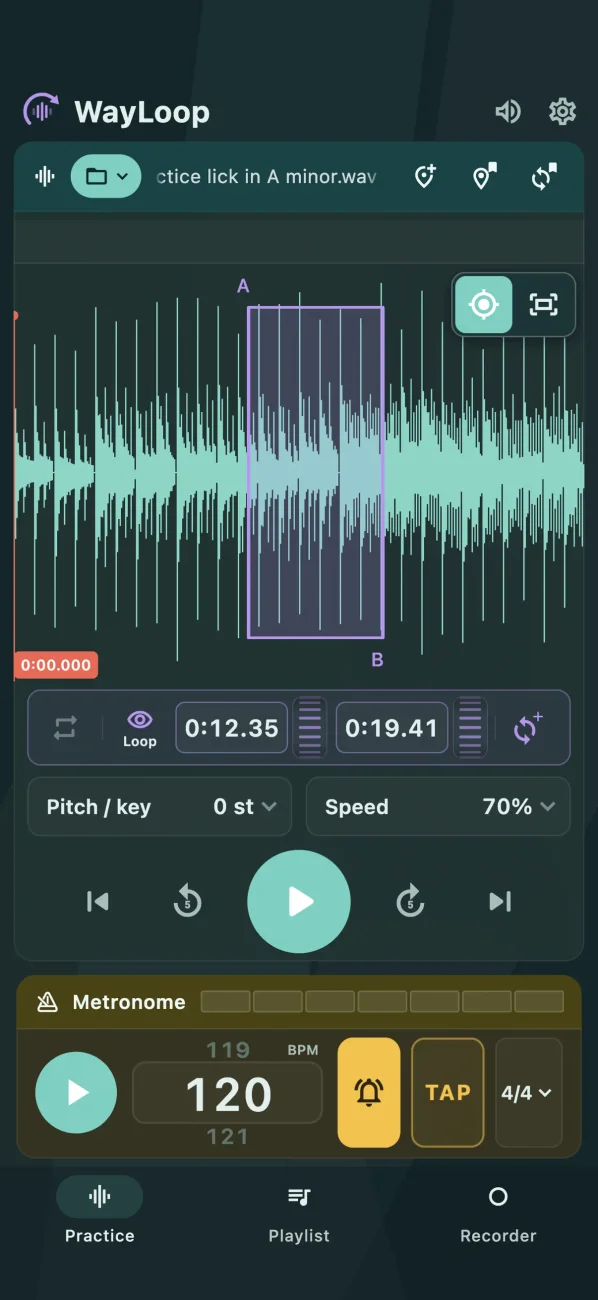
• Loops and markers: loop the passage you're working on and nudge its start and end into place, or repeat the whole song. Save the loops you need and drop markers on the waveform.
• Metronome: beat lights, tap tempo and time signatures, right under the track.
• Chromatic tuner: tune up before you play, with the built-in microphone or your headset's.
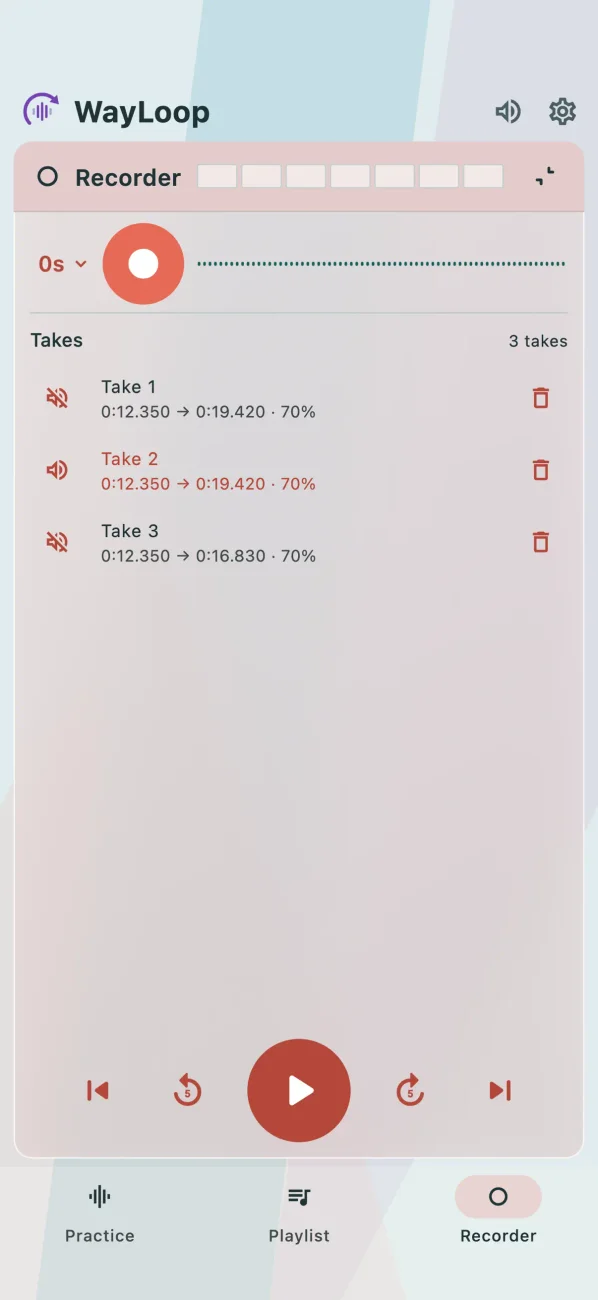
• Record yourself: record takes over the track after a 3- or 5-second count-in, listen back, hear how close you are, and share the takes you want to keep.
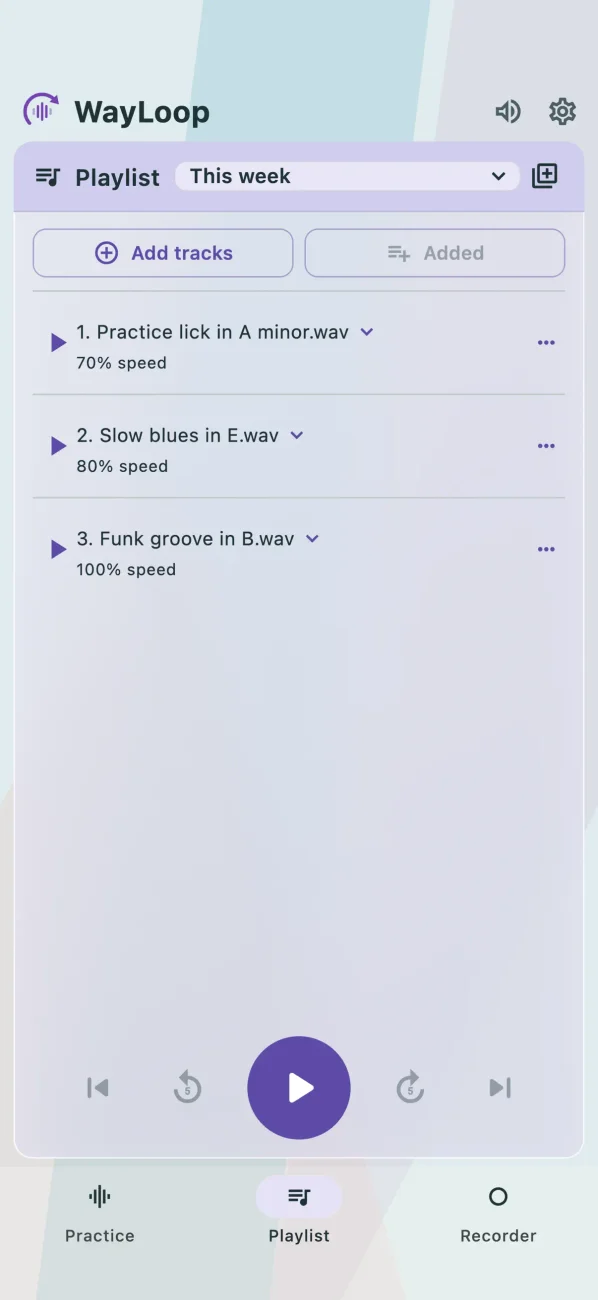
• Playlists: keep the songs you're working on in named lists, each with its own speed and volume.
• Made for iPhone and iPad: on iPhone, the track on top, your tools in a row you can swipe through, and the Playlist and Recorder one tap away; on iPad, the whole practice screen, Simplified or Advanced, with your tools beside the track. In light or dark, or following your system.
For any instrument, and voice: transcribe a solo, learn a riff or work up a song's tempo, anything you learn by ear from a recording.
Private by design: no account, no ads, no tracking. Your songs and recordings stay on your device, and your takes are stored encrypted. BeatsAround runs no server that your music could go to.
WayLoop is free. If it helps your practice, you can leave an optional tip from Settings; a tip unlocks nothing, and every feature stays the same with or without one.
What’s new
Version 1.0.6 · Nov 22, 2026
• WayLoop speaks your language: Italian, Spanish, French, Portuguese, German, Japanese, Korean, Turkish and Chinese, as well as English. Choose it in Settings.
• Opens M4A (AAC and Apple Lossless), M4B and Ogg Vorbis files.
• Slow down as far as 25%.
• Plays at full volume, and a limiter keeps loud passages clean.
• A loop you haven't saved yet has a dashed outline.
• The buttons beside Play jump to the previous or next marker; hold one to scrub.
App privacy
What Simone Alaimo declares on the App Store about how this app handles data.
-
Data not collected
The developer does not collect any data from this app.
Privacy practices may vary, for example with the features you use or your age.
Information
- Seller
- Simone Alaimo
- Category
- Music
- Version
- 1.0.6
- Updated
- Nov 22, 2026
- Released
- Nov 5, 2026
- Size
- 24.5 MB
- Requires
- iOS 15.0 or later
- Age rating
- 4+
- Price
- Free
- In-app purchases
- Yes
- Languages
- English, French, German, Italian, Japanese, Korean, Portuguese, Simplified Chinese, Spanish, Traditional Chinese, Turkish
- Copyright
- © 2026 Simone Alaimo
You might also like
-
 PracticeSession: Slow & LoopMusic practice: key & stems
-
 Drum Jam - Beats & LoopsDrum Kits and Drum Patterns.
-
 WavepocketPocket synth, tape & drums
-
 GrandMeister Deluxe 40 RemoteMusic
-
 Freano: Learn Piano LessonsSongs, Sight Reading & Chords
-
 MIDI Controller PRO WiFi, USBKeyboard, Pads & DAW Remote
-
 JAMAHOOK: Loop & beat makerCreate loops for posts & reels
-
 Loops & Clicks - LiveTrackzGospel & Secular Tracks
-
 tc.audioRepeat, Tempo, Pitch Playback
-
 Loops By CDubFor The Church Musician