Pressed: Risograph & Halftone
Photo Effects & Print Art
Designed for iPhone, iPad
Free · In-app purchases
- Age rating4+
- CategoryPhoto & Video
- DeveloperAHMET DUMAN
- LanguagesEnglish+ 6 more
- Size23.1 MB
Links to the official App Store page
Download.org hosts no file of Pressed: Risograph & Halftone. The button opens its official App Store page, published by AHMET DUMAN. Listing last checked on Nov 22, 2026.
Screenshots



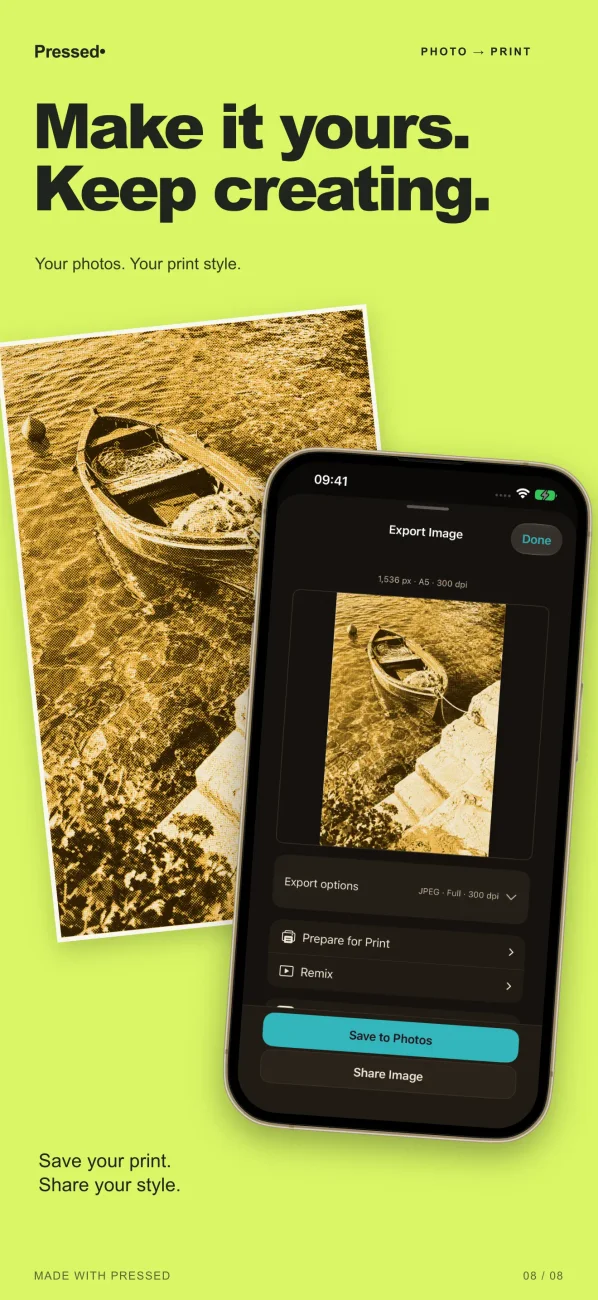
About
Turn your photos into print art with layered ink, carved lines, deep cyanotype blues and foil that catches the light as you tilt your phone.
Pressed brings six distinct print styles to iPhone and iPad. Start with a preset, explore variations in Quick Press, and shape the finish with controls made for each process.
FIND YOUR PRINT STYLE
Risograph: layered spot colours, halftone dots and expressive ink overlap.
Photocopy: bold toner, worn copies and the character of a zine.
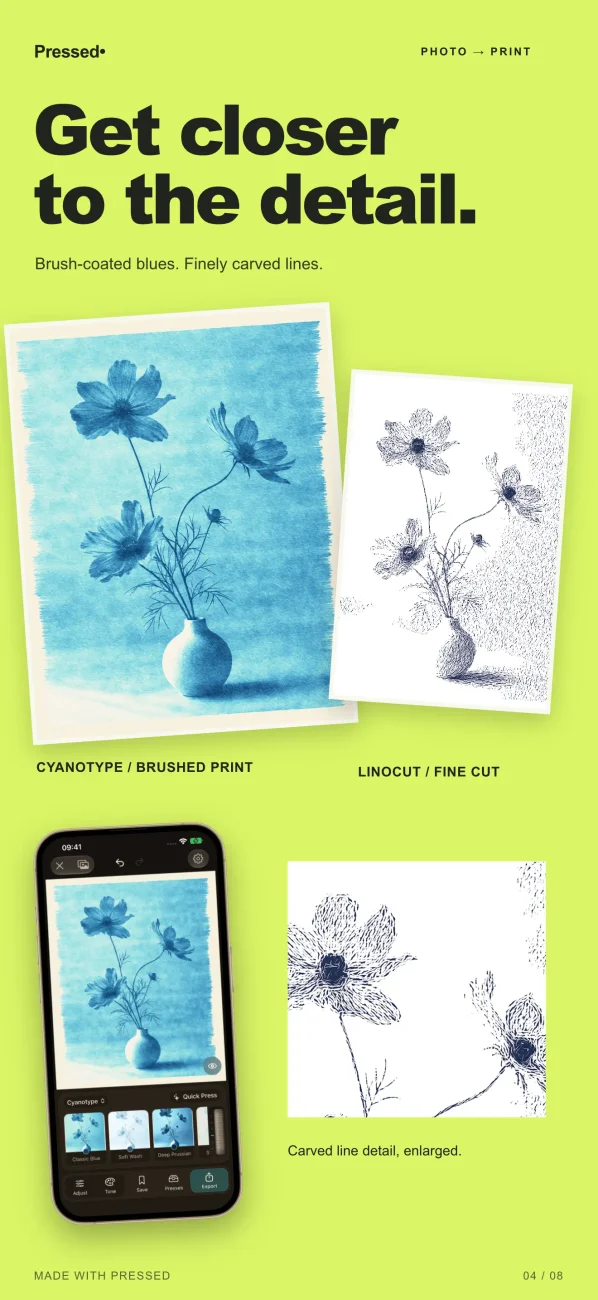
Linocut: carved lines, graphic shadows and textured ink impressions.
Cyanotype: rich blues, washed highlights and brush-coated edges.
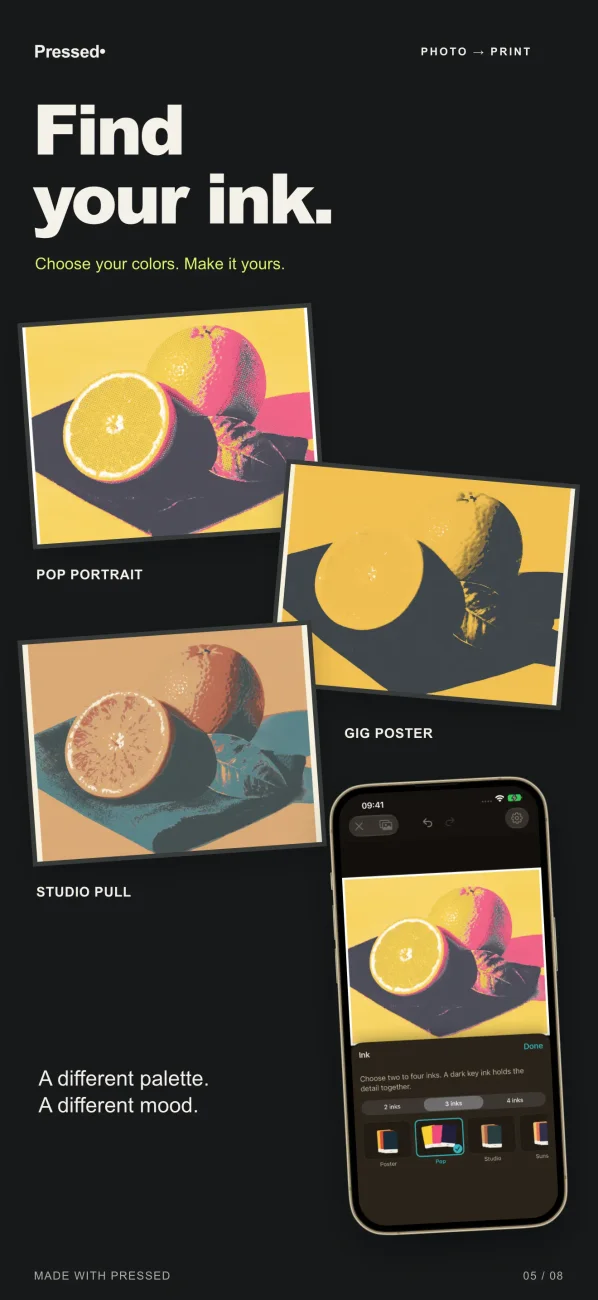
Screenprint: bold colour separations, ink coverage and a hand-pulled look.
Foil: metallic and holographic finishes with a live, tilt-responsive preview.
MAKE IT YOURS
Choose your colours or material, adjust the print, and refine the paper and framing. Compare with your original photo and return to earlier edits with undo and redo. Each style offers its own settings within a familiar workspace.
CREATE A SERIES
Give a group of photos a shared look, with room to refine individual images. Keep favourite recipes and return to the combinations you love.
TAKE YOUR ART FURTHER
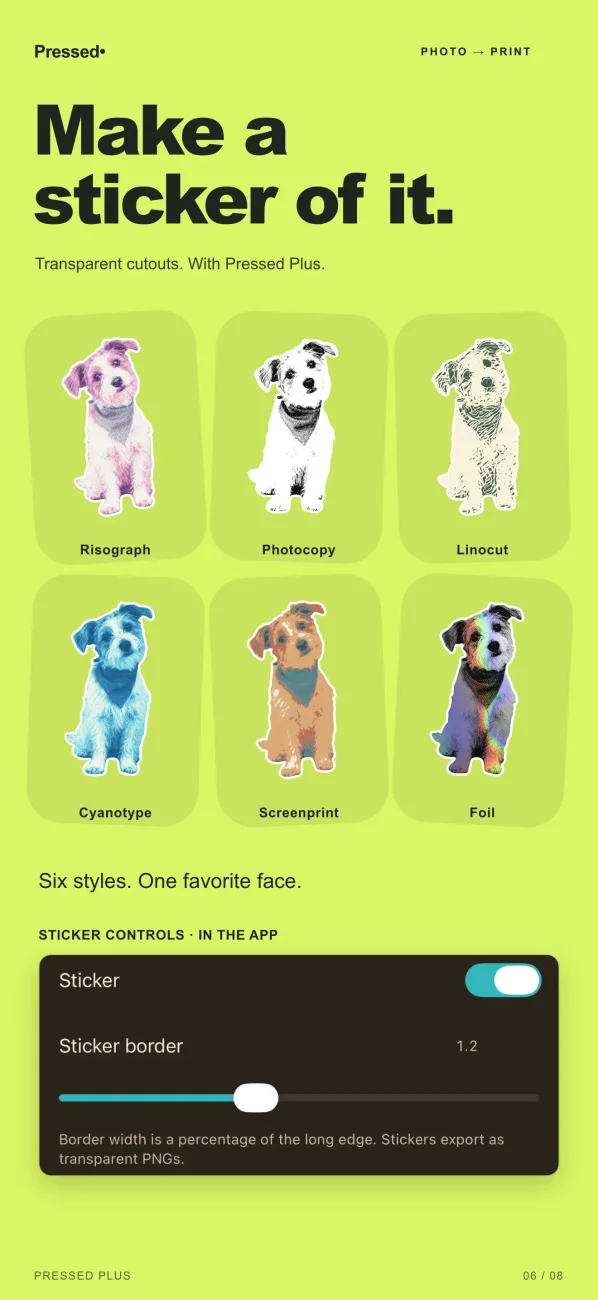
Pressed Plus adds stamp exports, transparent sticker exports with an adjustable white border, Screenprint exports with 3–4 inks, every preset for export, custom ink exports, unlimited saved presses and images up to 6000 pixels on the long edge. Risograph also offers per-ink PDF separations, Press Set package export and Press Run video. Check production requirements with your printer before using separations.
START FREE
Explore every style and export free presets without a watermark, up to 4096 pixels on the long edge. Selected presets and advanced exports require Pressed Plus, a one-time purchase with no subscription.
Foil reacts to tilt while you preview it in the app. Image exports use the selected light position and are still images.
Photo processing happens on your device. For information about optional notifications and related data, see our privacy policy.
What’s new
Version 2.5.0 · Nov 20, 2026
Make a print as you take the photo. Open Camera to see your scene in six print styles, switch presets, and capture a print, stamp, or cutout. Use either camera, adjust zoom and focus, or set a timer.
Image export now lets you choose custom pixel dimensions and JPEG quality, and shows the physical print size at your selected resolution.
App privacy
What AHMET DUMAN declares on the App Store about how this app handles data.
-
Data linked to you
May be collected and linked to your identity.
- Purchases
- Identifiers
- Usage data
- Diagnostics
- Other data
Privacy practices may vary, for example with the features you use or your age.
Information
- Seller
- AHMET DUMAN
- Category
- Photo & Video
- Version
- 2.5.0
- Updated
- Nov 20, 2026
- Released
- Jun 30, 2026
- Size
- 23.1 MB
- Requires
- iOS 18.0 or later
- Age rating
- 4+
- Price
- Free
- In-app purchases
- Yes
- Languages
- English, German, Japanese, Korean, Simplified Chinese, Spanish, Turkish
- Copyright
- © 2026 Ahmet Duman
You might also like
-
 Inkling: Riso PrintTurn your photos into prints
-
 Tone Cam — Printed PhotosHalftone, RISO & Dither
-
 PRINT DOT - Halftone RisographColour screen print and zines
-
 Press PaperPhotos, printed in halftone
-
 PhotoShaders: Retro Photo ArtHalftone, Dither & Y2K Grain
-
 GRNGE: Grunge Photo EffectsHalftone, stipple, zine prints
-
 Dottre: Halftone Print LabPrint simulated in CMYK
-
 Chroia: Riso Print CameraHalftone Photo Filter & Editor
-
 Ditherable: Retro & Pixel artFeeling old-school today?
-
 Raster - make your postersPhoto & Video