PRINT DOT - Halftone Risograph
Colour screen print and zines
Designed for iPhone
In-app purchases
- Age rating4+
- CategoryPhoto & Video
- Developerkazunari aoki
- LanguagesJapanese+ 43 more
- Size7.4 MB
Links to the official App Store page
Download.org hosts no file of PRINT DOT - Halftone Risograph. The button opens its official App Store page, published by kazunari aoki. Listing last checked on Nov 23, 2026.
Screenshots

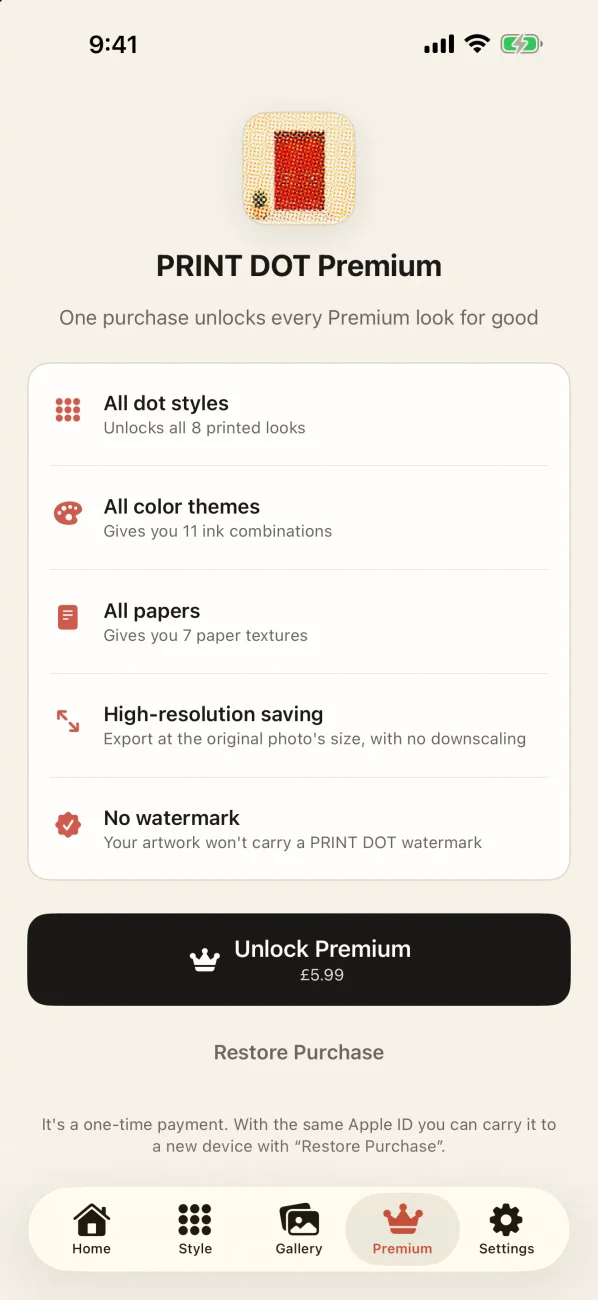
About
Your photo, freshly printed.
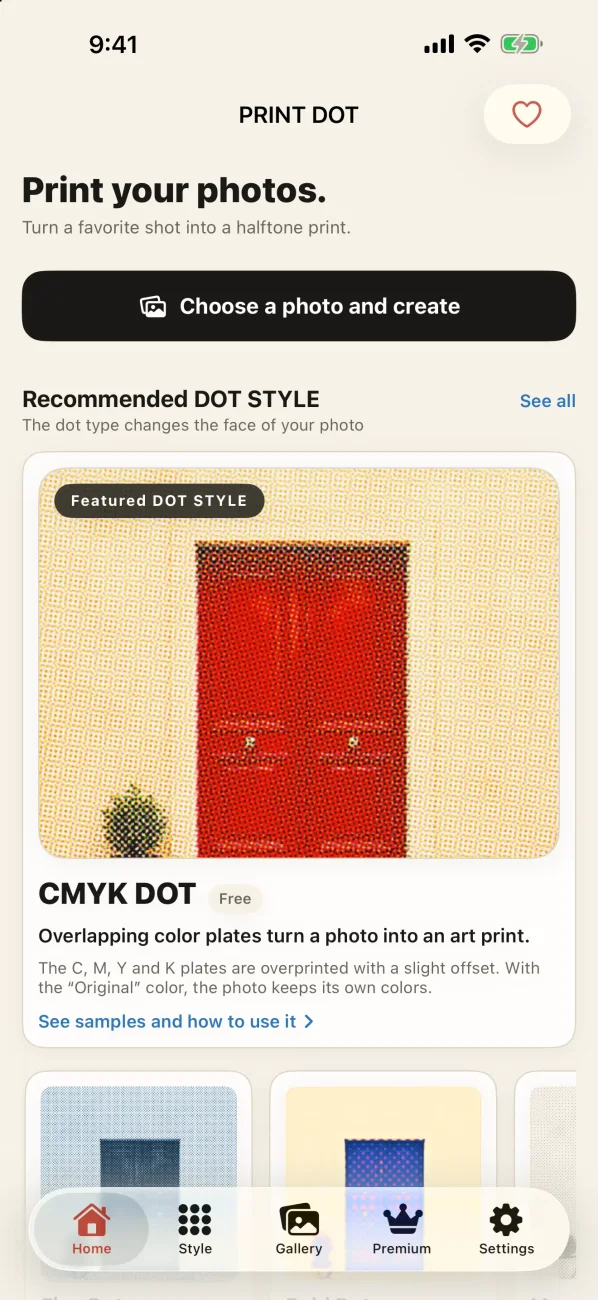
PRINT DOT is a small print shop for your photos. The halftone dots you see up close, the colour plates sitting slightly off register, the way ink sinks into paper: PRINT DOT rebuilds that feel on top of a picture you already have.
■ Eight dot styles
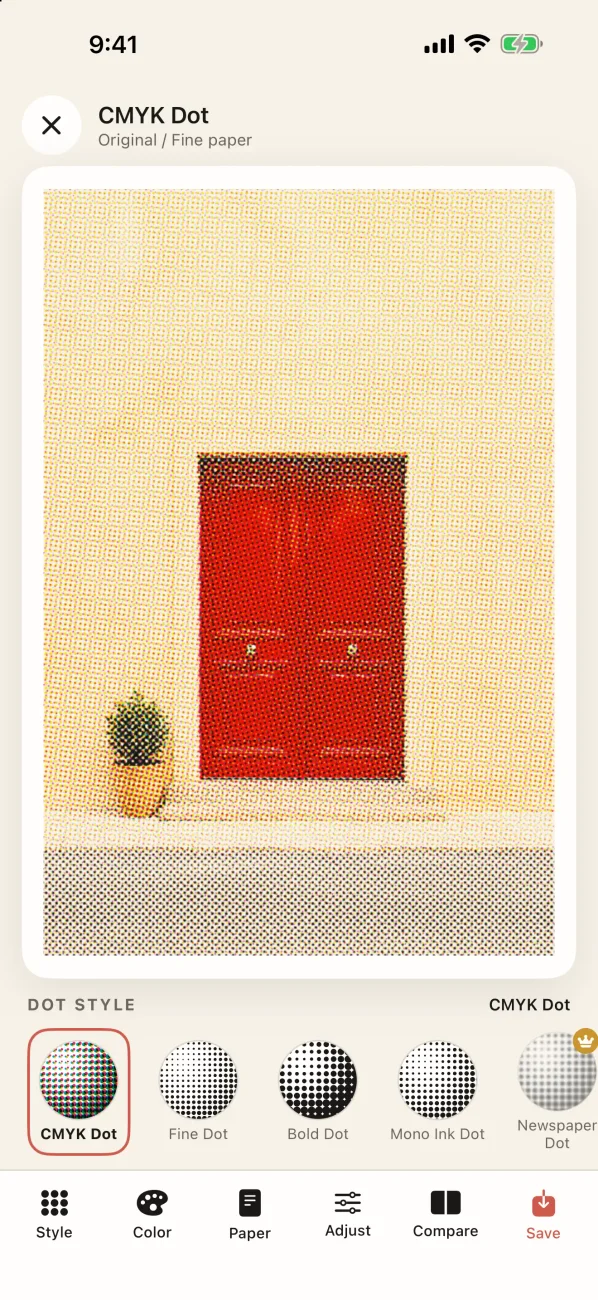
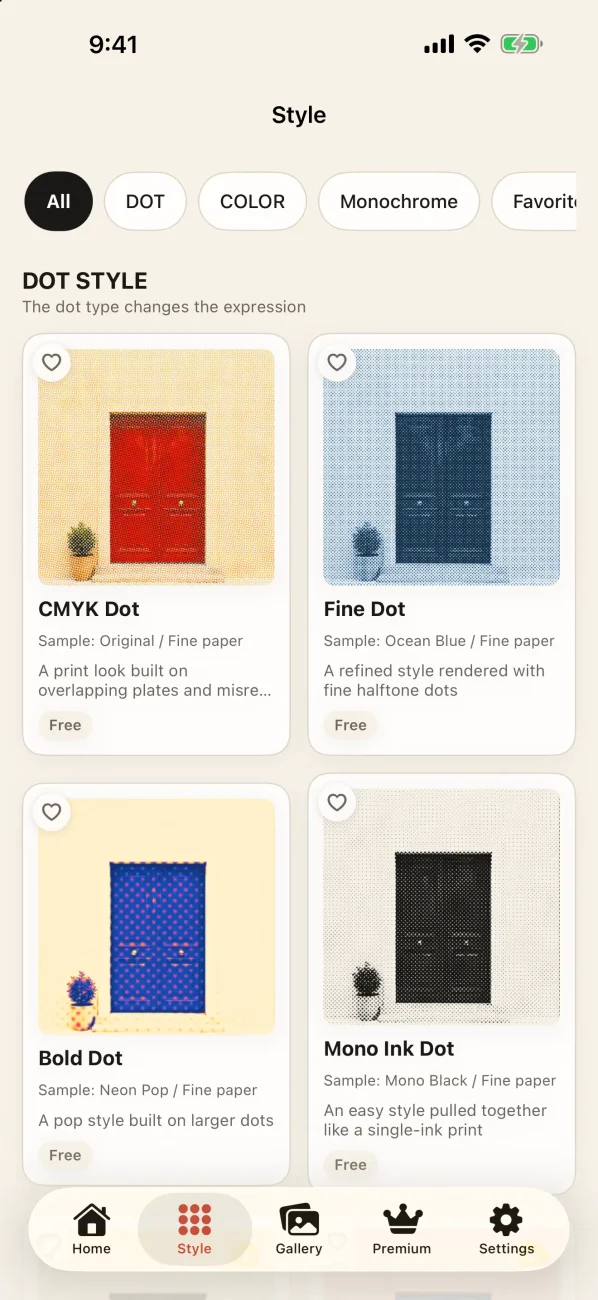
Fine Dot for a delicate screen. Bold Dot for big, poppy dots. Newspaper Dot for coarse monochrome. CMYK Dot for overlapping plates and misregistration. Soft Fade Dot for a gentle bleed. Grain Dot for film-like texture. Line Screen Dot for a poster look. Mono Ink Dot for one clean ink. The same photo comes out differently in every one.
■ Choose the ink
Eleven ink palettes, including Vintage Red, Café Brown, Ocean Blue and Mono Black. Quiet one- and two-colour runs, or something loud and neon.
■ Choose the paper
Seven paper textures: smooth, rough, matt, recycled, newsprint, kraft and aged. Each one changes how the ink settles.
■ Tune it by hand
Dot size, contrast, ink bleed, paper character. Move the sliders until it looks right, and compare against the original photo at any time.
■ Keep your prints
Saved work lines up under “Saved artworks” on the Home tab. Add it to your favourites, export it to Photos, or share it straight from there.
■ Everything stays on your iPhone
All rendering happens on your device. Your photos are never uploaded. No account, no sign-in, and it works in aeroplane mode.
■ What's free
Four dot styles, five inks and three papers. Pick a photo, adjust it and save it without paying anything.
■ PRINT DOT Premium (one-off purchase)
One purchase unlocks all of this:
· All eight dot styles
· All eleven ink palettes
· All seven paper textures
· Export at a larger size
· No watermark on your work
It is not a subscription. You pay once, and on the same Apple ID you can bring it back with Restore Purchases after switching devices.
What’s new
Version 1.2.0 · Nov 21, 2026
Now supports the foldable iPhone Duo. When unfolded, the app uses a two-page spread layout across the left and right screens.
Also includes minor bug fixes.
App privacy
What kazunari aoki declares on the App Store about how this app handles data.
-
Data not collected
The developer does not collect any data from this app.
Privacy practices may vary, for example with the features you use or your age.
Information
- Seller
- kazunari aoki
- Category
- Photo & Video
- Version
- 1.2.0
- Updated
- Nov 21, 2026
- Released
- Aug 24, 2026
- Size
- 7.4 MB
- Requires
- iOS 17.0 or later
- Age rating
- 4+
- In-app purchases
- Yes
- Languages
- Japanese, Arabic, Italian, Indonesian, Ukrainian, Urdu, Dutch, Oriya, Catalan, Kannada, Greek, Croatian + 32 more
- Copyright
- © 2026 Kazunari Aoki
You might also like
-
 GRNGE: Grunge Photo EffectsHalftone, stipple, zine prints
-
 Inkling: Riso PrintTurn your photos into prints
-
 InkWaltz: Video Art FiltersRisograph, Halftone & Paper
-
 Dottre: Halftone Print LabPrint simulated in CMYK
-
 Pressed: Risograph & HalftonePhoto Effects & Print Art
-
 Tone Cam — Printed PhotosHalftone, RISO & Dither
-
 Paper Press: Front Page CameraNewspaper & poster photo maker
-
 Chroia: Riso Print CameraHalftone Photo Filter & Editor
-
 Imprint – Photo to Print ArtDetail art, stickers & sets
-
 DotMatrix StudioRetro 1-bit dither camera