
Prime Time NTP
Know how far off your clock is
Designed for iPhone, iPad
Free · In-app purchases
- Age rating4+
- CategoryUtilities
- DeveloperKentaro Saito
- LanguagesEnglish+ 3 more
- Size11.1 MB
Links to the official App Store page
Download.org hosts no file of Prime Time NTP. The button opens its official App Store page, published by Kentaro Saito. Listing last checked on Nov 24, 2026.
Screenshots


About
"Prime Time" is a high-precision time app that shows the true time, accurate to the millisecond.
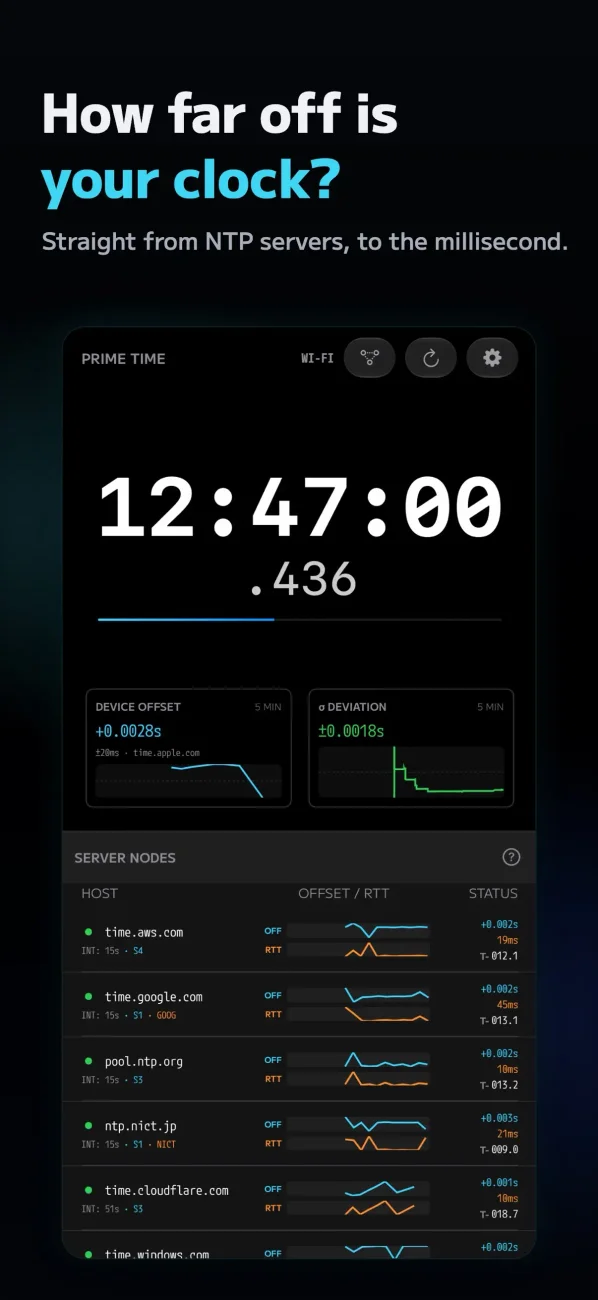
It queries NTP servers directly — the same infrastructure that keeps the internet in sync — and works out the correct time from their answers. Your device's own clock is never used for the display.
[New in version 1.5: Network View]
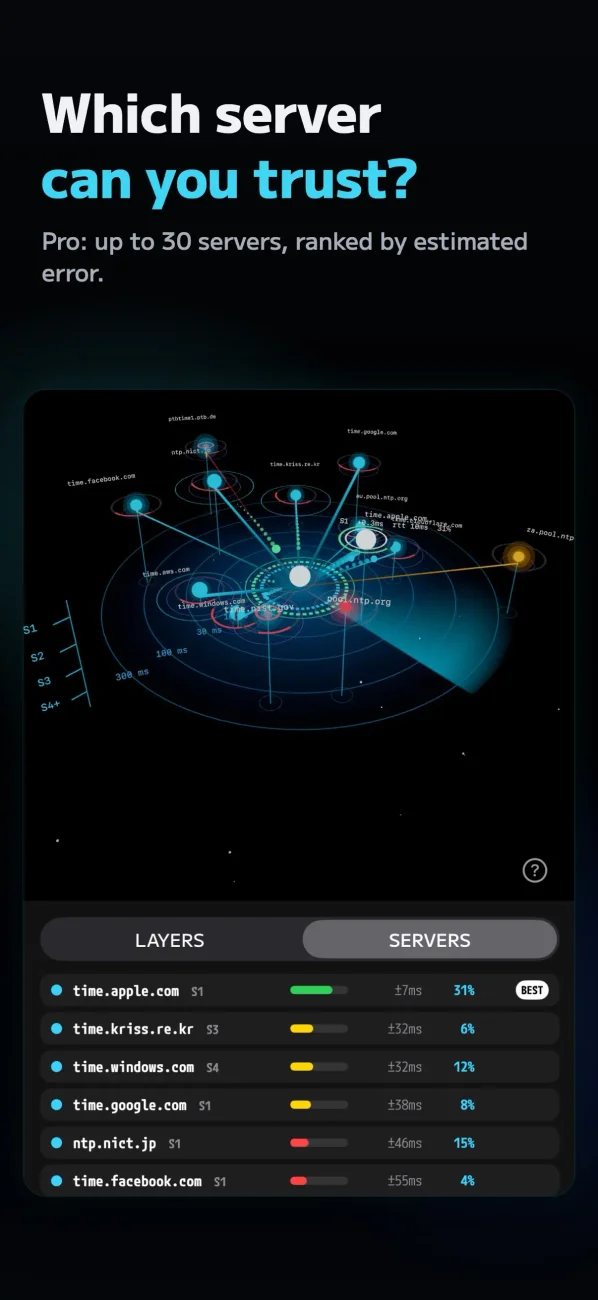
• A full-screen 3D view, opened with the button at the top of the main screen. It is not a map: distance is round-trip time. This device sits at the center, the servers around it, with rings at 10, 30, 100 and 300 ms.
• Two rings at the center: the inner cyan ring is the measured true time, the outer amber ring is this device's clock. They turn apart by the offset and meet in green when it is under 5 ms.
• Every query and reply flies as a ball of light.
• For each server: how much it contributes to the corrected time (sphere size, line width, size of the reply), a trust arc for its estimated error, its stratum, and whether it was left out as an outlier.
• SERVERS list: servers ranked by estimated error, with a trust bar, error, share, and BEST / LOWEST / OUT tags, to compare them side by side.
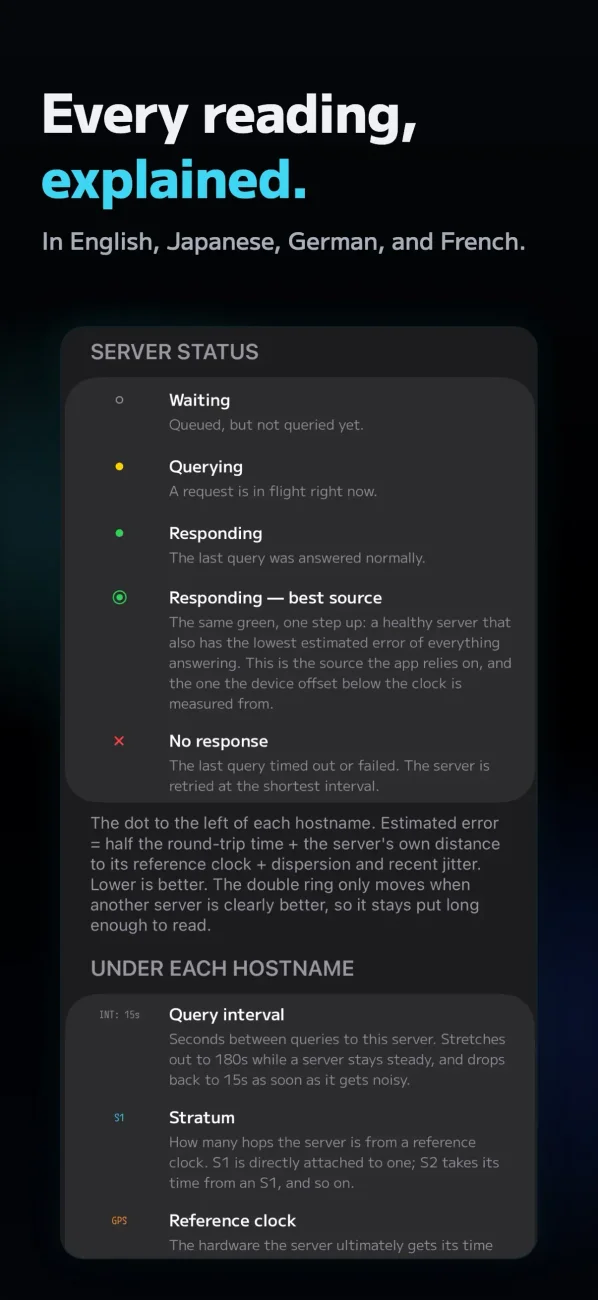
• The corrected time and offset in the top corner, refreshed up to 120 times a second on ProMotion screens. Portrait, landscape and iPad. A built-in guide (?) explains every mark.
• The turning beam and the ripples are decoration only; they do not show data.
• Main screen: a new "?" next to SERVER NODES opens the display legend.
[Free — one server, in full detail]
• Real-time sync with one NTP server of your choice
• Every exchange laid open: address, stratum, reference, root delay, jitter, estimated error, and the last eight exchanges
• Network View: the basic 3D view, labels and the trust arc
• Millisecond display, refreshed up to 120 times a second on ProMotion screens
• Offset and round-trip time with sparkline history
• Server details in two columns in landscape on iPhone
• Adaptive polling that eases off as a server proves steady
[Pro — one-time purchase, no subscription]
• Compare up to 30 servers. With three or more, a server that is off is outvoted instead of skewing the time shown. In Network View, all of them spread out around you.
• Network View layers: offset needles, light trails, stratum height with an S1–S4+ scale, jitter rings and stars, each on or off
• Camera control in Network View: drag to rotate, pinch to zoom
• Manual sync on demand, on the main screen and in Network View
• Keep the screen awake while the app is open
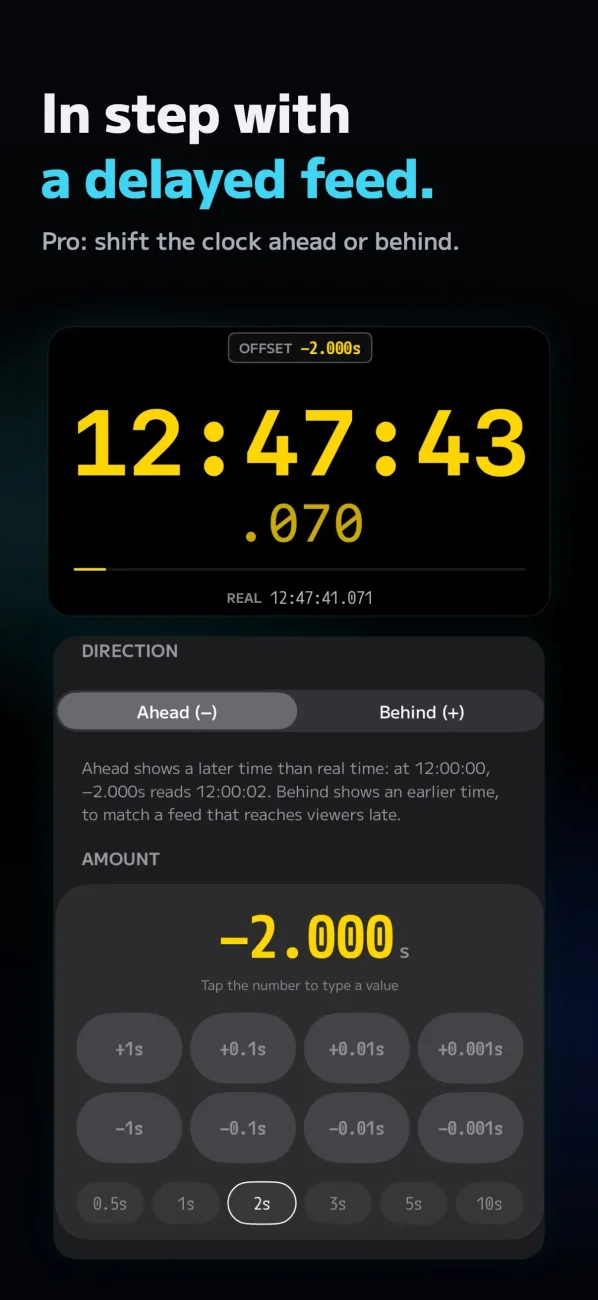
• Display Offset: run the large clock up to 99.999 seconds ahead of or behind real time, in 1 ms steps — for remote broadcasts, live streams, or any delayed feed. Measurements are never shifted.
A note on accuracy: a round trip is a single number covering two unknown halves, and nothing in the exchange reveals how it was divided. Prime Time widens the reported ± rather than inventing a correction to hide it. On cellular, where the two directions are least alike, that margin is wider — and shown.
Made for developers, network engineers, broadcast crews, and anyone curious about how far off their device's clock really is.
Available in English, Japanese, German, and French.
What’s new
Version 1.5 · Nov 23, 2026
Version 1.5
• Network View: a new full-screen 3D view, opened with the button at the top of the main screen. Servers are placed by round-trip time, not on a map, with rings at 10, 30, 100 and 300 ms. Every query and reply flies as a ball of light.
• At the center, the cyan ring is the measured true time and the amber ring is this device's clock. They turn apart by the offset and meet in green under 5 ms.
• For each server: its contribution to the corrected time, a trust arc for its estimated error, its stratum, and whether it was left out as an outlier.
• SERVERS list: compare servers ranked by estimated error, with BEST / LOWEST / OUT tags.
• Portrait, landscape and iPad. A built-in guide (?) explains every mark.
• Pro adds layers (offset needles, trails, stratum height, jitter, stars), camera control, manual sync in the 3D view, and room for up to 30 servers.
• Main screen: a new "?" next to SERVER NODES opens the display legend.
Requires iOS 26 or later.
App privacy
What Kentaro Saito declares on the App Store about how this app handles data.
-
Data not collected
The developer does not collect any data from this app.
Privacy practices may vary, for example with the features you use or your age.
Information
- Seller
- Kentaro Saito
- Category
- Utilities
- Version
- 1.5
- Updated
- Nov 23, 2026
- Released
- Feb 24, 2026
- Size
- 11.1 MB
- Requires
- iOS 26.0 or later
- Age rating
- 4+
- Price
- Free
- In-app purchases
- Yes
- Languages
- English, French, German, Japanese
- Copyright
- © 2026 Kentaro Saito
You might also like
-
 TrueOffsetPrecision NTP Clock
-
 NTP InspectorYour NTP debugging tool
-
 Tick: Precise CountdownMillisecond-accurate countdown
-
 Tick Sync: Watch Time SyncRadio·Background BLE·Multi-NTP
-
 NetScan ProWi-Fi scanner. Block trackers.
-
 H&I ProductsRF Calculator & Visualizer
-
 秒合わせ ー その一秒を逃さないUtilities
-
 TrueNTPThe most accurate time via NTP
-
 Epochly: Unix Time ConverterEvery timezone, every format