TrueNTP
The most accurate time via NTP
Designed for iPhone, iPad, iPod touch
Free · In-app purchases
- Age rating4+
- CategoryUtilities
- DeveloperBrett Herman
- LanguagesEnglish
- Size32.3 MB
Links to the official App Store page
Download.org hosts no file of TrueNTP. The button opens its official App Store page, published by Brett Herman. Listing last checked on Nov 18, 2026.
Screenshots
About
TrueNTP measures how far your phone's clock is from true time.
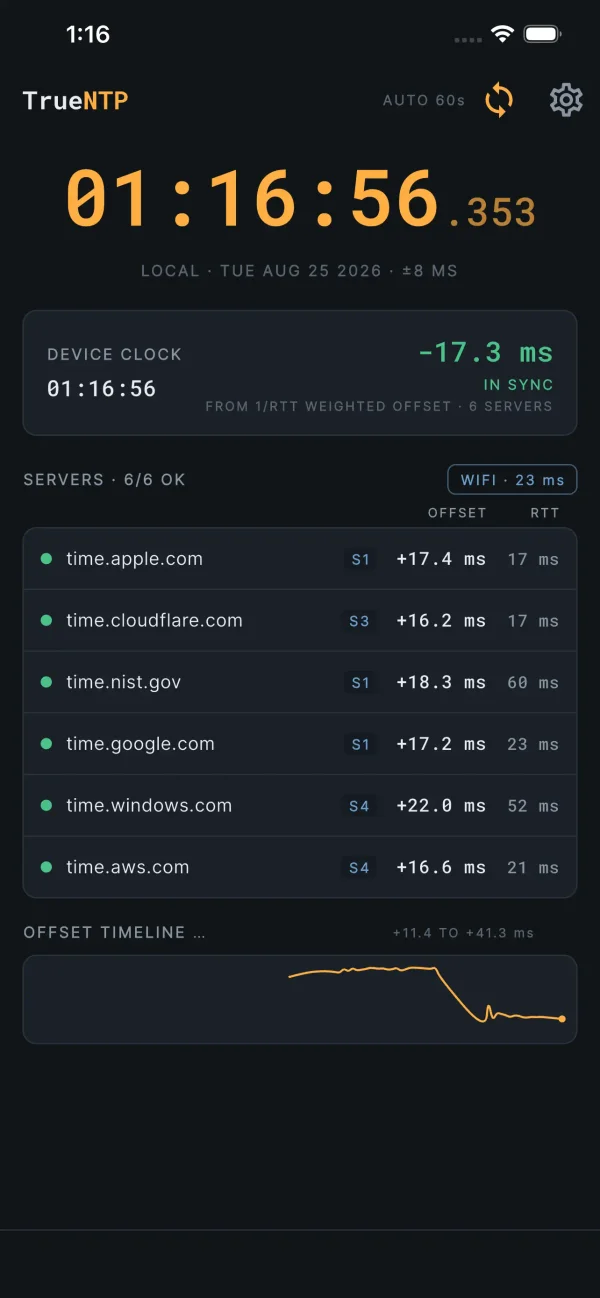
It queries multiple independent time servers, cross-checks their answers, and computes a corrected time with millisecond precision. You see the corrected time, your device clock's drift, and an uncertainty figure so you know how much to trust the number.
WHO IT'S FOR
Network admins verifying NTP infrastructure. Cell techs checking tower timing. Sysadmins chasing certificate and Kerberos clock-skew errors. IT teams resyncing air-gapped and offline systems: hold the phone next to the console and set the clock from a known-good reference. And anyone curious what time it actually is.
HOW IT MEASURES
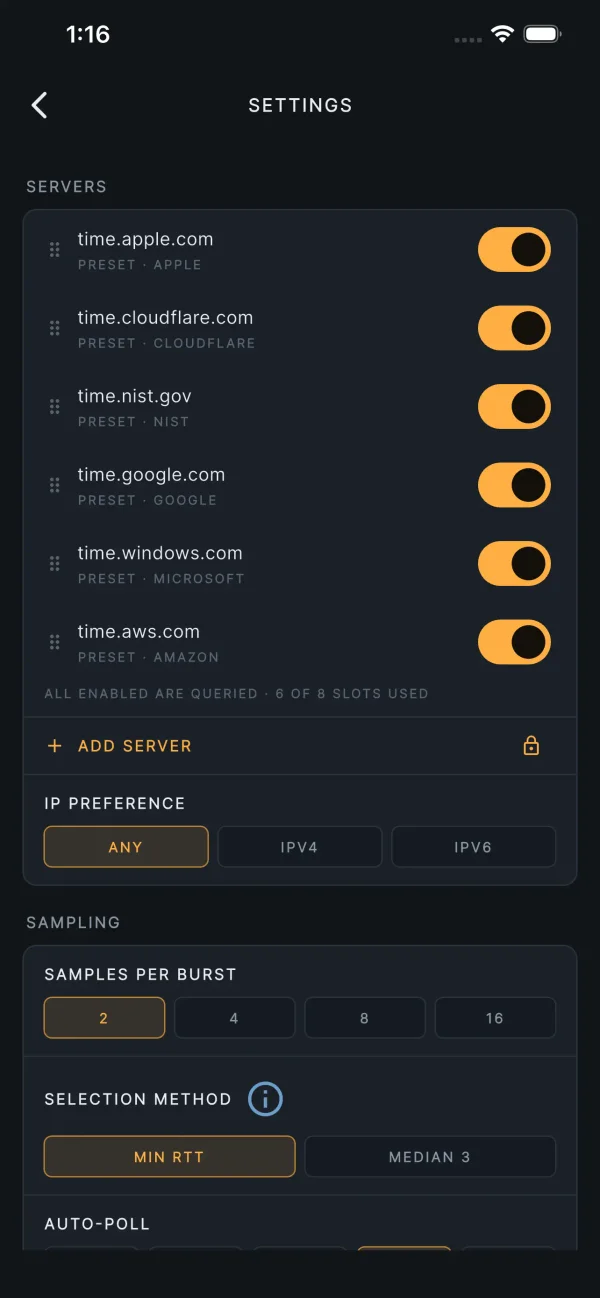
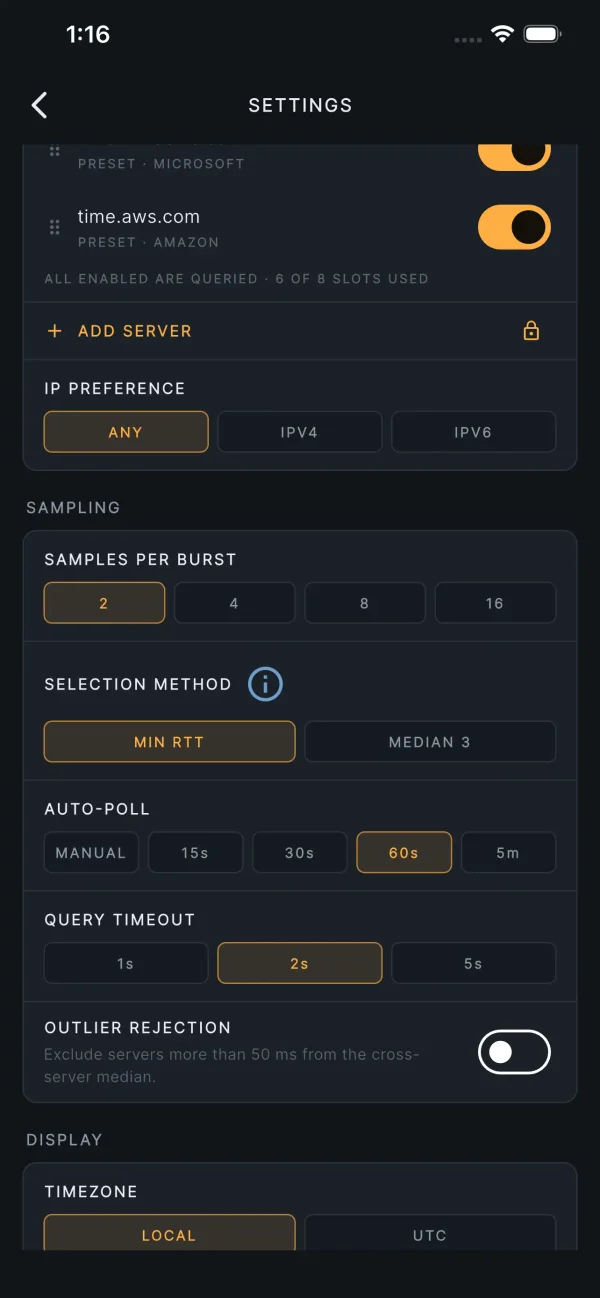
• Bursts of SNTP samples to every active server, weighted by network quality (1/RTT)
• Per-server offset, round-trip time, and stratum at a glance
• Optional outlier rejection against the cross-server median
• Six curated presets (Apple, Cloudflare, NIST, Google, Microsoft, Amazon). Enable any of them or add your own
• An uncertainty readout alongside every measurement
WHAT YOU SEE
• A large clock showing corrected time, ticking smoothly, unaffected by OS clock changes
• Turn your phone on its side for a full-screen clock face that stays awake, ready to prop up as a reference
• On iPhone Duo: a larger clock when open, and the clock above the fold with the servers below when it stands half folded
• Device clock card: your clock's drift, labeled plainly as DEVICE AHEAD, DEVICE BEHIND, or IN SYNC
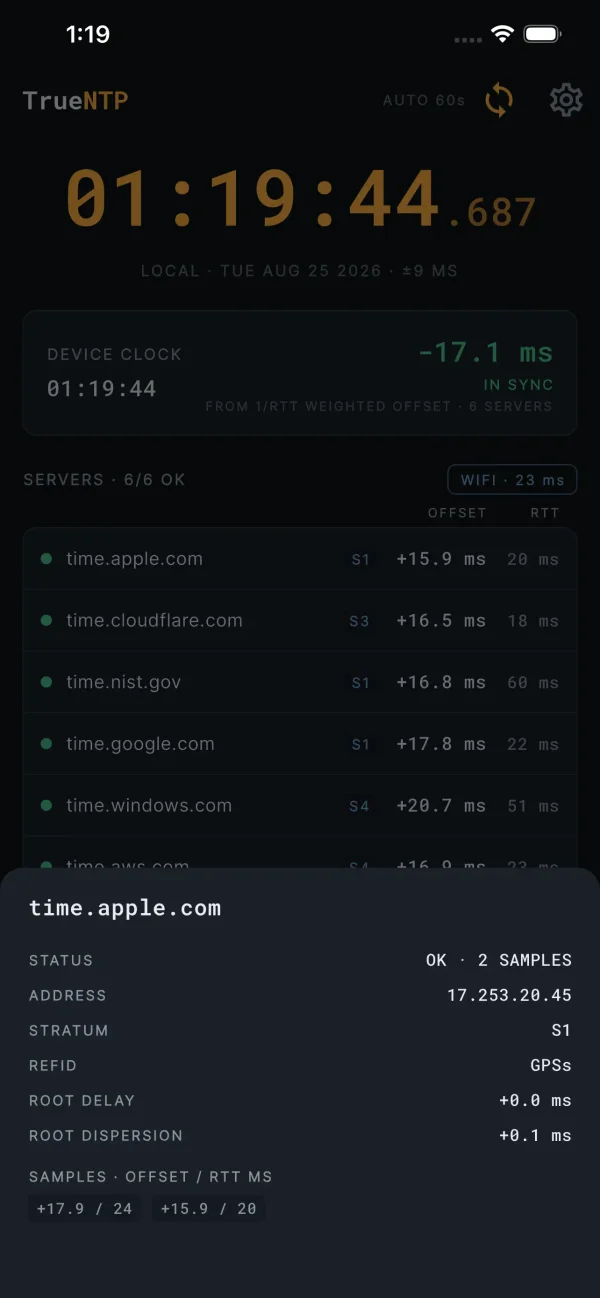
• Server list with per-server detail sheets: refid, root delay, root dispersion, per-sample scatter
• 30-minute offset timeline showing your clock's behavior
PRIVACY
No accounts, no analytics, no tracking. Settings and history stay on your device. The privacy policy is one page.
A short, plain-language NTP guide is included.
What’s new
Version 2026.10.1 · Oct 25, 2026
Clock face: turn your phone on its side and the corrected time fills the screen, with the date, the error bar, and how far your phone's own clock is off. The screen stays awake while it shows, so you can prop it up as a reference while you set another device's clock. No ads on the clock face.
iPhone Duo: fully open, the time is shown much larger. Stand it half folded on a table and the clock sits on the upper half, with the time servers on the lower half.
The clock face now says when a sync fails, instead of waiting quietly.
Server details: long IPv6 addresses wrap instead of running off narrow screens, and the panel can grow past half the screen so pro users can reach the raw NTP fields and per-sample scatter.
App privacy
What Brett Herman declares on the App Store about how this app handles data.
-
Data linked to you
May be collected and linked to your identity.
- Purchases
-
Data not linked to you
May be collected but is not linked to your identity.
- Identifiers
Privacy practices may vary, for example with the features you use or your age.
Information
- Seller
- Brett Herman
- Category
- Utilities
- Version
- 2026.10.1
- Updated
- Oct 25, 2026
- Released
- Sep 4, 2026
- Size
- 32.3 MB
- Requires
- iOS 15.0 or later
- Age rating
- 4+
- Price
- Free
- In-app purchases
- Yes
- Languages
- English
- Copyright
- © 2026 Brett Herman
You might also like
-
 Twilight TimeUtilities
-
 Prime Time NTPKnow how far off your clock is
-
 NTP InspectorYour NTP debugging tool
-
 TrueOffsetPrecision NTP Clock
-
 Tick Sync: Watch Time SyncRadio·Background BLE·Multi-NTP
-
 Passport to Discovery 2025Utilities
-
 Precise TimestampUtilities
-
 Atomic Clock: Exact TimeExact time with atomic clocks
-
 Widgets for Home AssistantHome Assistant Widgets
-
 SNAPTAIN SKYUtilities