
Print Lab: Riso Photo FX
Riso, Newsprint & Screen Print
Designed for iPhone
Free · In-app purchases
- Age rating4+
- CategoryGraphics & Design
- DeveloperLintao Li
- LanguagesEnglish+ 1 more
- Size8.1 MB
Links to the official App Store page
Download.org hosts no file of Print Lab: Riso Photo FX. The button opens its official App Store page, published by Lintao Li. Listing last checked on Nov 13, 2026.
Screenshots

About
Print Lab turns ordinary photos into print-textured artwork — the kind of ink, dot, and paper
character you'd get from an actual Risograph, a newspaper press, a screen-printing shop, or a
copperplate engraver's bench.
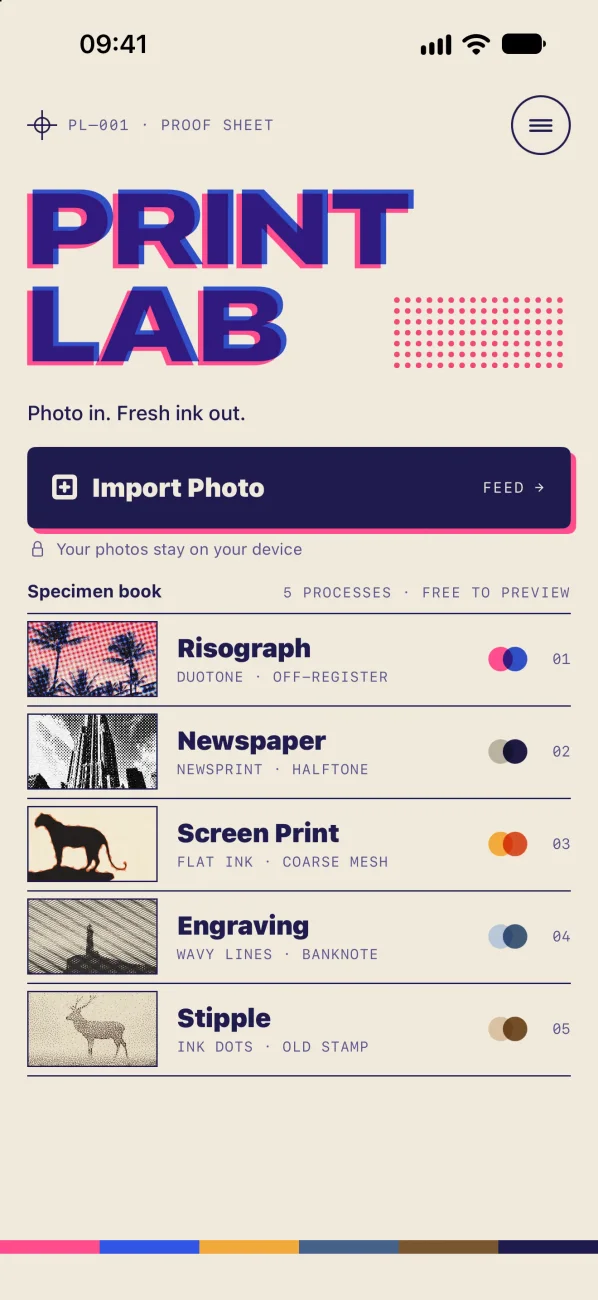
FIVE PRINT STYLES
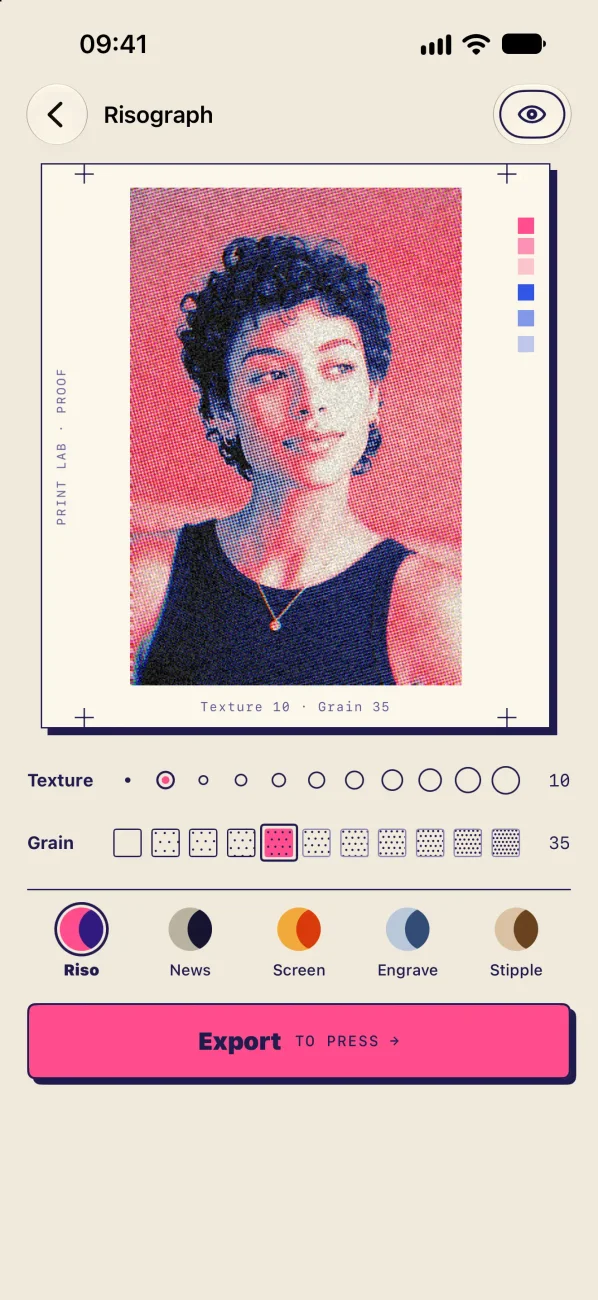
Risograph — bold duotone color separation with visible halftone dots and the slight color
misregistration that gives real riso prints their handmade look.
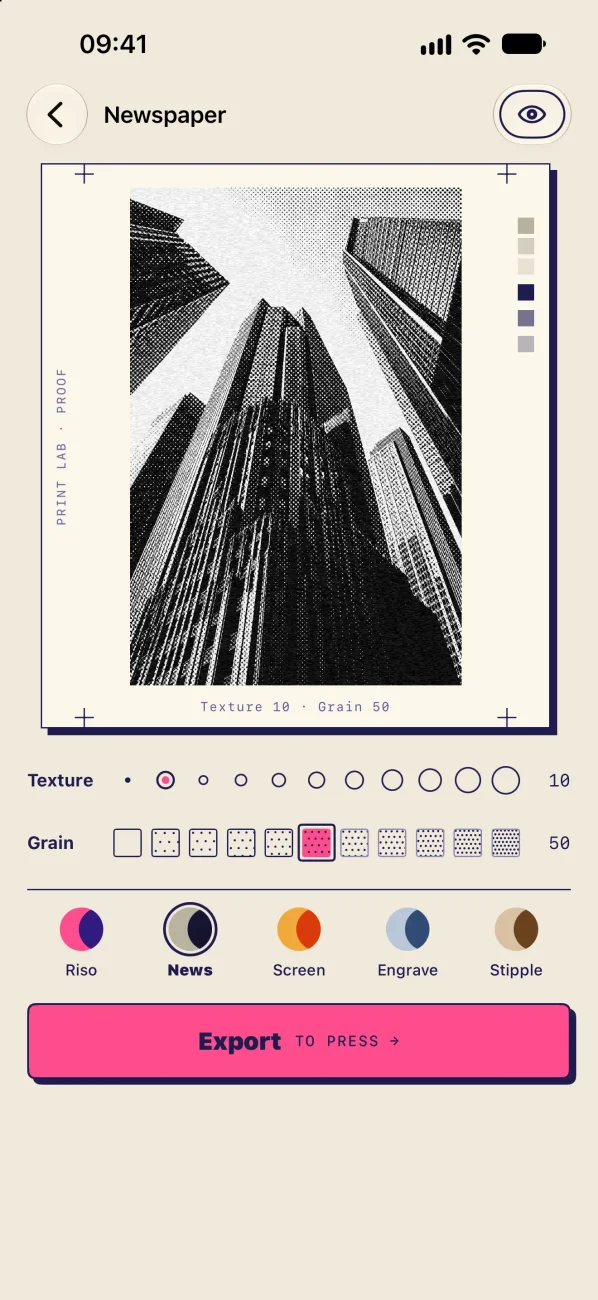
Newspaper — high-contrast black and white with authentic newsprint grain and halftone dot
screening.
Screen Print — flat, posterized color with a coarse screen pattern, like a hand-pulled
silkscreen poster.
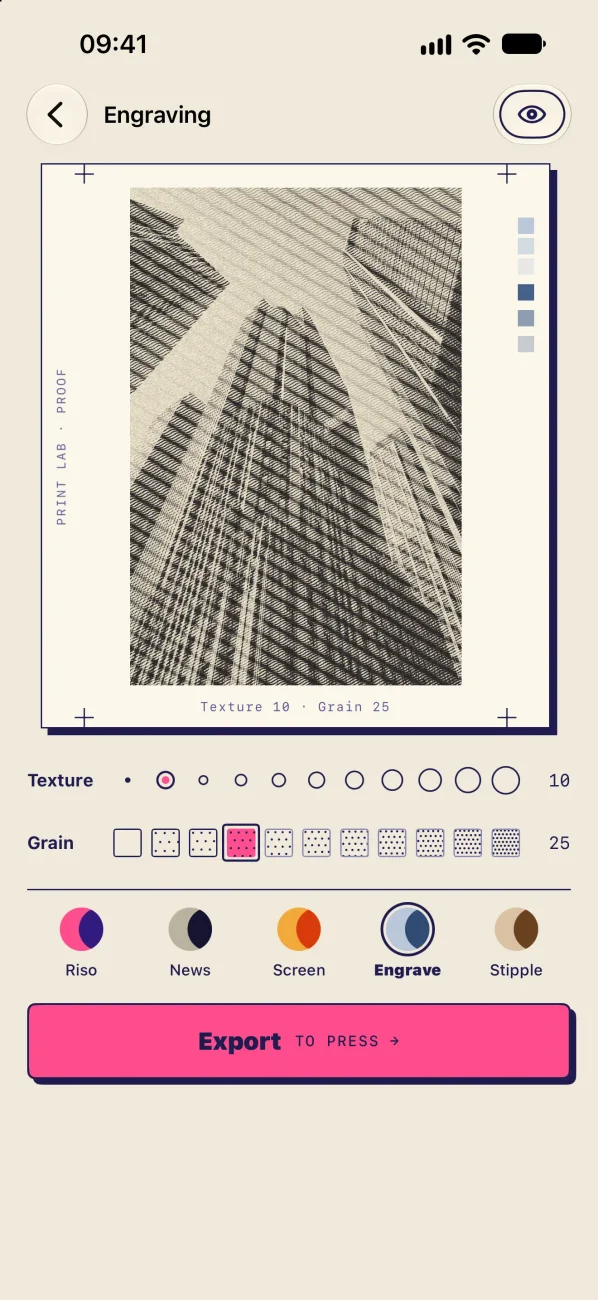
Engraving — fine wavy lines that swell in the shadows and cross-hatch in the darks, like a
banknote etching.
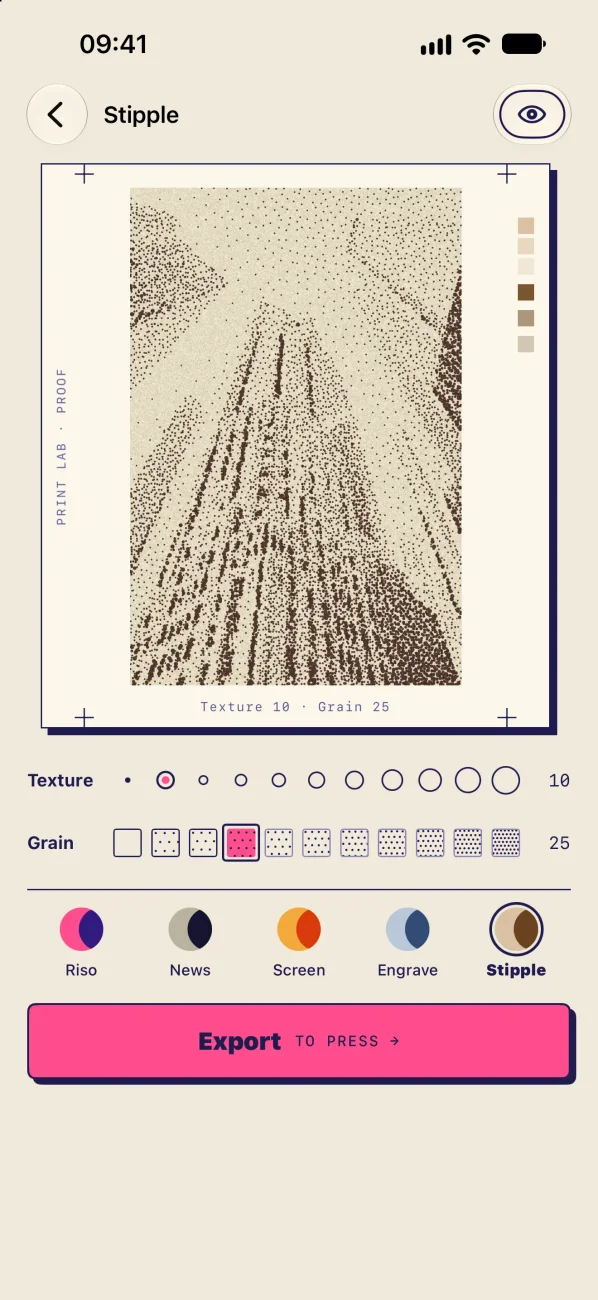
Stipple — thousands of tiny ink dots whose density carries the tone, like a vintage stamp.
MADE FOR
Independent designers, photographers, illustrators, poster and zine makers, musicians and
podcasters who need a fast, recognizable print look for covers, social posts, and prints —
without learning prepress software.
HOW IT WORKS
Pick a photo, pick a style, and Print Lab renders it instantly. Adjust texture and grain with
two simple sliders and see the result update live. Compare before and after, then export —
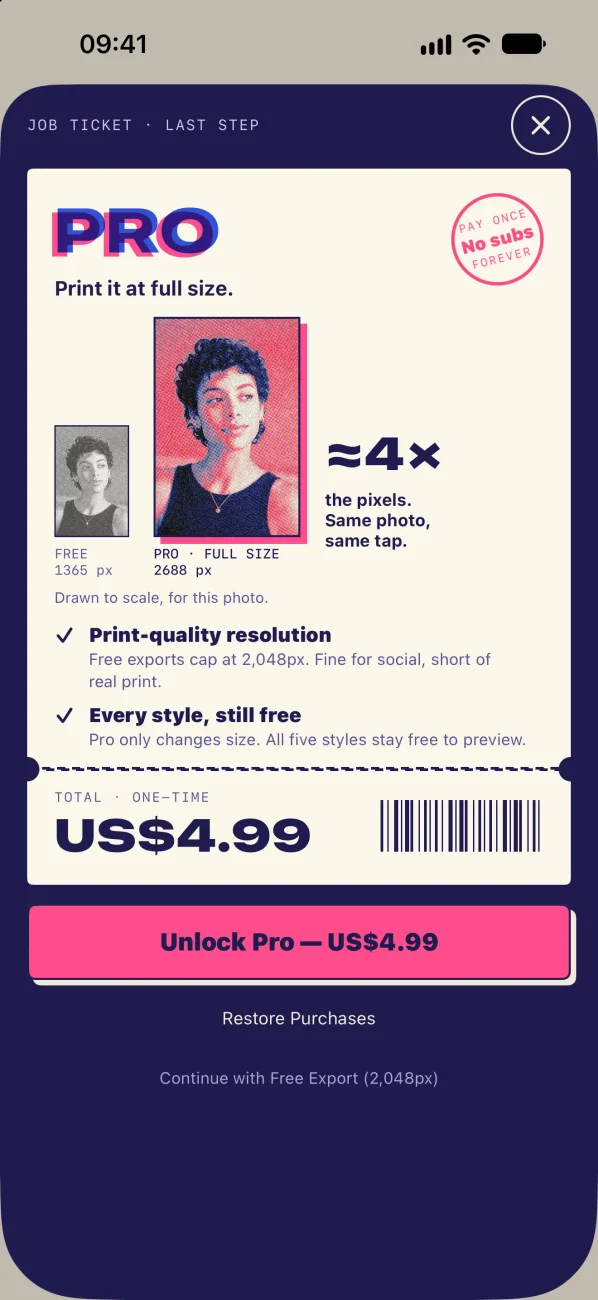
free, up to 2048px on the long edge, plenty for social media and messaging.
PRINT LAB PRO
All five styles are free to use at full quality preview. A one-time Pro purchase (no
subscription) unlocks export at your photo's full original resolution — real print-quality
output, not a downscaled preview.
PRIVACY, BY DESIGN
Your photos are processed entirely on this device and never uploaded anywhere. Print Lab only
asks for permission to add exported images to your photo library — it cannot read your
existing photos beyond the ones you explicitly pick. All print textures (paper grain, ink
grain, halftone screens) are generated procedurally by Print Lab itself; this app ships no
third-party image assets, fonts, or textures.
Print Lab is a focused tool, not a general-purpose photo editor. It does one thing: turning
digital photos into print-styled artwork.
What’s new
Version 1.2.0 · Sep 19, 2026
Print Lab is now a press room. Every screen is printed on paper with two overprinted spot inks: a specimen book of the five processes on the front page, a proof sheet with crop marks for your photo, ink drums to switch processes in place, and a job ticket at the counter. Texture and Grain are gauges you can read — a row of halftone dots and a row of ink specks. Pick a photo and it goes straight to the proof; hold the eye button to peek at the original. When your print comes out you can share it right there.
All five print styles now use a finer halftone screen. Faces keep their features, hair keeps its edges, and fine lines in buildings and lettering come through — while the dot texture stays clearly visible. The difference shows most on half-body and full-body photos, where the old screen was coarse enough to lose a face entirely.
Texture and Grain show their value as you drag, so a look you dial in is one you can write down and come back to.
App privacy
What Lintao Li declares on the App Store about how this app handles data.
-
Data not collected
The developer does not collect any data from this app.
Privacy practices may vary, for example with the features you use or your age.
Information
- Seller
- Lintao Li
- Category
- Graphics & Design
- Version
- 1.2.0
- Updated
- Sep 19, 2026
- Released
- Aug 12, 2026
- Size
- 8.1 MB
- Requires
- iOS 17.0 or later
- Age rating
- 4+
- Price
- Free
- In-app purchases
- Yes
- Languages
- English, Simplified Chinese
- Copyright
- © 2026 iPixel Lab
You might also like
-
 OverprintSilkscreen posters by hand
-
 tone+Authentic halftone print
-
 PressInkTurn photos into real prints
-
 Phosphor PressRetro screens & halftone print
-
 Marquee – Screenshot StudioFrames, mockups & PNG export
-
 Calibration FlowNegatives, curves, halftones
-
 Tattoo Stencil Maker: PrintPhoto to Line Art & True Size
-
 TapeeGraphics & Design
-
 FilmIt: Photo StripAnalog Film Camera,Photo Strip
-
 CollaPic – Collage MakerTemplates, Shape Crop