
Print Layout Designer
Print photos to exact size
Designed for iPhone, iPad, Mac
Free · In-app purchases
- Age rating4+
- CategoryGraphics & Design
- DeveloperActive Development Limited
- LanguagesEnglish+ 8 more
- Size5.5 MB
Links to the official App Store page
Download.org hosts no file of Print Layout Designer. The button opens its official App Store page, published by Active Development Limited. Listing last checked on Nov 7, 2026.
Screenshots
About
Print Your Photos at the Exact Size You Need
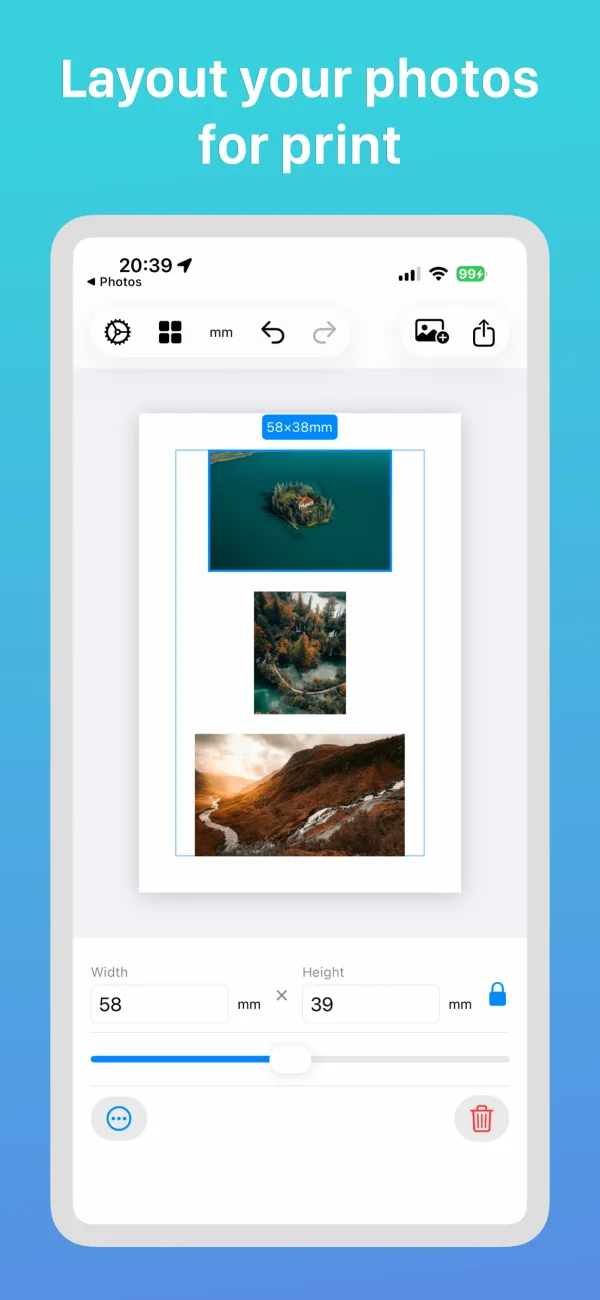
Finally, a photo layout app that lets you control the EXACT print size of your photos. Set precise dimensions in millimeters or inches, arrange multiple photos on any paper size, and print with confidence knowing your photos will be exactly the size you specified.
Why Print Layout Designer?
• EXACT SIZE CONTROL - Set precise photo dimensions in mm or inches
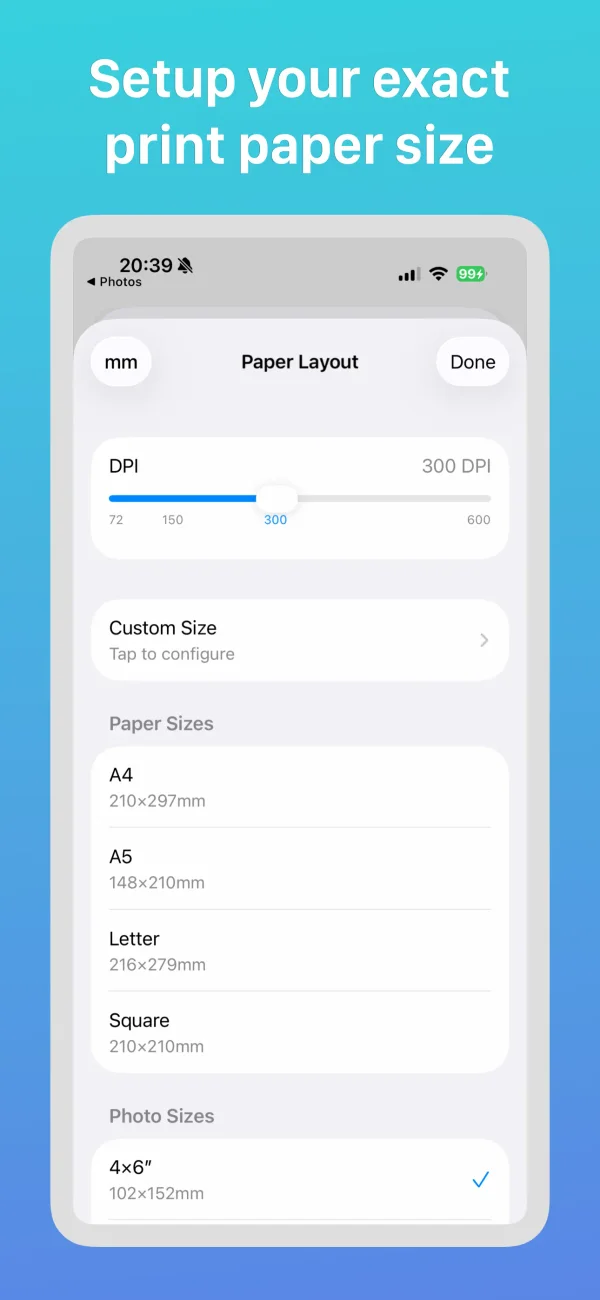
• Print photos at specific sizes (4x6", 5x7", passport size, or any custom size)
• See real-time measurements as you resize
• Perfect for ID photos, visa photos, and professional printing requirements
Smart & Intuitive
• Smart auto-layout arranges photos automatically
• Drag and drop to position photos exactly where you want
• Resize with precise millimeter or inch measurements
• Visual guides help align photos perfectly
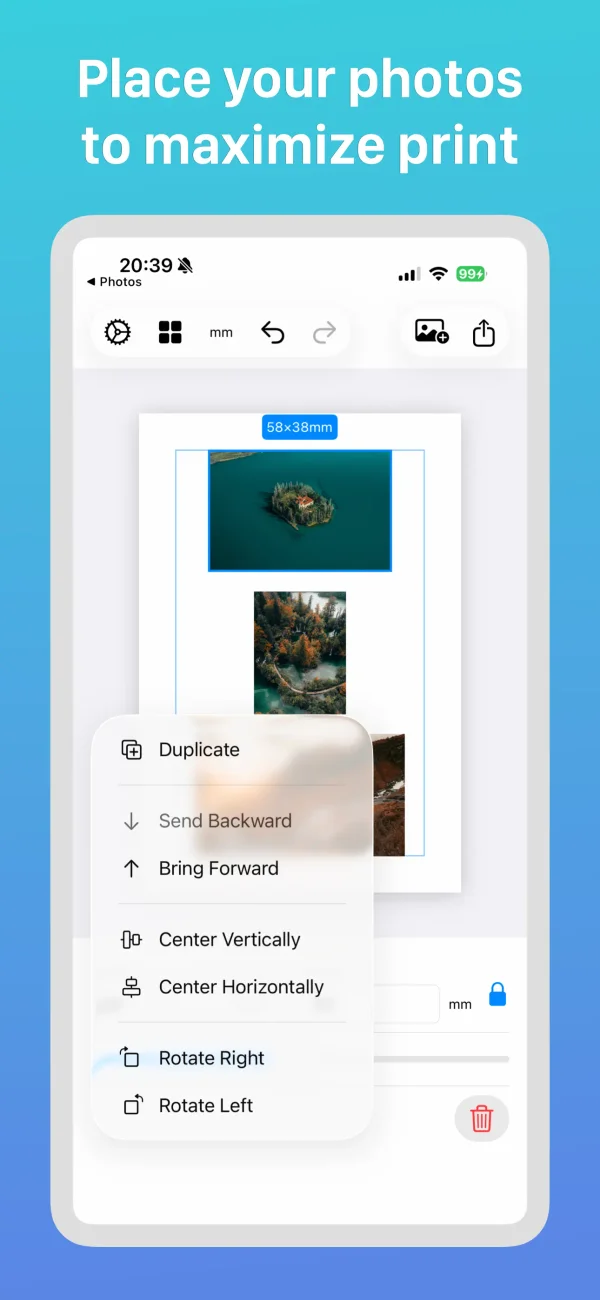
• Rotate images in 90-degree increments
• Crop or mirror your photos
Professional Features
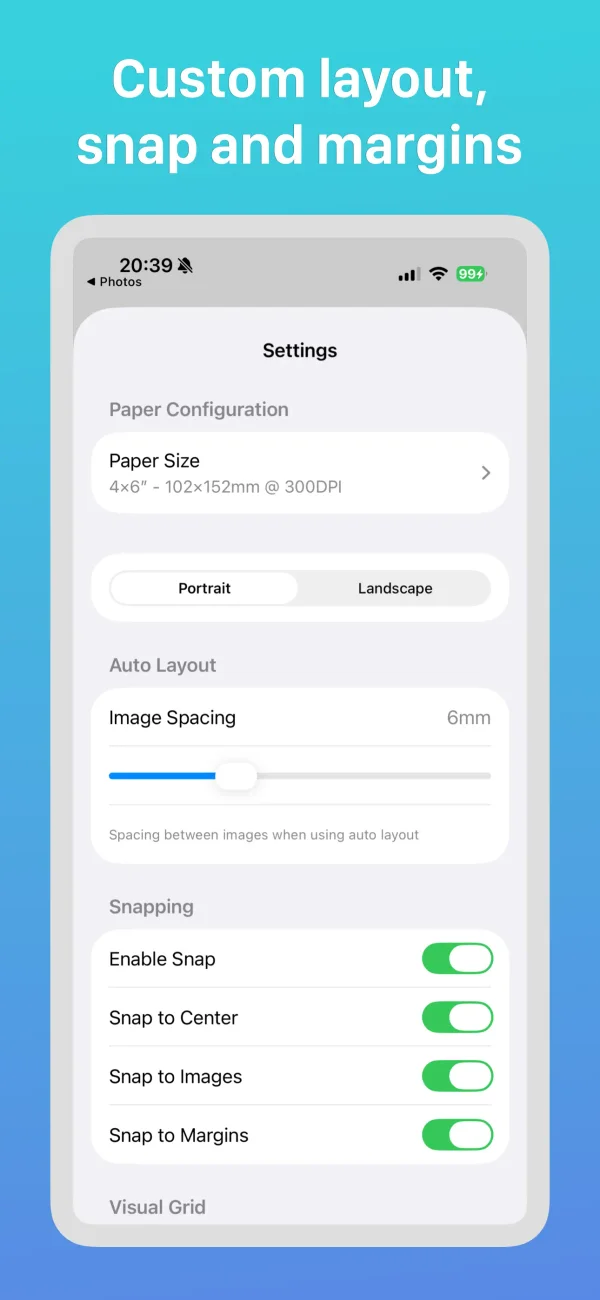
• Support for all standard paper sizes (A4, Letter, Legal, and more)
• Create custom paper sizes
• Portrait or landscape orientation
• Lock aspect ratios to prevent distortion
• Layer controls to arrange photos front-to-back
• Undo/redo for easy editing
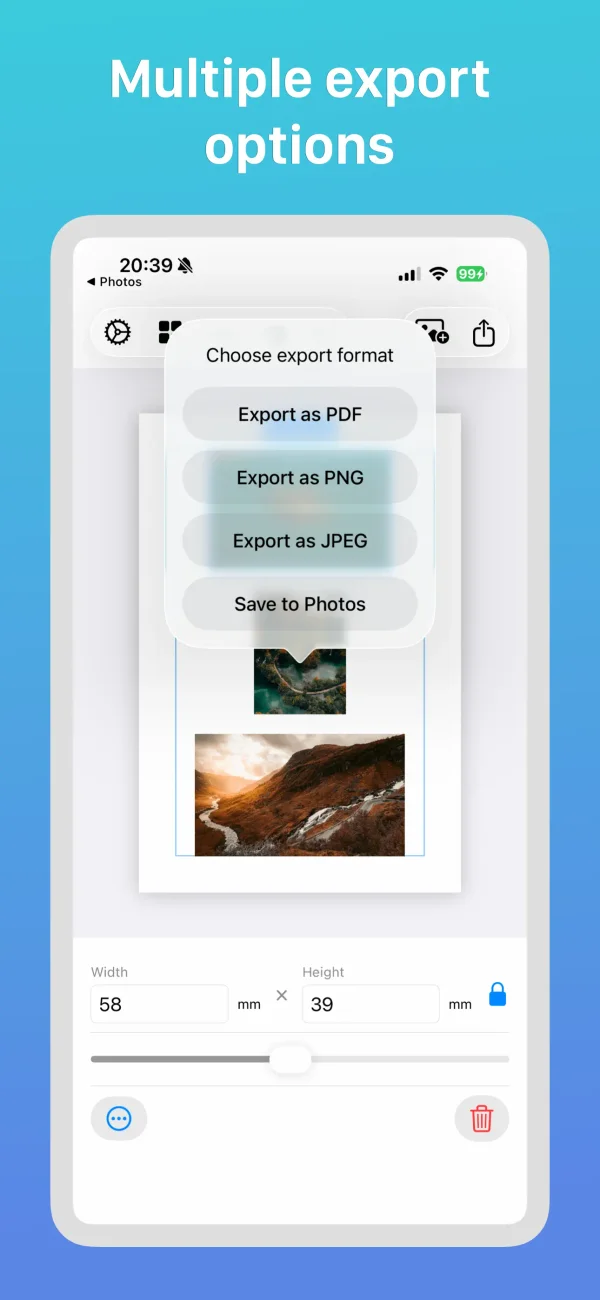
Flexible Export Options
• Export as high-quality PDF for printing
• Save as PNG or JPEG
• Send directly to Photos app
Perfect For:
• Printing photos at exact dimensions for documents
• Creating ID or passport photos at regulation sizes
• Designing custom photo layouts with specific measurements
• Preparing photos for professional printing
• Making scrapbook pages with precisely sized photos
• Creating photo gifts with exact specifications
Whether you need to print passport photos at exactly 2x2 inches, create a layout with 4x6" prints, or arrange photos at any specific size you require, Print Layout Designer gives you the precision and control you need. No more guessing if your photos will print at the right size!
What’s new
Version 8 · Mar 6, 2026
Bug fixes and performance improvements.
• Improved toolbar layout on smaller devices
• General stability improvements
Thank you for using Print Layout Designer!
App privacy
What Active Development Limited declares on the App Store about how this app handles data.
-
Data not collected
The developer does not collect any data from this app.
Privacy practices may vary, for example with the features you use or your age.
Information
- Seller
- Active Development Limited
- Category
- Graphics & Design
- Version
- 8
- Updated
- Mar 6, 2026
- Released
- Oct 25, 2025
- Size
- 5.5 MB
- Requires
- iOS 26.0 or later
- Age rating
- 4+
- Price
- Free
- In-app purchases
- Yes
- Languages
- English, French, German, Italian, Japanese, Korean, Portuguese, Simplified Chinese, Spanish
- Copyright
- © Active Development Limited 2025
You might also like
-
 Print Layout: Exact Photo SizeID Photos, Labels & Planners
-
 N-up LayoutsStep-and-Repeat Tool
-
 AI Home Design - RePlanInterior Designer・Room Planner
-
 Sweet Cute World Wallpaper HDAesthetic Preppy cute world
-
 PoseFrame - 3D AnimationLet your 3D figure dance!
-
 Print Size: Print PhotosPrint photos at exact size
-
 Docuslice - Poster PrintingTiled Printing | Block Poster
-
 Lightbox draw - tracing paperTrace Images Easily on Paper
-
 Lazy LightingProjection Mapping
-
 Moblo - 3D Furniture ModelingCabinet Design & DIY Woodwork