- Age rating4+
- CategoryPhoto & Video
- DeveloperBestForce
- LanguagesEnglish
- Size18.8 MB
Links to the official App Store page
Download.org hosts no file of Printora. The button opens its official App Store page, published by BestForce. Listing last checked on Nov 12, 2026.
Screenshots


About
Printora makes printing your favorite photos effortless. Simply select your photos, and our intelligent AI will analyze them to create beautiful A4 layouts optimized for printing.
SMART LAYOUTS, ZERO EFFORT
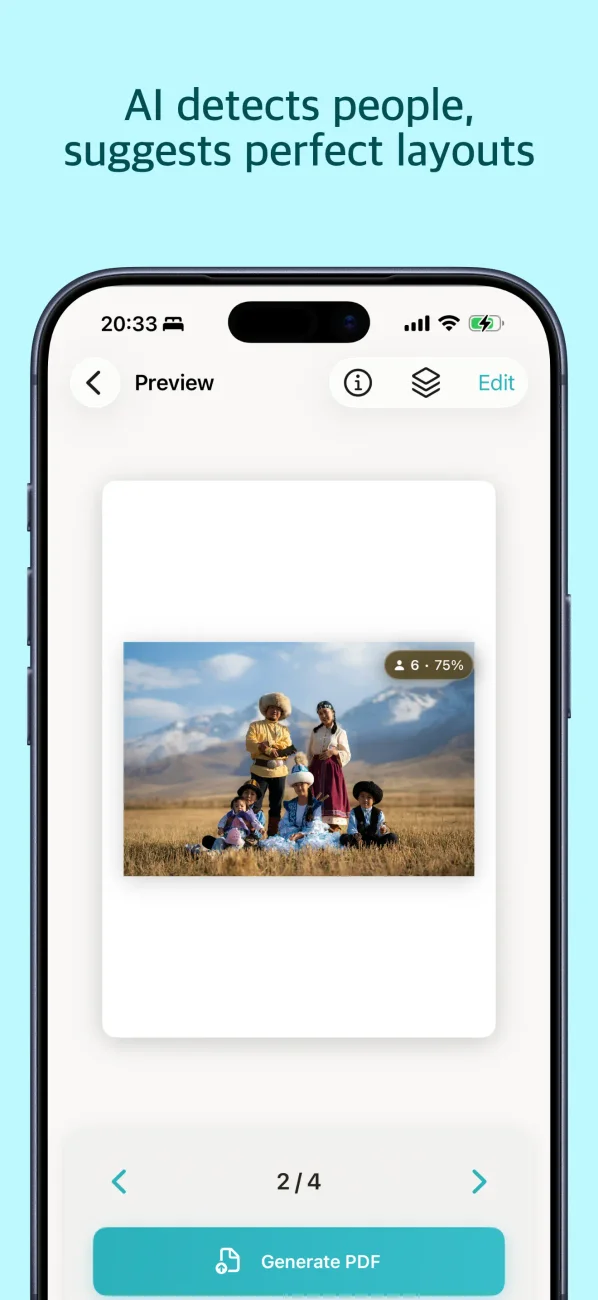
Mixing portrait and landscape photos for printing is frustrating. Printora solves this automatically. Our Vision AI detects people and arranges photos optimally - no manual adjustments needed.
THREE LAYOUT STYLES
• Diagonal - Magazine-style layouts with dynamic visual flow
• Grid - Traditional balanced arrangements
• Overlap - Sophisticated layered designs with depth
POWERFUL EDITING TOOLS
Fine-tune every detail:
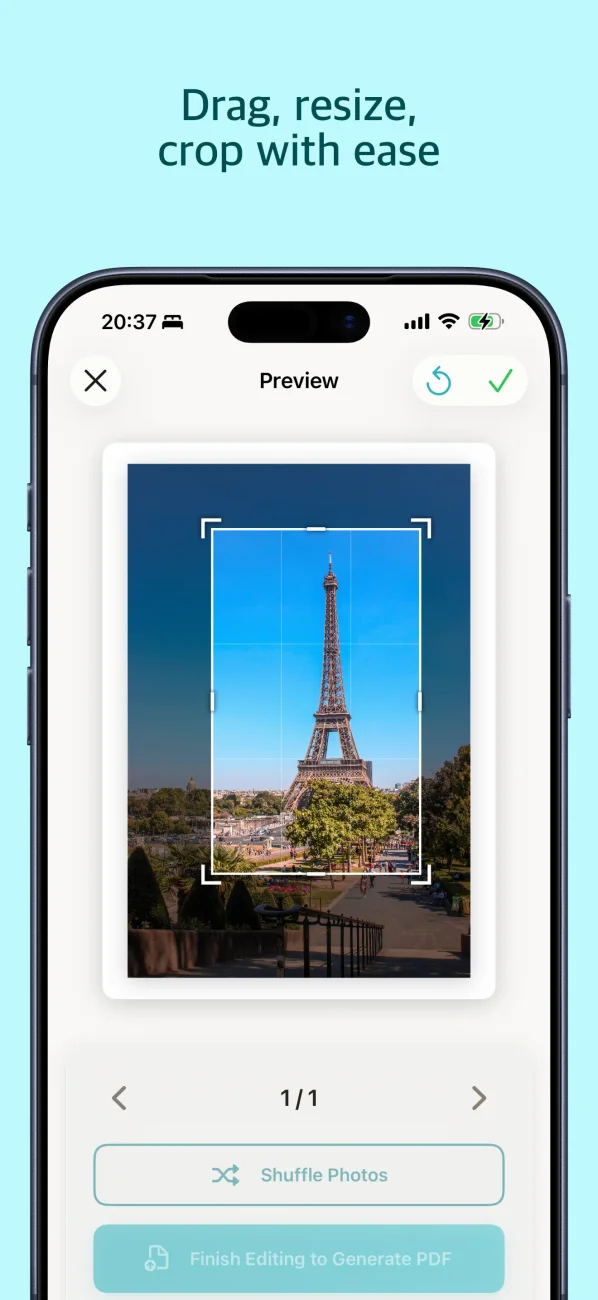
• Drag to reposition photos freely
• Drag-to-swap in Grid/Diagonal modes for instant reordering
• Shuffle to randomize photo order on the page
• Overlap mode supports layered positioning
• Pinch to resize with intelligent auto-adjustment
• Rotate photos 90 degrees
• Crop with precision 8-handle controls
• Delete unwanted photos
SMART ORGANIZATION
Photos are automatically organized by location and time. Pictures from the same event stay together across pages.
PRINT-READY OUTPUT
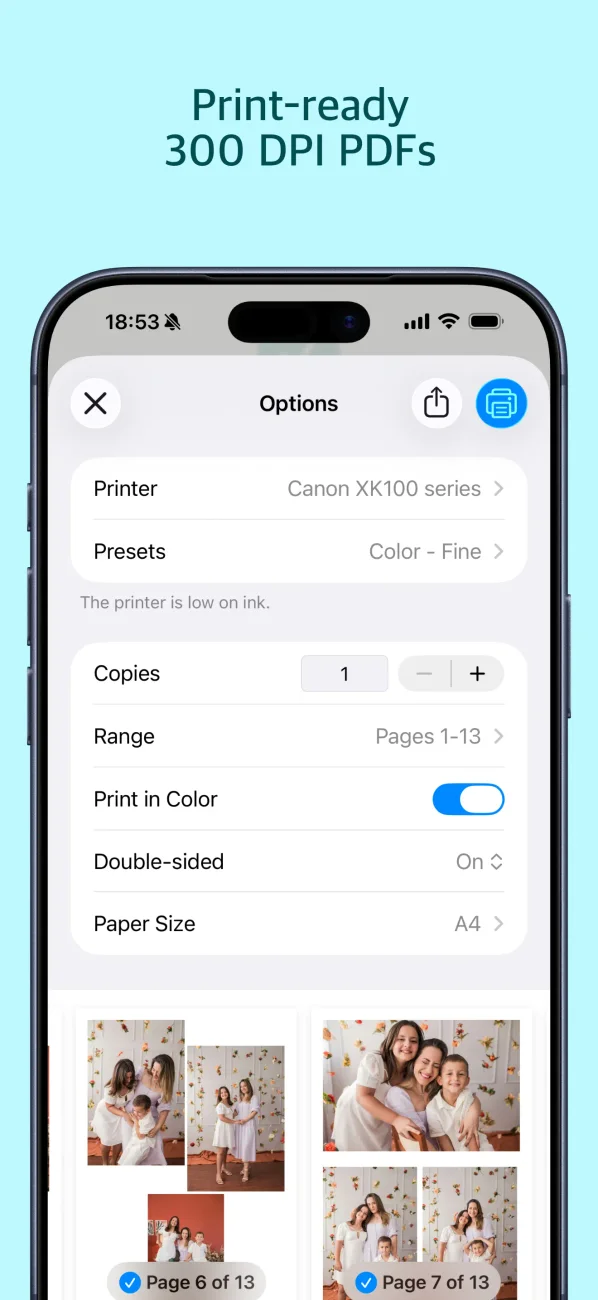
Generate high-quality 300 DPI PDFs perfect for:
• Home printing on A4 paper
• Professional print services
• Sharing with family and friends
FOR PERSONAL & BUSINESS USE
Perfect for family albums, event documentation, real estate listings, product catalogs, and professional presentations. Print multiple photos per page or one photo per page - your choice.
KEY FEATURES
• Visual threshold previews with real-time feedback
• AI-powered person detection
• 3 layout modes: Diagonal, Grid, Overlap
• Per-page layout customization
• Intelligent resize system
• Location-based photo grouping
• 300 DPI PDF export
• AirPrint support
Download Printora and transform your photos into beautiful prints today.
Terms of Use: https://www.printora.app/terms
Privacy Policy: https://www.printora.app/privacy
What’s new
Version 2.1.0 · Oct 28, 2026
• Add a title to your prints: set it in Project Info and it appears at the top of the first page. Up to eight lines, in four sizes.
• Photos keep their size when the title fits above them, and are spaced evenly between the title and the bottom of the page.
• Fixed a crash when selecting many photos at once.
• Fixed a crash when exporting a PDF of a large project.
App privacy
What BestForce declares on the App Store about how this app handles data.
-
Data not linked to you
May be collected but is not linked to your identity.
- Purchases
Privacy practices may vary, for example with the features you use or your age.
Information
- Seller
- Daisuke Adachi
- Category
- Photo & Video
- Version
- 2.1.0
- Updated
- Oct 28, 2026
- Released
- Dec 23, 2025
- Size
- 18.8 MB
- Requires
- iOS 26.2 or later
- Age rating
- 4+
- In-app purchases
- Yes
- Languages
- English
- Copyright
- © 2025 Daisuke Adachi
You might also like
-
 Photo Layout Editor-Collage-A4Polaroid|Layout|Add Text
-
 PhotoBooks by GraphicMeatBeautiful photo books, fast
-
 Photo Print: Size & Layout4x6, Passport & ID Photos
-
 PrintRightArrange photos, then print
-
 LayPic – Photo Collage Maker6 Layouts, Masks & HD Export
-
 Photo Printer: Print to SizeAirPrint 4x6 5x7 passport PDF
-
 Image Resize: Batch & CustomPhoto sizes made simple
-
 MetrochromeFilm emulsions & darkroom
-
 Albuma: Travel Photo BookTravel journal with map & PDF
-
 InstantPrint LayoutPrint Mini Photos at Home