
- Age rating4+
- CategoryProductivity
- DeveloperVedaant Rajeshirke
- LanguagesEnglish
- Size2.0 MB
Links to the official App Store page
Download.org hosts no file of Progress Tracker - Chip Away. The button opens its official App Store page, published by Vedaant Rajeshirke. Listing last checked on Nov 12, 2026.
Screenshots


About
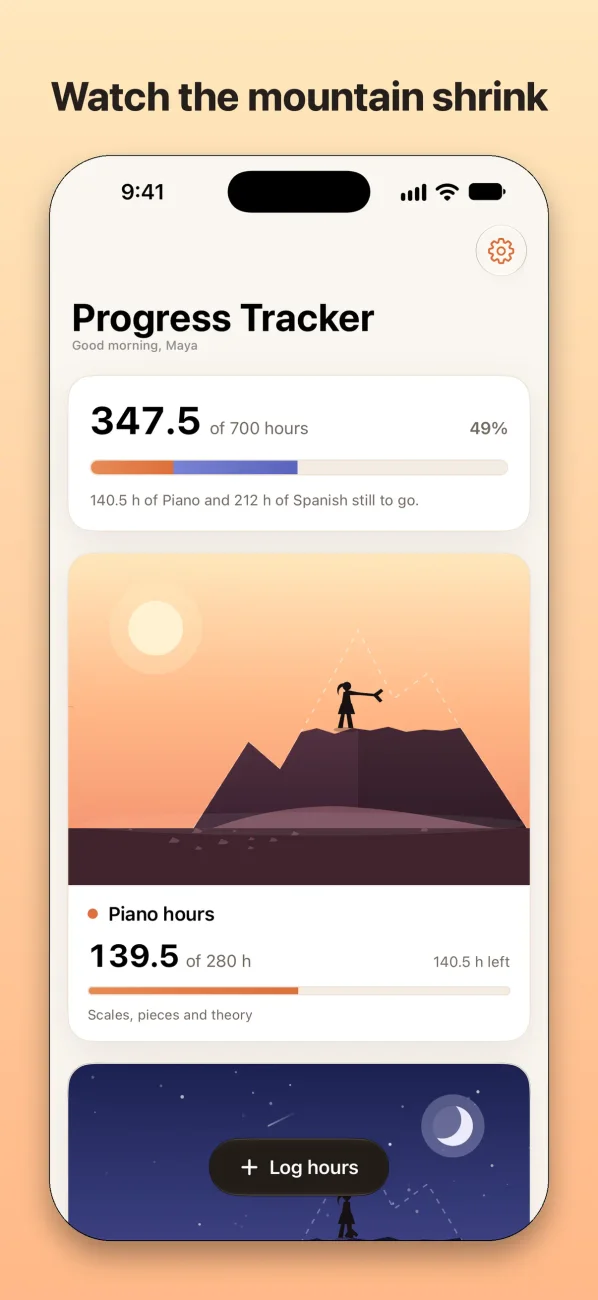
Some goals are counted in hours: practice on an instrument, study for an exam, a thesis, flight time, the hours a license asks for. Chip Away turns each total into a mountain. Every session you log cuts it down, while a small figure with a pickaxe keeps swinging at what's left.
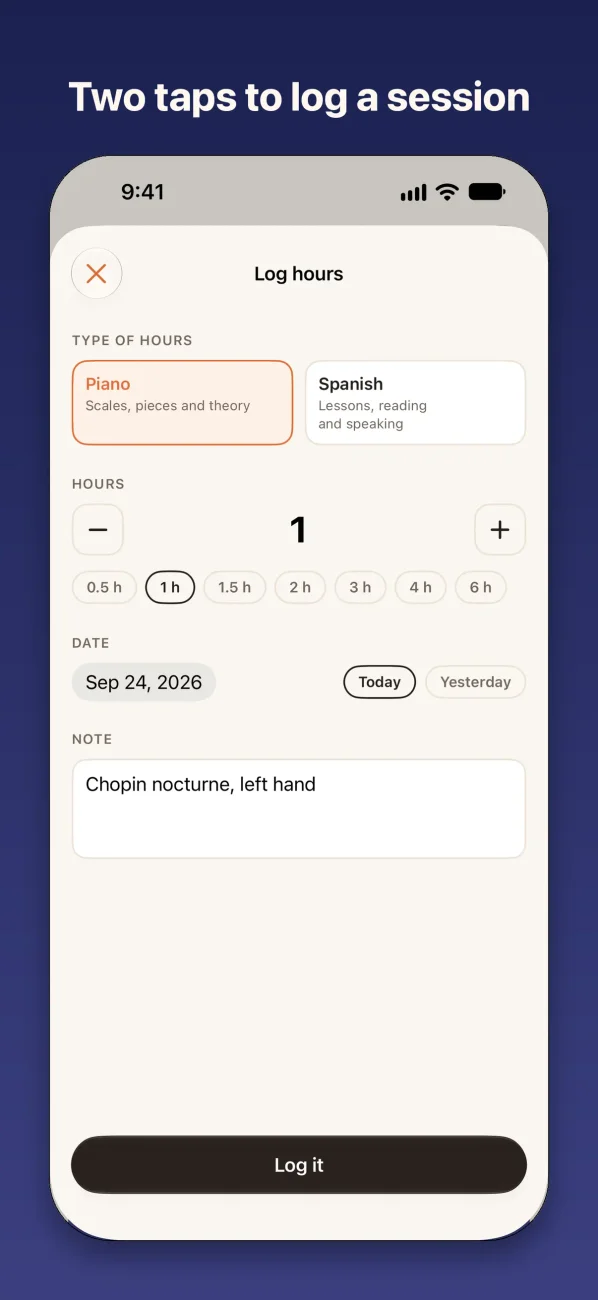
Logging a session takes two taps. The app remembers your usual goal and length, so on most days you tap Log hours, then Log it. Change the hours with the quick buttons, pick yesterday instead of today, or add a note about what you worked on. Tap any session later to fix or delete it.
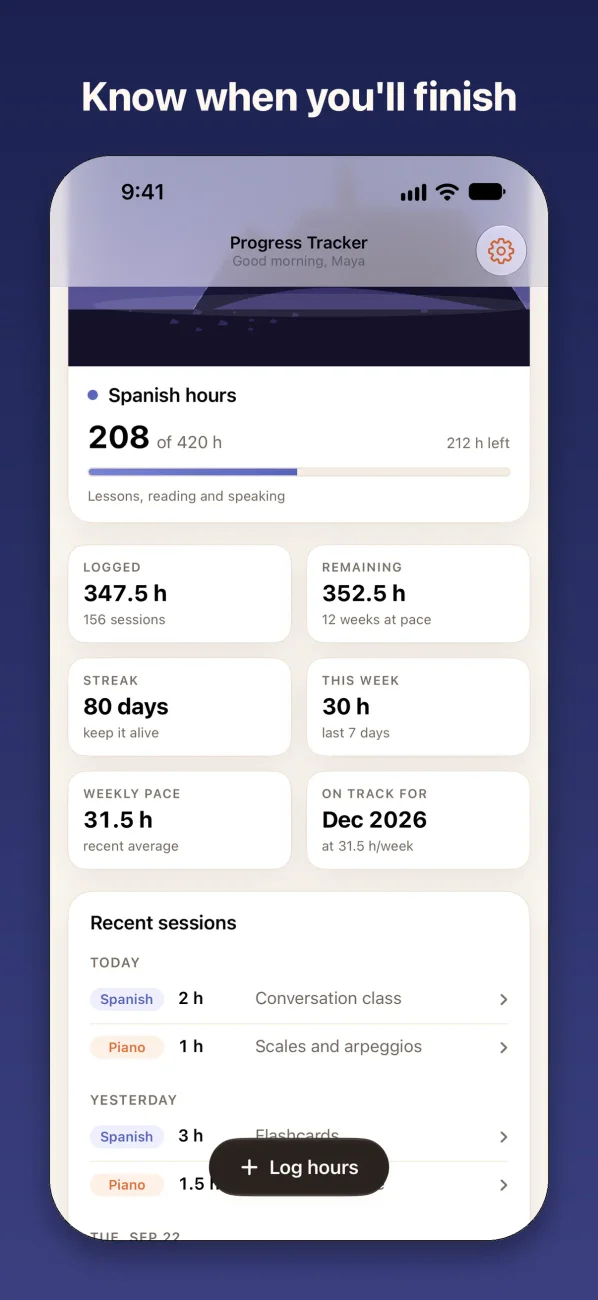
The dashboard shows:
• Hours logged and hours left, overall and for each goal
• Your streak of days in a row
• Hours in the last 7 days and your weekly average
• The month you'll finish at your current pace
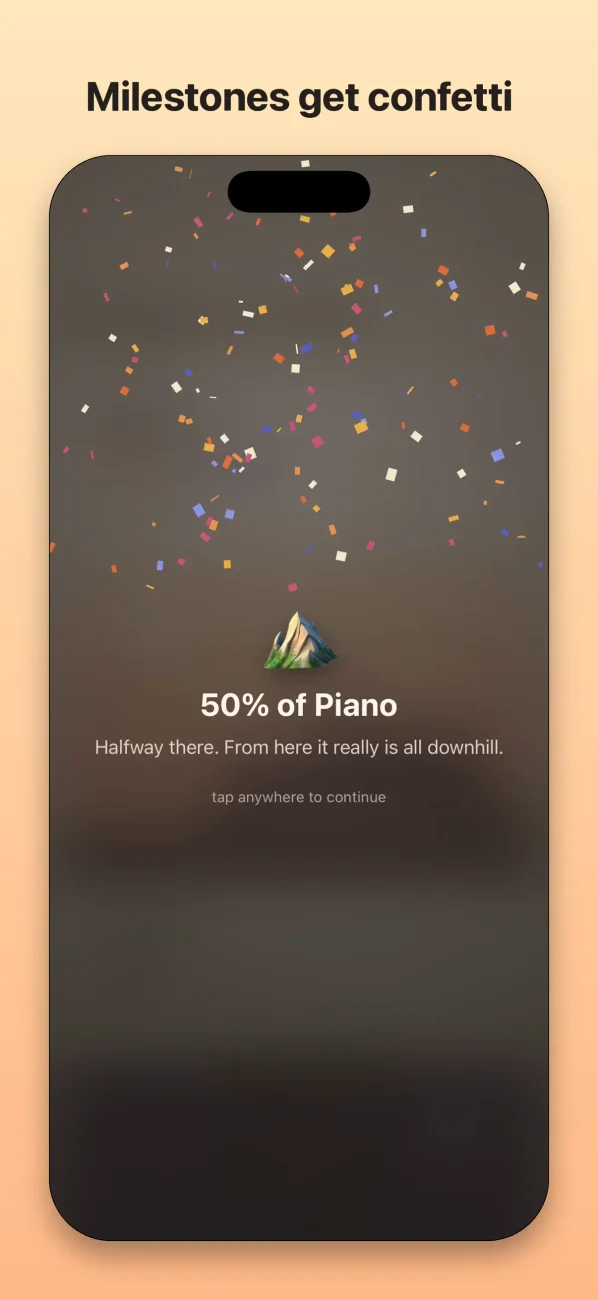
Milestones get confetti. You'll see one for your first session, at 10, 25, 50, 75 and 90 percent of each goal, at round numbers along the total, like every 100 hours on the way to 700, and at 7, 14, 30, 60 and 100 day streaks.
Set up to four goals, each with its own name, target and scene. Piano and Spanish, a pilot's license, one big number for a dissertation. If you count it in hours, it fits.
Widgets keep the mountains on your Home Screen. Pick a goal for a small widget or a full-width scene, put every goal side by side, or see this week's hours day by day. The large widget adds the hours left and your finish month, with log buttons that open a new session. On the Lock Screen you get a ring for one goal and a bar for the total. The Log hours control goes in Control Center, on the Lock Screen or on the Action button.
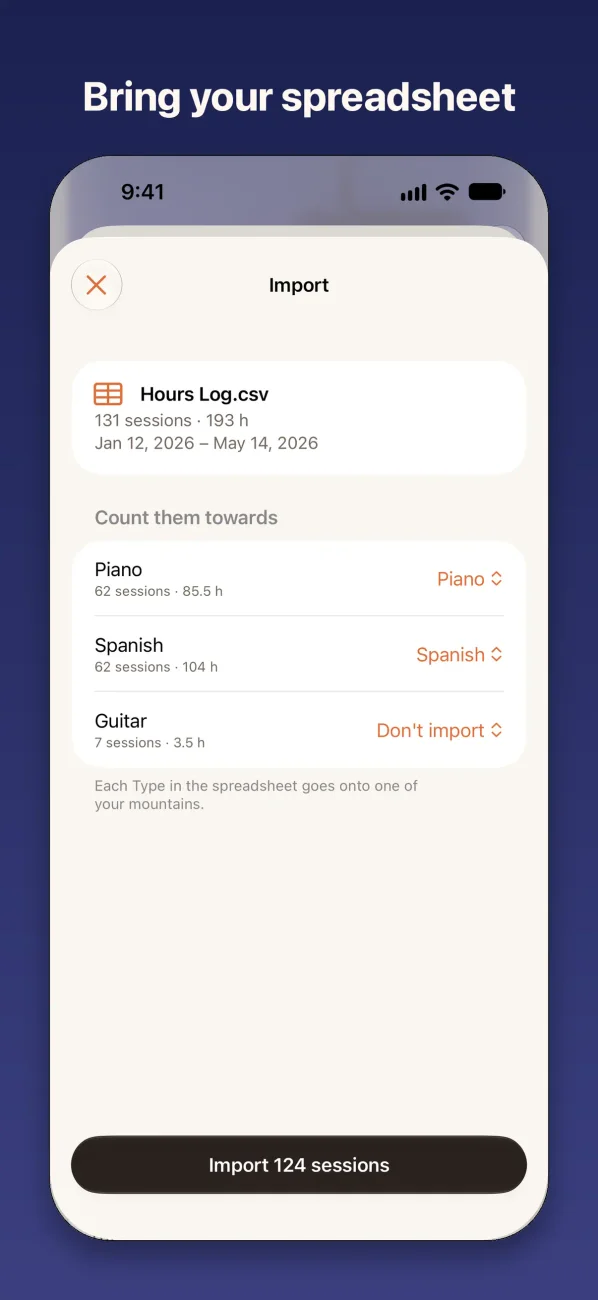
Already tracking in a spreadsheet? Import an .xlsx or .csv file exported from Excel, Numbers or Google Sheets. Any sheet with a date column and an hours column works. You see a preview first and choose which goal each type of hours counts toward. Sessions already in the app are skipped, so importing the same file twice doesn't double count. Export to CSV whenever you want a copy.
Sessions sync through your private iCloud account to every device signed in with your Apple ID. There's no sign-up, no ads and no analytics, and the developer never sees what you log. Without iCloud, everything stays on the device.
Also:
• Dark mode, Dynamic Type and VoiceOver
• The scenes hold still when Reduce Motion is on
• Works offline and syncs when you're back online
• Requires iOS 26 or iPadOS 26
What’s new
Version 1.1 · Oct 12, 2026
- Added Widgets: Check out the widgets, they come in all shapes and sizes and can be used everywhere!
- Log time in hours and minutes: Type 1 h 20 min, or tap 15, 30 or 45 min, and every session shows its exact length.
App privacy
What Vedaant Rajeshirke declares on the App Store about how this app handles data.
-
Data not collected
The developer does not collect any data from this app.
Privacy practices may vary, for example with the features you use or your age.
Information
- Seller
- Vedaant Rajeshirke
- Category
- Productivity
- Version
- 1.1
- Updated
- Oct 12, 2026
- Released
- Oct 11, 2026
- Size
- 2.0 MB
- Requires
- iOS 26.0 or later
- Age rating
- 4+
- Price
- Free
- Languages
- English
- Copyright
- © 2026 Vedaant Rajeshirke
You might also like
-
 MamorunderAIが伴走するタスク管理
-
 Chip Away: Goal TrackerDaily goal tracker
-
 Just 5 TodayDaily to do list made exciting
-
 Chat Notes: Threaded IdeasNote Taking like Chatting
-
 Super: The Flow State AppNow Connect With Friends
-
 ADHD To Do List: OneListTask Paralysis & Focus Planner
-
 Sticky Goals: Digital PlannerMy simple kanban board tracker
-
 WordTracker - Writing GoalsTrack words. Reach goals.
-
 Ente PalliChurch Directory and More..
-
 Priori - Simple ListEisenhower Matrix