- 対象年齢4+
- カテゴリ仕事効率化
- 開発元Vedaant Rajeshirke
- 言語英語
- サイズ2.0 MB
App Storeの公式ページにリンクしています
Download.orgはProgress Tracker - Chip Awayのファイルを一切ホストしていません。ボタンを押すと、Vedaant Rajeshirkeが公開しているApp Storeのアプリページが開きます。ページの最終確認:2026/11/12。
スクリーンショット
概要
開発元はこのテキストをお使いの言語で提供していません。
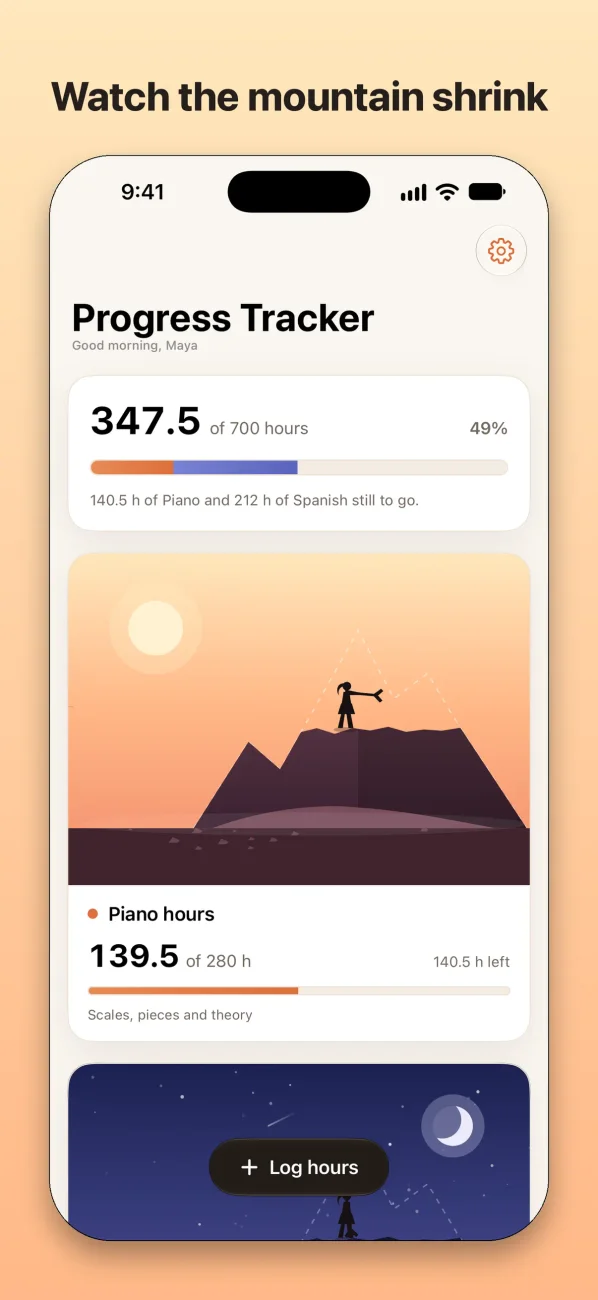
Some goals are counted in hours: practice on an instrument, study for an exam, a thesis, flight time, the hours a license asks for. Chip Away turns each total into a mountain. Every session you log cuts it down, while a small figure with a pickaxe keeps swinging at what's left.
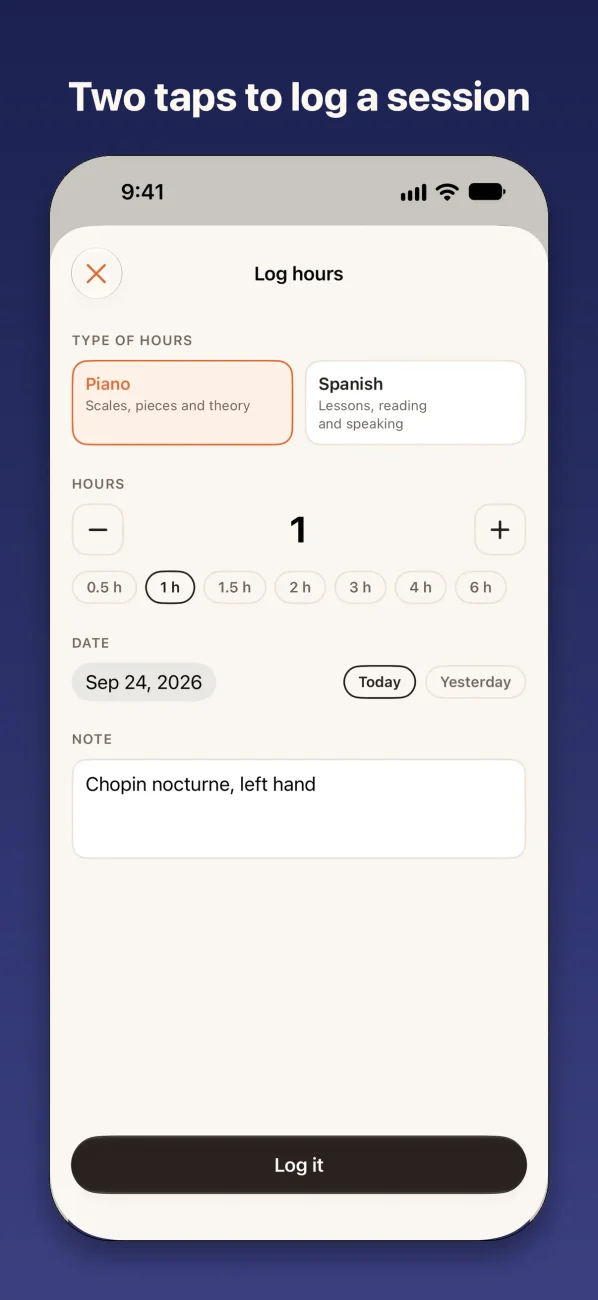
Logging a session takes two taps. The app remembers your usual goal and length, so on most days you tap Log hours, then Log it. Change the hours with the quick buttons, pick yesterday instead of today, or add a note about what you worked on. Tap any session later to fix or delete it.
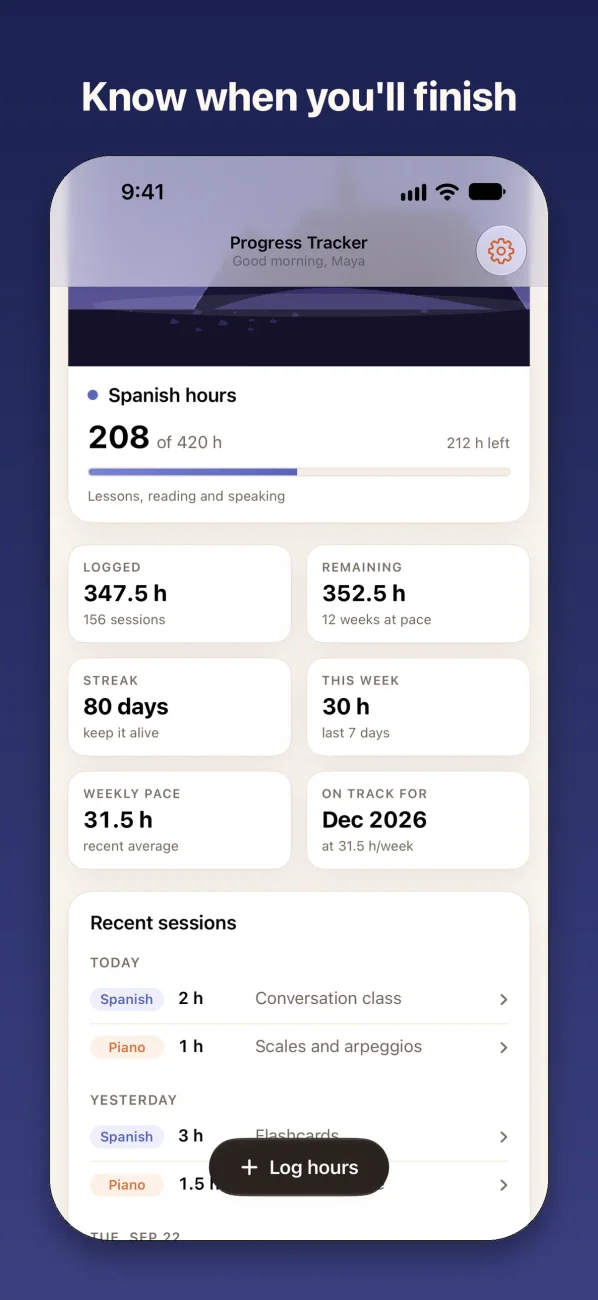
The dashboard shows:
• Hours logged and hours left, overall and for each goal
• Your streak of days in a row
• Hours in the last 7 days and your weekly average
• The month you'll finish at your current pace
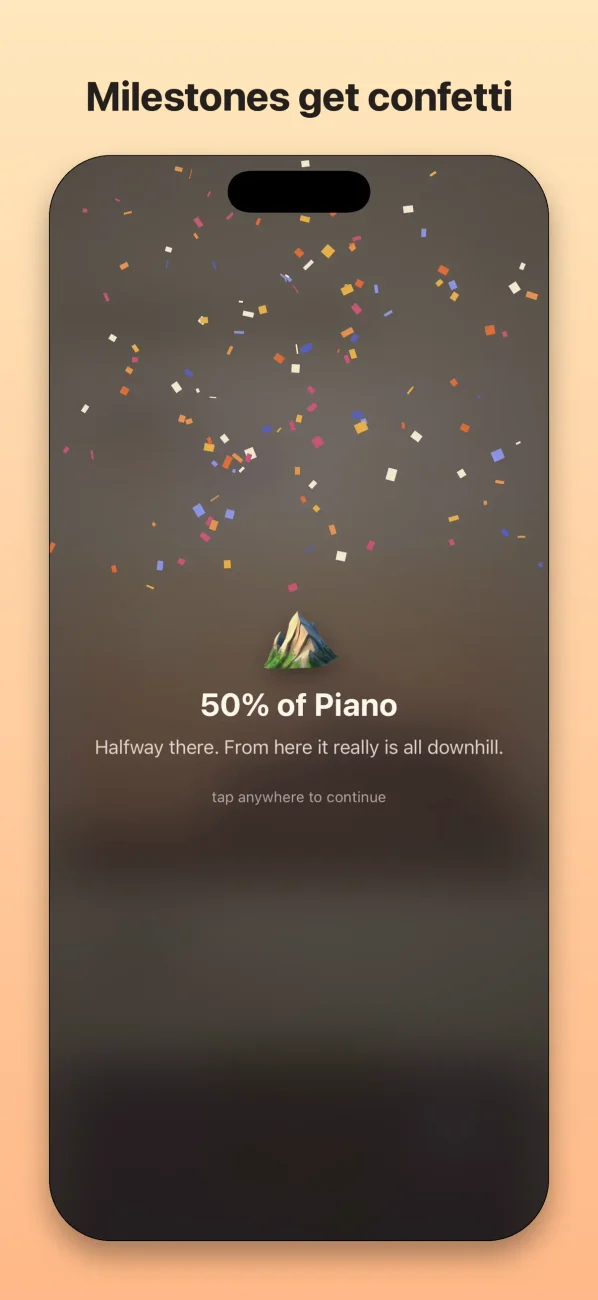
Milestones get confetti. You'll see one for your first session, at 10, 25, 50, 75 and 90 percent of each goal, at round numbers along the total, like every 100 hours on the way to 700, and at 7, 14, 30, 60 and 100 day streaks.
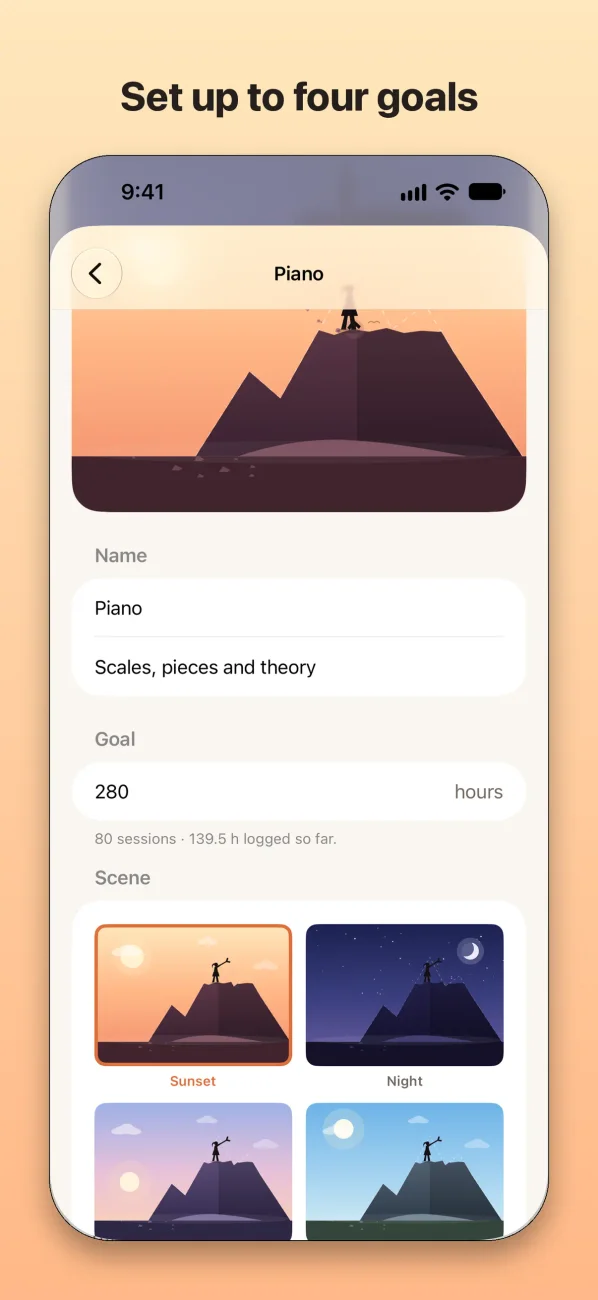
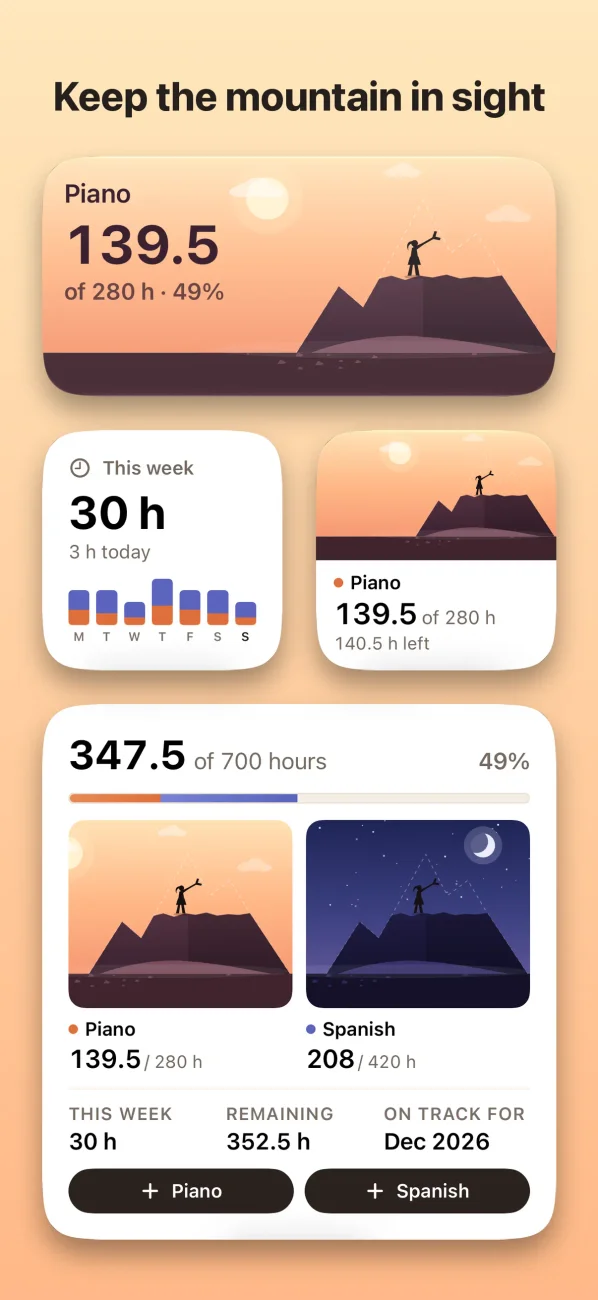
Set up to four goals, each with its own name, target and scene. Piano and Spanish, a pilot's license, one big number for a dissertation. If you count it in hours, it fits.
Widgets keep the mountains on your Home Screen. Pick a goal for a small widget or a full-width scene, put every goal side by side, or see this week's hours day by day. The large widget adds the hours left and your finish month, with log buttons that open a new session. On the Lock Screen you get a ring for one goal and a bar for the total. The Log hours control goes in Control Center, on the Lock Screen or on the Action button.
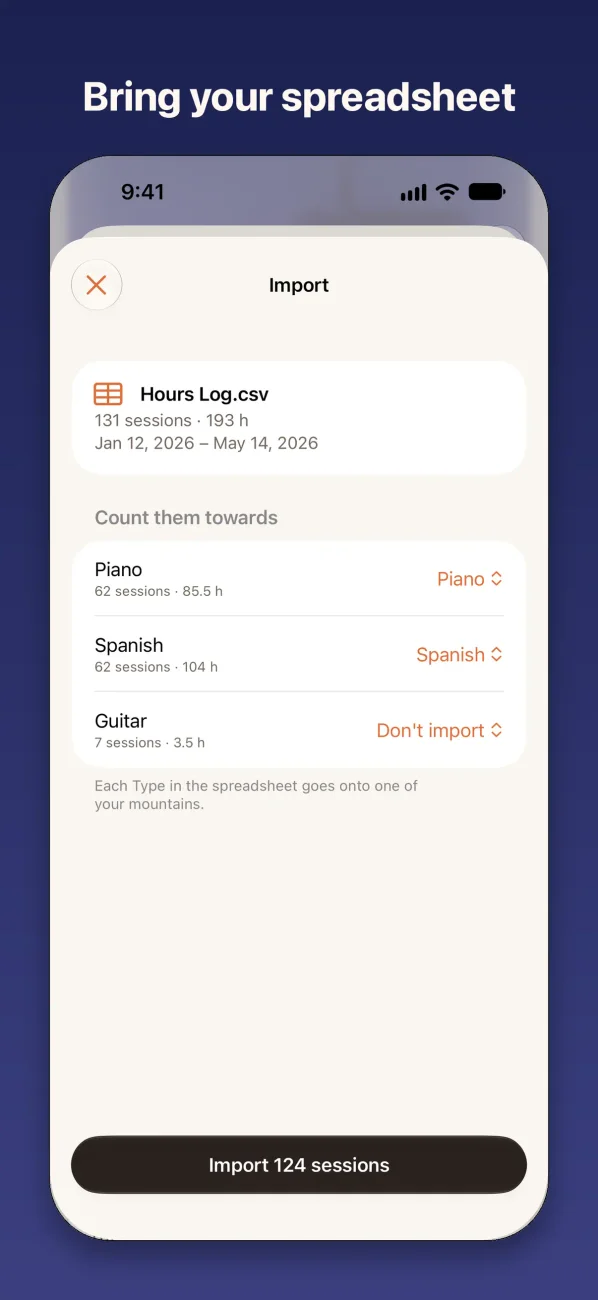
Already tracking in a spreadsheet? Import an .xlsx or .csv file exported from Excel, Numbers or Google Sheets. Any sheet with a date column and an hours column works. You see a preview first and choose which goal each type of hours counts toward. Sessions already in the app are skipped, so importing the same file twice doesn't double count. Export to CSV whenever you want a copy.
Sessions sync through your private iCloud account to every device signed in with your Apple ID. There's no sign-up, no ads and no analytics, and the developer never sees what you log. Without iCloud, everything stays on the device.
Also:
• Dark mode, Dynamic Type and VoiceOver
• The scenes hold still when Reduce Motion is on
• Works offline and syncs when you're back online
• Requires iOS 26 or iPadOS 26
新機能
バージョン 1.1 · 2026/10/12
- Added Widgets: Check out the widgets, they come in all shapes and sizes and can be used everywhere!
- Log time in hours and minutes: Type 1 h 20 min, or tap 15, 30 or 45 min, and every session shows its exact length.
アプリのプライバシー
このアプリのデータの取り扱いについて、Vedaant RajeshirkeがApp Storeで申告している内容です。
-
データの収集なし
開発元はこのアプリからデータを収集しません。
プライバシーの取り扱いは、ご利用の機能やお客様の年齢などに応じて異なる場合があります。
情報
- 販売元
- Vedaant Rajeshirke
- カテゴリ
- 仕事効率化
- バージョン
- 1.1
- 更新日
- 2026/10/12
- リリース
- 2026/10/11
- サイズ
- 2.0 MB
- 必要条件
- iOS 26.0以降
- 対象年齢
- 4+
- 価格
- 無料
- 言語
- 英語
- 著作権
- © 2026 Vedaant Rajeshirke