Project Planner: Milestones
Task Manager & Goal Tracker
Designed for iPhone, iPad, Mac
Free · In-app purchases
- Age rating4+
- CategoryProductivity
- DeveloperYassine Zeriouh
- LanguagesEnglish+ 32 more
- Size80.2 MB
Links to the official App Store page
Download.org hosts no file of Project Planner: Milestones. The button opens its official App Store page, published by Yassine Zeriouh. Listing last checked on Nov 27, 2026.
Screenshots

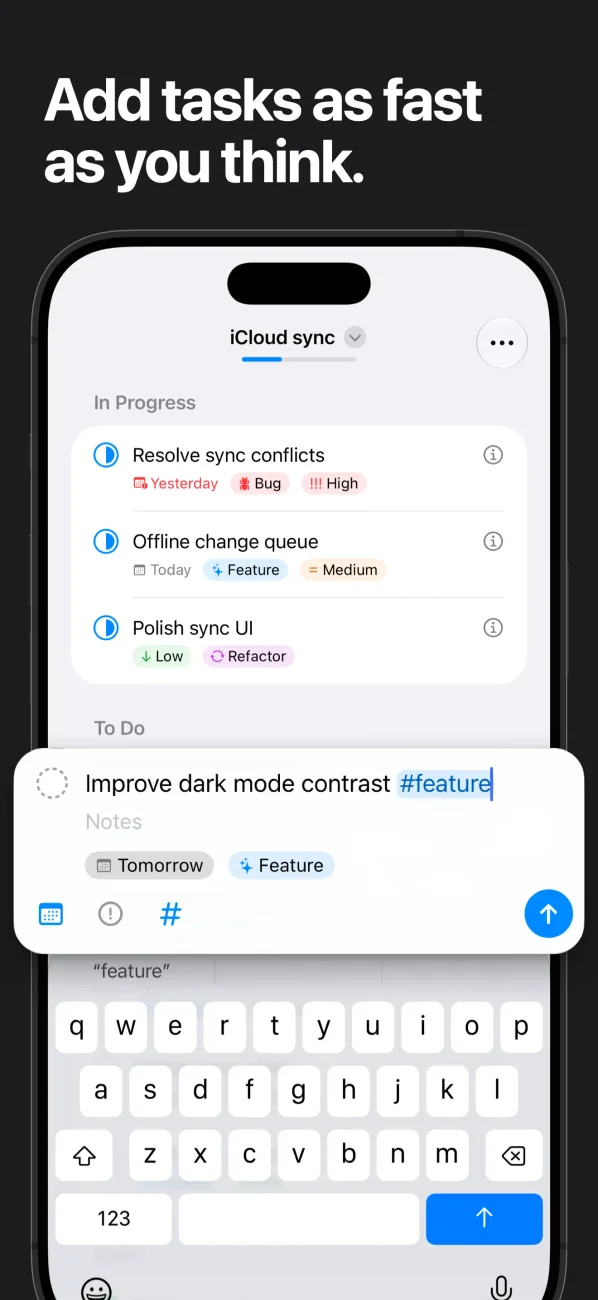

About
Most projects stall not because you lack motivation — but because "finish the project" is too vague to ever act on. You open a blank to-do list, dump in a dozen tasks, and within a week it's either abandoned or buried under newer ones.
Milestones is built around a different idea: every project deserves structure, and structure is what makes finishing possible.
A smarter way to plan
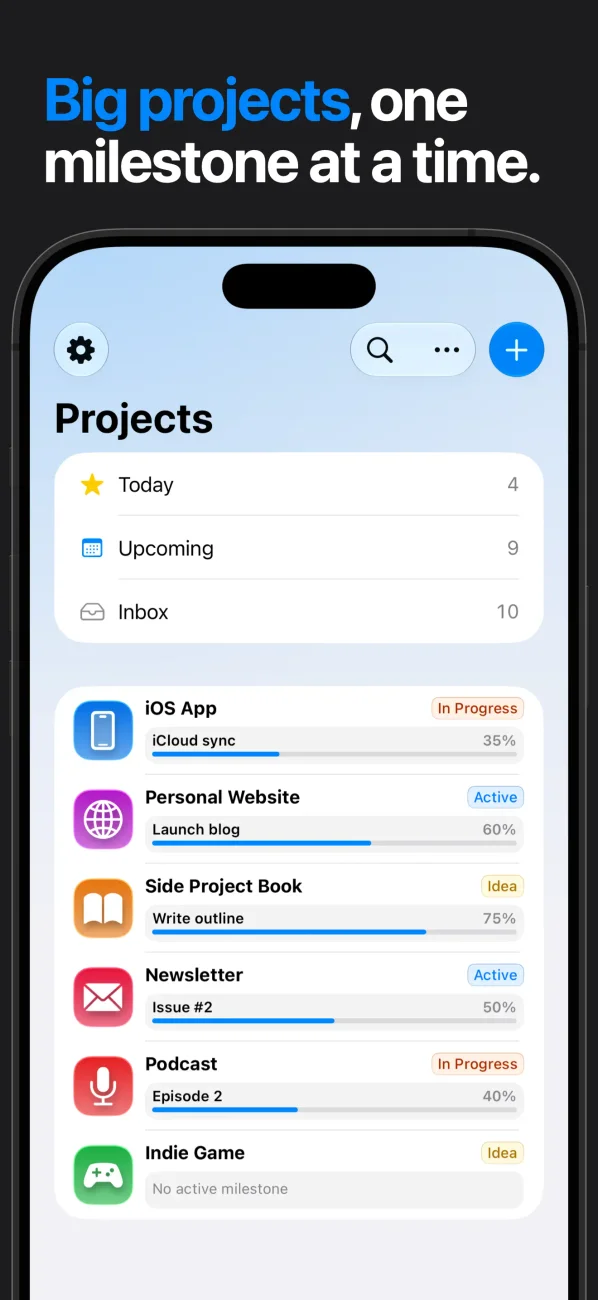
Milestones introduces a three-tier hierarchy — Projects, Milestones, and Tasks — that mirrors how real work actually happens. A project isn't one thing; it's a series of phases. Each phase has its own focus, its own deadline, its own definition of done. Milestones makes that structure explicit so you always know where you are and what's next.
Break goals into phases
Every project is divided into named milestones — the chapters of your work. Whether you're building an app, writing a thesis, planning an event, or launching a side project, milestones give you a natural way to chunk the journey into stages you can actually complete one at a time.
Track progress visually
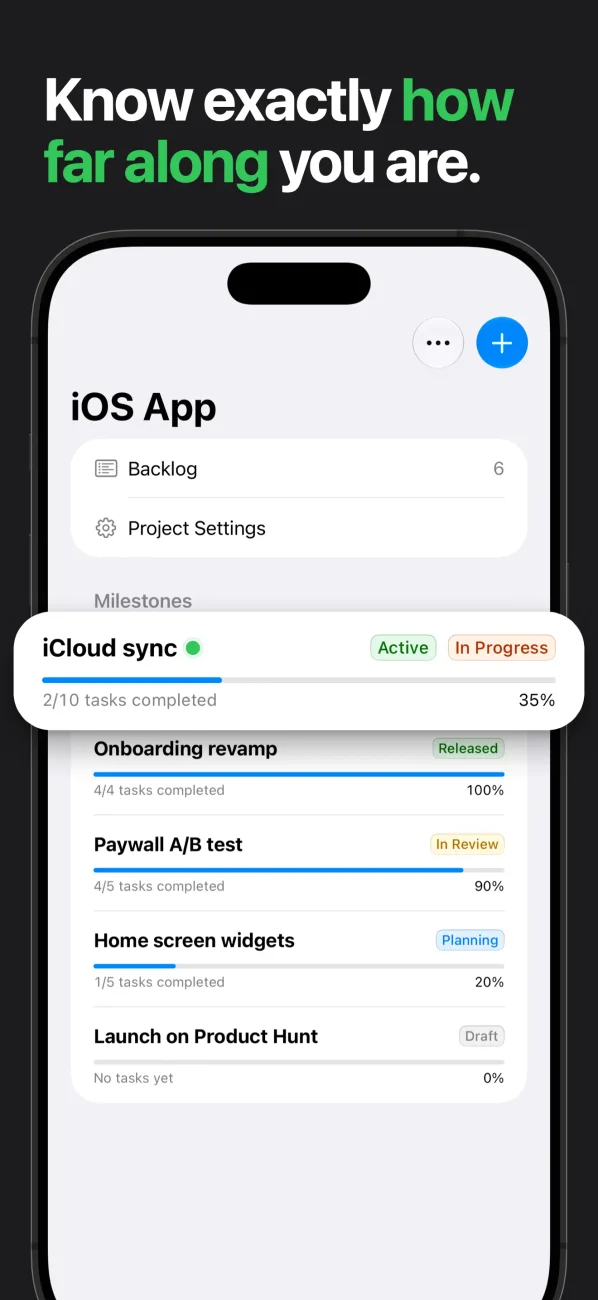
Each milestone has its own live progress bar showing task counts and completion percentage. At a glance, you can see how much you've done, how much is left, and which phases are moving. No more guessing whether you're close or far.
Focus on what matters right now
Mark one milestone as Active. It pins to the top of your project, pulses with a live indicator, and becomes your single point of focus. Everything else stays visible but secondary — giving you clarity without losing context.
Organized from every angle
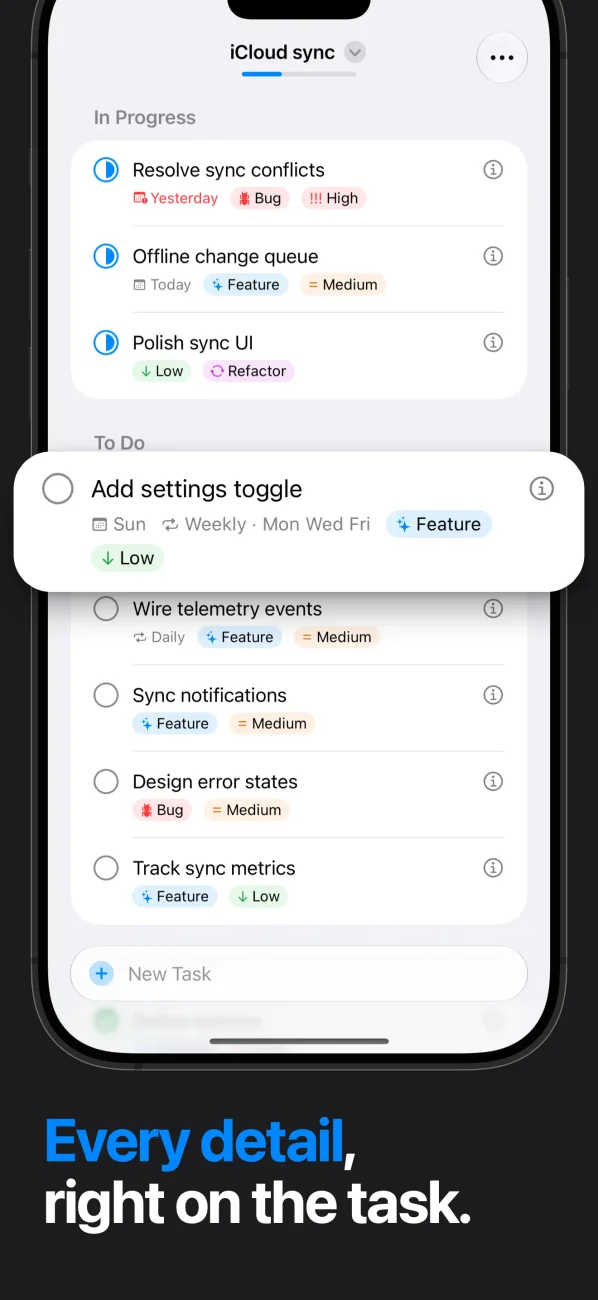
Milestone statuses — Draft, Planning, In Progress, In Review, Released — give each phase a clear stage in the lifecycle. Tasks are sorted into To Do, In Progress, and Done sections automatically. Tag tasks to group related work across a project. Store unscheduled ideas in the project backlog so nothing falls through the cracks.
Designed to look as good as it works
Give every project its own icon — choose from a curated set of symbols or use your own photo — paired with a custom color. Your project list becomes a visual dashboard that's satisfying to open every day.
Manage projects with AI
Milestones includes a built-in MCP server — connect Claude and other AI agents on your Mac to create projects, add tasks and move milestones forward just by asking. Your project planner, now AI-native.
Built for iPhone, iPad, Mac & Apple Vision Pro
On iPad, Mac and Vision Pro, Milestones expands into a full three-column layout: your project list, milestone list, and task list all visible at once. On iPhone, everything is one tap away. Sync seamlessly across both with iCloud.
Whether you're a developer shipping a product, a student finishing a dissertation, a designer managing client work, or anyone with a goal worth finishing — Milestones gives your projects the structure they've always needed.
What’s new
Version 2.1.0 · Nov 11, 2026
This update makes Milestones faster and smoother, especially with big projects, and fixes a few crashes.
Improvements:
• Opening a milestone, switching between projects and milestones, and scrolling and swiping through long task lists are all faster
• Editing tasks no longer stutters when you have lots of them: reminders and the app icon badge now update in the background, and Spotlight and Apple Watch updates no longer slow the app down
• Milestones opens faster, and coming back to it is quicker
• Adding, pasting or moving tasks in a list no longer pauses
• Clearer onboarding, tips and empty lists. The onboarding paywall now says what the free plan includes, and its button reads Subscribe or Buy Lifetime
Fixes:
• Fixed a crash on iPhone with iOS 26 when going back from a milestone to its project
• Fixed a crash on iOS 17 and iPadOS 17 when deleting a task, milestone or project
• Fixed a crash on iOS 17 and iPadOS 17 when Today or Upcoming included a milestone with a due date, or when opening a tag from search
• Fixed a crash when swiping to delete a workspace
• A tag, workspace, project or status no longer disappears from its list when you cancel its swipe Delete
• Fixed a rare freeze when returning to the app
App privacy
What Yassine Zeriouh declares on the App Store about how this app handles data.
-
Data not linked to you
May be collected but is not linked to your identity.
- Purchases
- Identifiers
- Usage data
- Diagnostics
Privacy practices may vary, for example with the features you use or your age.
Information
- Seller
- Yassine Zeriouh
- Category
- Productivity
- Version
- 2.1.0
- Updated
- Nov 11, 2026
- Released
- Nov 5, 2024
- Size
- 80.2 MB
- Requires
- iOS 17.0 or later
- Age rating
- 4+
- Price
- Free
- In-app purchases
- Yes
- Languages
- English, Arabic, Catalan, Croatian, Czech, Danish, Dutch, Finnish, French, German, Greek, Hebrew + 21 more
- Copyright
- © 2026 Yassine Zeriouh
You might also like
-
 TODO:To-Do List & PlannerDaily Task Manager, Time Block
-
 Glint: Journal for MemoriesCapture important moments
-
 Pomodoro Time Tracker: BalanceStudy Tracker & Focus Timer
-
 ClipyBoard AutoPaste ClipboardClipboard & AutoPaste Keyboard
-
 Document Signer: SimpleSignSign PDF Docs, Scan & Backup
-
 V Calculator: Hidden Vault +-=Secure Vault, Hide Photo Video
-
 MinuteWise: AI Note TakerLecture Notes AI
-
 Essential LauncherMinimalist Launcher
-
 Limit: Screen Time for FocusBlock apps, stay focused
-
 Daily Planners Organizer TodoHabit tracker, Structured note