
Document Signer: SimpleSign
Sign PDF Docs, Scan & Backup
Designed for iPhone, iPad, iPod touch
Free · In-app purchases
- Age rating4+
- CategoryProductivity
- DeveloperZion Studios LLC
- LanguagesEnglish
- Size47.2 MB
Links to the official App Store page
Download.org hosts no file of Document Signer: SimpleSign. The button opens its official App Store page, published by Zion Studios LLC. Listing last checked on Nov 12, 2026.
Screenshots


About
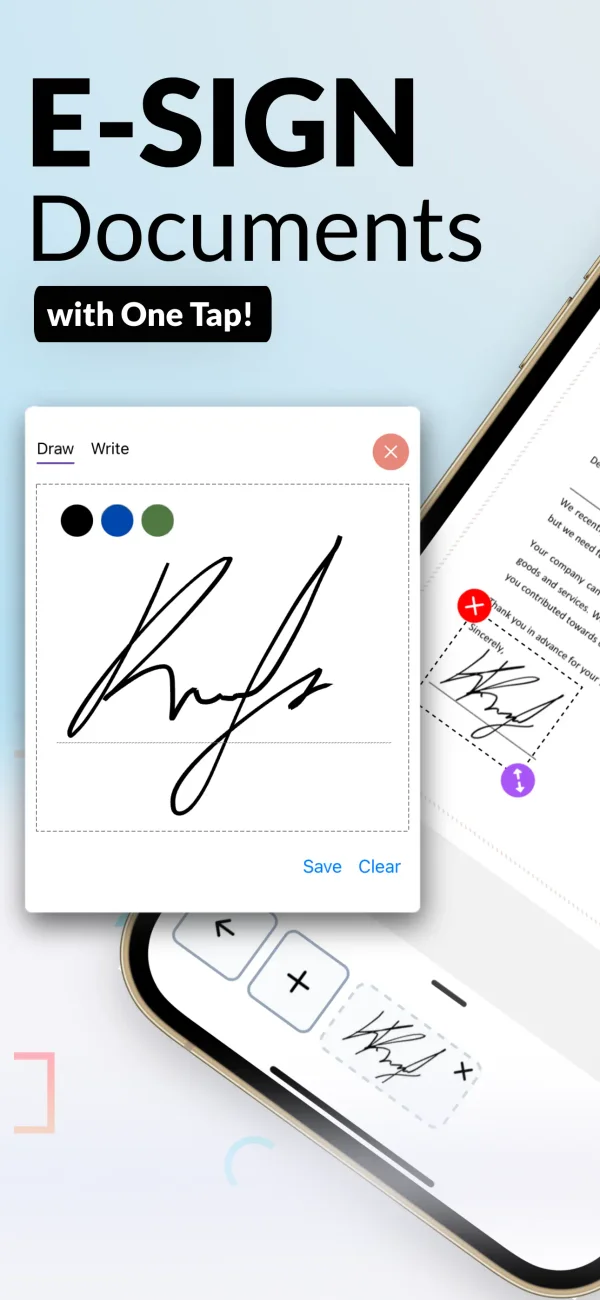
Introducing SimpleSign, your ultimate assistant for electronically signing and managing documents with ease. Whether you need to sign a PDF, fill out forms, or organize scanned documents, SimpleSign offers a comprehensive solution designed to streamline your workflow.
Effortless Document Signing and Editing
SimpleSign simplifies the process of signing documents electronically. With a user-friendly interface and intuitive design, you can sign PDFs and image files seamlessly. Utilize the free e-signature feature to sign documents quickly and securely. For full access to premium tools, templates, and advanced editing features, an upgrade to SimpleSign Pro is available.
Versatile Editing Tools
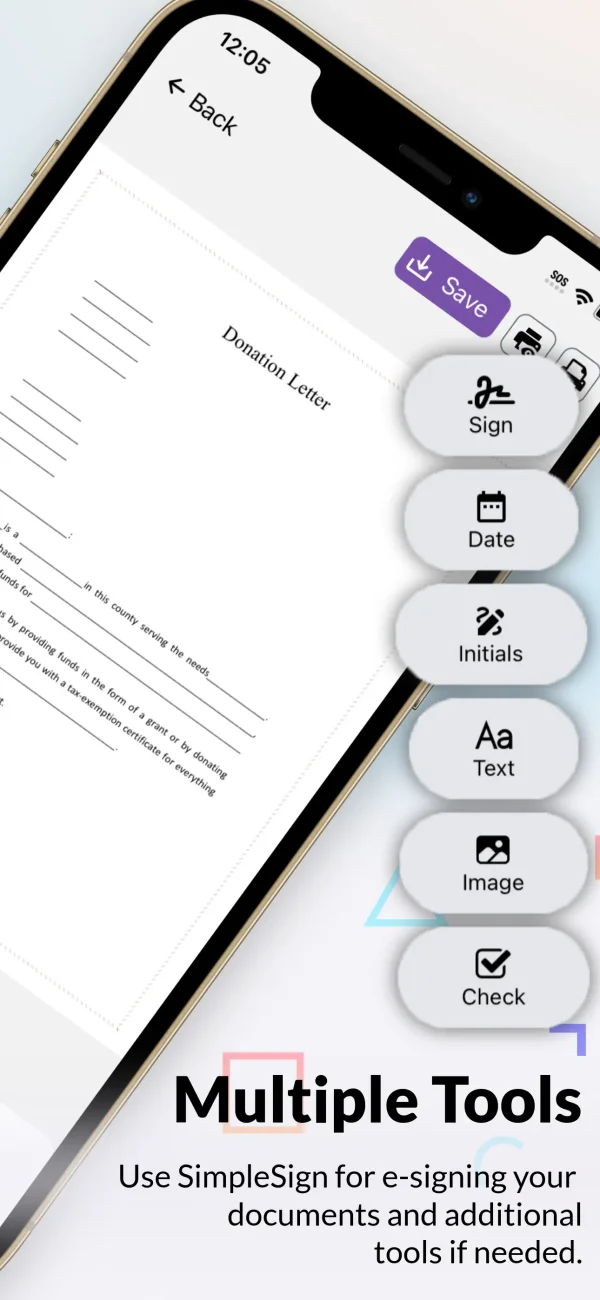
Enhance your documents with multiple editing tools available in SimpleSign. Customize texts, import images, add checkboxes, and insert initials wherever necessary. Some advanced editing features require a Pro subscription.
Comprehensive Document Management
Manage your documents effectively with SimpleSign’s integrated features. Use the free camera scanner to capture physical documents and convert them into digital files. Organize your documents within the app, making it easy to access and retrieve important information. Pro users can unlock additional tools for improved workflow efficiency.
Ready-to-Use Templates
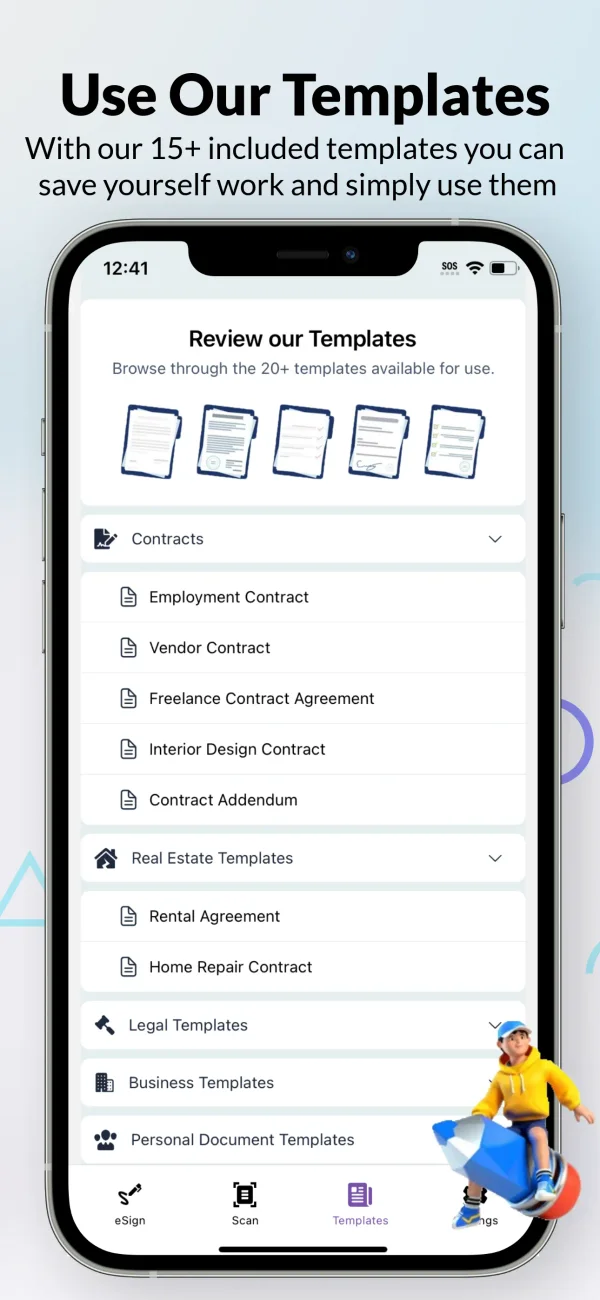
Save time with SimpleSign’s extensive library of templates. Choose from over 15+ pre-designed templates for contracts, forms, and more. Some templates are available for free, while premium templates require a Pro subscription.
Secure and Private
Rest assured that your documents are secure with SimpleSign’s local storage feature. No account is required to start signing. Your documents remain on your device for maximum privacy.
Integration and Google Drive Syncing
With its brand new feature, SimpleSign can now backup all your scanned and signed documents with the connection of your Google account. It seamlessly integrates with your workflow giving you the ability to never loose your documents and easily recover them to a new phone!
Upgrade to SimpleSign Pro
Unlock premium features with a SimpleSign Pro subscription, including:
- Access to all templates
- Advanced editing tools
- Unlimited document storage
- Priority support
- More customization options
SimpleSign Pro offers a 3-day free trial for new users, followed by a paid subscription.
Privacy Policy: https://sites.google.com/view/simplesign/privacy-policy
Terms of Use: https://sites.google.com/view/simplesign/terms-conditions
Support: zionstudiosapps@gmail.com
All rights reserved, Zion Studios LLC, 2024
What’s new
Version 1.3.2 · Feb 7, 2026
- Updated settings sections
App privacy
What Zion Studios LLC declares on the App Store about how this app handles data.
-
Data not collected
The developer does not collect any data from this app.
Privacy practices may vary, for example with the features you use or your age.
Information
- Seller
- Zion Studios LLC
- Category
- Productivity
- Version
- 1.3.2
- Updated
- Feb 7, 2026
- Released
- May 30, 2024
- Size
- 47.2 MB
- Requires
- iOS 15.1 or later
- Age rating
- 4+
- Price
- Free
- In-app purchases
- Yes
- Languages
- English
- Copyright
- © 2024 Zion Studios LLC
You might also like
-
 Scan PDF-Convert DocumentOCR & PDF document scanner
-
 Aı Note Taker - YapNoteVoicenotes & Meetings
-
 PDF Document Scanner - CaptizeSmart Receipts, Convert & Edit
-
 MinuteWise: AI Note TakerLecture Notes AI
-
 Data Drop: QR File TransferSend Files & Photos Anywhere
-
 Bernard AI - Genius ChatbotAssistant to Ask Anything
-
 Daily Planners Organizer TodoHabit tracker, Structured note
-
 ClipyBoard AutoPaste ClipboardClipboard & AutoPaste Keyboard
-
 Project Planner: MilestonesTask Manager & Goal Tracker
-
 TODO:To-Do List & PlannerDaily Task Manager, Time Block