Project Planner, Notes & Wiki
Tasks, Kanban Board & Database
Designed for iPhone, iPad
Free · In-app purchases
- Age rating4+
- CategoryProductivity
- DeveloperCengiz Darian Hanci
- LanguagesEnglish+ 13 more
- Size8.5 MB
Links to the official App Store page
Download.org hosts no file of Project Planner, Notes & Wiki. The button opens its official App Store page, published by Cengiz Darian Hanci. Listing last checked on Nov 17, 2026.
Screenshots

About
Your whole life, structured — in one calm, private workspace.
ProjectOrganizer gives you a flexible, block-based workspace in a fast, native iOS app: Spaces to separate work, life and side projects, pages inside them, and blocks inside those. Notes, projects, tasks, databases and a linked wiki, all in one place.
Your workspace, your data — and yours alone.
Private by design
No account, no login, no sign-up — just open the app and start
Everything is stored locally on your device by default
Works completely offline — no connection, no problem
No analytics, no tracking, no ads, no third-party data collection
Optional iCloud sync runs through your own private iCloud — never our servers
Structure that grows with you
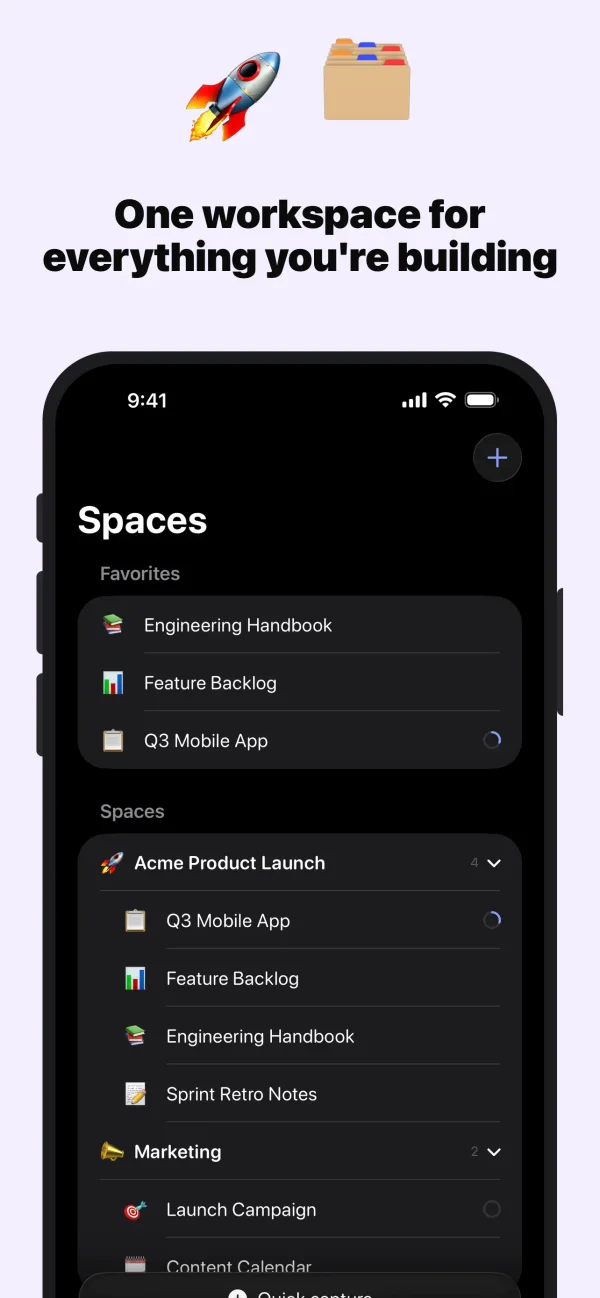
Spaces group work, life and side projects, so nothing bleeds into the wrong context
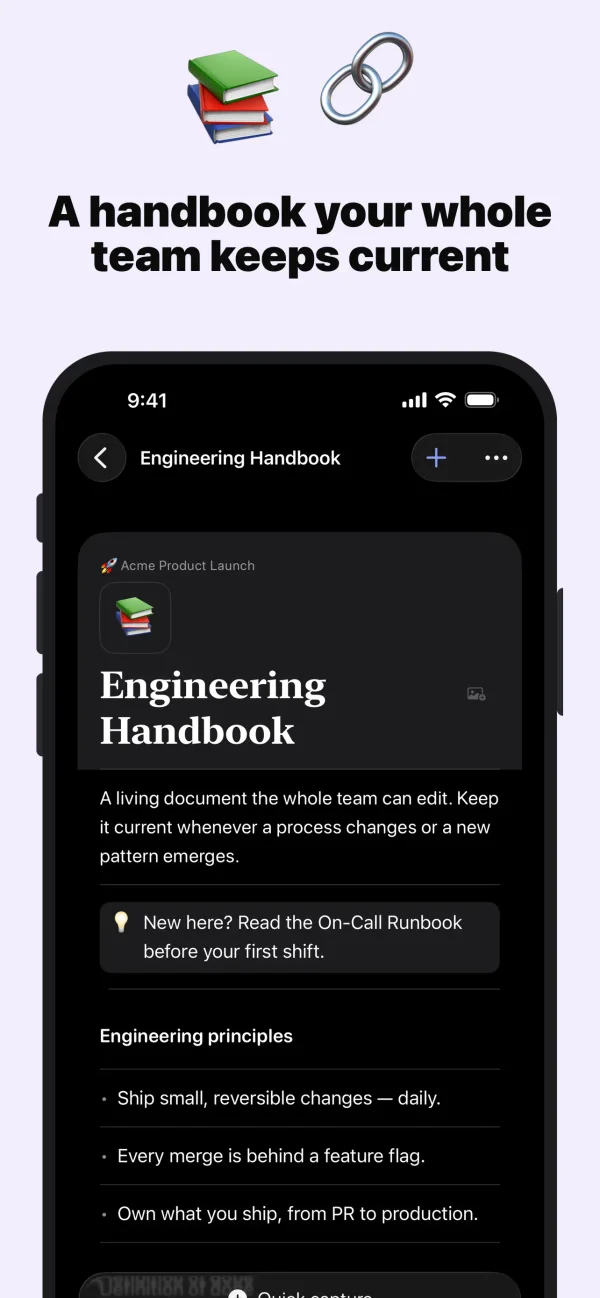
Pages nest as deeply as you need — a wiki is a tree, not a folder
Link any page to any other and see the backlinks on both sides
Quick Switcher and full-text search find anything in a second
A block editor for real notes
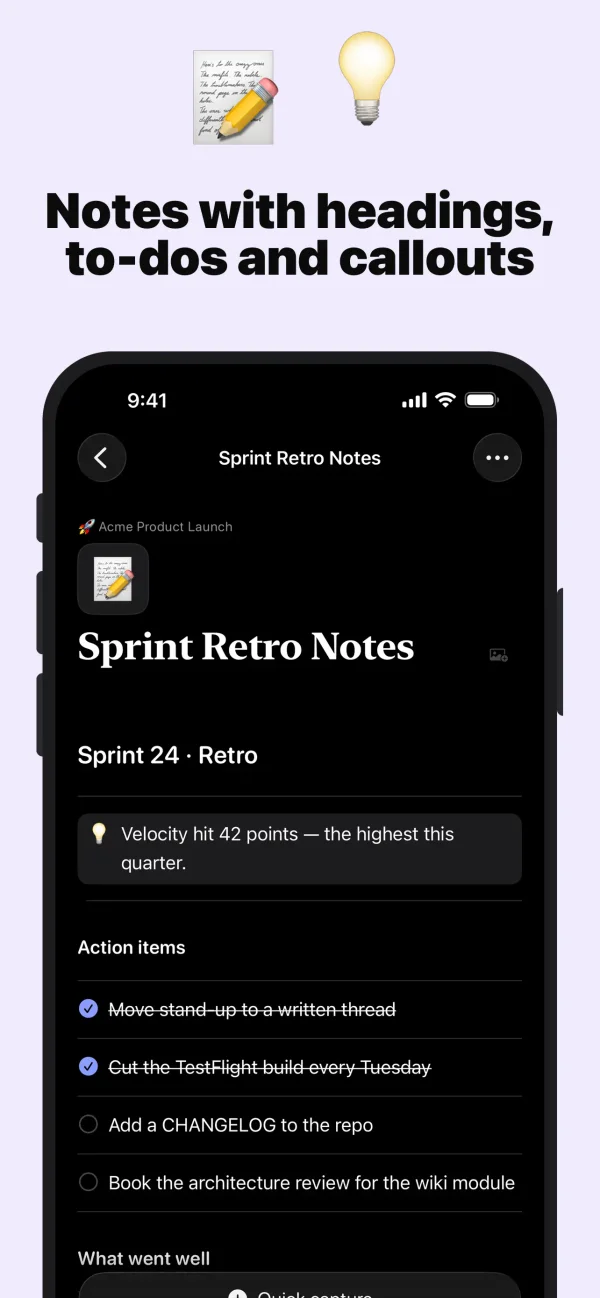
Headings, to-dos, bullets, numbered lists, quotes, callouts, toggles, code, images and bookmarks
Type "/" for the block menu, "[[" to link another page
Move, convert and restructure blocks right from the keyboard bar
Import and export Markdown — your notes stay portable
Export any page as a PDF to hand it to someone
Lists that work like databases
Add your own properties: text, select, multi-select, number, date, checkbox, URL
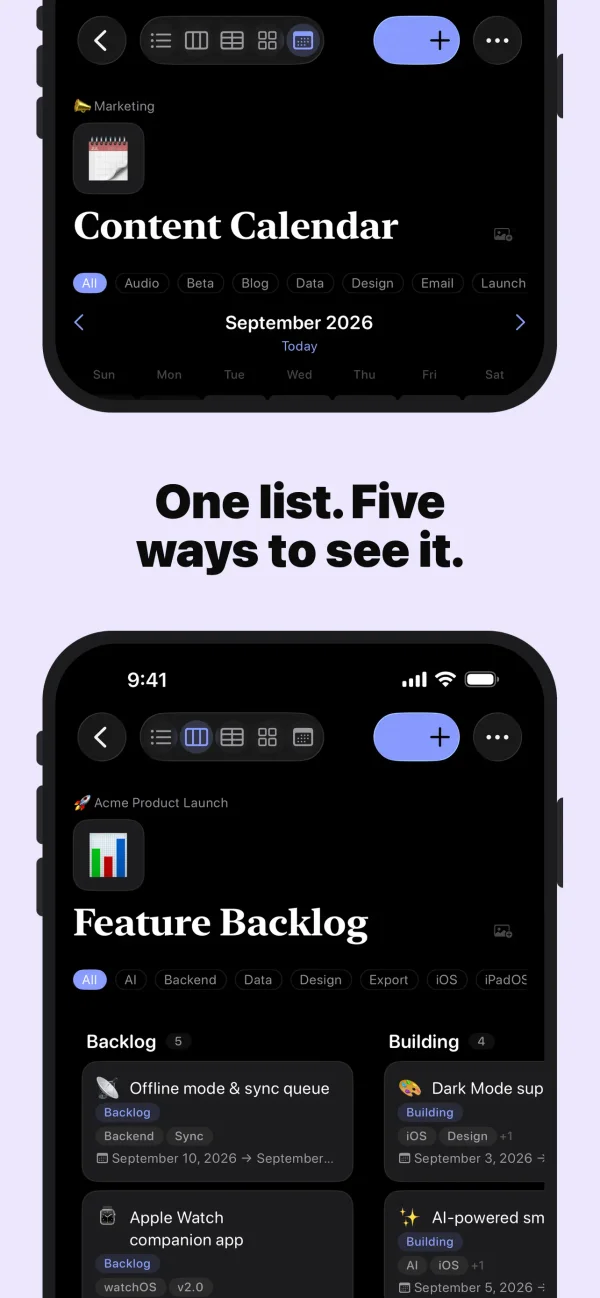
See the same list as a table, a kanban board, a calendar or a gallery
Filter by tag, sort the way you think
Projects and tasks
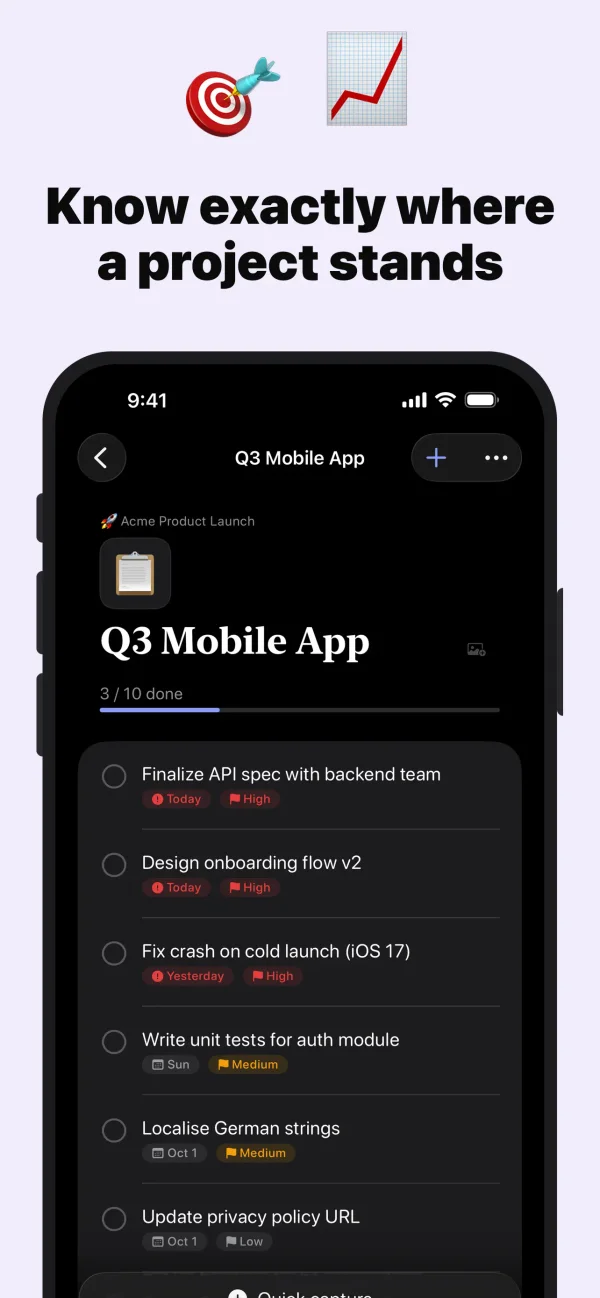
Priorities, due dates and reminders
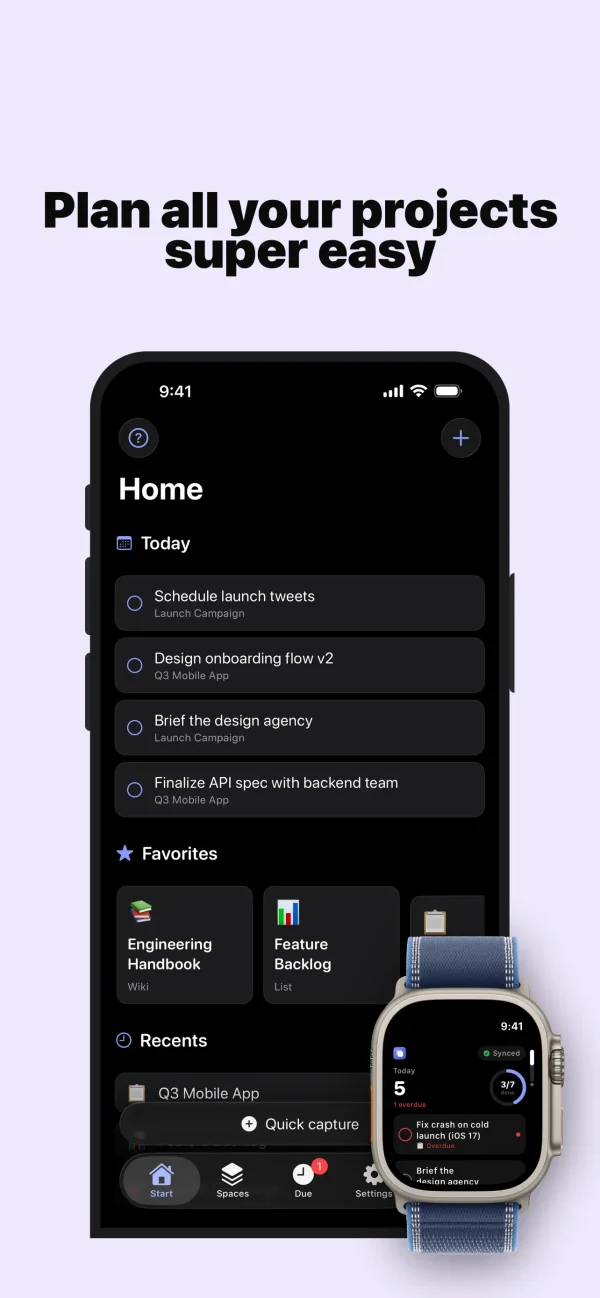
A "Due" view that gathers what's on your plate today, across every project
Progress at a glance on every project
On-device intelligence
Turn a goal into a plan, continue writing, or ask a question about the page you're on
Powered by Apple's on-device Foundation Models — your text never leaves the iPhone
On your Apple Watch
Today's tasks at a glance — tap to check them off
Capture a task by dictation, due today with one toggle
Pinned checklists, like a shopping list, right on your wrist
Complications show what's due, even in Always-On
Everywhere you work
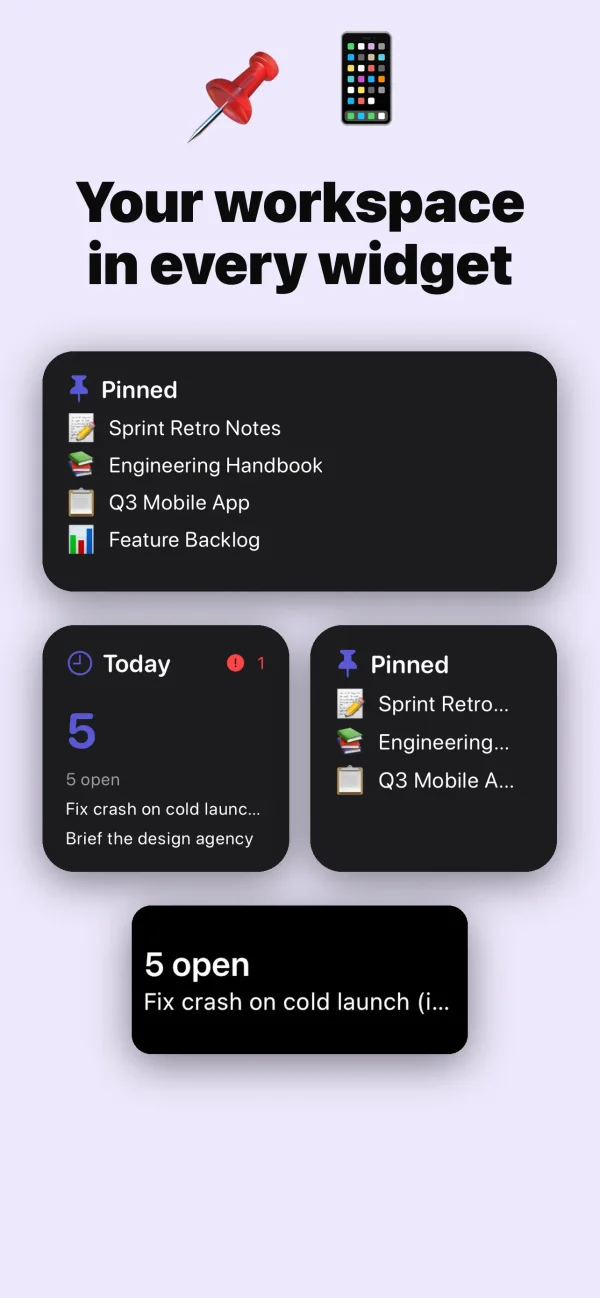
Home Screen and Lock Screen widgets
Siri and Shortcuts for capture and navigation
Share Extension to send links and text straight into your workspace
Spotlight finds your pages from the Home Screen
Native on iPhone, iPad and Mac
Premium includes
Unlimited Spaces (free up to 2)
Unlimited pages (free up to 50)
Unlimited wikis (free up to 1)
Board, table, calendar and gallery views
More on-device AI every day (free up to 5 actions per day)
iCloud sync across all your devices
Every accent color
ProjectOrganizer stays out of your way when you just want to write something down, and holds the whole structure when you need it.
Subscriptions
Auto-renewable Premium plans (1 month, 1 year)
A one-time Lifetime unlock is also available
Payment is charged to your Apple ID account
Subscriptions automatically renew unless cancelled at least 24 hours before the end of the current period
Manage or cancel anytime in your Apple account settings
Restore Purchases is available in-app
Terms of Use (EULA): https://www.apple.com/legal/internet-services/itunes/dev/stdeula/
Privacy Policy: https://darianhanci-legal.web.app/datenschutz
What’s new
Version 1.1 · Sep 24, 2026
New in 1.1:
• Apple Watch: check off today's tasks right from your wrist, capture new ones by dictation and tick off pinned checklists — with complications for your watch face.
• Now available in 15 languages.
• Widgets reliably show your tasks again.
• Better on iPad: pages in a comfortable reading width.
• Small celebrations for milestones, plus “Share the app” in Settings.
• Siri and Shortcuts always file tasks in the right inbox.
• Lots of small improvements and fixes.
App privacy
What Cengiz Darian Hanci declares on the App Store about how this app handles data.
-
Data not collected
The developer does not collect any data from this app.
Privacy practices may vary, for example with the features you use or your age.
Information
- Seller
- Cengiz Darian Hanci
- Category
- Productivity
- Version
- 1.1
- Updated
- Sep 24, 2026
- Released
- Sep 23, 2026
- Size
- 8.5 MB
- Requires
- iOS 26.5 or later
- Age rating
- 4+
- Price
- Free
- In-app purchases
- Yes
- Languages
- English, Dutch, French, German, Italian, Japanese, Korean, Polish, Portuguese, Simplified Chinese, Spanish, Swedish + 2 more
- Copyright
- © 2026 Cengiz Darian Hanci
You might also like
-
 DearWikiLocal notes you own
-
 HashTaskProProductivity
-
 Planory:AI手帳・スケジュール・タスク管理Productivity
-
 Remindo: Offline Notes WidgetReminders, routines and goals
-
 BetterKeeper: Tasks & ProjectsNotes & Time Tracker for Apple
-
 Memex GoSave/search/summarize the web
-
 TimeHack: Time & Study LogSee where your hours go
-
 Video Translator by TranslyBilingual Subtitle Editor
-
 Tricket - App Blocker & HabitsTo-dos, early nights, rewards
-
 RELATION-AISmart chat with Watch & AI!