
PulsePro Interval Timer
HIIT, Tabata and EMOM rounds
Designed for iPhone, iPad
Free · In-app purchases
- Age rating4+
- CategoryHealth & Fitness
- DeveloperToshihiro Nakao
- LanguagesEnglish+ 1 more
- Size2.9 MB
Links to the official App Store page
Download.org hosts no file of PulsePro Interval Timer. The button opens its official App Store page, published by Toshihiro Nakao. Listing last checked on Nov 17, 2026.
Screenshots




About
Leave your phone on the floor and still read the clock.
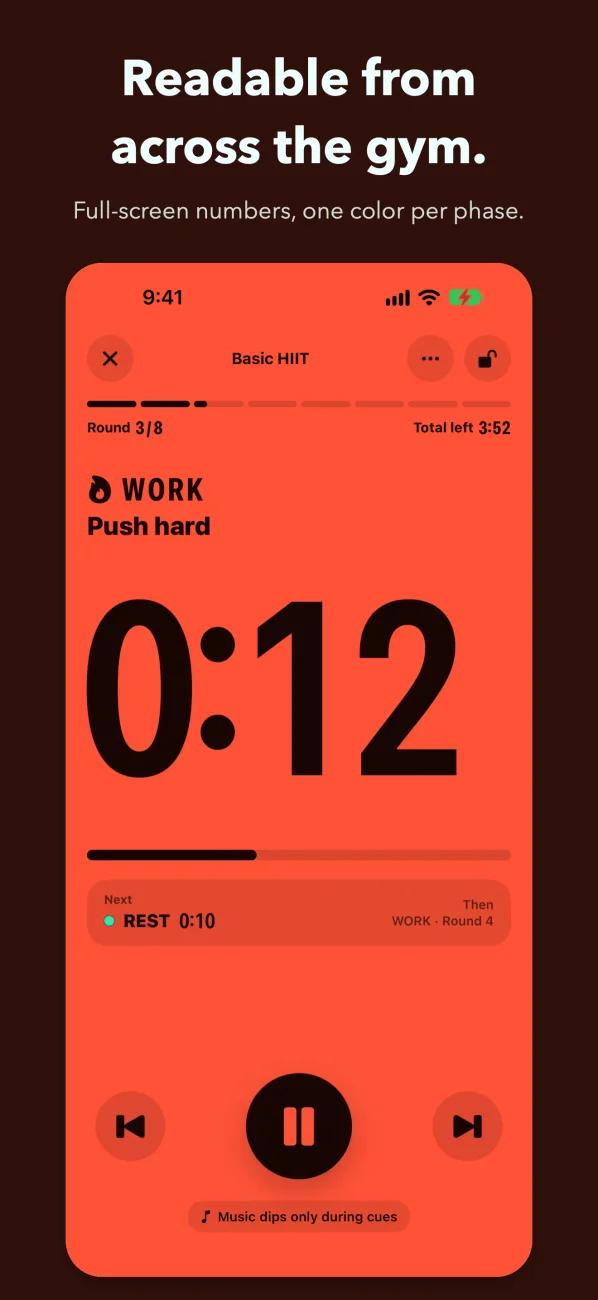
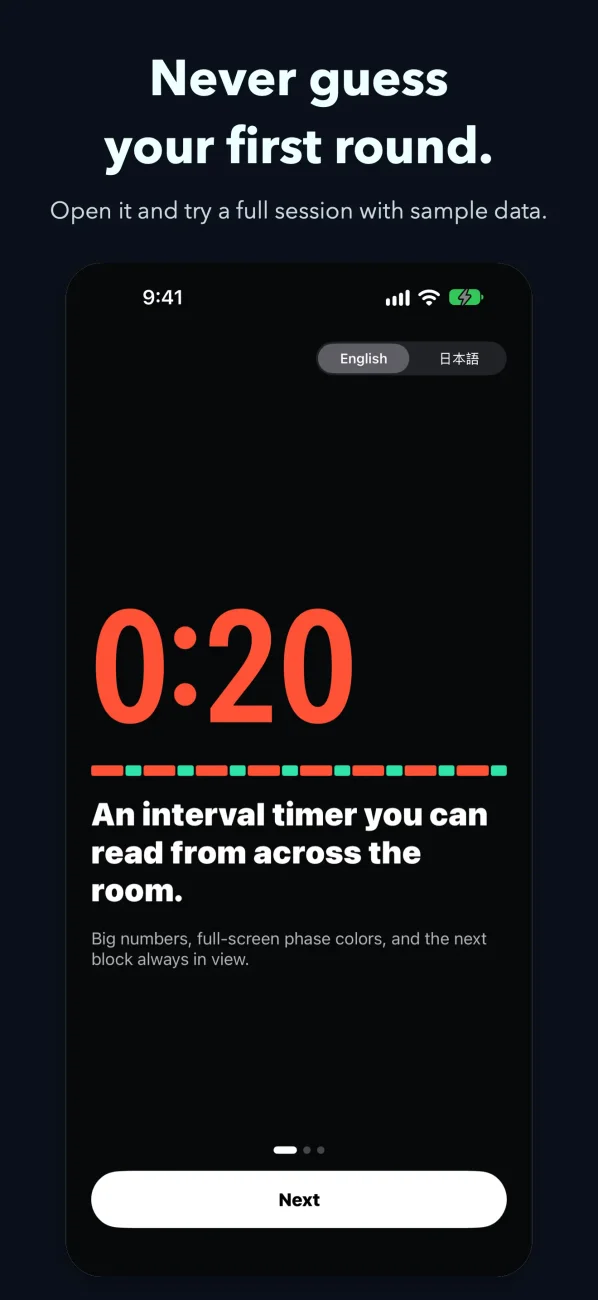
PulsePro fills the screen with the number and paints the whole display a different color for work and rest.
Tabata, HIIT, EMOM, AMRAP — build any of them to the second.
A plain stopwatch never tells you whether you are meant to be moving or resting, or how many rounds are left. PulsePro changes the entire screen color per phase and puts the countdown in the largest type that fits. From across the room, mid-burpee, one glance is enough.
[Readable from a distance]
- The whole screen changes color per phase (warm up / work / rest / cool down)
- Full-screen countdown, with the round shown as "3/8" at all times
- "Next" and "Then" sit under the clock, so nothing catches you off guard
- Turn the phone sideways for a stripped-back layout built for the gym
- The countdown also runs on the Lock Screen and in the Dynamic Island
[Built to the second]
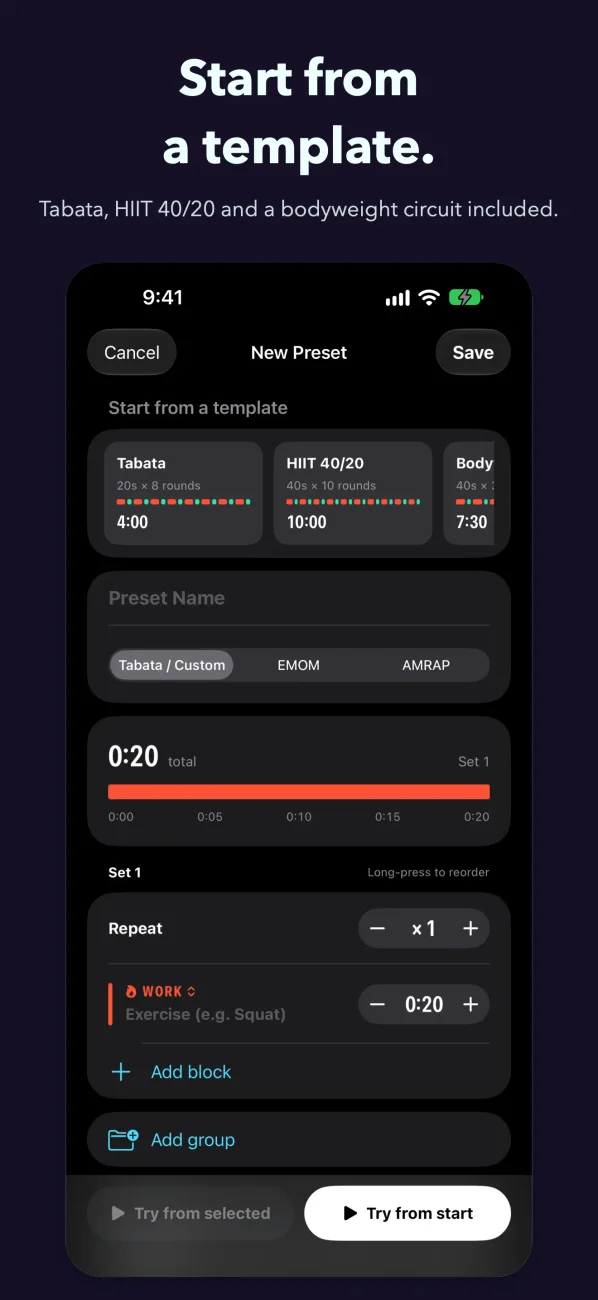
- Arrange warm up, work, rest and cool down in any order
- Set a repeat count per group (20s work + 10s rest, eight rounds)
- EMOM (start every minute) and AMRAP (as many rounds as you can) included
- Templates for Tabata, HIIT 40/20 and a bodyweight circuit
- Hit "try" while editing to run what you just built
[Cues you can hear, or see]
- Spoken cues (English or Japanese) or four sound effects
- Separate halfway and last-ten-seconds cues
- Music ducks only while a cue plays, then comes straight back
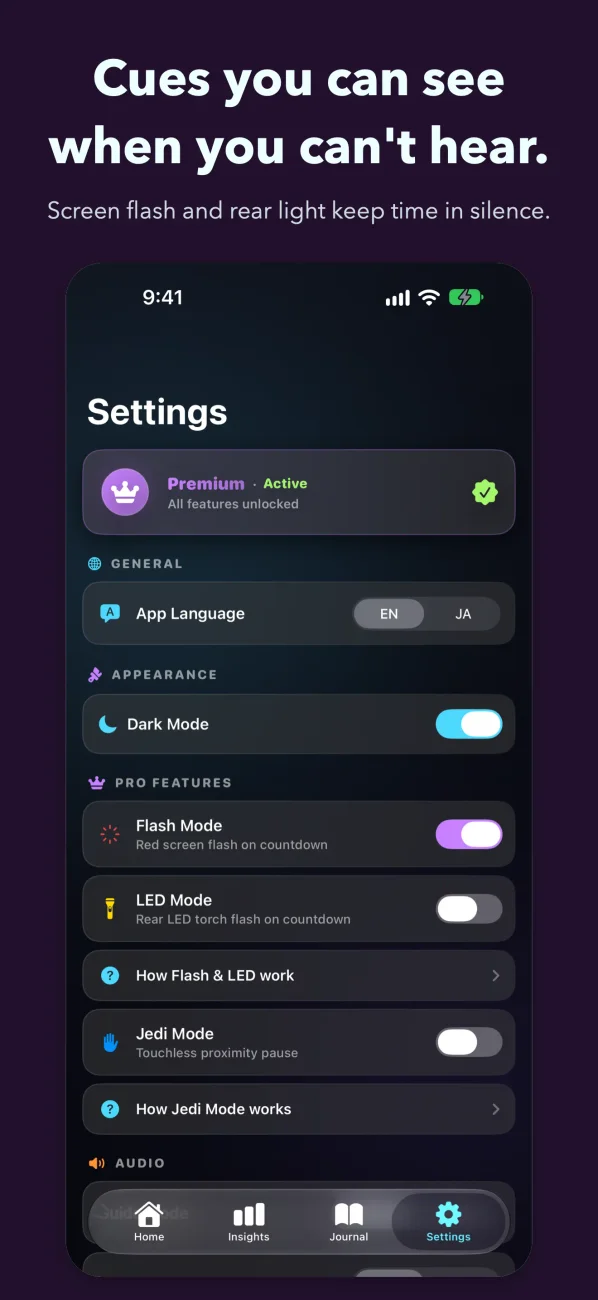
- Screen flash and rear light cues for headphones and noisy gyms
- Wave your hand over the phone to pause, for sweaty hands and gloves
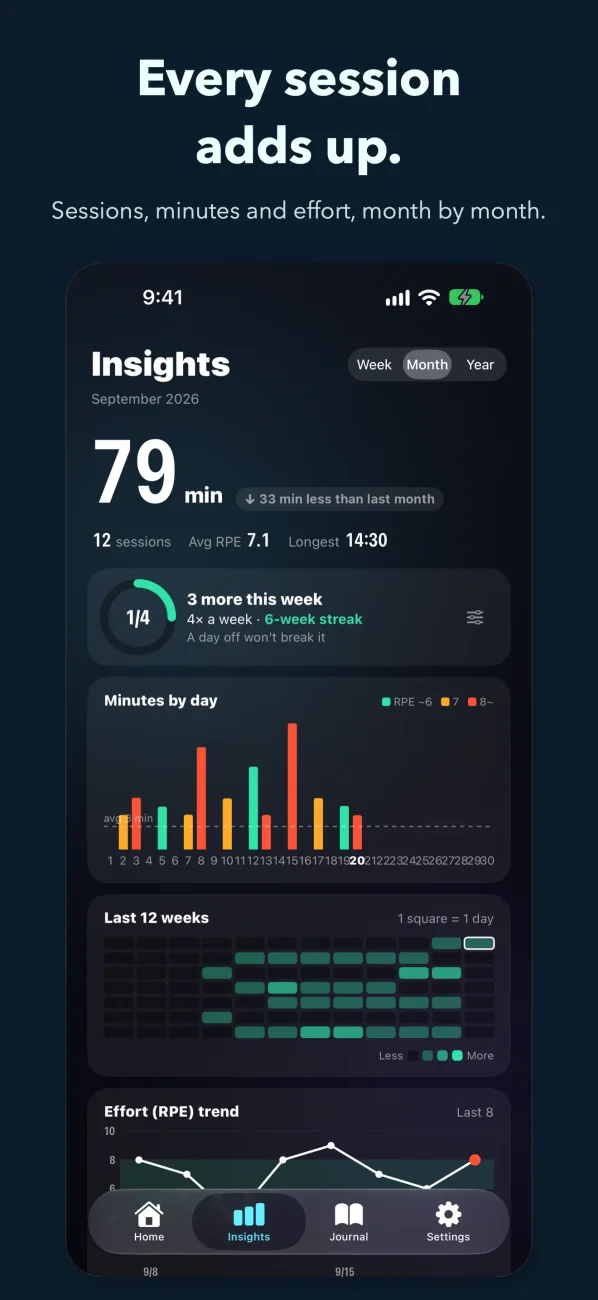
[Everything you finish adds up]
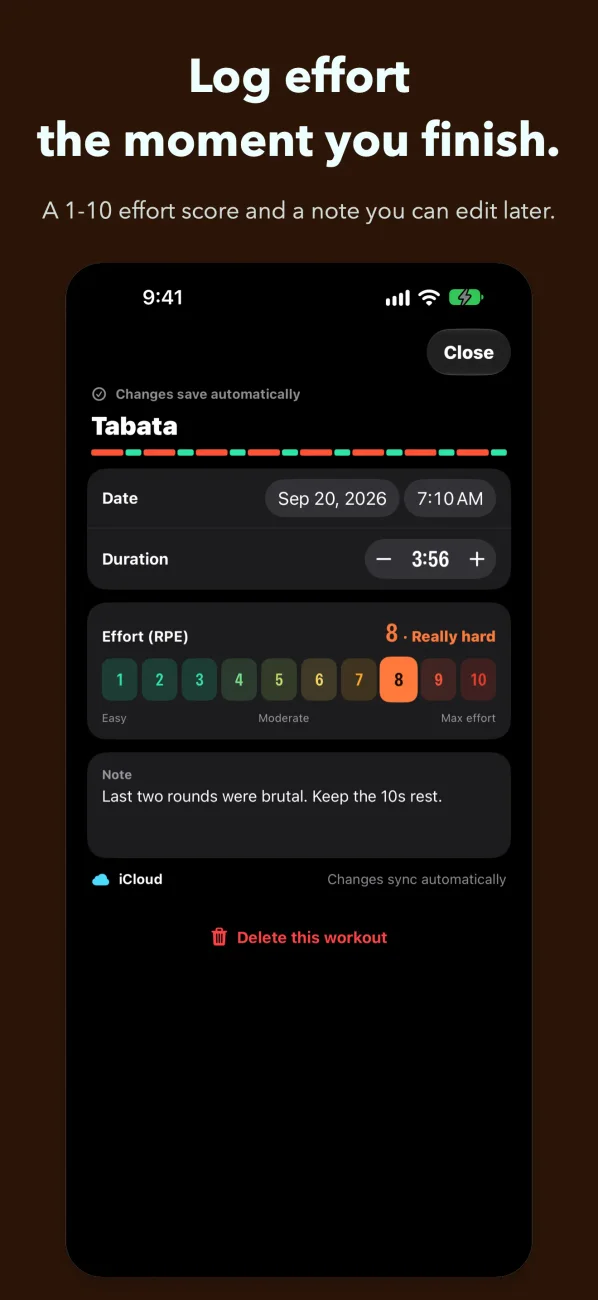
- Log effort (RPE 1-10) and a note the moment you stop
- Weekly, monthly and yearly totals, a twelve-week heat map, and an effort trend
- Browse by calendar or list, and search by preset name or note
- Set a weekly target and watch the streak build
- Export the whole log to CSV for any spreadsheet
[One tap from the Home Screen]
- Start a favorite session from a widget or Control Center
- Start it with Shortcuts or your voice assistant
- Save finished sessions to Apple Health as HIIT workouts (optional)
[About Pro]
One purchase. No subscription.
The core timer, Lock Screen countdown, history, insights and Health saving all stay available without it.
Pro removes the preset and block limits and unlocks EMOM/AMRAP, iCloud sync, the flash and light cues, and hands-free pause.
When you cannot hear and cannot get close, the clock still has to be right.
PulsePro keeps time so you can keep moving.
What’s new
Version 2.0.0 · Sep 21, 2026
- Added a short walkthrough for new users, with optional sample sessions so the insights and history screens make sense right away (removable in one tap later)
- Rebuilt Insights: week / month / year, a twelve-week heat map, an effort (RPE) trend, and a per-preset breakdown
- Rebuilt the Journal: pick a day from the calendar, search by preset name or note, and select several records to delete at once
- Records now carry an effort score (RPE 1-10) and a note. Both are editable and save themselves
- Set a weekly target and see how the streak is holding up in Insights
- iCloud sync is now part of Pro. Without it your records still live on the device and still export to CSV
- Reviewed every English and Japanese string across the app, the widget and system-facing text
App privacy
What Toshihiro Nakao declares on the App Store about how this app handles data.
-
Data not linked to you
May be collected but is not linked to your identity.
- Usage data
- Diagnostics
Privacy practices may vary, for example with the features you use or your age.
Information
- Seller
- Toshihiro Nakao
- Category
- Health & Fitness
- Version
- 2.0.0
- Updated
- Sep 21, 2026
- Released
- Mar 27, 2026
- Size
- 2.9 MB
- Requires
- iOS 18.0 or later
- Age rating
- 4+
- Price
- Free
- In-app purchases
- Yes
- Languages
- English, Japanese
- Copyright
- © 2026 Toshihiro Nakao
You might also like
-
 Boxing Timer: Rounds & HIITInterval, Tabata & MMA Workout
-
 Strong Tabata and HIIT timerClean and simple fitness timer
-
 HIGHER MovementHealth & Fitness
-
 Fury – Round & Interval TimerBoxing, HIIT, Tabata, CrossFit
-
 HIIT & Tabata Interval TimerCrossfit, EMOM & Gym Clock
-
 SKILL Fitness Studio NewSK1LL - There's Only One
-
 Gym Timer Pro: Interval HIITTabata, EMOM, AMRAP, Circuit
-
 Round: HIIT Workout TimerTabata Interval & Gym Timer
-
 Tabata Timer: HIIT IntervalsLive Activity · HIIT · Boxing
-
 Collegiate Fit ExpoHealth & Fitness