
PureKanban
Goal-oriented Markdown Kanban
Designed for iPhone, iPad, Mac, iPod touch
Free
- Age rating4+
- CategoryProductivity
- DeveloperYechiel Ben David
- LanguagesEnglish
- Size8.7 MB
Links to the official App Store page
Download.org hosts no file of PureKanban. The button opens its official App Store page, published by Yechiel Ben David. Listing last checked on Nov 23, 2026.
Screenshots
About
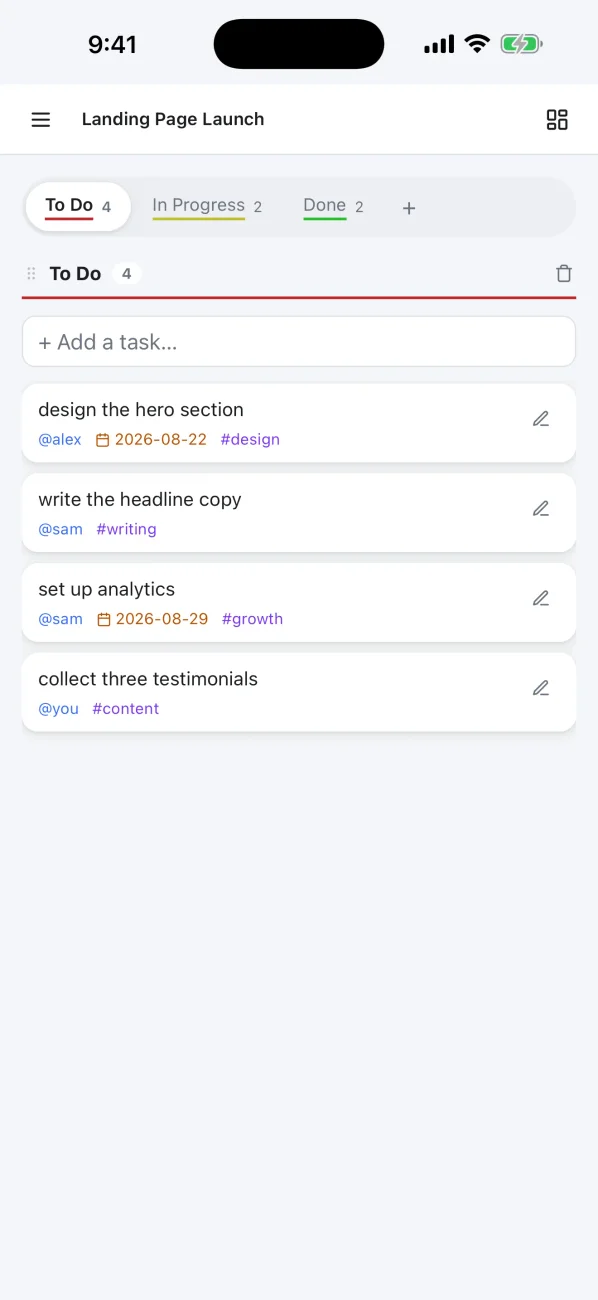
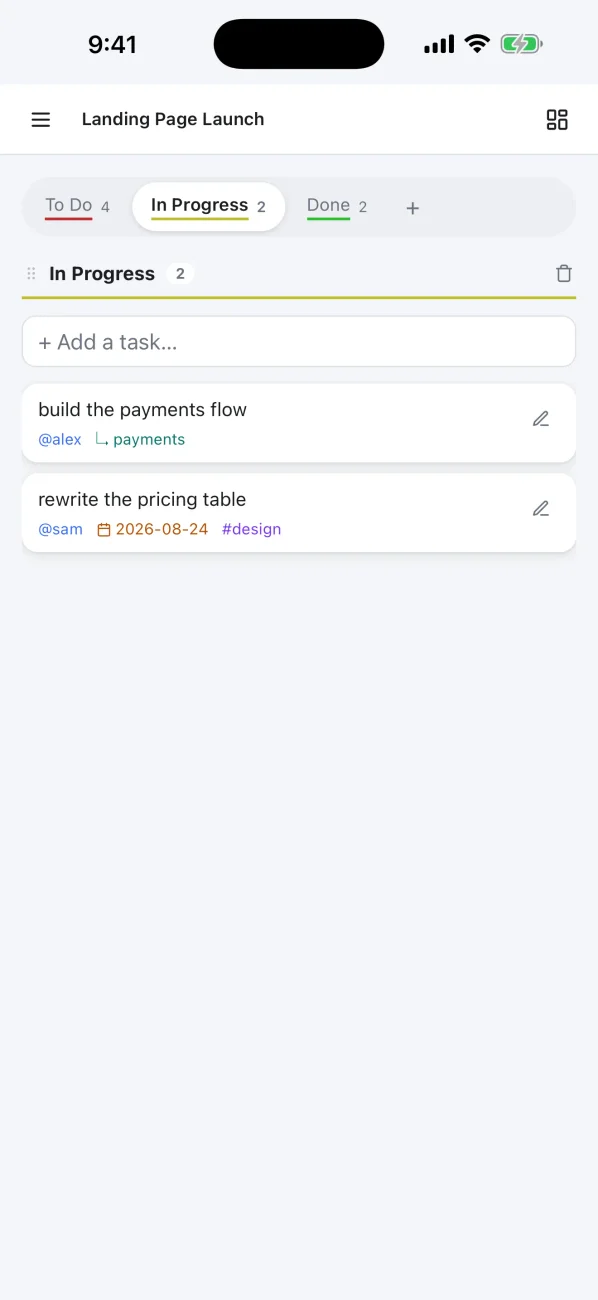
PureKanban keeps your work in boards, and your boards in files you own. Every board is an ordinary Markdown file in a folder you choose — open the same folder in any editor and the work is still there, in plain text.
GOALS, NOT ONE FLAT BOARD
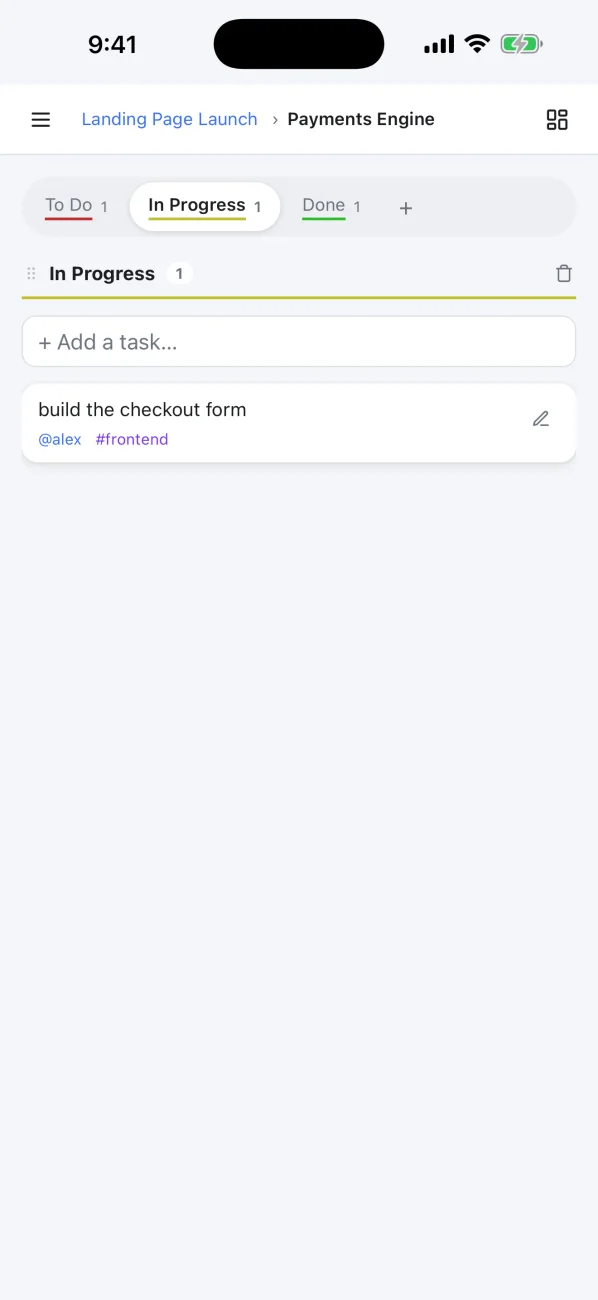
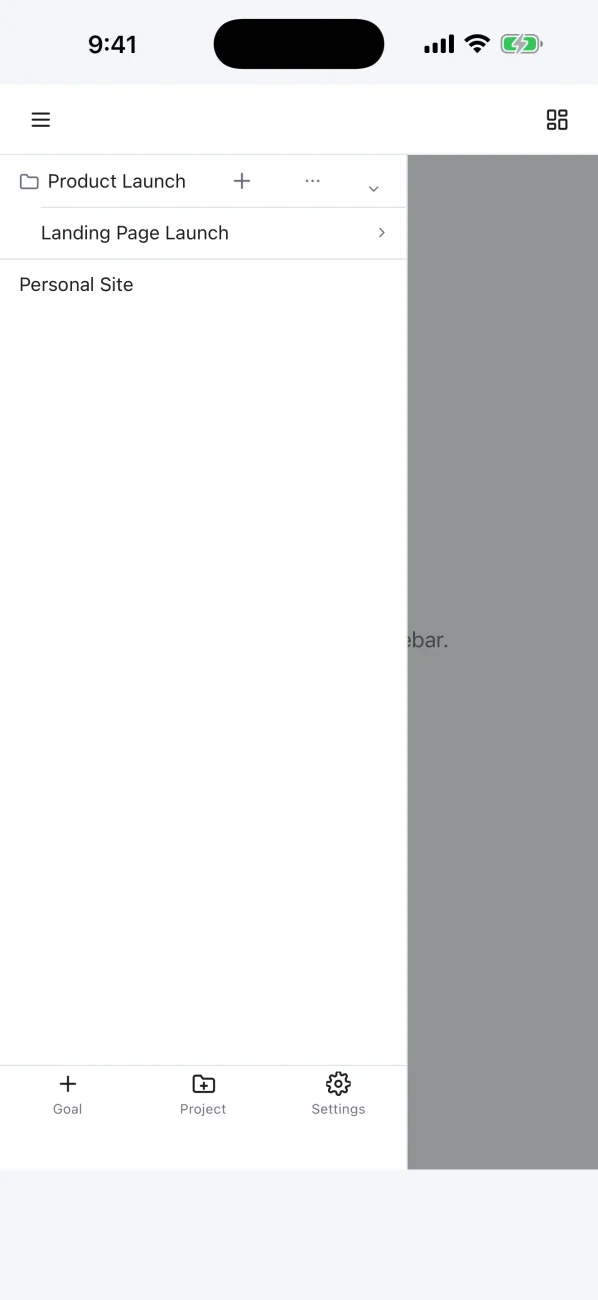
• A project holds goals. A goal is a board. And a task can expand into a board of its own — a sub-goal — so the work under it gets the same columns and the same detail as anything else.
• When a sub-goal's tasks are all done, the task it grew out of is checked off and moved to the archive column of the board above it. Reopen the sub-goal and the parent task comes back, unchecked.
• The cascade is computed across the whole workspace and each changed file is written once, so a chain of goals stays consistent without you maintaining it by hand.
• One column holds finished work — the one you name, or Done, or the last one — and a goal whose tasks all sit there marks itself achieved.
ONE VIEW ACROSS EVERY PROJECT
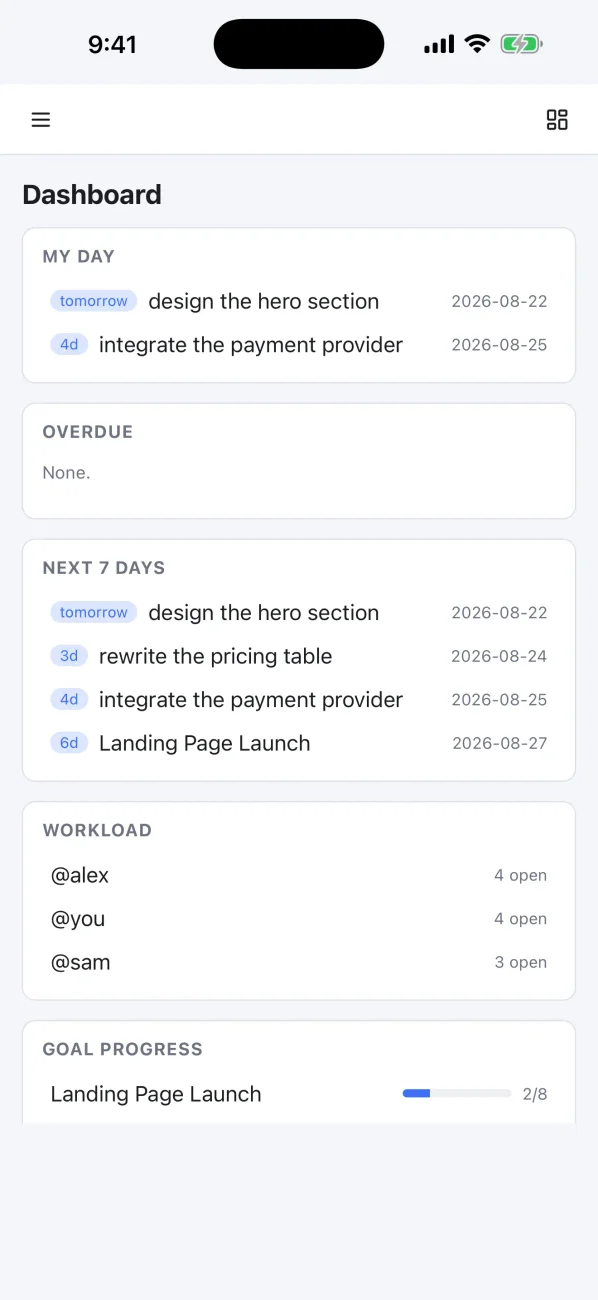
• The dashboard covers the whole workspace: what is due today, what is overdue, the next seven days, workload per person, tags, and progress for every goal and every project.
• Date arithmetic is calendar-based in your own timezone, so a deadline never shifts an hour and lands on the wrong day.
• Search every card in the workspace, filtered by @assignee or #tag.
TYPE IT, DON'T FILL A FORM
• Type "@alex ship it tuesday #launch" and the assignee, the due date and the tag are lifted out of the line, leaving a clean task title. English and Hebrew, including Hebrew weekday names.
• Drag cards within a column, between columns, reorder the columns themselves, and drag whole goals into a project or back out to the workspace root.
• Save, search, dashboard, new goal, new task, undo and redo from the keyboard — matched on the physical key, so they keep working under a Hebrew layout.
BOARDS THAT ARE JUST FILES
• Columns are ## headings. Tasks are checklist items. @handle is the assignee, a calendar emoji marks the due date, #tag is a tag. Standard YAML front matter, standard [[wikilinks]].
• The format is a strict superset of the Kanban plugin format used in Obsidian, so the same folder opens cleanly in both. Content the app does not understand round-trips untouched.
• A top-level _people.md is the registry of who can be assigned; a current user is auto-assigned to new cards, and a filter shows only the cards you are responsible for.
• Bring boards in from other tools: an OPML outline, a Markdown Kanban board, a Trello export, or a CSV from Jira, Asana or Notion — as a new board, or added to one you already have.
IT HOLDS UP UNDER SYNC
• A file watcher notices a board that changed outside the app — another device, another editor, a sync client — and merges it card by card against what is on your screen.
• A genuine conflict is kept beside your file as a .conflict.md copy. Nothing is silently overwritten.
• Every save writes a temporary file, flushes it, and renames it into place, keeping a .bak of the previous content. A board whose front matter is malformed is shown read-only and is never rewritten.
• A board that lives in iCloud but has not been downloaded is requested and read when it arrives, with coordinated reads and writes.
FIVE INTERFACE LANGUAGES
• English, Hebrew, German, Spanish and Japanese, following your system or your choice, and the choice is remembered. In Hebrew the labels, the dialogs and the text on every card read right to left, while the board keeps one column order in every language — a stage stays on the side you last saw it.
PRIVATE BY CONSTRUCTION
• No account, no server, no analytics, and no network requests at all — the app works the same in airplane mode.
• The workspace is a folder you pick. Every file operation is checked against that folder's root before it runs, so nothing outside it is read or written.
• Free, with no in-app purchases and no subscription.
What’s new
Version 1.1.0 · Nov 21, 2026
New: import a board from another tool. Bring in an OPML outline, a Markdown Kanban board, a Trello export, or a CSV from Jira, Asana, Notion and others — as a new board, or added to one you already have. A preview shows what will come in first, and nothing already on the board is changed.
Also new: Contact Support, in Settings.
App privacy
What Yechiel Ben David declares on the App Store about how this app handles data.
-
Data not collected
The developer does not collect any data from this app.
Privacy practices may vary, for example with the features you use or your age.
Information
- Seller
- Yechiel Ben David
- Category
- Productivity
- Version
- 1.1.0
- Updated
- Nov 21, 2026
- Released
- Aug 26, 2026
- Size
- 8.7 MB
- Requires
- iOS 15.0 or later
- Age rating
- 4+
- Price
- Free
- Languages
- English
- Copyright
- © 2026 Y. Ben David
You might also like
-
 Inkstone: AI Knowledge BaseDrop files in, AI files them
-
 OkojoSimple Markdown Reader
-
 Narratives: Private AI NotesTurn thoughts into clear notes
-
 Folio: Notes, PDFs & CanvasIdeas, sketches & daily plans
-
 Kasten - Zettelkasten CardsLinked thinking, plain text
-
 Nook: Read, Write, OwnOffline RSS reader and writer
-
 Pellet - Notes, Tasks, PKMLocal notes, tasks and more.
-
 Nodus - ZettelkastenPlain text, connected thinking
-
 Space4LinksOrganize Links & Bookmarks
-
 Markdown Viewer: Copy for AI[Read-only] Copy .md for AI