QDictation
Scan words, record lectures
Designed for iPhone, iPad
Free · In-app purchases
- Age rating4+
- CategoryProductivity
- DeveloperXin Cao
- LanguagesEnglish+ 9 more
- Size14.9 MB
Links to the official App Store page
Download.org hosts no file of QDictation. The button opens its official App Store page, published by Xin Cao. Listing last checked on Nov 14, 2026.
Screenshots




About
QDictation 2.0 is a brand-new app for learning words and keeping your lessons.
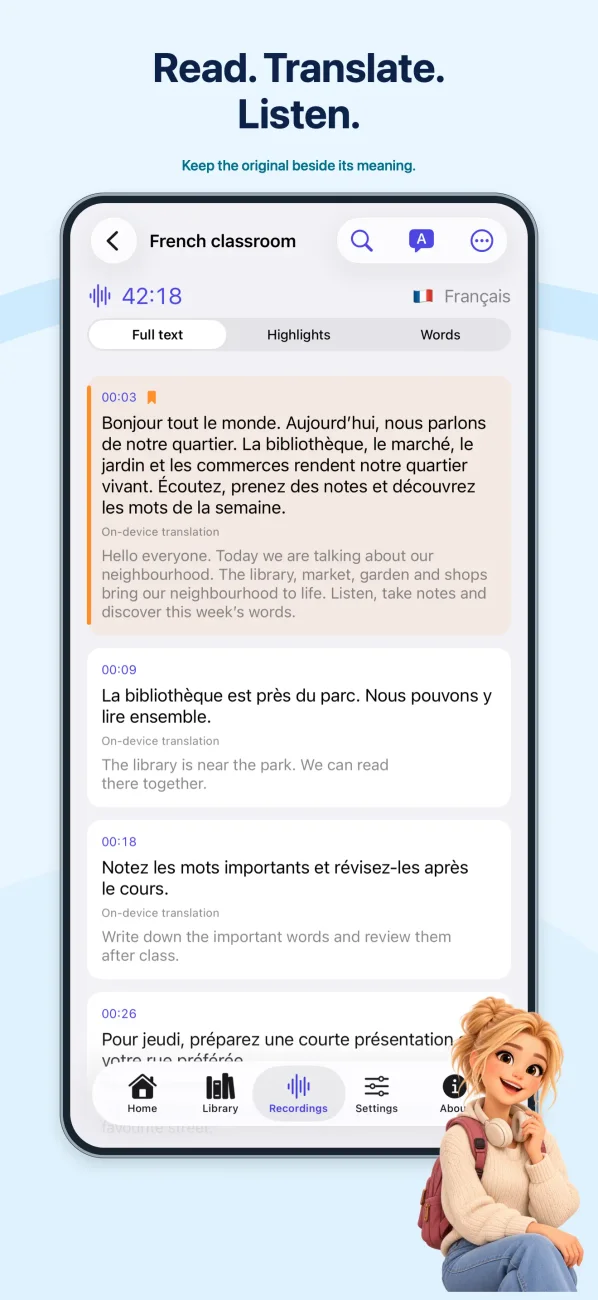
Scan a page to practice spelling, or record a class and get the text right on your iPhone, even offline. No account needed, and your notes stay on your device.
RECORD LESSONS AND MEETINGS (NEW)
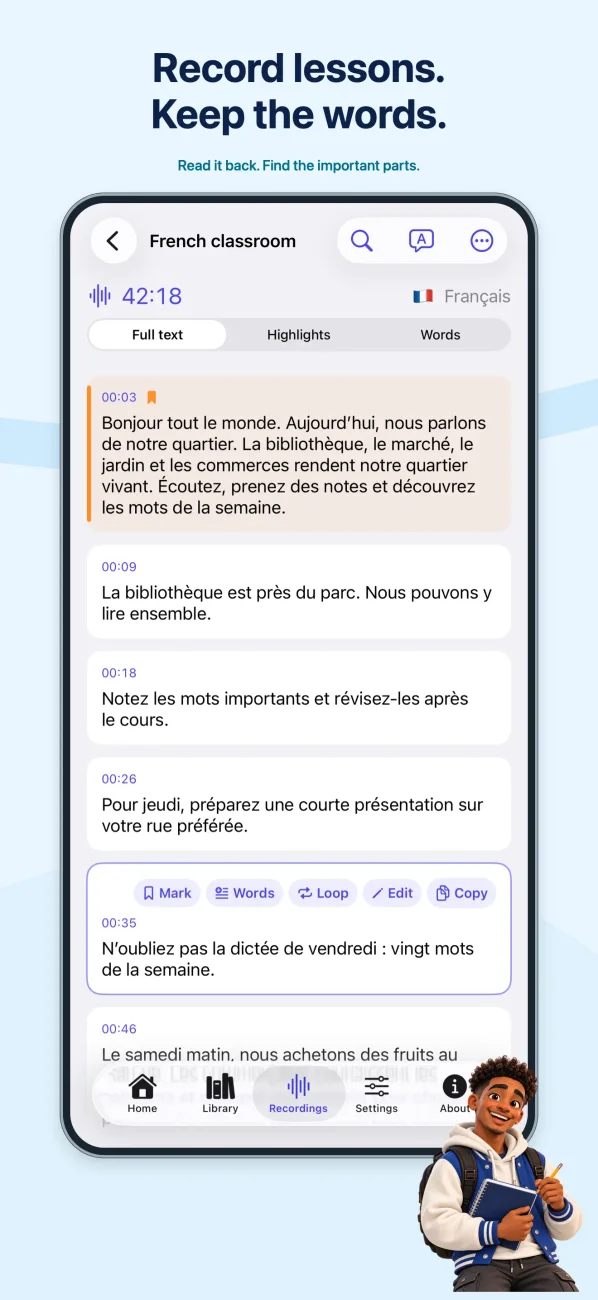
• Tap Record and watch the transcript appear live, on your device, without internet
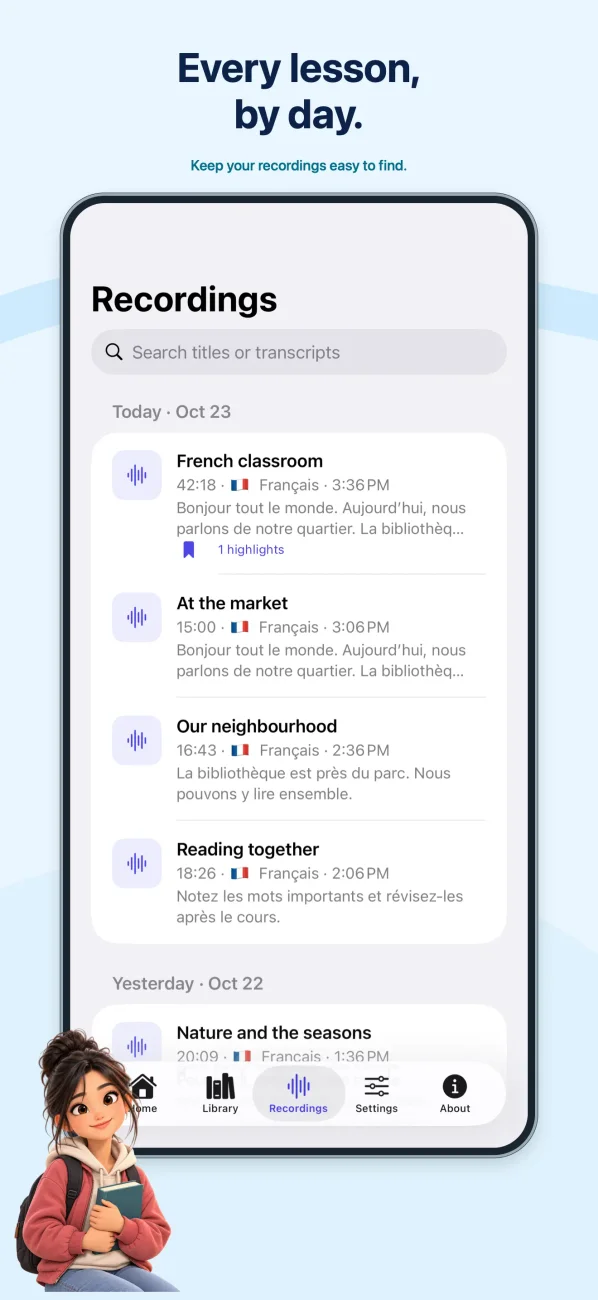
• Lessons, meetings or conversations: recordings up to 45 minutes free, 3 hours with Supporter
• Mark key moments while recording, or highlight any sentence later
• Tap a paragraph to hear it again; playback follows along, and any passage can loop
• Search inside a recording, correct the text, and copy everything in one tap
• Export the transcript, the original with its translation, or the audio
TRANSLATE (NEW)
• Translate transcripts and documents into 19 languages
• Apple's offline language packs translate on your device: free, private and unlimited
• A small daily online allowance covers languages you have not downloaded
SCAN TEXT (NEW)
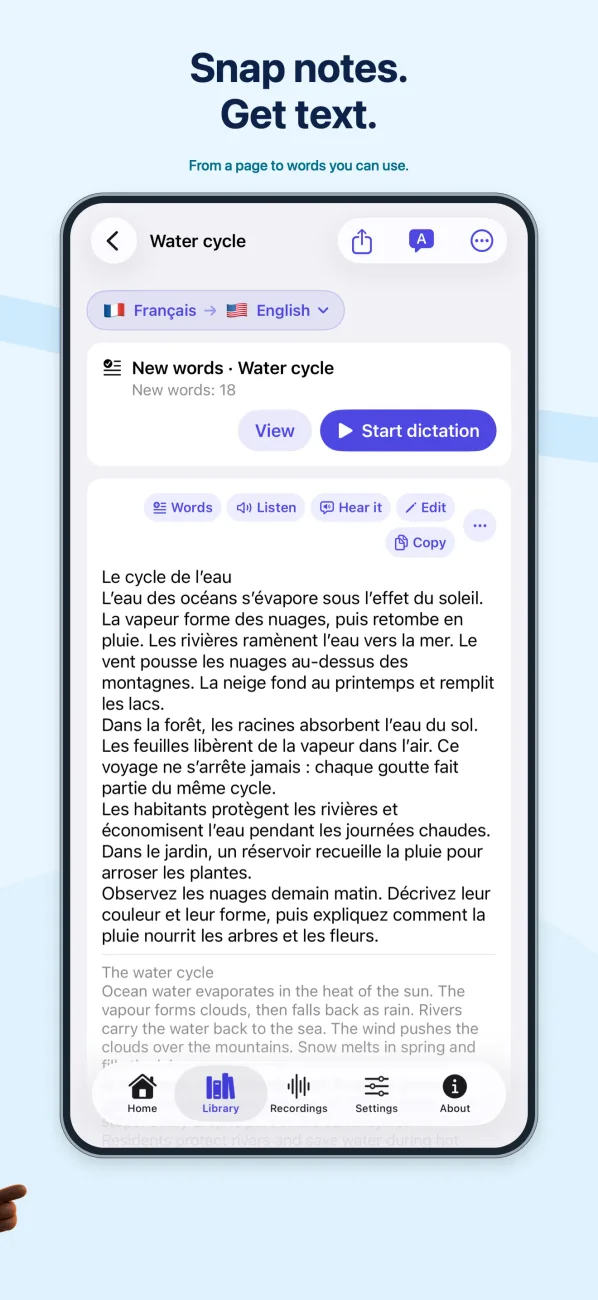
• Snap a book page or the board: it is cropped, straightened and recognized on your device
• Read the full text page by page, with each page's translation underneath
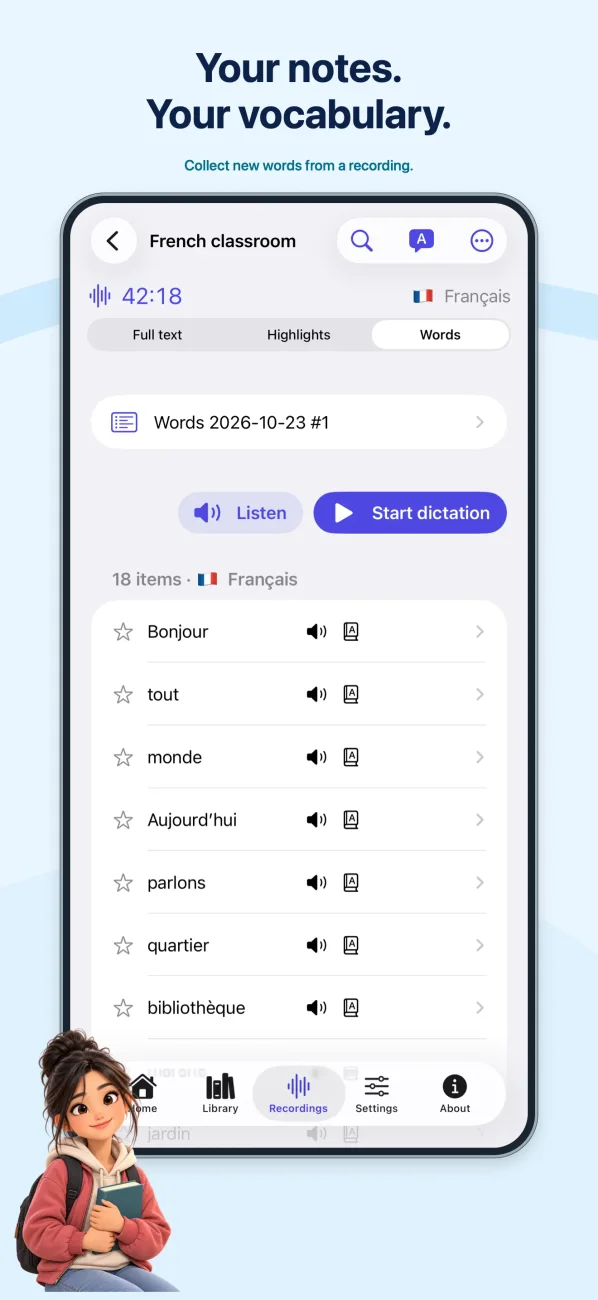
• Tap Words on a page to collect new words; repeats merge and basic words start unticked (English and French)
• Save them to a word list, or list just the words you picked to hear them, look them up and start a dictation
• Turn a printed word list into a dictation list in one step
PRACTICE DICTATION
• Every word is read aloud with adjustable speed, pauses and repeats
• Type what you hear, check your answer, and review mistakes and favorites later
• Collect new words from a recording straight into a dictation list
ORGANIZE AND SHARE
• Search the Library and Recordings; filter the Library by word lists or documents
• Share a word list as text, or as a file classmates can import
PRIVATE BY DESIGN
• No sign-up. Lists, scans, recordings and transcripts stay on your device
• Text recognition, speech recognition and offline translation run on your device
• Each permission is requested only when you use the feature that needs it
FREE OR SUPPORTER
Free: up to 30 lists or documents, 45-minute recordings and 1,000 characters of online translation a day.
Supporter (annual subscription): unlimited lists and documents, 3-hour recordings, 3,000 characters a day and no ads. It renews yearly until you cancel in your App Store settings.
Made for spelling tests, French immersion dictée, ESL vocabulary, lectures, language classes and teachers.
Terms of Use: https://www.apple.com/legal/internet-services/itunes/dev/stdeula/
What’s new
Version 2.1.1 · Oct 30, 2026
QDictation 2.1.1 captures more of every lesson.
• New Apple Watch app: record a class from your wrist and mark important moments. Recordings go straight to your iPhone, no iCloud needed, even when the app is closed, and are transcribed there
• Board photos: snap the board while you record. QDictation cleans up the photo and places it in the transcript at that moment. Export notes as a PDF with text and photos together
• Import audio files from Files into Recordings
• Select a word or a passage to translate it, collect its words, split the page there or move it to a new page. Add and merge pages, with Undo
• Drag pages into any order in one move
• Tap Listen again to stop reading, a red microphone ends a recording, and Home shows transcription progress and lets you pause it to record right away
App privacy
What Xin Cao declares on the App Store about how this app handles data.
-
Data linked to you
May be collected and linked to your identity.
- Location
- Identifiers
- Usage data
-
Data not linked to you
May be collected but is not linked to your identity.
- Identifiers
- Diagnostics
Privacy practices may vary, for example with the features you use or your age.
Information
- Seller
- Xin Cao
- Category
- Productivity
- Version
- 2.1.1
- Updated
- Oct 30, 2026
- Released
- Mar 2, 2023
- Size
- 14.9 MB
- Requires
- iOS 18.0 or later
- Age rating
- 4+
- Price
- Free
- In-app purchases
- Yes
- Languages
- English, French, German, Italian, Japanese, Korean, Portuguese, Russian, Simplified Chinese, Spanish
- Copyright
- © 2026 Aurora
You might also like
-
 Plain Read: Text to SpeechReads PDFs & articles aloud
-
 一傳十 安全手機傳真Productivity
-
 Robert - AI Chat AssistantPowered by ChatGPT & GPT 4
-
 Doc Reader: Text to SpeechListen to Docs in Any Language
-
 a)plan coaching 2.0Coaching for Changemakers
-
 Scan And Speak: Easy readingPoint at a page, hear it read
-
 Stop ProcrastinationStay Aware of Time
-
 KatebProductivity
-
 MICRO LLMYour Private AI Assistant
-
 YouWoAI - AI NoteTakerAI Notes, Transcribe, quiz