
- Age rating4+
- CategoryUtilities
- Developer法明 王
- LanguagesEnglish
- Size6.7 MB
Links to the official App Store page
Download.org hosts no file of QPrint - Print & Scan. The button opens its official App Store page, published by 法明 王. Listing last checked on Nov 12, 2026.
Screenshots

About
QPrint – Print Anything to Any Printer. Now 100% FREE!
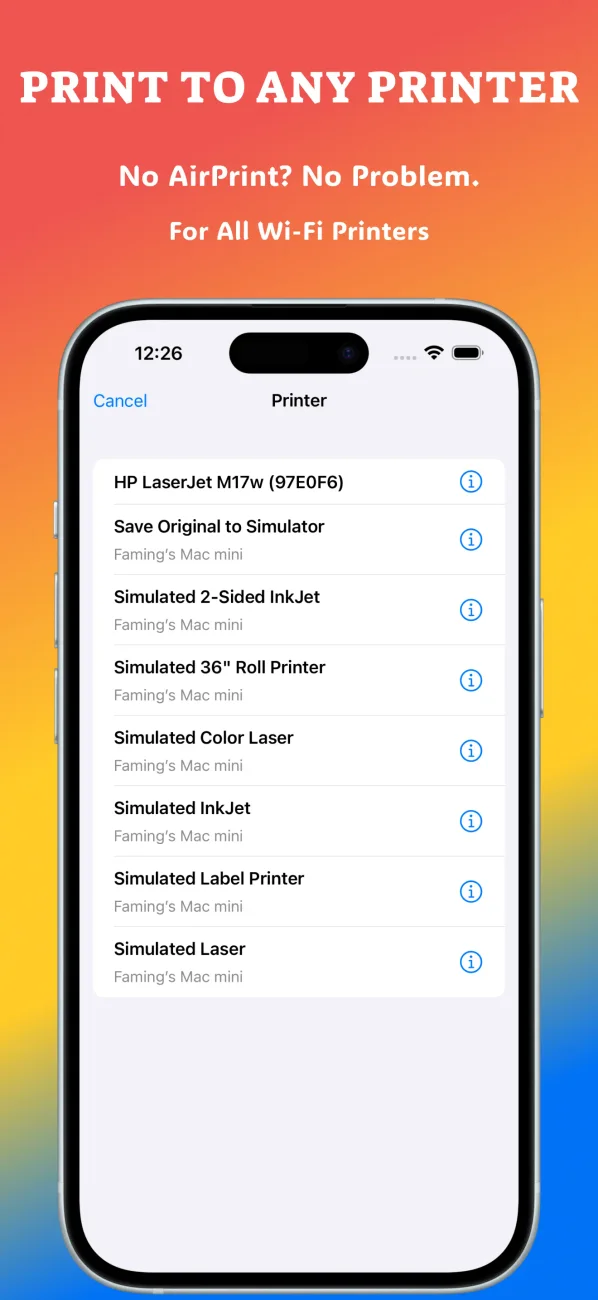
Struggling with "No AirPrint Printers Found"? QPrint shatters those limits, connecting you to virtually ANY network printer. Experience professional-grade printing features with NO subscriptions and NO hidden costs.
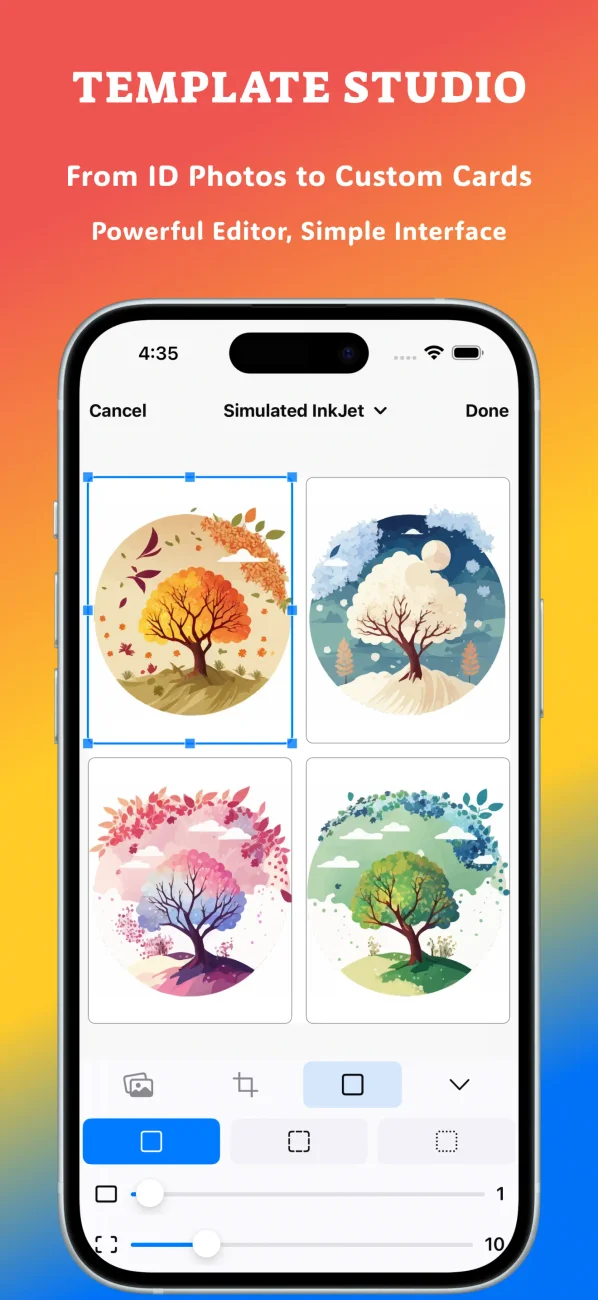
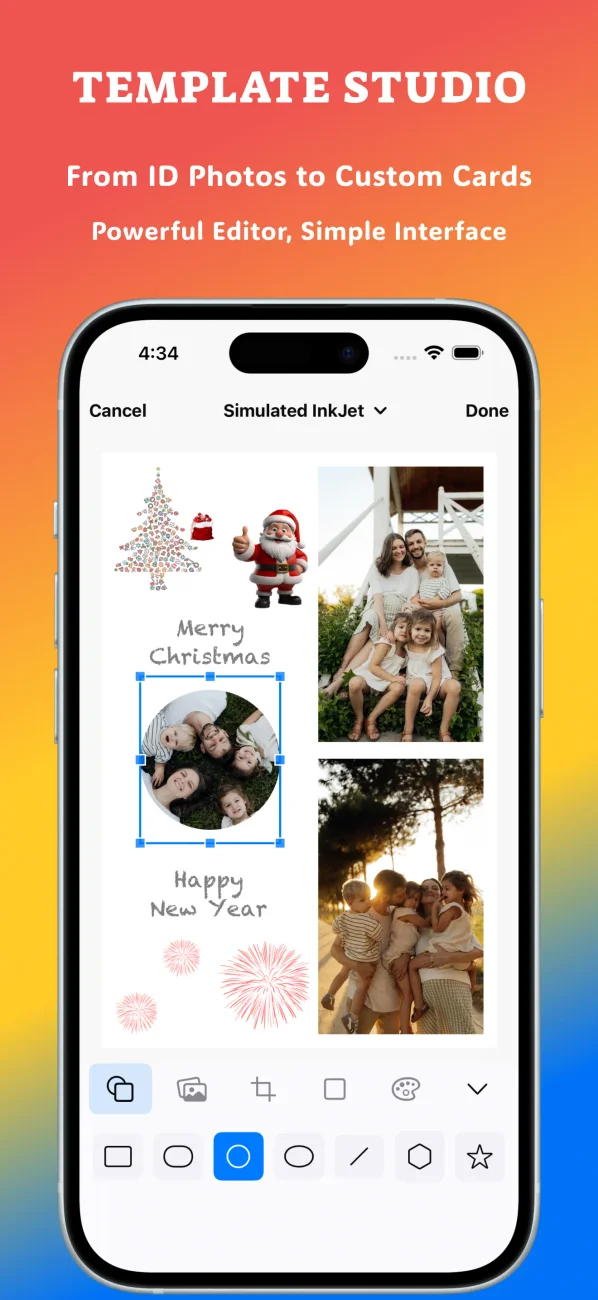
With our revolutionary new Template Studio, you can design and print stunning ID photos, custom cards, and creative projects — all from your iPhone and iPad. Your printer. Your rules.
KEY FEATURES:
• NEW! Creative Template Studio
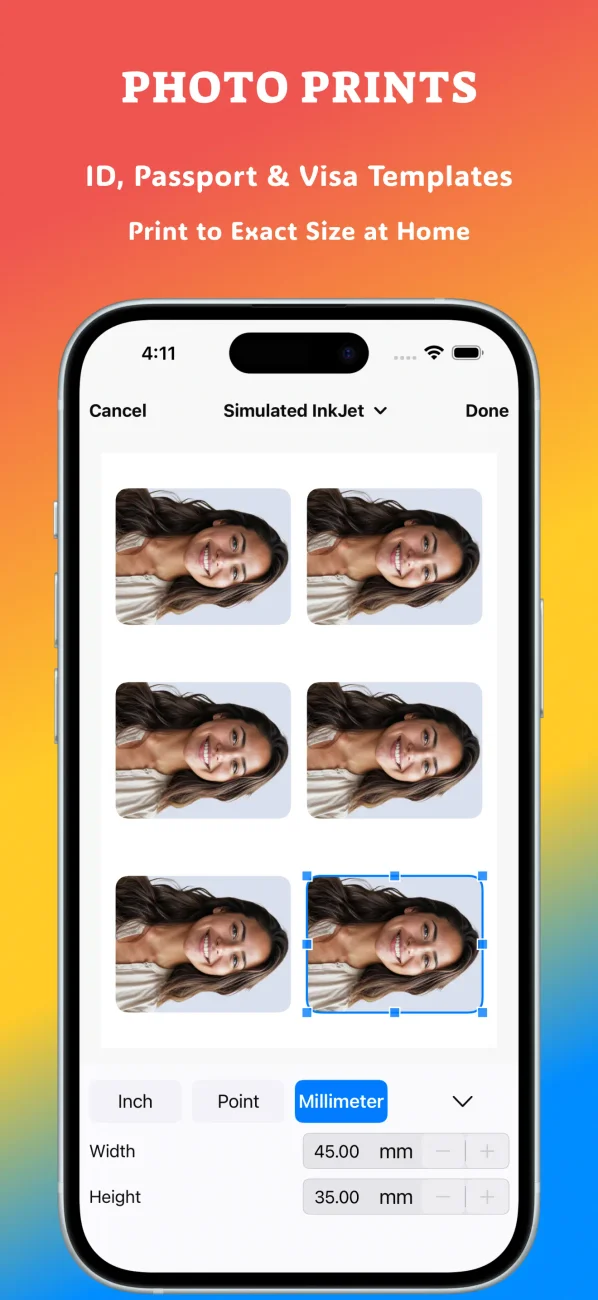
Go beyond documents! Design and print perfect ID, passport, and visa photos. Create custom greeting cards, photo collages, and more with our powerful yet easy-to-use editor.
• True Universal Printing
Finally, print to ALL IPP-enabled printers, not just AirPrint models. If your printer is on your Wi-Fi network, QPrint can find it. Say goodbye to compatibility headaches.
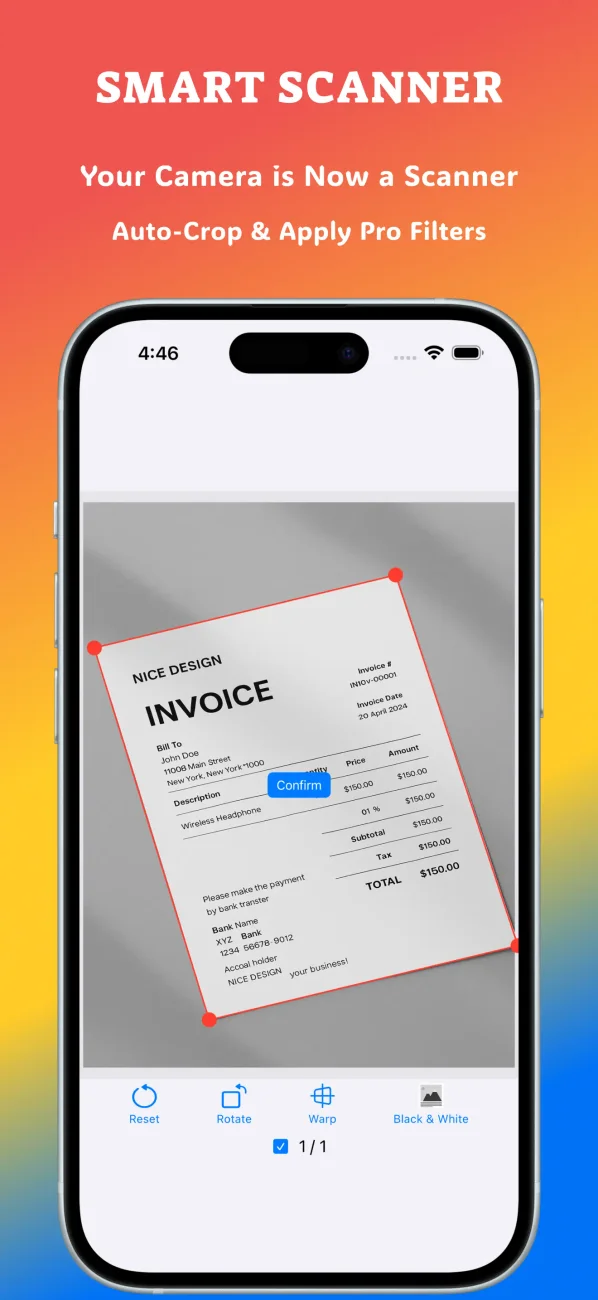
• Scan & Print on the Go
Turn your camera into a powerful scanner. Digitize documents, receipts, or whiteboards and print or share them in seconds with automatic edge detection and perspective correction.
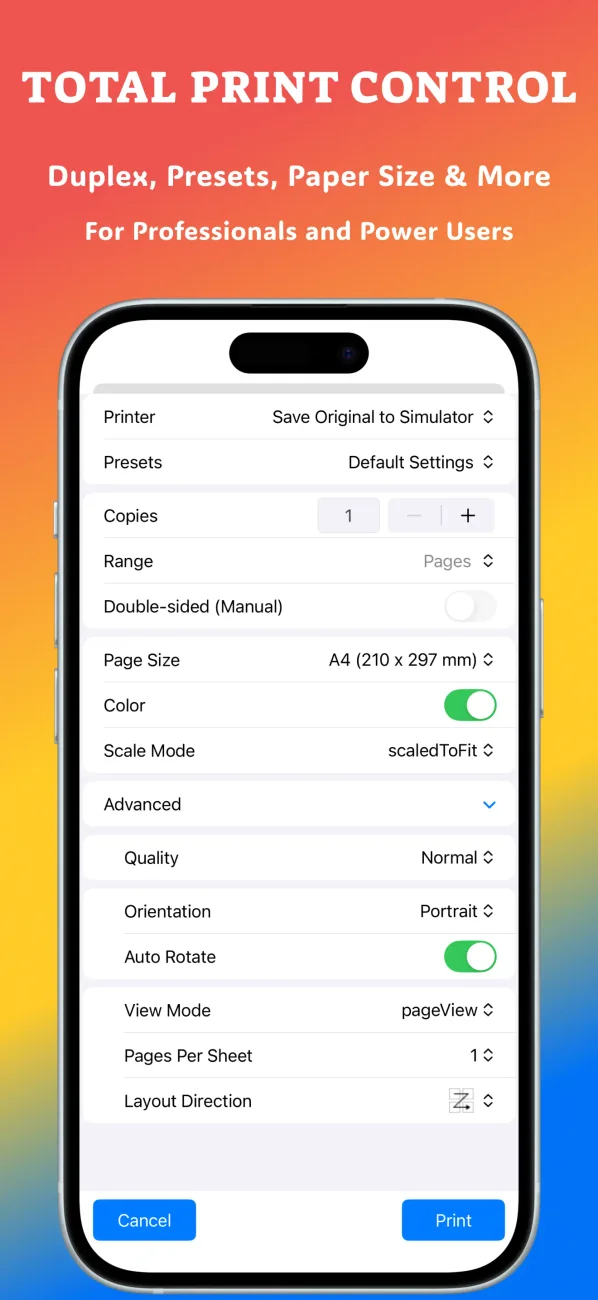
• Unlimited Smart Presets
Save your most-used settings (like 'Black & White, Double-Sided') for true one-tap printing. Create as many personalized presets as you need for your unique workflow.
• Master Duplex Printing
Save paper and create professional documents with support for both automatic and manual double-sided printing, featuring intuitive on-screen instructions.
• Total Print Control
Don't settle for defaults. Adjust paper size, orientation, color, print quality, and more to get the perfect print every time.
• All Your Files Supported
From PDFs and Microsoft Office documents (Word, Excel, PowerPoint) to all types of photos and text files. If you can view it, you can print it.
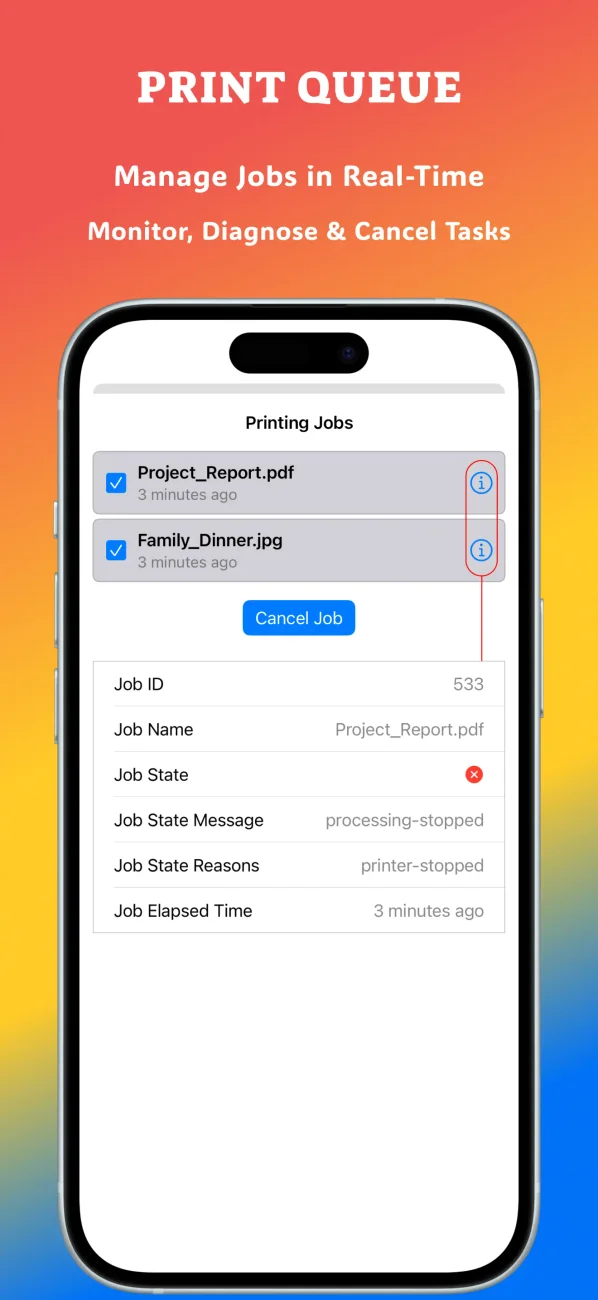
• Manage Your Queue
Easily view, manage, and cancel print jobs directly from the app.
Download QPrint today and rediscover the freedom and creativity of printing — completely free!
SUPPORT:
• Support URL - https://qprint.wenji.app/support.html
• Privacy Policy - https://qprint.wenji.app/privacy.html
• Terms of Service - https://qprint.wenji.app/terms.html
What’s new
Version 1.1.1 · Feb 24, 2026
QPrint is Now COMPLETELY FREE!
We have some exciting news: QPrint has transitioned from a premium model to a fully free app. We’ve removed all paywalls and subscriptions so that everyone can enjoy professional-grade printing without limits.
• All Pro Features Unlocked – Enjoy unlimited custom presets, advanced duplex printing, and our full Template Studio at no cost.
• Introducing Template Studio – Design and print perfect ID photos, passport photos, and custom greeting cards directly from your iPhone or iPad.
• No More Subscriptions – Every tool, from universal IPP printing to smart scanning, is now available to all users for free.
• Print to Size – Perfectly sized and aligned templates for 2×2 inch IDs, visas, and custom creative projects.
We’ve also optimized printer discovery speeds and fixed minor bugs to ensure your printing experience is smoother than ever.
Happy printing!
App privacy
What 法明 王 declares on the App Store about how this app handles data.
-
Data not collected
The developer does not collect any data from this app.
Privacy practices may vary, for example with the features you use or your age.
Information
- Seller
- 法明 王
- Category
- Utilities
- Version
- 1.1.1
- Updated
- Feb 24, 2026
- Released
- May 20, 2025
- Size
- 6.7 MB
- Requires
- iOS 17.5 or later
- Age rating
- 4+
- Price
- Free
- Languages
- English
- Copyright
- © 2026 Wang Faming
You might also like
-
 Printer for HP, Canon, BrotherPIXMA, DeskJet: Print & Scan
-
 Detalleando PrintSublimation printing
-
 CropletA4 to 4x6" label cropper
-
 AirPrint AppDocument Scanner & PDF Print
-
 Tally Counter: Click & TrackDigital Number & Tap Clicker
-
 Satochip ConnectConnect your Satochip to Web3
-
 Oven Temp ConverterConvert F to C Easily
-
 MOKUKUUtilities
-
 Kitchen Mate - Cooking ToolsMicrowave, Timers & Servings
-
 DroidRemoteRemote Control & Mirroring