QR Code Transfer
Scan & transfer it to your PC.
Designed for iPhone, iPad, iPod touch
Free · In-app purchases
- Age rating4+
- CategoryProductivity
- DeveloperShingo Kinoshita
- LanguagesEnglish+ 12 more
- Size2.1 MB
Links to the official App Store page
Download.org hosts no file of QR Code Transfer. The button opens its official App Store page, published by Shingo Kinoshita. Listing last checked on Nov 17, 2026.
Screenshots

About
It can scan many types of barcodes and two-dimensional codes, including QR codes.
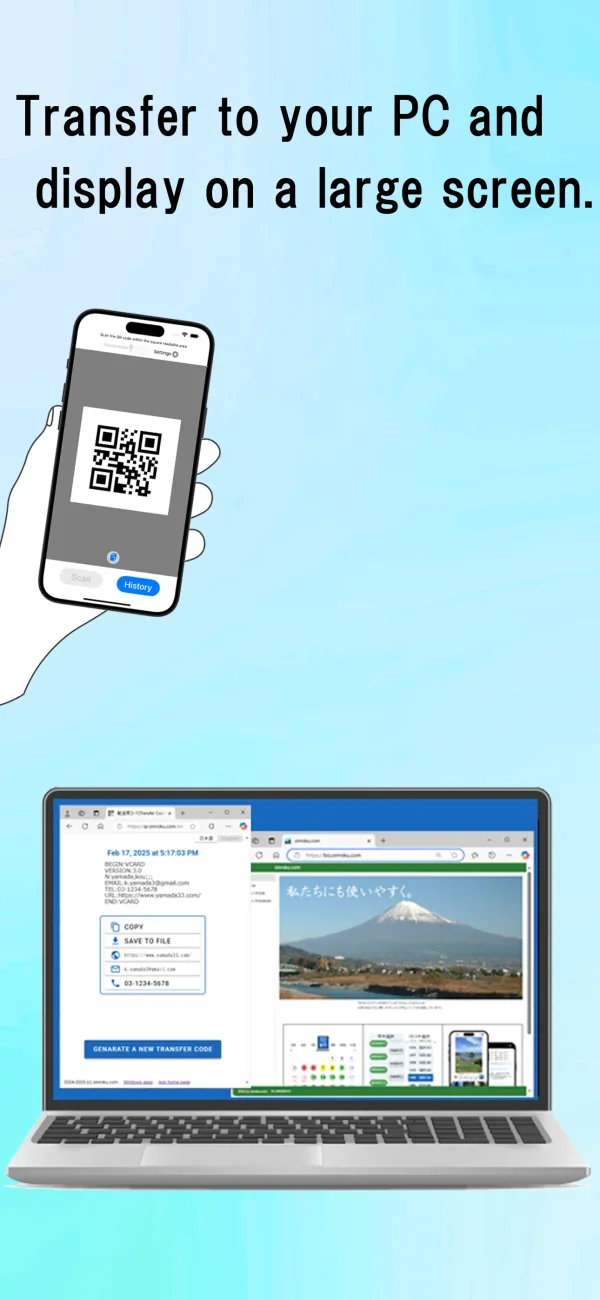
The scanned data can be transferred to the web browser of another device, such as a PC. Of course, you can use it with just the smartphone itself.
[How to transfer]
After scanning the QR code etc., tap "Transfer" and the camera will start up again. If you scan the two-dimensional code that appears randomly on the following web page, the data will be transferred and displayed in your web browser. The transfer destination can be a PC, tablet, smartphone, etc.
https://qr.sinroku.com
If you install the Windows application, you can use it to integrate with other applications and Excel VBA.
No user registration is required to use this service. The transferred data is not recorded on the server side.
[App launch function]
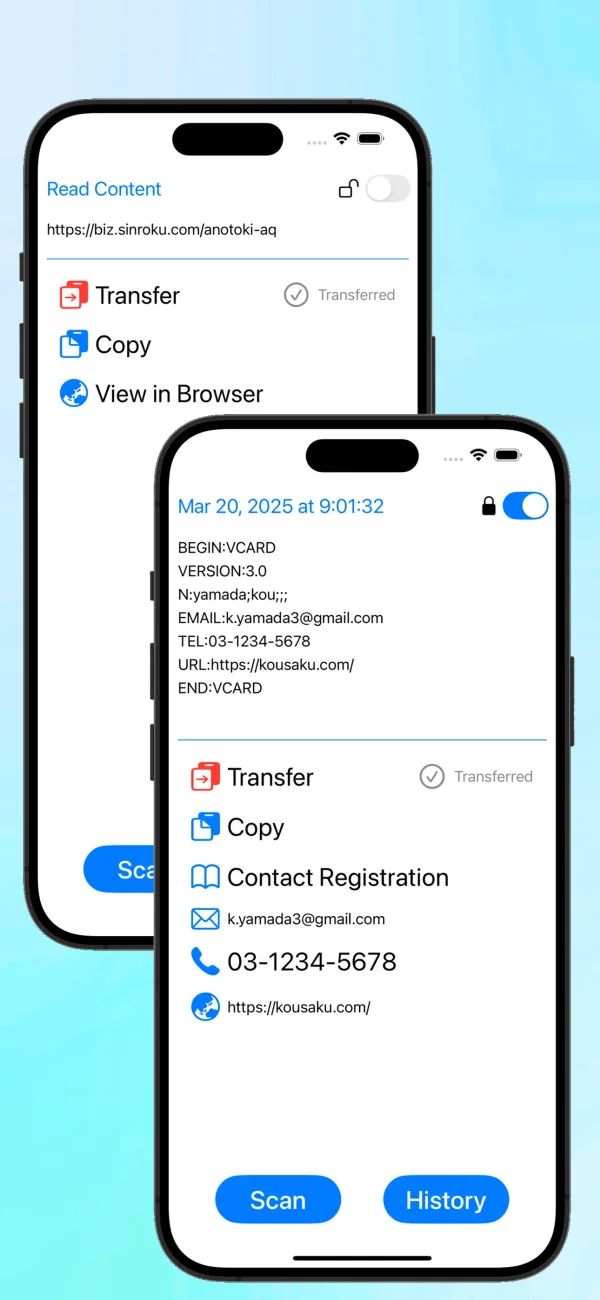
You can launch an app depending on the data you read. For example, if the data starts with "https:", a web browser will launch, and if it starts with "tel:", a phone will launch. This function can also be used at the transferring destination, but a regular PC will not be able to launch a phone.
→ (Supported data types) https: http: mailto: tel: WIFI: VCARD
[History display function]
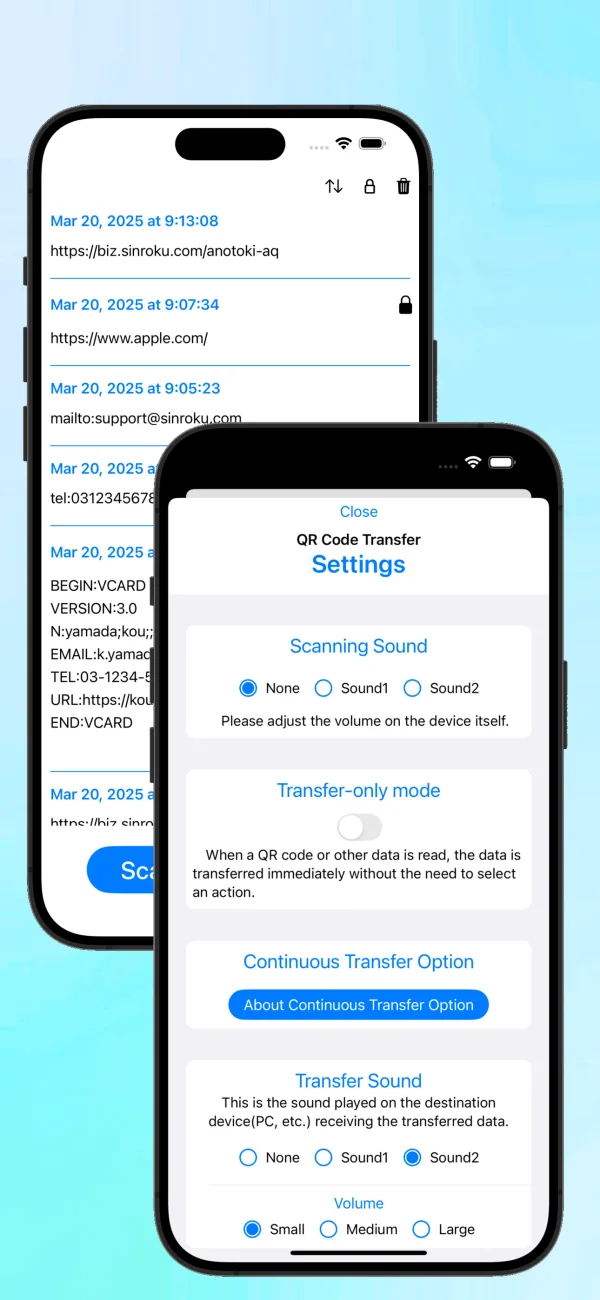
The data you have scanned can be redisplayed by tapping "History". Transfers and app launches are also possible.
A unique feature of the "At That Time(あのとき)" is that it also tells you the weather and news at the time you read it(available only in Japan).
[Scannable barcodes and 2D codes]
JAN, EAN-13, EAN-8, UPC-A, UPC-E, CODE39, CODE93, CODE128, NW-7 (Codabar), ITF (Interleaved 2 of 5)
QR Code, Data Matrix, PDF417, Aztec Code
What’s new
Version 1.8 · Dec 23, 2025
The timeout when using the continuous transfer option has been extended from 10 minutes to 100 minutes.
App privacy
What Shingo Kinoshita declares on the App Store about how this app handles data.
-
Data not collected
The developer does not collect any data from this app.
Privacy practices may vary, for example with the features you use or your age.
Information
- Seller
- Shingo Kinoshita
- Category
- Productivity
- Version
- 1.8
- Updated
- Dec 23, 2025
- Released
- Feb 18, 2025
- Size
- 2.1 MB
- Requires
- iOS 15.4 or later
- Age rating
- 4+
- Price
- Free
- In-app purchases
- Yes
- Languages
- English, French, German, Hindi, Indonesian, Italian, Japanese, Korean, Portuguese, Simplified Chinese, Spanish, Thai + 1 more
- Copyright
- © 2024-2025 sinroku.com
You might also like
-
 Scan to Sheets: Scan & ExportScan QR/Barcode to Excel
-
 QrTransfer.ioReal time files transfer
-
 QR code reader to webProductivity
-
 Scan to Sheets: QR & BarcodeScan QR to Google Sheets
-
 QR 2 CSVQR & Barcode Scanner to CSV
-
 Server-WatcherMonitor servers at a glance
-
 Workspace ArubaProductivity
-
 PostOnce AiAI Captions & Content Planner
-
 Mon Avis FacileProductivity
-
 Qurum CAFMQurum CAFM