QR Tools: QR Code Reader
Generator, WiFi & Batch Export
Designed for iPhone, iPad, Mac, iPod touch
Free
- Age rating4+
- CategoryUtilities
- Developer培克 罗
- LanguagesEnglish+ 7 more
- Size2.3 MB
Links to the official App Store page
Download.org hosts no file of QR Tools: QR Code Reader. The button opens its official App Store page, published by 培克 罗. Listing last checked on Nov 18, 2026.
Screenshots
About
QR Tools is a QR code reader and generator for links, Wi-Fi, contacts and text. Scan images, create printable labels and share Safari pages, with QR processing on your device.
A SAFARI PAGE ON ANOTHER DEVICE
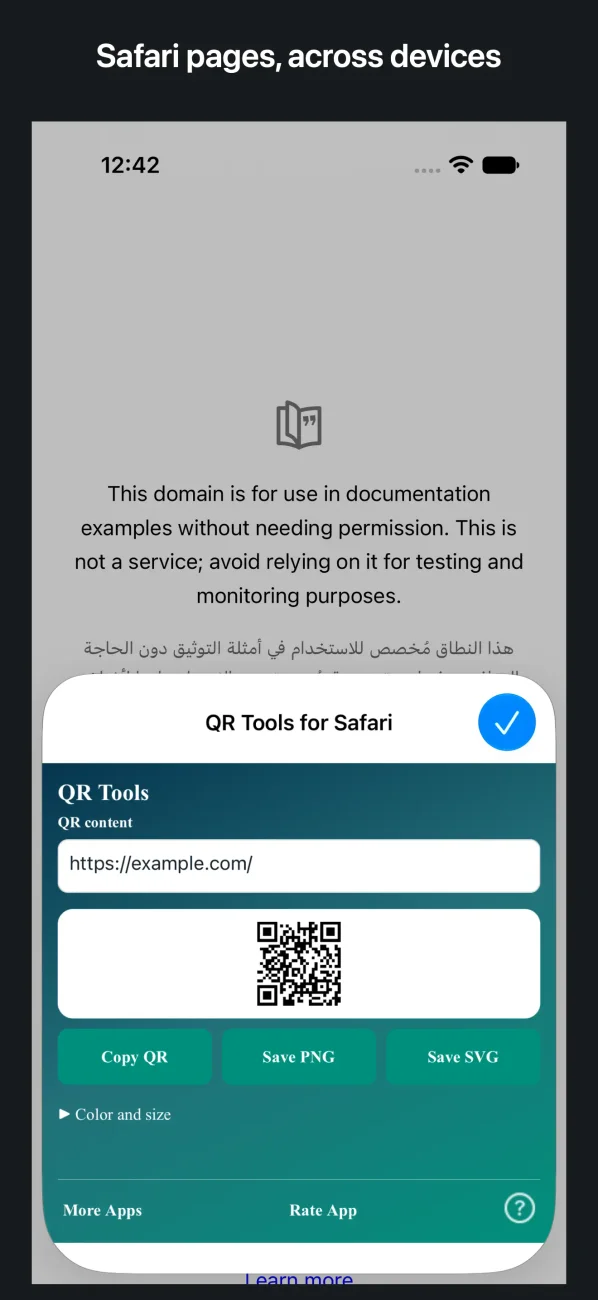
Enable the extension in Safari settings, then open QR Tools on the page you want to share. Scan its QR code with another device to open the same address. Edit the URL or text first if needed, and choose whether to remove common tracking parameters. Copy the QR image or save PNG/SVG from the extension.
CREATE AND SHARE
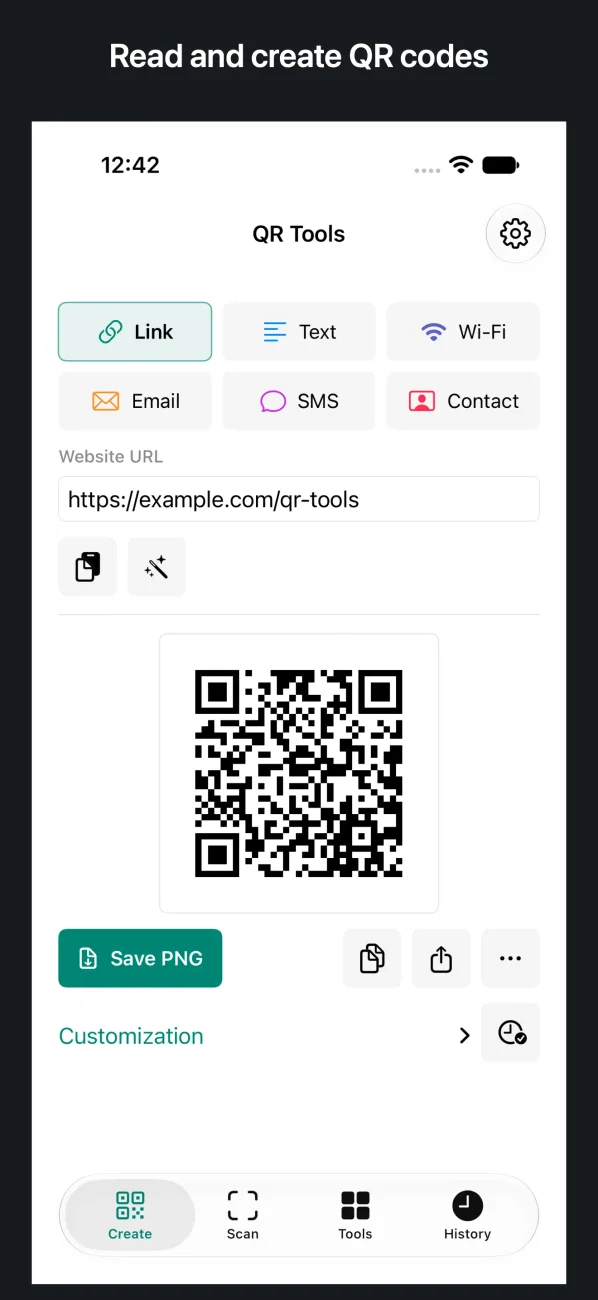
Make codes for links, text, Wi-Fi, email, SMS and contacts. Adjust colors and error correction, then copy, share or export PNG and SVG. Save selected content to local history for reuse.
SCAN AND INSPECT
Read QR codes from images or an available camera. Inspect the destination, protocol and URL parameters before opening a link. See local warning signals and remove common tracking parameters. These checks do not guarantee that a website is safe.
BATCH LABELS AND PRINTABLE SIGNS
Import CSV to generate up to 100 QR labels. Export PNG or SVG files in a ZIP, or print label sheets as A4 or Letter PDF. Create Wi-Fi, event and menu signs with a title and caption; save an image, show it full screen or print it.
CALENDAR EVENTS
Enter an event and time zone to create a calendar-link QR code and export an ICS file. People scanning the calendar link need an internet connection.
LOCAL BY DESIGN
QR generation, image decoding, CSV processing and content inspection happen on your device. Your QR content is not uploaded to a server. No account is required. Camera access is optional; imported images and CSV files are selected by you.
On iOS 17 or later, add events with the system calendar editor. Earlier versions can export ICS. Enable the Safari extension in Safari settings to create a QR code for the current tab.
What’s new
Version 1.5.2 · Nov 11, 2026
- Improved Safari QR generation and export reliability.
- Refined iPhone Duo layouts and input preservation.
App privacy
What 培克 罗 declares on the App Store about how this app handles data.
-
Data not collected
The developer does not collect any data from this app.
Privacy practices may vary, for example with the features you use or your age.
Information
- Seller
- 培克 罗
- Category
- Utilities
- Version
- 1.5.2
- Updated
- Nov 11, 2026
- Released
- Jul 11, 2024
- Size
- 2.3 MB
- Requires
- iOS 15.0 or later
- Age rating
- 4+
- Price
- Free
- Languages
- English, French, German, Japanese, Korean, Simplified Chinese, Spanish, Traditional Chinese
- Copyright
- © Copyright 2026 LUO PEIKE. All rights reserved.
You might also like
-
 EasyQR for iOS SafariQR code generator for Safari
-
 QR Codes - Scan & CreateQR Code and Barcode Scanner.
-
 Tower Password ManagerUtilities
-
 Vybe IDYour Identity. Your Control.
-
 ScratchPadsUtilities
-
 MegaWifiUploaderSega Genesis Wi-Fi ROM loader
-
 Klarton: Water Eject CleanerSound tone for a clear speaker
-
 PasswordX - account managerpasskey generator&my passwords
-
 Links to QRCreate beautiful QR for URLs
-
 LinkDamoaAll links in one place