
- Age rating4+
- CategoryProductivity
- DeveloperUrbanByte LLC
- LanguagesEnglish
- Size16.2 MB
Links to the official App Store page
Download.org hosts no file of QueIt. The button opens its official App Store page, published by UrbanByte LLC. Listing last checked on Nov 17, 2026.
Screenshots

About
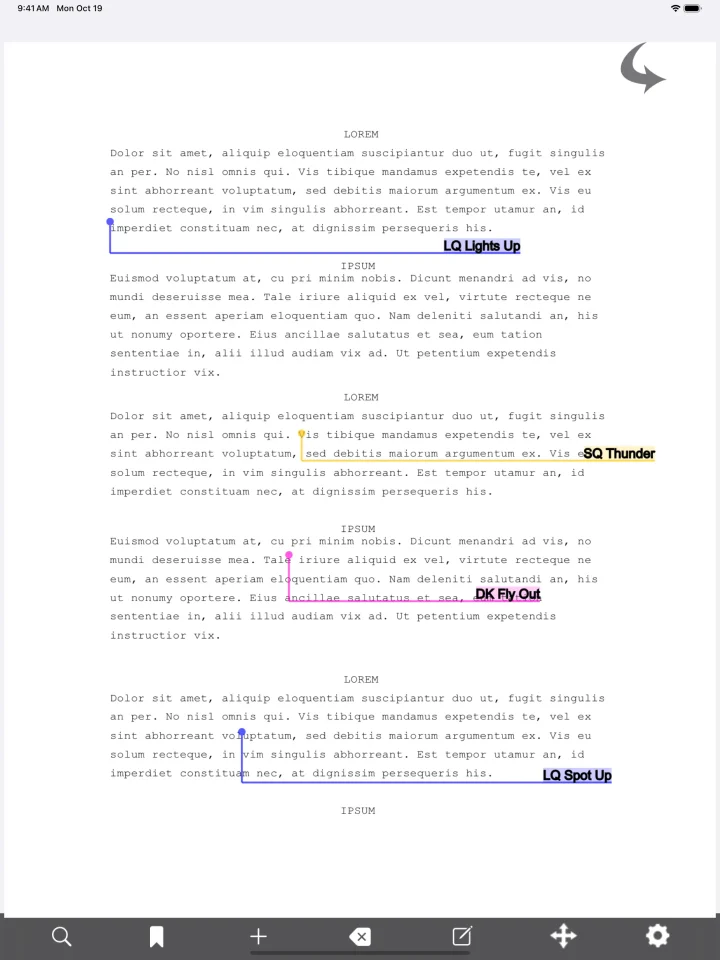
Que-It puts every Q in your show right where it belongs: on the script. Built for stage managers and designers, Que-It turns any PDF script into an organized, color-coded prompt book on iPad and Mac.
Load your script, tap the line, and place the Q. Que-It keeps your lighting, sound, deck, projection, or any other lists you define organized, numbered, and stood-by, so you can focus on calling the show.
NEW IN 3.0
• A fresh, modern design throughout including show setup, list properties, and contacts redesigned for quicker editing
MARK YOUR SCRIPT
• Load any PDF script and place Q's directly on the page
• Add a description to each Q so you know exactly what it does
• Edit, move, or remove any Q at any time
• Map PDF page numbers to your own page numbers to match rehearsal scripts
ORGANIZE YOUR WAY
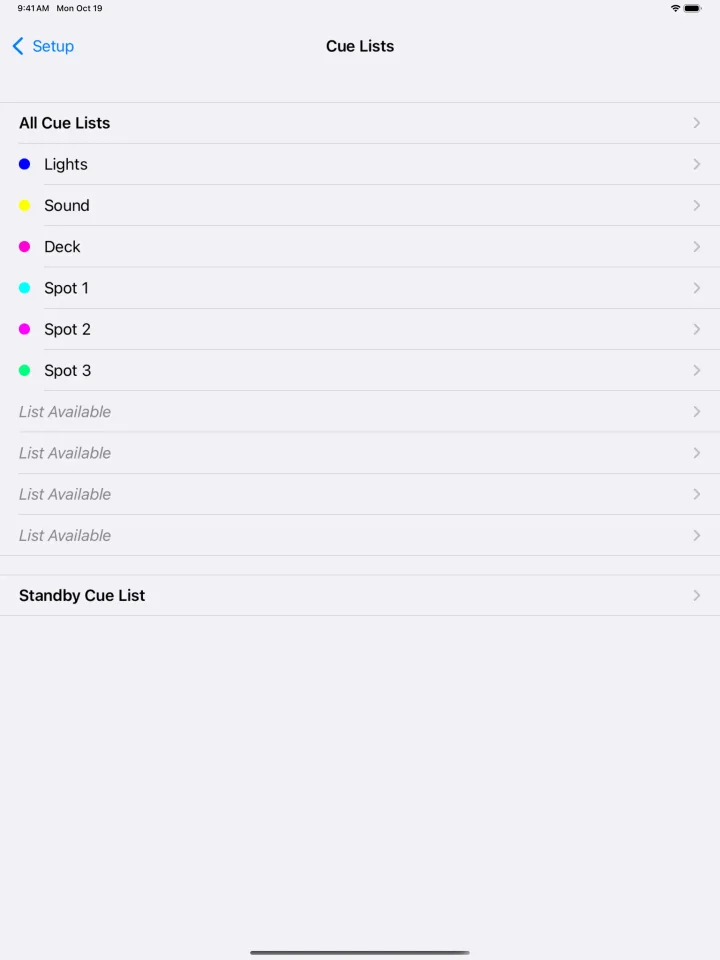
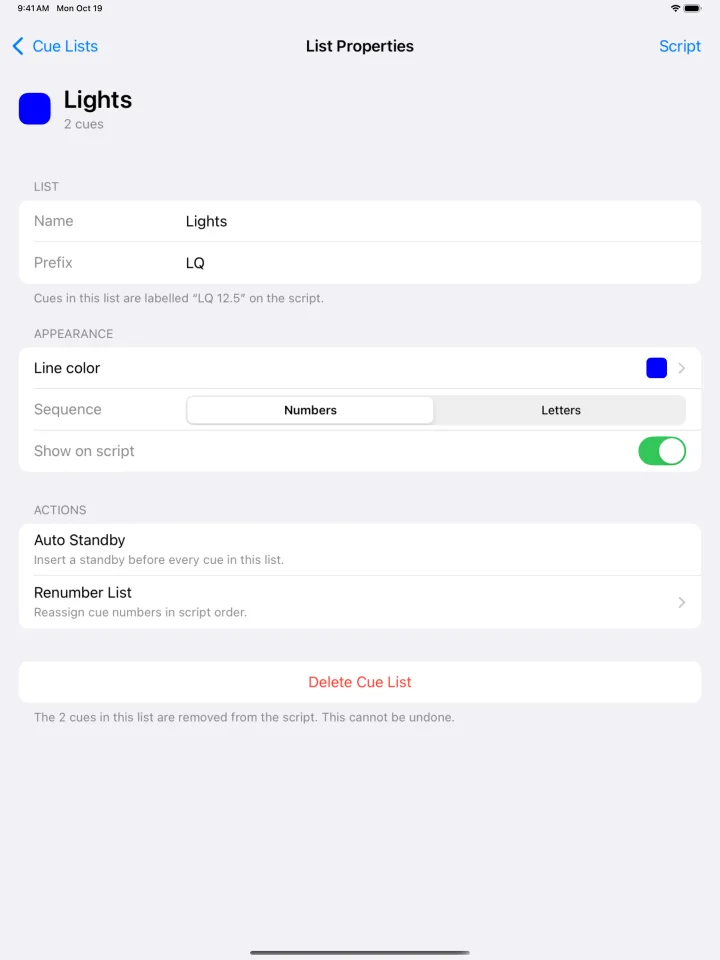
• Up to 10 cue lists, each with its own name, prefix, and color
• Categories are yours to define, so any system or organizational style works
• Auto-number or auto-letter each list, or enter your own numbers and letters
• Hide and show individual lists to focus on what matters
STAND-BYS, HANDLED
• Let Que-It auto stand-by the script, or build your own stand-by list
• Keep stand-bys separate, or combine them across cue lists
FIND IT FAST
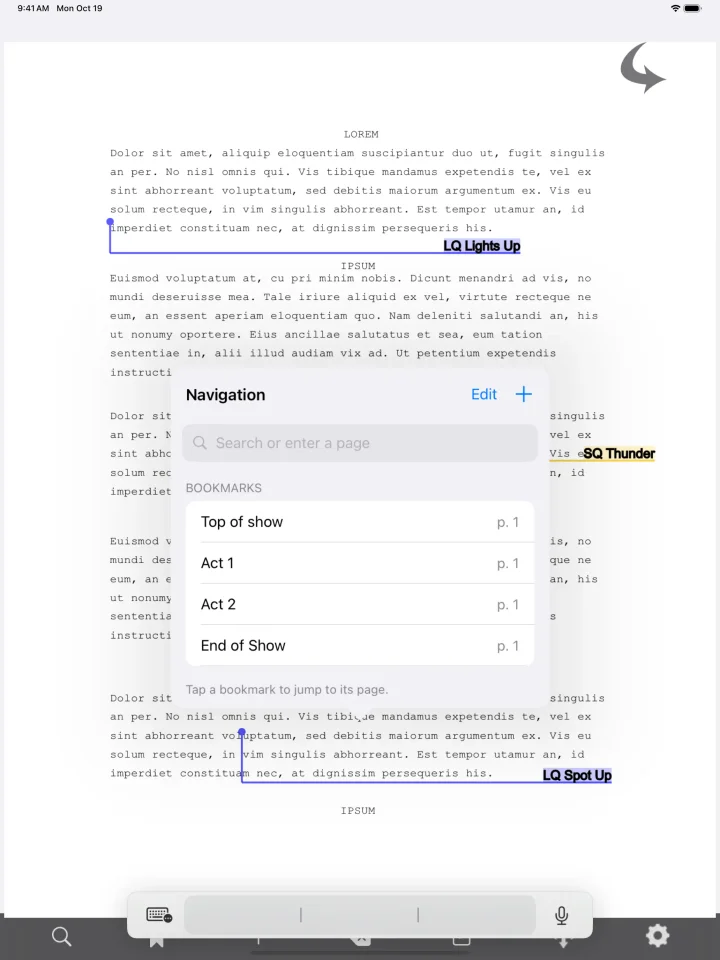
• Bookmarks for quick navigation to key pages
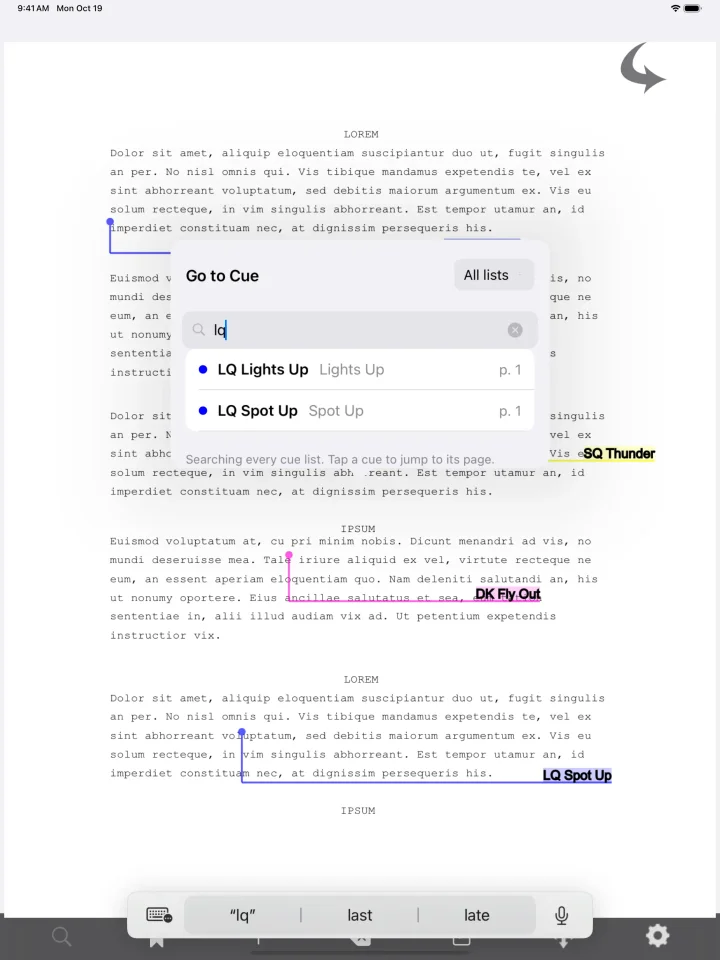
• Search by cue and jump straight to its page
SHARE AND BACK UP
• Save and back up your show to Dropbox at every stage of the work
• Export and import entire shows to share with your team
• Export your marked-up script as a PDF prompt book
• Store contact information for each designer and the venue
From first rehearsal to closing night, Que-It keeps your whole show on one page.
What’s new
Version 3.0.0 · Oct 23, 2026
Redesigned throughout
- New Setup screen, laid out as clean grouped sections, showing your show name, how many cue lists and pages it has, when it was last saved, and the app version.
- Redesigned Show Information, Contact Information, List Properties and Standby Properties screens.
- New cue editor that opens next to the cue. A hardware keyboard's Return key saves it, and the editor moves out of the way of the on-screen keyboard.
- New Dropbox file picker: browse folders, create a new folder, see file sizes and dates, and watch a progress bar while files download and upload. If an upload fails, the picker stays open so you can retry.
- Redesigned Page Numbering screen.
- Full Dark Mode support.
Finding your way
- Go To Cue, a new search: search one cue list or all of them and jump straight to a Q.
- New Bookmarks and page navigation: search your bookmarks, jump to any page number, and add, edit or delete bookmarks in one place.
- A banner at the top of the page now shows the selected cue, its list color and its description. It replaces the old centered "Selected Cue" text.
Cue lists and colors
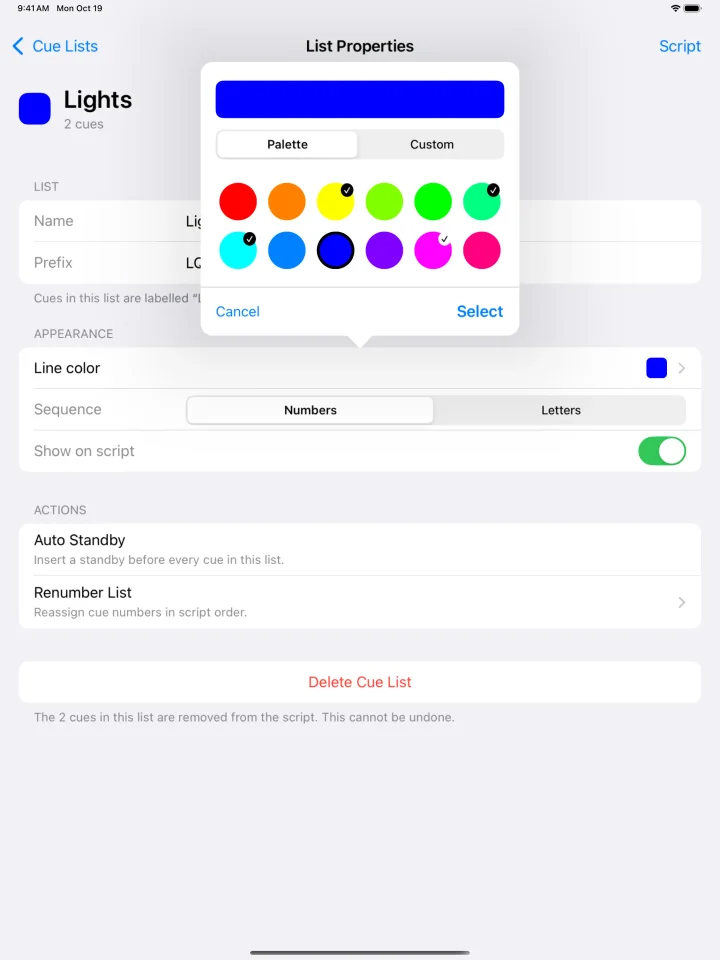
- New color picker for cue lists and stand-bys, with a full range of colors. It also marks which colors other lists already use.
- The renumber dialog now adapts to whether a list uses automatic or manual numbering.
Platform
- Updated for iPadOS 26 and 27, including the new Liquid Glass look for the toolbar and buttons.
App privacy
What UrbanByte LLC declares on the App Store about how this app handles data.
-
Data not collected
The developer does not collect any data from this app.
Privacy practices may vary, for example with the features you use or your age.
Information
- Seller
- UrbanByte LLC
- Category
- Productivity
- Version
- 3.0.0
- Updated
- Oct 23, 2026
- Released
- Mar 15, 2016
- Size
- 16.2 MB
- Requires
- iOS 18.0 or later
- Age rating
- 4+
- Price
- $19.99
- Languages
- English
- Copyright
- © 2026 UrbanByte
You might also like
-
 spacecommz.ioComms for your entire crew
-
 StageHubProductivity
-
 StageWise Theater ProductionProductivity
-
 Kortpress.ioScannen Sie Passes und Cards
-
 Stage WriteCapture Creativity
-
 Hatch Coworking18282789898
-
 Callbridge MeetingsVideo and Audio Conferencing
-
 That Girl Planner & To DoDaily Habit Tracker, ADHD List
-
 Notator | Annotate DocumentsTaking notes, annotating PDFs
-
 Scriptigo Script ReaderWrite, Share, Rehearse Scripts