
- 対象年齢4+
- カテゴリ仕事効率化
- 開発元UrbanByte LLC
- 言語英語
- サイズ16.2 MB
App Storeの公式ページにリンクしています
Download.orgはQueItのファイルを一切ホストしていません。ボタンを押すと、UrbanByte LLCが公開しているApp Storeのアプリページが開きます。ページの最終確認:2026/11/17。
スクリーンショット

概要
開発元はこのテキストをお使いの言語で提供していません。
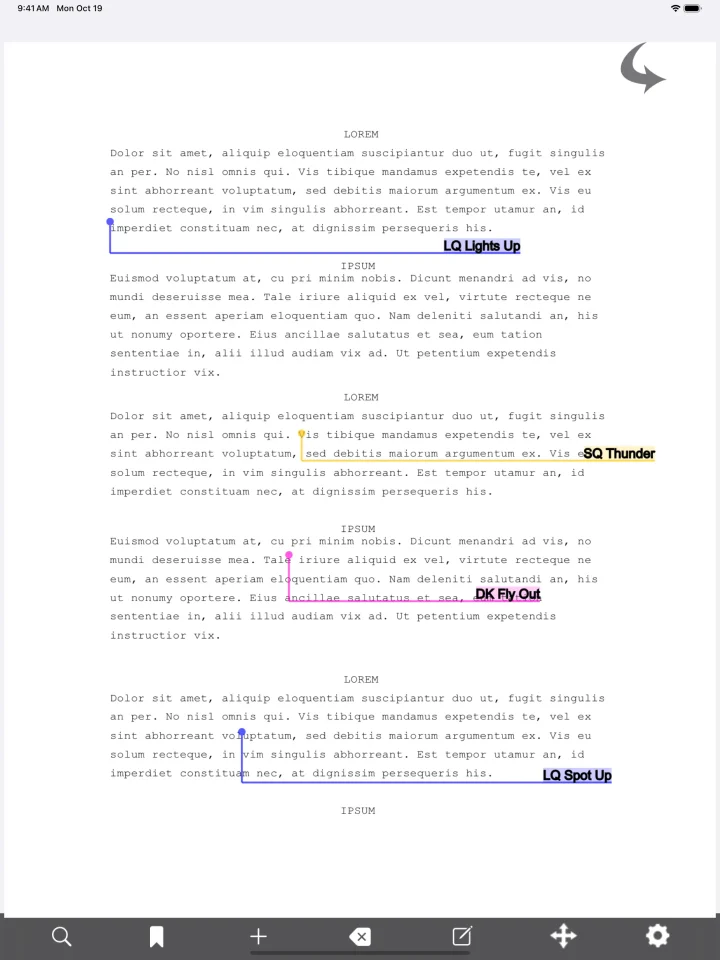
Que-It puts every Q in your show right where it belongs: on the script. Built for stage managers and designers, Que-It turns any PDF script into an organized, color-coded prompt book on iPad and Mac.
Load your script, tap the line, and place the Q. Que-It keeps your lighting, sound, deck, projection, or any other lists you define organized, numbered, and stood-by, so you can focus on calling the show.
NEW IN 3.0
• A fresh, modern design throughout including show setup, list properties, and contacts redesigned for quicker editing
MARK YOUR SCRIPT
• Load any PDF script and place Q's directly on the page
• Add a description to each Q so you know exactly what it does
• Edit, move, or remove any Q at any time
• Map PDF page numbers to your own page numbers to match rehearsal scripts
ORGANIZE YOUR WAY
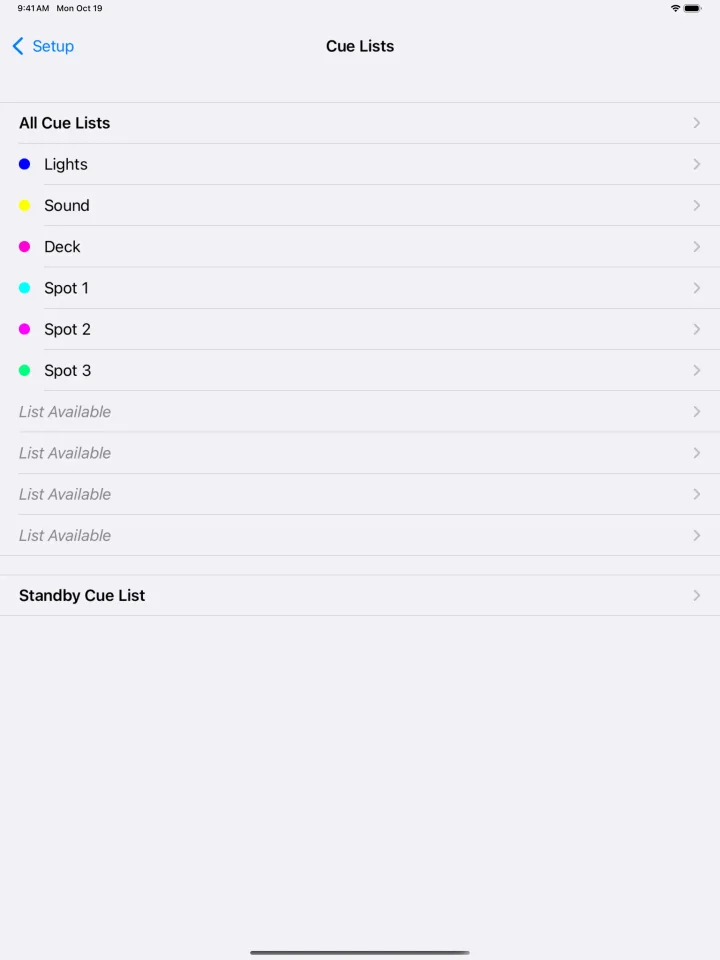
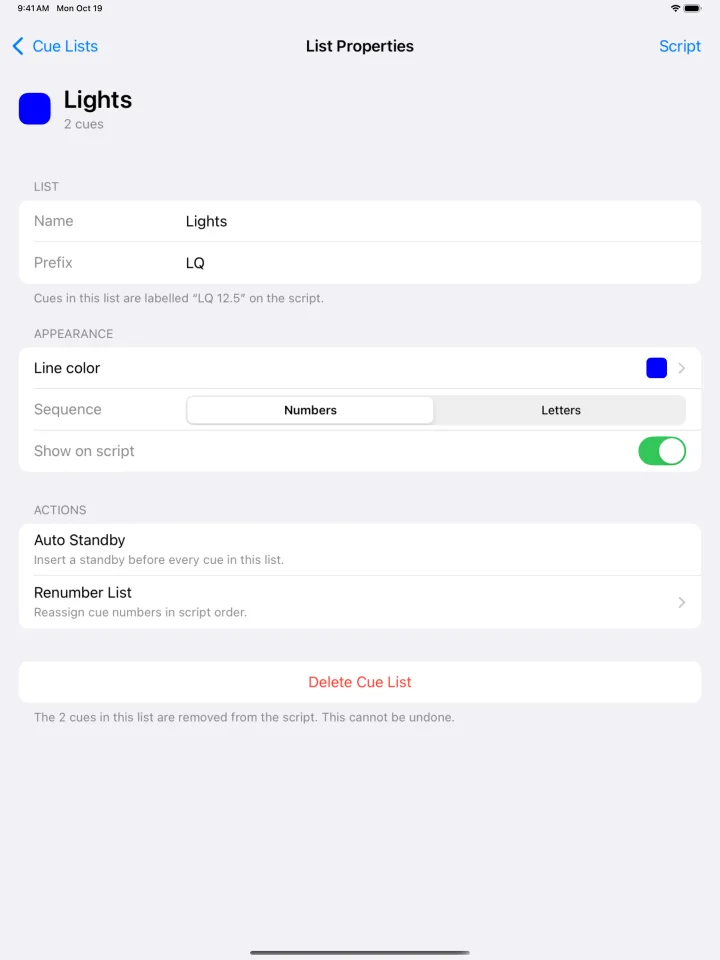
• Up to 10 cue lists, each with its own name, prefix, and color
• Categories are yours to define, so any system or organizational style works
• Auto-number or auto-letter each list, or enter your own numbers and letters
• Hide and show individual lists to focus on what matters
STAND-BYS, HANDLED
• Let Que-It auto stand-by the script, or build your own stand-by list
• Keep stand-bys separate, or combine them across cue lists
FIND IT FAST
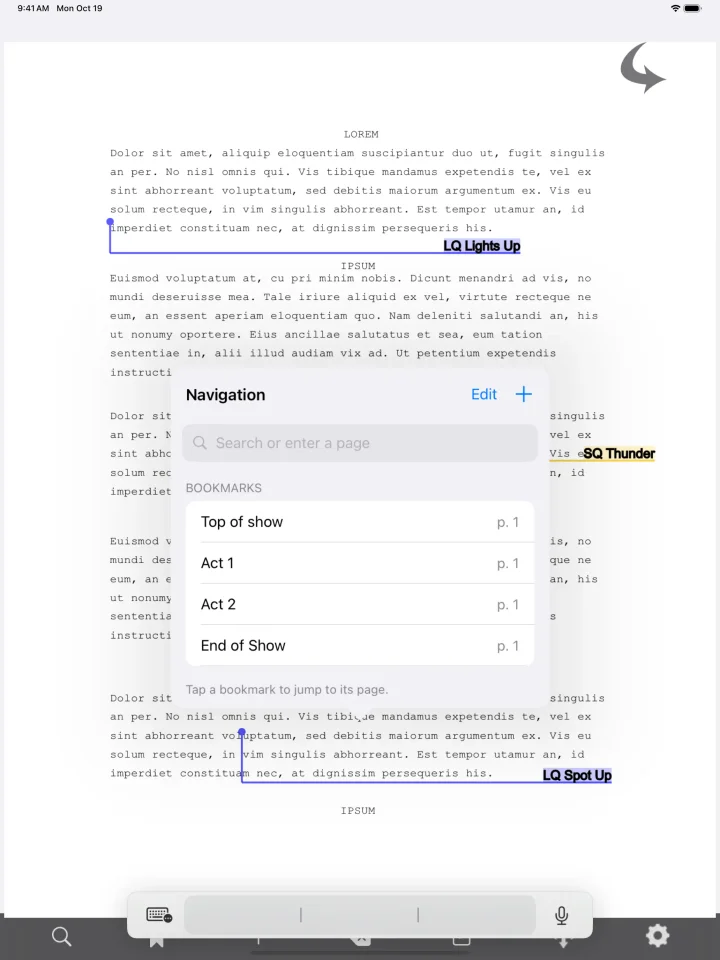
• Bookmarks for quick navigation to key pages
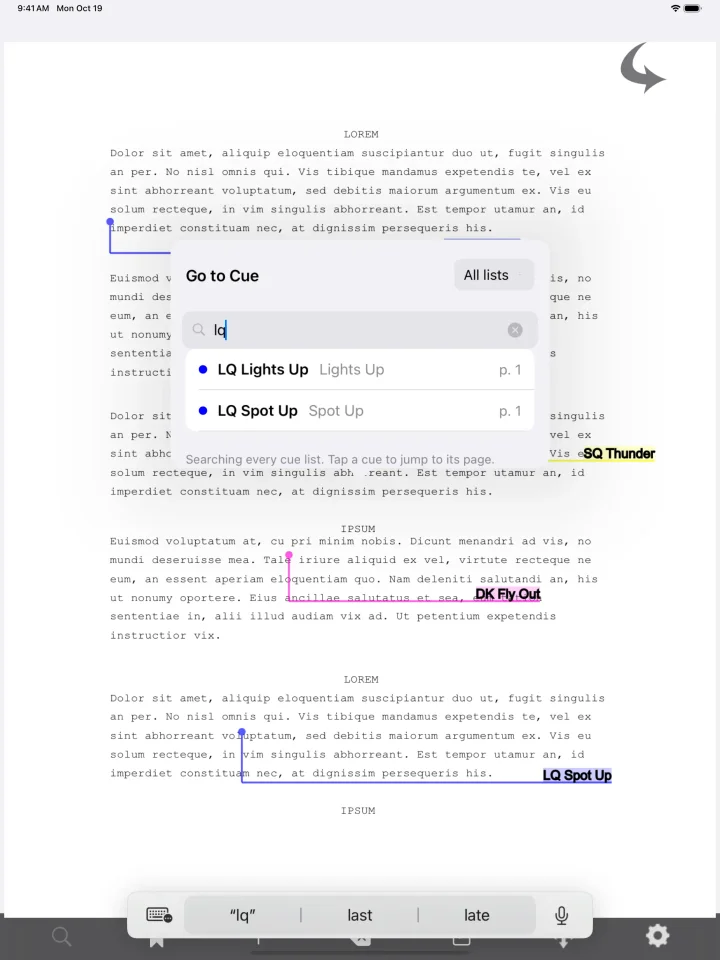
• Search by cue and jump straight to its page
SHARE AND BACK UP
• Save and back up your show to Dropbox at every stage of the work
• Export and import entire shows to share with your team
• Export your marked-up script as a PDF prompt book
• Store contact information for each designer and the venue
From first rehearsal to closing night, Que-It keeps your whole show on one page.
新機能
バージョン 3.0.0 · 2026/10/23
Redesigned throughout
- New Setup screen, laid out as clean grouped sections, showing your show name, how many cue lists and pages it has, when it was last saved, and the app version.
- Redesigned Show Information, Contact Information, List Properties and Standby Properties screens.
- New cue editor that opens next to the cue. A hardware keyboard's Return key saves it, and the editor moves out of the way of the on-screen keyboard.
- New Dropbox file picker: browse folders, create a new folder, see file sizes and dates, and watch a progress bar while files download and upload. If an upload fails, the picker stays open so you can retry.
- Redesigned Page Numbering screen.
- Full Dark Mode support.
Finding your way
- Go To Cue, a new search: search one cue list or all of them and jump straight to a Q.
- New Bookmarks and page navigation: search your bookmarks, jump to any page number, and add, edit or delete bookmarks in one place.
- A banner at the top of the page now shows the selected cue, its list color and its description. It replaces the old centered "Selected Cue" text.
Cue lists and colors
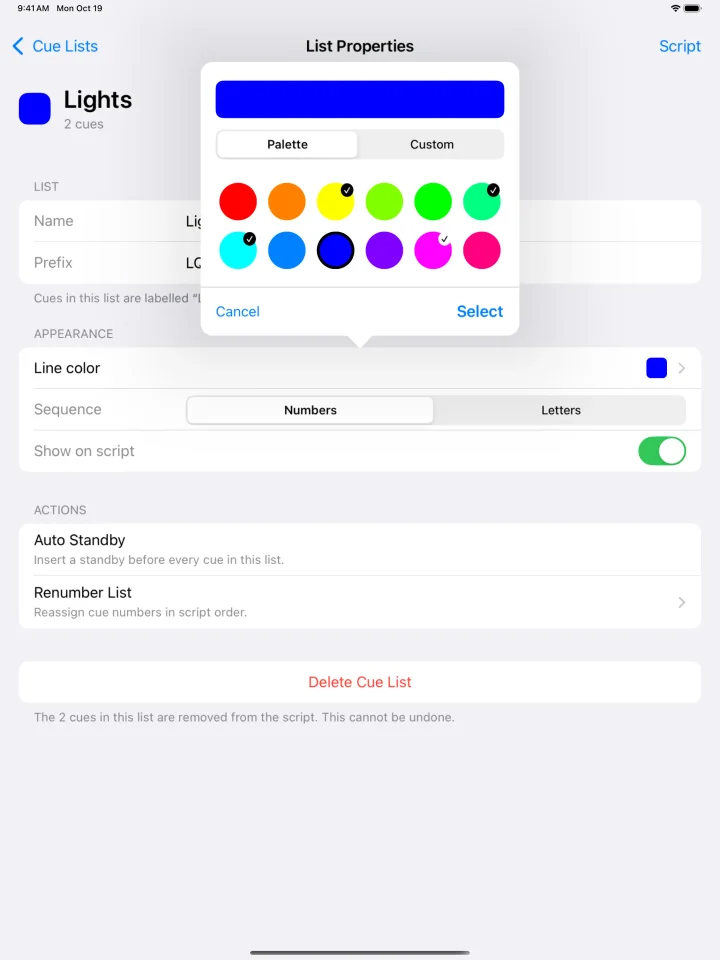
- New color picker for cue lists and stand-bys, with a full range of colors. It also marks which colors other lists already use.
- The renumber dialog now adapts to whether a list uses automatic or manual numbering.
Platform
- Updated for iPadOS 26 and 27, including the new Liquid Glass look for the toolbar and buttons.
アプリのプライバシー
このアプリのデータの取り扱いについて、UrbanByte LLCがApp Storeで申告している内容です。
-
データの収集なし
開発元はこのアプリからデータを収集しません。
プライバシーの取り扱いは、ご利用の機能やお客様の年齢などに応じて異なる場合があります。
情報
- 販売元
- UrbanByte LLC
- カテゴリ
- 仕事効率化
- バージョン
- 3.0.0
- 更新日
- 2026/10/23
- リリース
- 2016/3/15
- サイズ
- 16.2 MB
- 必要条件
- iOS 18.0以降
- 対象年齢
- 4+
- 価格
- ¥3,000
- 言語
- 英語
- 著作権
- © 2026 UrbanByte