
Quick & Simple Doc Scanner
Scan & Save Docs and Receipts
Designed for iPhone, iPad
Free
- Age rating4+
- CategoryProductivity
- DeveloperMichael Smolkin
- LanguagesEnglish
- Size6.7 MB
Links to the official App Store page
Download.org hosts no file of Quick & Simple Doc Scanner. The button opens its official App Store page, published by Michael Smolkin. Listing last checked on Nov 12, 2026.
Screenshots

About
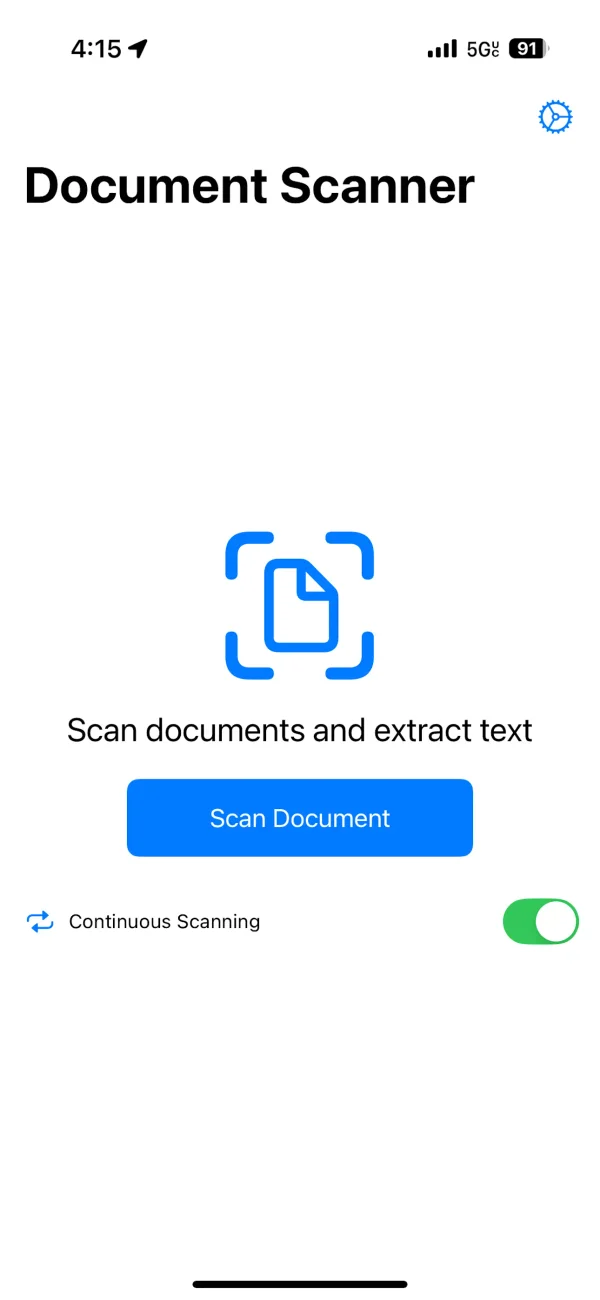
Transform your iPhone into a powerful yet simple document scanner with AI-enhanced accuracy. Whether you're organizing receipts for tax season, digitizing important paperwork, scanning business cards, or clearing paper clutter, our app makes the process effortless.
SCAN ANYTHING, ANYWHERE
• Scan documents, receipts, business cards, and more
• Create clear, professional-quality digital copies
• Scan multiple pages into a single PDF
• Auto-detect document edges for perfect captures
• Available whenever you need it—no internet required
BUSINESS CARD & CONTACT MAGIC
• Instantly create contacts from scanned business cards
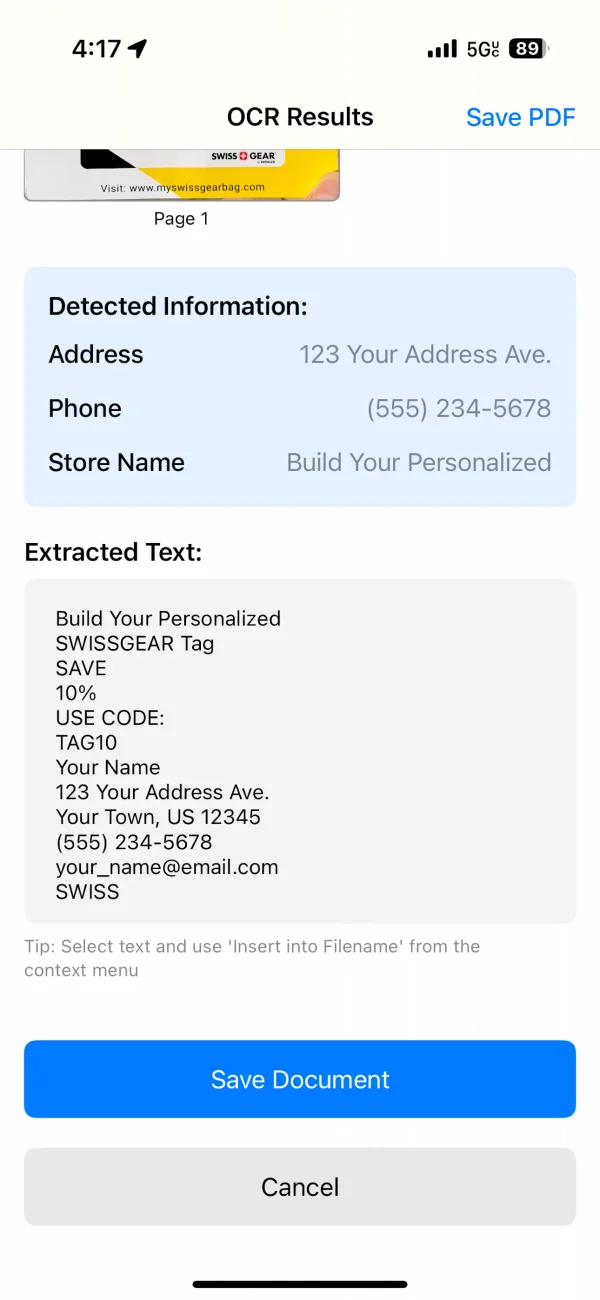
• Extract names, phone numbers, emails, and multi-line addresses
• Automatically add contact photos from business card images
• Support for apartment/suite numbers in addresses
• Review and edit contact information before saving
AI-POWERED INTELLIGENCE
• One-tap AI correction improves OCR results with perfect accuracy
• Powerful OCR technology extracts text from your scans
• Auto-detect dates and important information
• Automatically suggest filenames based on document content
• Continuous scanning mode for quick multi-page documents
EFFORTLESS ORGANIZATION
• Save to your preferred folder location
• Export as PDF with embedded searchable text
• Share scans via email, messages, or cloud storage
• Save images directly to your photo library
• Quick access to recent scans
USER-FRIENDLY DESIGN
• Clean, intuitive interface
• Minimal learning curve—no complicated settings
• Optimized for one-handed operation
• Works in portrait and landscape orientations
• Designed for speed and simplicity
Turn paper clutter into organized digital files with just a few taps. Download today and start simplifying your document management!
Privacy focused: All processing happens on your device. Your documents stay private and secure.
What’s new
Version 1.2.2 · May 29, 2025
What's New in Version 1.2.2:
• Added "Also Update Filename" checkbox toggle next to the "Fix Extracted Text with AI" button
• Pro users can now choose whether to include filename suggestions when fixing OCR text
• Enhanced AI API call logging with detailed metadata for analytics and debugging
• All AI interactions (OCR fixes and filename suggestions) are now properly tracked on server
• Fixed iOS compatibility issue by replacing unavailable CheckboxToggleStyle with custom toggle implementation
• Resolved compilation error that prevented the app from building on iOS devices
• Updated AI button text from "Fix with AI" to "Fix Extracted Text with AI" for better clarity
• Enhanced user control over AI features with granular toggle options
• Improved logging system for better tracking of AI feature usage and performance
Thank you for using Document Scanner!
App privacy
What Michael Smolkin declares on the App Store about how this app handles data.
-
Data not collected
The developer does not collect any data from this app.
Privacy practices may vary, for example with the features you use or your age.
Information
- Seller
- Michael Smolkin
- Category
- Productivity
- Version
- 1.2.2
- Updated
- May 29, 2025
- Released
- Apr 23, 2025
- Size
- 6.7 MB
- Requires
- iOS 17.2 or later
- Age rating
- 4+
- Price
- Free
- Languages
- English
- Copyright
- © 2025 Smolk LLC
You might also like
-
 Nice ScanProductivity
-
 HomePlotOff-Grid Life, Organized
-
 ShaamScannerPrivate document scanner
-
 Kedge: Screen Time & FocusBlock apps. Stay blocked.
-
 Hoodik: Private Cloud StorageEncrypted Photo & File Backup
-
 YapText - Tap to Voice TextVoice to Text with AI Polish
-
 Rheonics SensorViewMonitor Rheonics Sensors BLE
-
 Jot – Offline Notes & AIOffline, secure notes & AI
-
 Forem Notes: NotebookNotes, to-do list and tasks
-
 Aerre ItaliaProductivity