- 対象年齢4+
- カテゴリ仕事効率化
- 開発元Michael Smolkin
- 言語英語
- サイズ6.7 MB
App Storeの公式ページにリンクしています
Download.orgはQuick & Simple Doc Scannerのファイルを一切ホストしていません。ボタンを押すと、Michael Smolkinが公開しているApp Storeのアプリページが開きます。ページの最終確認:2026/11/12。
スクリーンショット

概要
開発元はこのテキストをお使いの言語で提供していません。
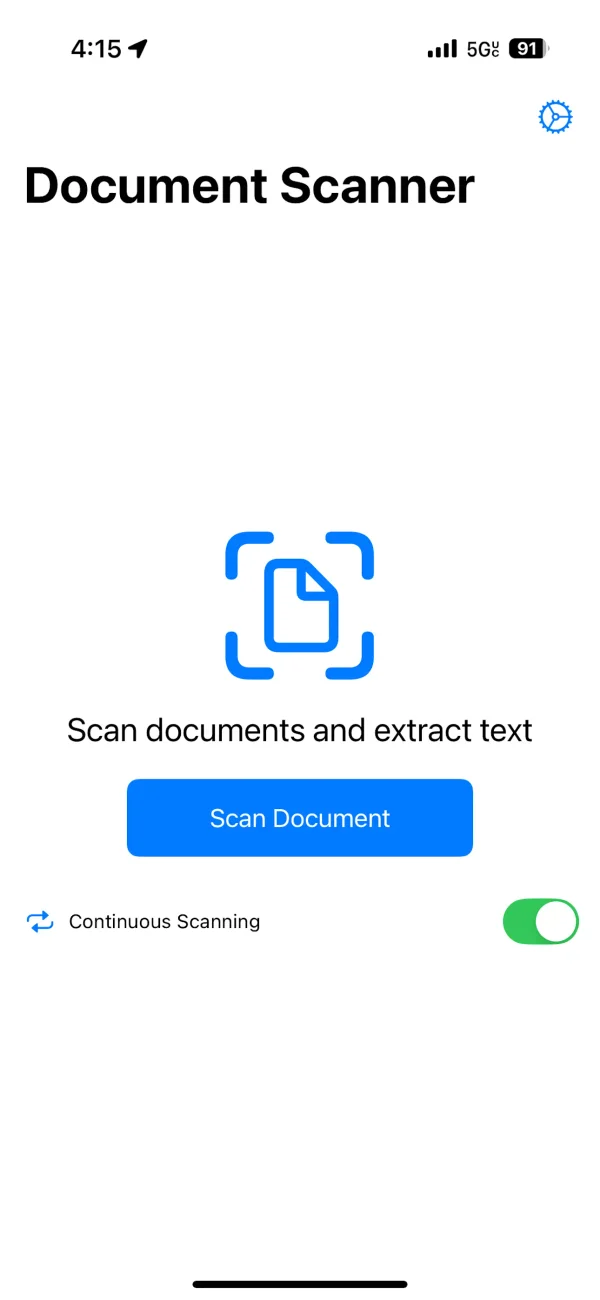
Transform your iPhone into a powerful yet simple document scanner with AI-enhanced accuracy. Whether you're organizing receipts for tax season, digitizing important paperwork, scanning business cards, or clearing paper clutter, our app makes the process effortless.
SCAN ANYTHING, ANYWHERE
• Scan documents, receipts, business cards, and more
• Create clear, professional-quality digital copies
• Scan multiple pages into a single PDF
• Auto-detect document edges for perfect captures
• Available whenever you need it—no internet required
BUSINESS CARD & CONTACT MAGIC
• Instantly create contacts from scanned business cards
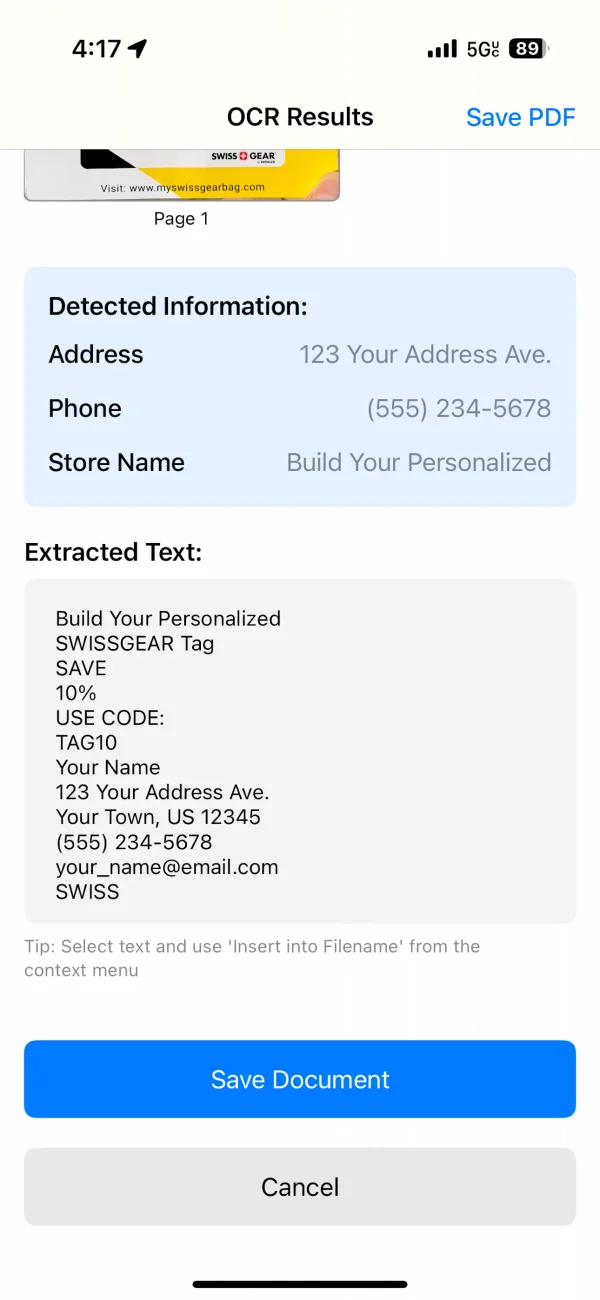
• Extract names, phone numbers, emails, and multi-line addresses
• Automatically add contact photos from business card images
• Support for apartment/suite numbers in addresses
• Review and edit contact information before saving
AI-POWERED INTELLIGENCE
• One-tap AI correction improves OCR results with perfect accuracy
• Powerful OCR technology extracts text from your scans
• Auto-detect dates and important information
• Automatically suggest filenames based on document content
• Continuous scanning mode for quick multi-page documents
EFFORTLESS ORGANIZATION
• Save to your preferred folder location
• Export as PDF with embedded searchable text
• Share scans via email, messages, or cloud storage
• Save images directly to your photo library
• Quick access to recent scans
USER-FRIENDLY DESIGN
• Clean, intuitive interface
• Minimal learning curve—no complicated settings
• Optimized for one-handed operation
• Works in portrait and landscape orientations
• Designed for speed and simplicity
Turn paper clutter into organized digital files with just a few taps. Download today and start simplifying your document management!
Privacy focused: All processing happens on your device. Your documents stay private and secure.
新機能
バージョン 1.2.2 · 2025/5/29
What's New in Version 1.2.2:
• Added "Also Update Filename" checkbox toggle next to the "Fix Extracted Text with AI" button
• Pro users can now choose whether to include filename suggestions when fixing OCR text
• Enhanced AI API call logging with detailed metadata for analytics and debugging
• All AI interactions (OCR fixes and filename suggestions) are now properly tracked on server
• Fixed iOS compatibility issue by replacing unavailable CheckboxToggleStyle with custom toggle implementation
• Resolved compilation error that prevented the app from building on iOS devices
• Updated AI button text from "Fix with AI" to "Fix Extracted Text with AI" for better clarity
• Enhanced user control over AI features with granular toggle options
• Improved logging system for better tracking of AI feature usage and performance
Thank you for using Document Scanner!
アプリのプライバシー
このアプリのデータの取り扱いについて、Michael SmolkinがApp Storeで申告している内容です。
-
データの収集なし
開発元はこのアプリからデータを収集しません。
プライバシーの取り扱いは、ご利用の機能やお客様の年齢などに応じて異なる場合があります。
情報
- 販売元
- Michael Smolkin
- カテゴリ
- 仕事効率化
- バージョン
- 1.2.2
- 更新日
- 2025/5/29
- リリース
- 2025/4/23
- サイズ
- 6.7 MB
- 必要条件
- iOS 17.2以降
- 対象年齢
- 4+
- 価格
- 無料
- 言語
- 英語
- 著作権
- © 2025 Smolk LLC