QuickClipper
Save & Copy Snippets Fast
Designed for iPhone, iPad, iPod touch
In-app purchases
- Age rating4+
- CategoryProductivity
- DeveloperNirmita Technologies LLC
- LanguagesEnglish
- Size110.0 MB
Links to the official App Store page
Download.org hosts no file of QuickClipper. The button opens its official App Store page, published by Nirmita Technologies LLC. Listing last checked on Nov 8, 2026.
Screenshots



About
QuickClipper keeps everything you copy and save in one place: notes, links, code, checklists, sketches and photos. Find anything in seconds and paste it anywhere.
EVERYTHING IN ONE PLACE
- Save notes, links, code, checklists and sketches
- Clips are sorted automatically, so links look like links and code looks like code
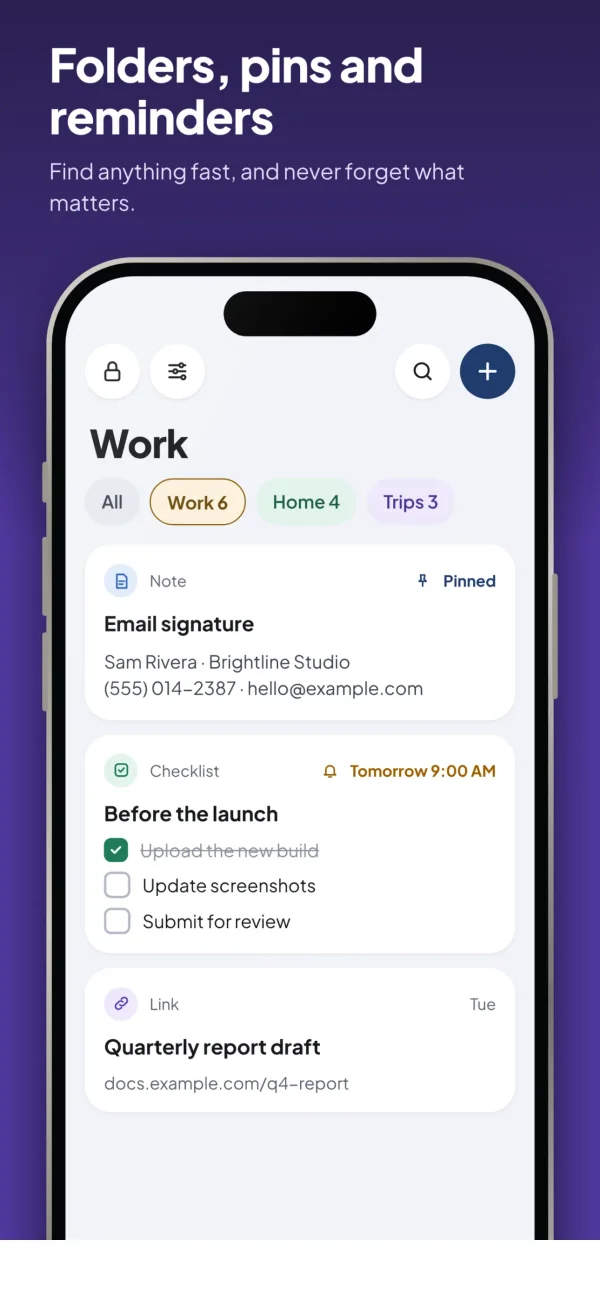
- Folders, pins, tags and search keep things easy to find
- Reminders so you never forget a clip that matters
SHARE PRIVATELY, LIVE
- Share a list, note or folder with only the people you invite
- Everyone can edit together and changes show up right away
- See who made the last change, and get a notification when someone edits
- Or just send a copy through Messages, Mail or any app
SECURE VAULT
- Keep passwords, codes and private photos in an encrypted Vault
- Unlock with Face ID or your passcode
- Vault items stay on your device and are never uploaded
WRITING TOOLS ON YOUR DEVICE
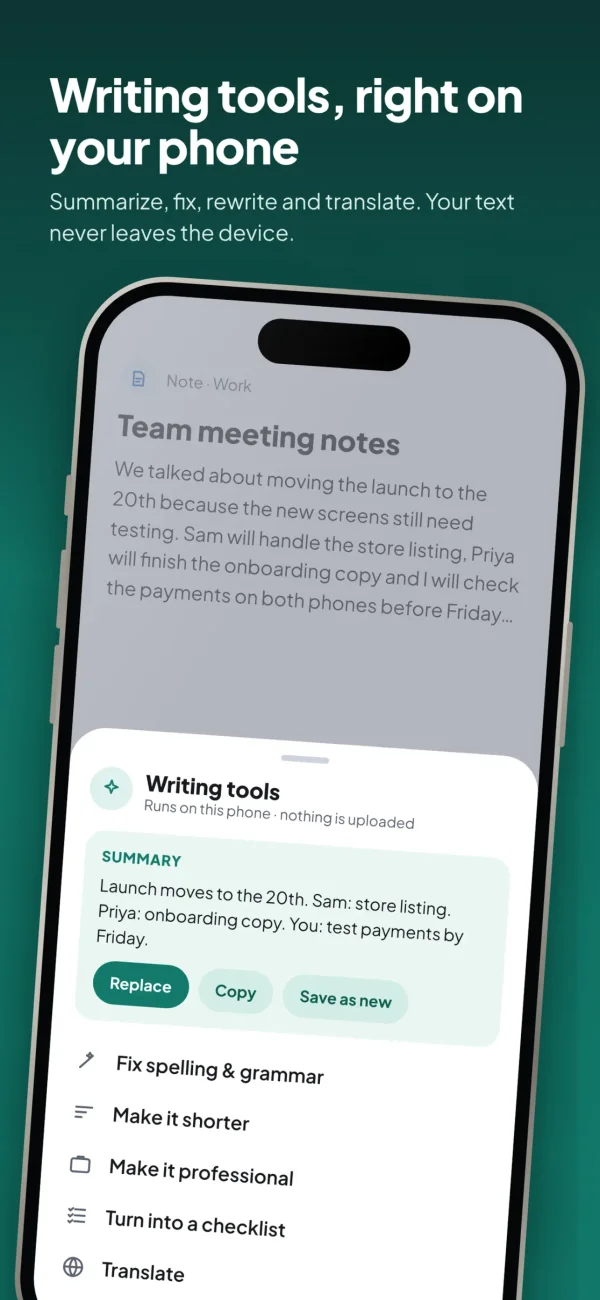
- Summarize, fix spelling, make it shorter, more professional or friendlier
- Turn notes into checklists or translate them
- Runs on your device with Apple Intelligence, so your text is never sent anywhere (on supported devices)
WORKS EVERYWHERE YOU DO
- Quick Clipper keyboard: paste saved clips into any app
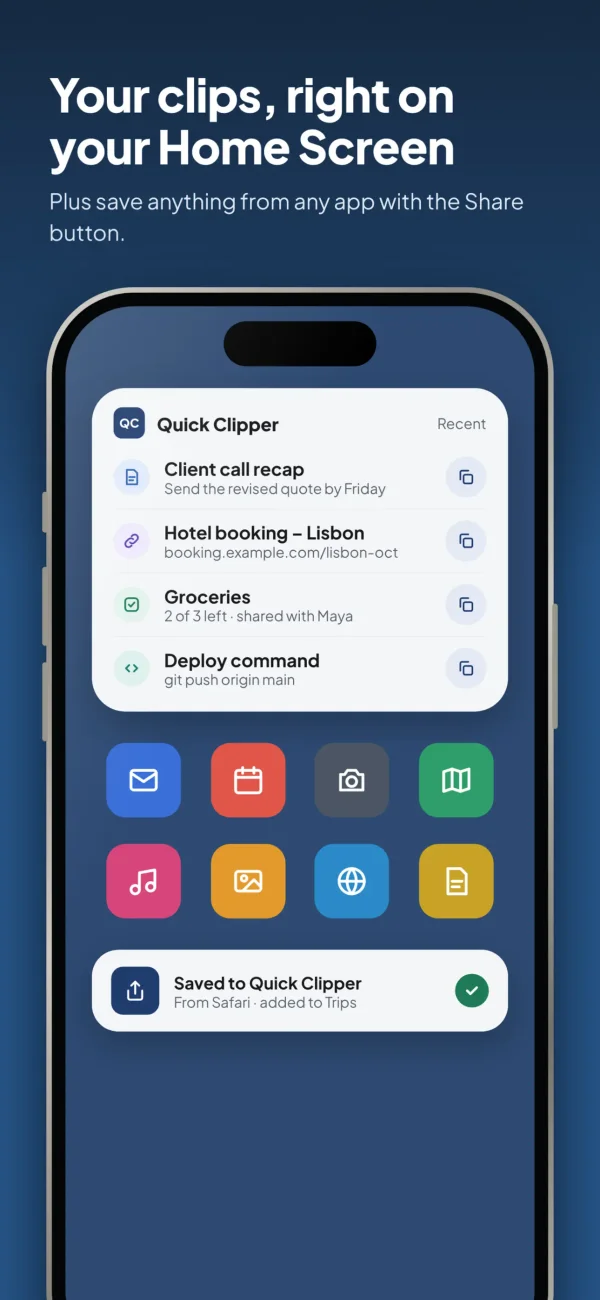
- Home Screen widget for your recent clips
- Save from any app with the Share button
- Optional sign-in to sync across your devices
- Text from photos, themes, card styles and fonts to make it yours
QUICKCLIPPER PRO
Unlock live sharing, the Secure Vault, unlimited folders, every theme, card style and font, and more.
- Monthly or yearly subscription (the yearly plan includes a 7-day free trial), or a one-time Lifetime purchase
- Payment is charged to your Apple Account when you confirm the purchase
- Subscriptions renew automatically unless canceled at least 24 hours before the end of the current period
- Manage or cancel anytime in your Apple Account settings
- Any unused part of a free trial ends when you buy a subscription
Terms of Use: https://nirmitatechnologies.com/legal/quickclipper/terms
Privacy Policy: https://nirmitatechnologies.com/legal/quickclipper/privacy
What’s new
Version 1.4.0 · Oct 15, 2026
A big update!
- Share lists, notes and folders privately and edit together, live
- A fresh new design with cleaner cards
- Writing tools: summarize, fix, rewrite and translate on your device
- Secure Vault for passwords, codes and private photos
- QuickClipper Pro with monthly, yearly (7-day free trial) and Lifetime plans
- Optional sign-in to sync across your devices
- Your clips from earlier versions come with you automatically
App privacy
What Nirmita Technologies LLC declares on the App Store about how this app handles data.
-
Data linked to you
May be collected and linked to your identity.
- Contact info
- User content
- Identifiers
-
Data not linked to you
May be collected but is not linked to your identity.
- Diagnostics
Privacy practices may vary, for example with the features you use or your age.
Information
- Seller
- Nirmita Technologies LLC
- Category
- Productivity
- Version
- 1.4.0
- Updated
- Oct 15, 2026
- Released
- Sep 1, 2025
- Size
- 110.0 MB
- Requires
- iOS 15.5 or later
- Age rating
- 4+
- In-app purchases
- Yes
- Languages
- English
- Copyright
- © 2026 Nirmita Technologies LLC
You might also like
-
 LicenseManagerProManage your software licenses
-
 Gallery Lock Crypto EncryptedApp Lock Hide Private Memories
-
 DailivoSimple and powerful tasks app.
-
 LynkChat AINative Gemini AI Chat
-
 QuickHoldQuick access to essential info
-
 Done On Timeright stuff [done on time]
-
 PasteHub Snippet Copy & PasteText Snipping Tool & Keyboard
-
 Stashy: Save Links & Ask AIBookmark Manager, Second Brain
-
 Time Vision - Time TrackerEliminate time blindnes
-
 Bookmark Manager: NemorOrganize reels, shorts & links