- 対象年齢4+
- カテゴリ仕事効率化
- 開発元Nirmita Technologies LLC
- 言語英語
- サイズ110.0 MB
App Storeの公式ページにリンクしています
Download.orgはQuickClipperのファイルを一切ホストしていません。ボタンを押すと、Nirmita Technologies LLCが公開しているApp Storeのアプリページが開きます。ページの最終確認:2026/11/8。
スクリーンショット



概要
開発元はこのテキストをお使いの言語で提供していません。
QuickClipper keeps everything you copy and save in one place: notes, links, code, checklists, sketches and photos. Find anything in seconds and paste it anywhere.
EVERYTHING IN ONE PLACE
- Save notes, links, code, checklists and sketches
- Clips are sorted automatically, so links look like links and code looks like code
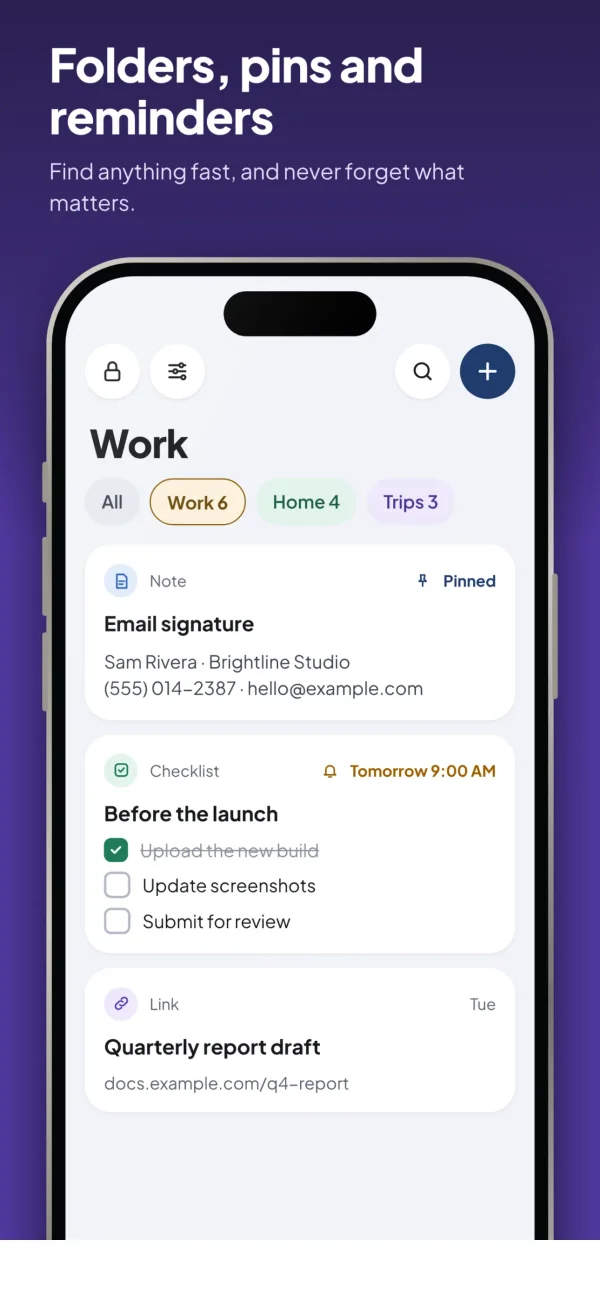
- Folders, pins, tags and search keep things easy to find
- Reminders so you never forget a clip that matters
SHARE PRIVATELY, LIVE
- Share a list, note or folder with only the people you invite
- Everyone can edit together and changes show up right away
- See who made the last change, and get a notification when someone edits
- Or just send a copy through Messages, Mail or any app
SECURE VAULT
- Keep passwords, codes and private photos in an encrypted Vault
- Unlock with Face ID or your passcode
- Vault items stay on your device and are never uploaded
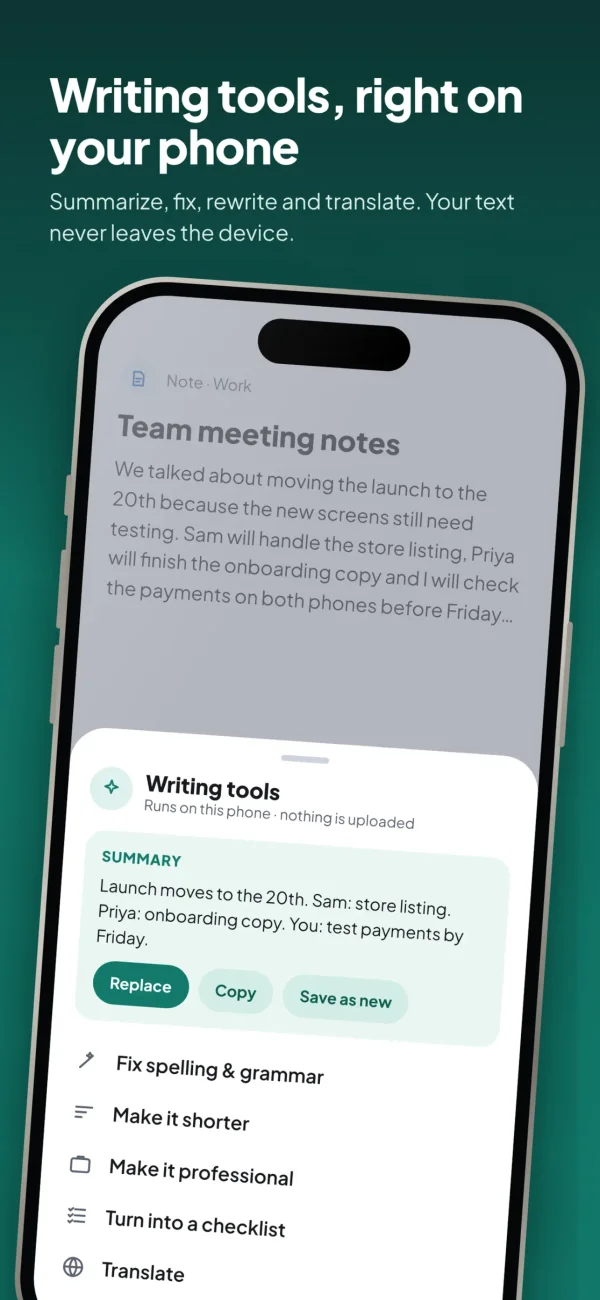
WRITING TOOLS ON YOUR DEVICE
- Summarize, fix spelling, make it shorter, more professional or friendlier
- Turn notes into checklists or translate them
- Runs on your device with Apple Intelligence, so your text is never sent anywhere (on supported devices)
WORKS EVERYWHERE YOU DO
- Quick Clipper keyboard: paste saved clips into any app
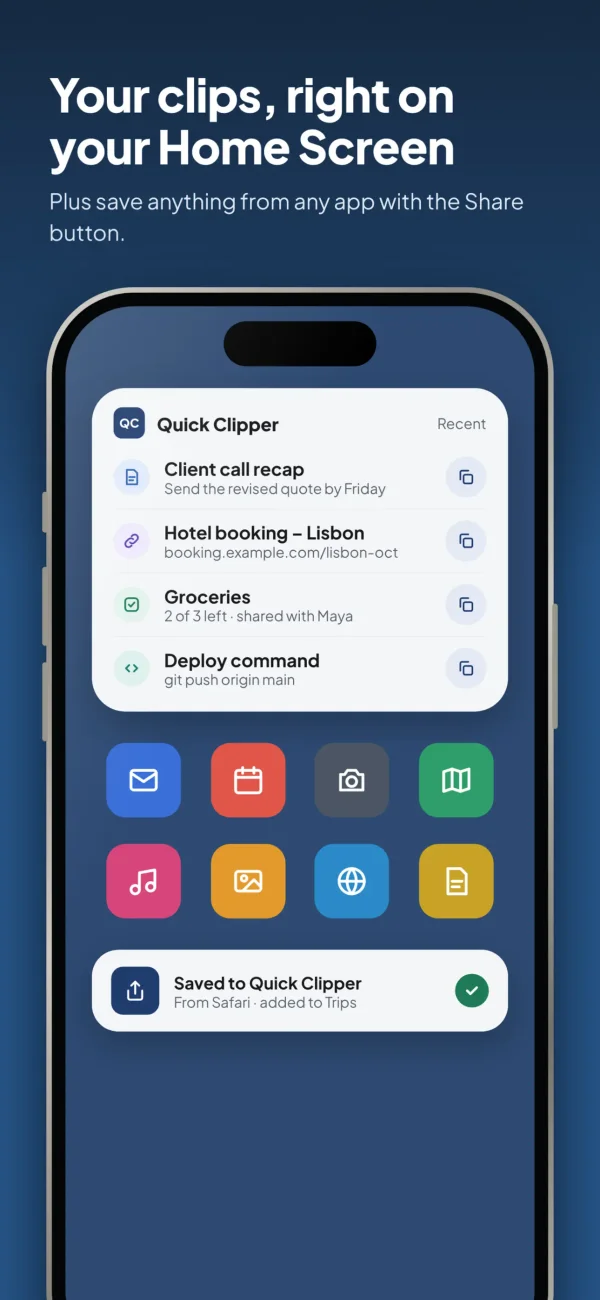
- Home Screen widget for your recent clips
- Save from any app with the Share button
- Optional sign-in to sync across your devices
- Text from photos, themes, card styles and fonts to make it yours
QUICKCLIPPER PRO
Unlock live sharing, the Secure Vault, unlimited folders, every theme, card style and font, and more.
- Monthly or yearly subscription (the yearly plan includes a 7-day free trial), or a one-time Lifetime purchase
- Payment is charged to your Apple Account when you confirm the purchase
- Subscriptions renew automatically unless canceled at least 24 hours before the end of the current period
- Manage or cancel anytime in your Apple Account settings
- Any unused part of a free trial ends when you buy a subscription
Terms of Use: https://nirmitatechnologies.com/legal/quickclipper/terms
Privacy Policy: https://nirmitatechnologies.com/legal/quickclipper/privacy
新機能
バージョン 1.4.0 · 2026/10/15
A big update!
- Share lists, notes and folders privately and edit together, live
- A fresh new design with cleaner cards
- Writing tools: summarize, fix, rewrite and translate on your device
- Secure Vault for passwords, codes and private photos
- QuickClipper Pro with monthly, yearly (7-day free trial) and Lifetime plans
- Optional sign-in to sync across your devices
- Your clips from earlier versions come with you automatically
アプリのプライバシー
このアプリのデータの取り扱いについて、Nirmita Technologies LLCがApp Storeで申告している内容です。
-
ユーザーに関連付けられたデータ
収集され、ユーザーの識別情報に関連付けられる場合があります。
- 連絡先情報
- ユーザーコンテンツ
- ID
-
ユーザーに関連付けられないデータ
収集される場合がありますが、ユーザーの識別情報には関連付けられません。
- 診断
プライバシーの取り扱いは、ご利用の機能やお客様の年齢などに応じて異なる場合があります。
情報
- 販売元
- Nirmita Technologies LLC
- カテゴリ
- 仕事効率化
- バージョン
- 1.4.0
- 更新日
- 2026/10/15
- リリース
- 2025/9/1
- サイズ
- 110.0 MB
- 必要条件
- iOS 15.5以降
- 対象年齢
- 4+
- 価格
- 無料
- アプリ内課金
- あり
- 言語
- 英語
- 著作権
- © 2026 Nirmita Technologies LLC