- Age rating4+
- CategoryProductivity
- DeveloperMichael Babitski
- LanguagesEnglish
- Size8.4 MB
Links to the official App Store page
Download.org hosts no file of QuickPaste Keyboard. The button opens its official App Store page, published by Michael Babitski. Listing last checked on Nov 12, 2026.
Screenshots

About
Stop Typing the Same Messages Over and Over!
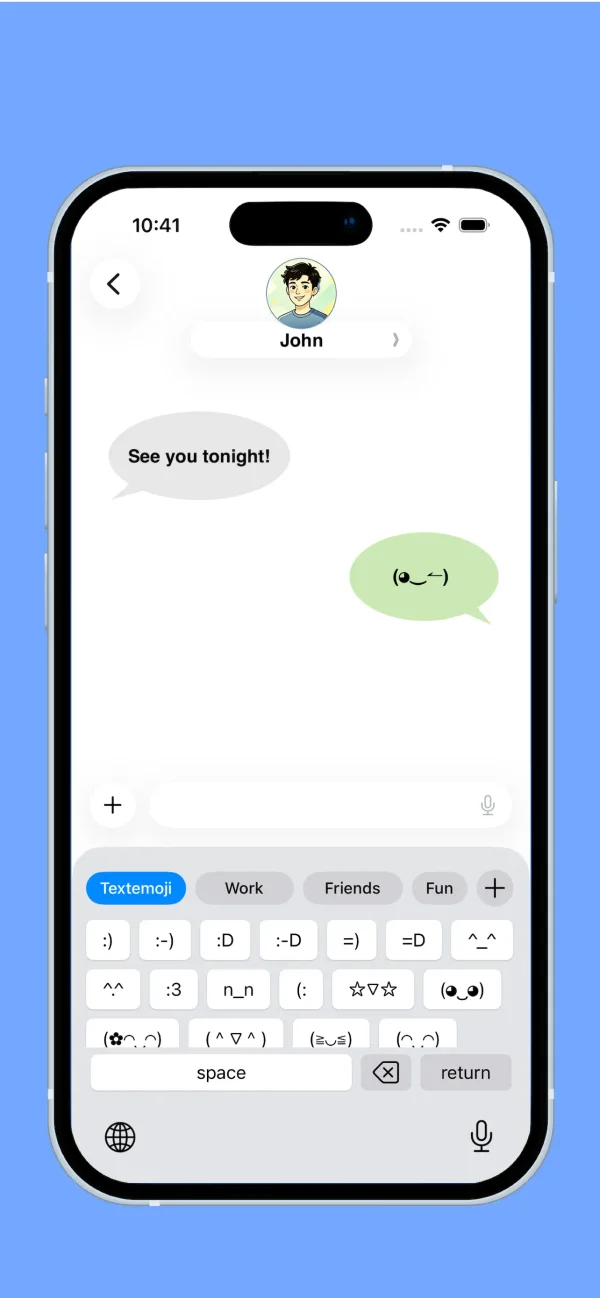
Do you find yourself constantly typing your email address, home address, or common replies to customers? QuickPaste Keyboard is the ultimate productivity tool designed to save you hours of tedious typing by putting your most-used text snippets right at your fingertips.
- Speed Up Your Workflow
Whether you are a business owner responding to FAQs, a gamer using chat commands, or just someone tired of repetitive typing, QuickPaste turns minutes of work into a single tap.
- How It Works:
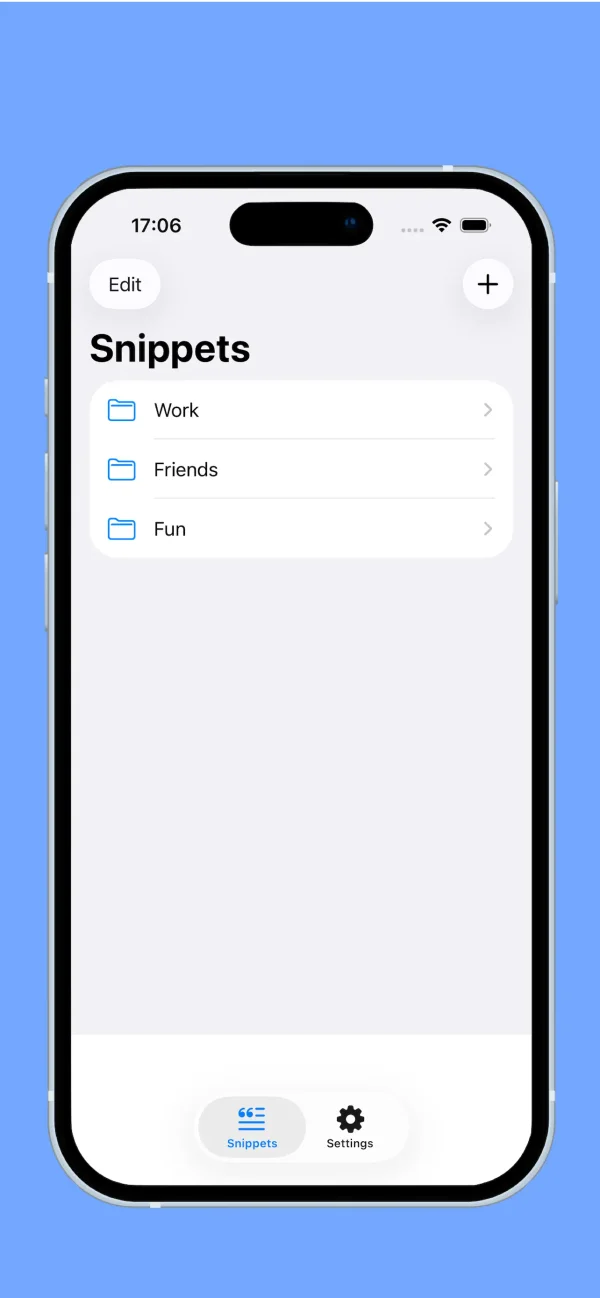
Create: Open the app and save your frequently used phrases, templates, or emojis.
Switch: Enable the QuickPaste Keyboard in your iOS settings.
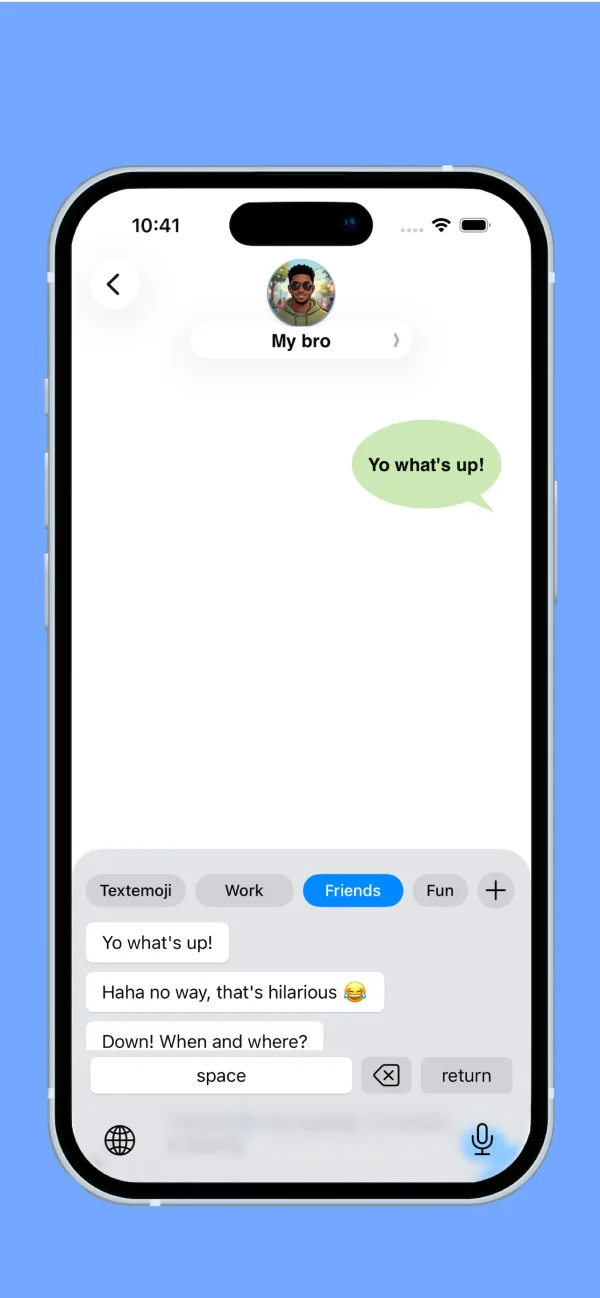
Paste: Tap a snippet from the keyboard to insert it instantly into any app—WhatsApp, Mail, Slack, Instagram, and more!
- Key Features:
Unlimited Snippets: Store everything from short emails to complex templates.
Organized Categories: Group your snippets (e.g., "Work," "Personal," "Social") for lightning-fast access.
One-Tap Insertion: No more switching between apps to copy and paste.
Privacy First: We don’t track what you type. Your snippets stay on your device.
Dark Mode Support: A sleek design that looks great with any iOS theme.
- Perfect For:
Customer Support: Send "canned responses" in seconds.
Sales & Real Estate: Send listings and contact info instantly.
Job Seekers: Keep your bio and LinkedIn links ready to go.
Social Media: Store your favorite hashtag sets.
Download QuickPaste Keyboard today and start reclaiming your time!
What’s new
Version 1.1 · Mar 27, 2026
Bug fixes
App privacy
What Michael Babitski declares on the App Store about how this app handles data.
-
Data used to track you
May be used to track you across apps and websites owned by other companies.
- Location
- Identifiers
-
Data not linked to you
May be collected but is not linked to your identity.
- Location
- Identifiers
Privacy practices may vary, for example with the features you use or your age.
Information
- Seller
- Michael Babitski
- Category
- Productivity
- Version
- 1.1
- Updated
- Mar 27, 2026
- Released
- Mar 26, 2026
- Size
- 8.4 MB
- Requires
- iOS 26.0 or later
- Age rating
- 4+
- Languages
- English
- Copyright
- © Michael Babitski
You might also like
-
 QuickPaste – Snippet KeyboardPaste from your keyboard
-
 Copy Paste Master: Fast NotesFast notes from clipboard
-
 Current Tasks & RemindersSimple planner for daily life
-
 Stilllog – Did I Do It? LogA simple record you can trust
-
 Calculator with History ⁺NoAds Smart History Calculator
-
 AI Keyboard & Writer: TypeAIAutoPaste,Rewrite & Chat Reply
-
 Clipo - Clipboard & KeyboardCopy less. Paste smarter.
-
 Clipboard Keyboard SnippetsPaste Saved Text in Any App
-
 Bookmarks: Manage & Read LaterFolders, tags & iCloud sync
-
 Polymer - Clipboard ManagerSave, organize and reuse clips