
Quiz Maker - grape
Snap your notes into quizzes
Designed for iPhone, iPad, iPod touch
Free · In-app purchases
- Age rating4+
- CategoryEducation
- DeveloperMing Rong Ng
- LanguagesEnglish+ 3 more
- Size60.1 MB
Links to the official App Store page
Download.org hosts no file of Quiz Maker - grape. The button opens its official App Store page, published by Ming Rong Ng. Listing last checked on Nov 16, 2026.
Screenshots


About
Turn Your Notes into Quizzes Instantly with Grape
Supercharge your study game with Grape - the smart quiz creator that transforms your handwritten notes or screenshots into engaging quizzes in just seconds.
How Does Grape Work?
It’s simple!
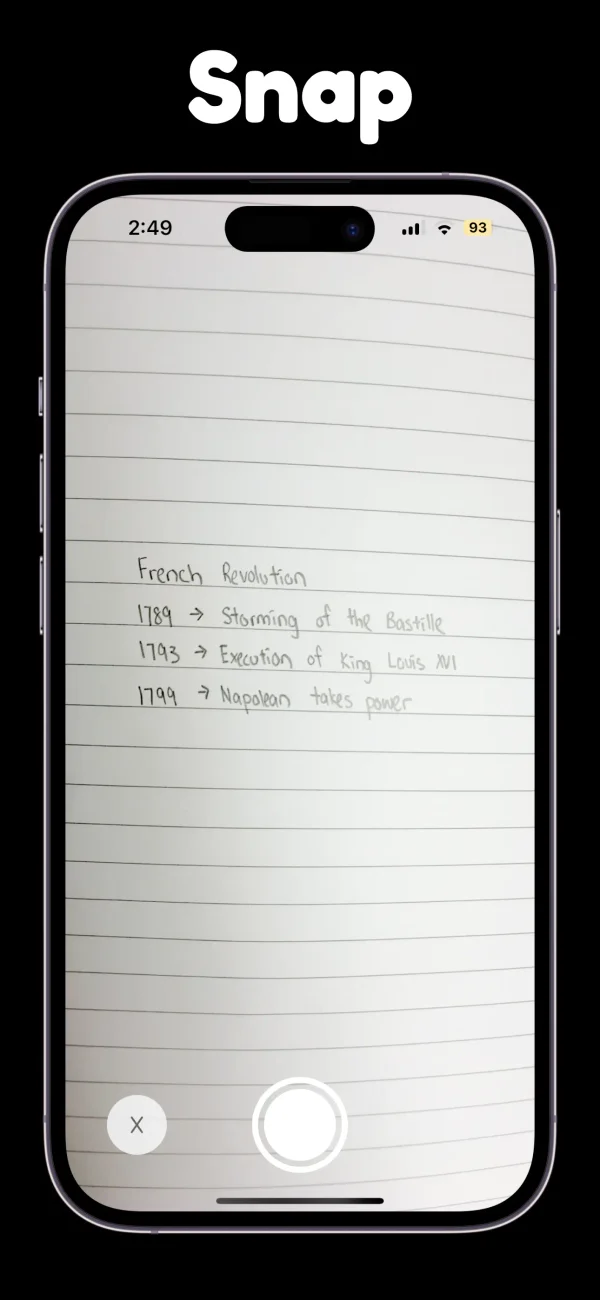
• Snap a photo of your notes or take a screenshot.
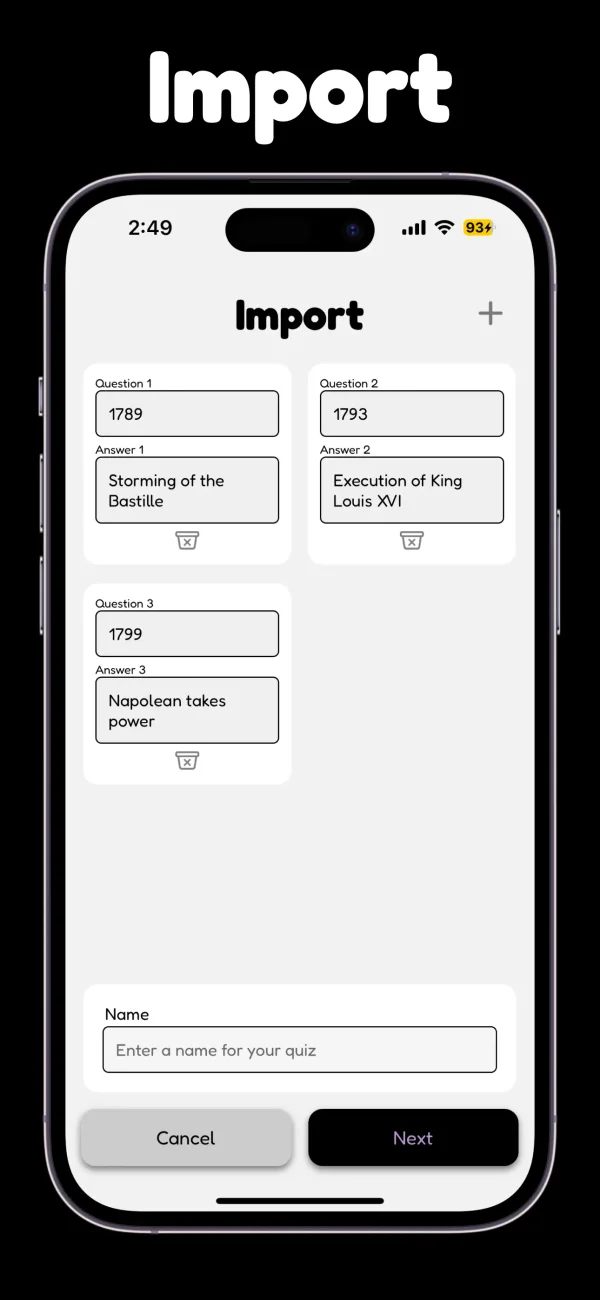
• Convert the content to text automatically using Grape’s powerful recognition technology.
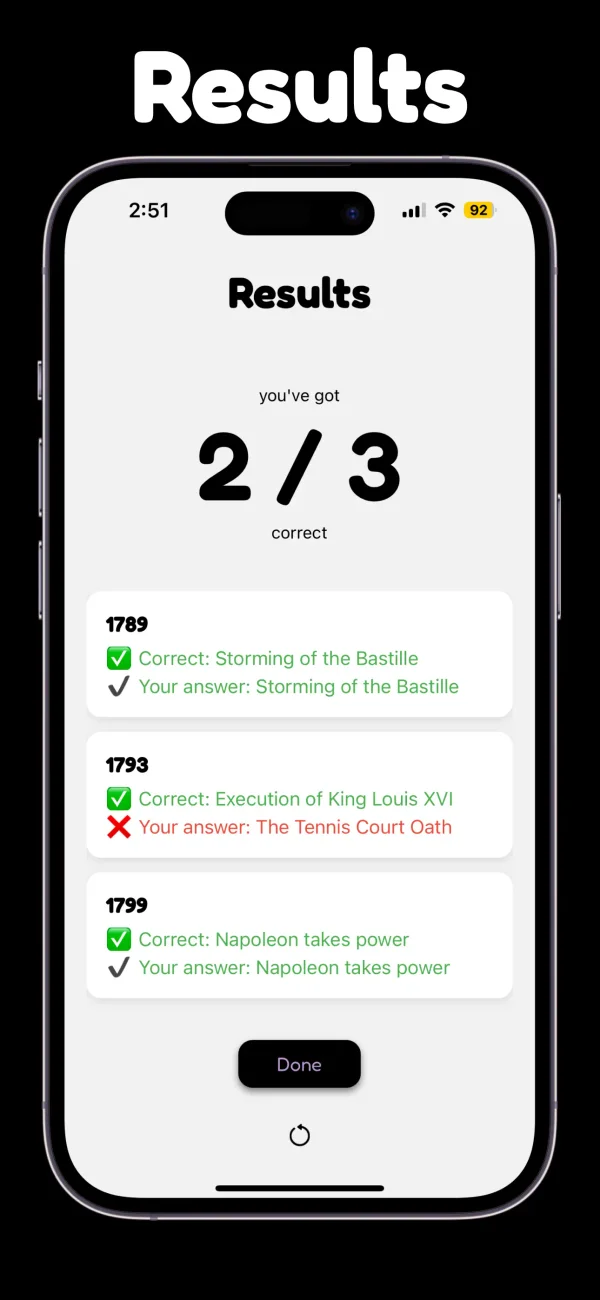
• Quiz yourself with interactive formats designed to make learning faster, more enjoyable, and highly effective.
No more tedious manual reviews - Grape helps you focus on what matters: mastering your content with ease.
Why Choose Grape?
• Photo to Quiz Power
Capture your handwritten notes or printed materials, and Grape’s intelligent quiz creator instantly turns them into fun, interactive quizzes. Perfect for visual learners and those who love trivia-style study methods.
• Anki-Inspired Edge
If you’re a fan of Anki flashcards, Grape takes it to the next level. Convert your notes into picture-based trivia quizzes that reinforce active recall - one of the most effective memory techniques proven to improve long-term retention.
• Spaced Repetition for Better Memory
Grape uses smart quiz scheduling to help you revisit key information at optimal intervals - maximizing your study efficiency and ensuring you remember what matters most.
• Study Your Way
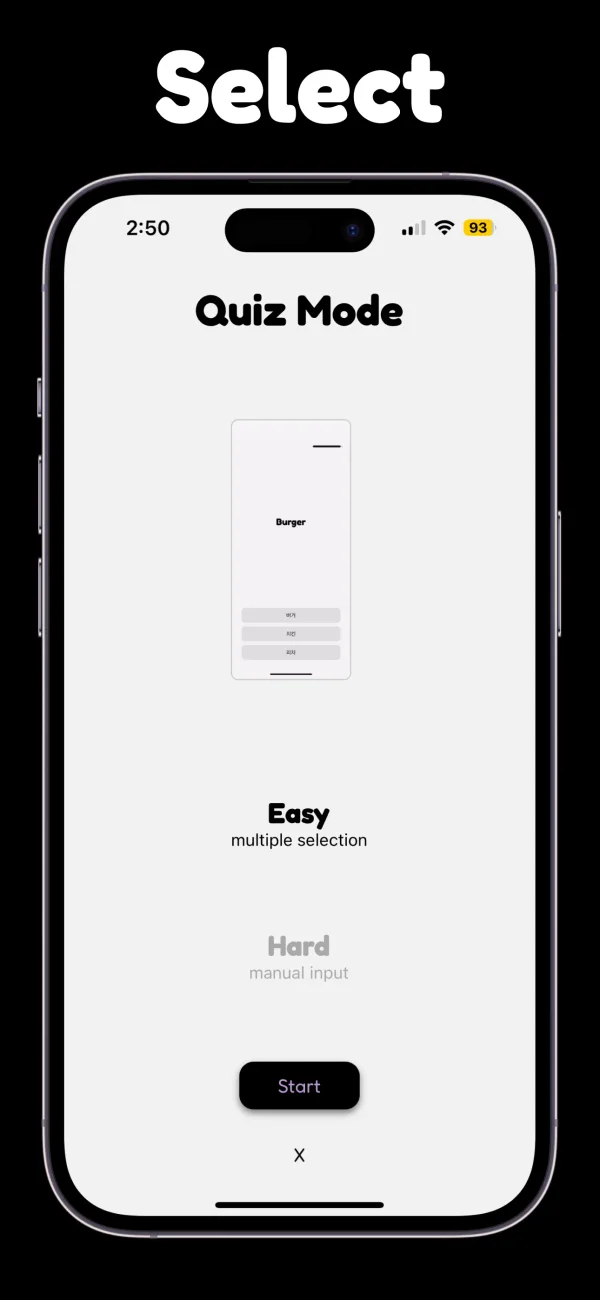
Tailor your quiz experience with flexible options like:
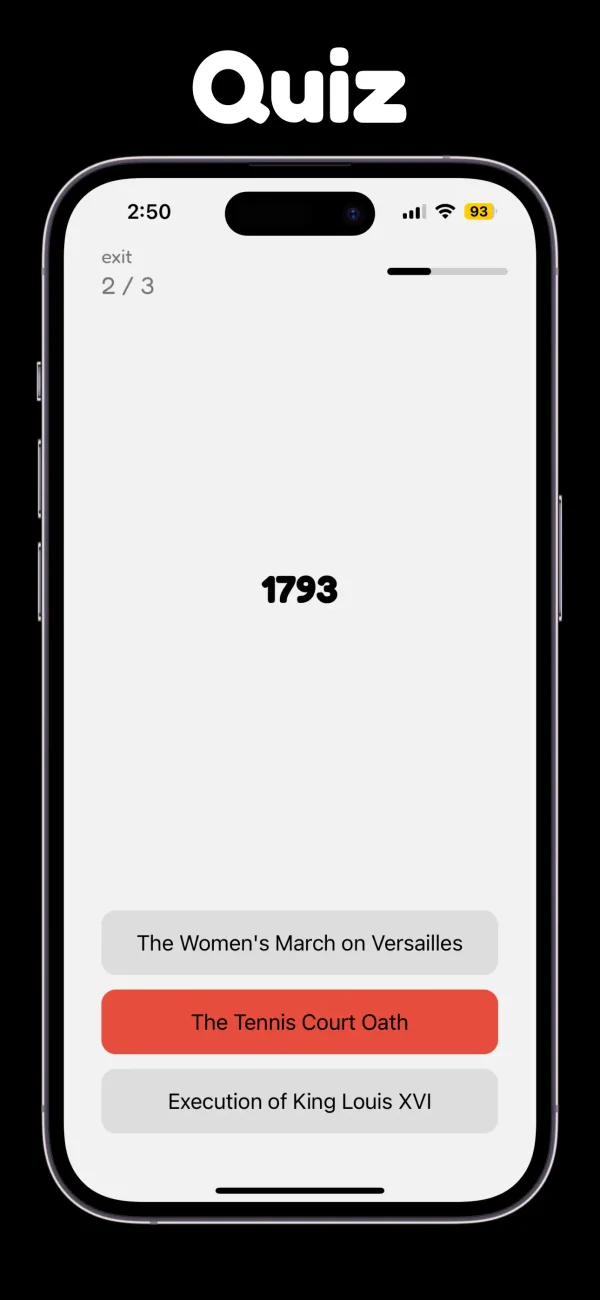
- Multiple-choice questions
- Manual input for precise practice
- Customizable formats to suit your learning preferences
• Effortless & Smart
Our advanced AI handles the heavy lifting - from recognizing handwriting to generating quiz questions - so you can focus entirely on learning.
• Share Your Quiz
Turn learning into a collaborative experience! Once you’ve created a quiz, easily share it with friends, classmates, or study groups. Whether you’re preparing for a group project, tutoring someone, or challenging friends to a knowledge showdown, Grape makes it simple and fun.
• Minimalist Design, Without Distraction
A clean, clutter-free interface keeps your focus on what matters - learning.
Key Features & Use Cases
• Snap & Convert Notes into Quizzes
Example: Take a photo of your handwritten biology notes, and Grape instantly creates a quiz to test your understanding of key concepts.
• Generate Quizzes from Extracted Text
Example: Screenshot a Google Translate result or online study material and convert it into an interactive quiz - perfect for language learners!
• Interactive Quiz Modes
Example: Choose from multiple-choice quizzes for quick practice or manual input quizzes to challenge your memory and deepen your understanding.
• Spaced Repetition for Smarter Learning
Example: Grape helps you review key topics just when you’re about to forget them, ensuring long-term retention.
Master Your Notes Like Never Before
Whether you’re preparing for exams, reviewing class materials, or boosting your language skills, Grape makes studying smarter, faster, and more engaging.
Ready to level up your learning? Download Grape today and start transforming your notes into powerful quizzes.
Snap, Convert, Quiz - Start Your Study Adventure Now!
Privacy Policy: https://grape.mingeee.com/en/privacy-policy
Terms of Use: https://www.apple.com/legal/internet-services/itunes/dev/stdeula/
What’s new
Version 3.5 · Oct 6, 2026
fix:
• app crashing on iOS 27
App privacy
What Ming Rong Ng declares on the App Store about how this app handles data.
-
Data used to track you
May be used to track you across apps and websites owned by other companies.
- Usage data
-
Data not linked to you
May be collected but is not linked to your identity.
- Contact info
- Identifiers
- Usage data
- Diagnostics
- Other data
Privacy practices may vary, for example with the features you use or your age.
Information
- Seller
- Ming Rong Ng
- Category
- Education
- Version
- 3.5
- Updated
- Oct 6, 2026
- Released
- Feb 28, 2025
- Size
- 60.1 MB
- Requires
- iOS 15.4 or later
- Age rating
- 4+
- Price
- Free
- In-app purchases
- Yes
- Languages
- English, Japanese, Korean, Simplified Chinese
- Copyright
- © mingeee
You might also like
-
 Anora: Study FlashcardsFlashcards for Every Goal
-
 MemU — Flashcard 2.0Spaced repetition with context
-
 Todaii: Easy KoreanLearn Korean with easy news
-
 Flash Cards - Flashcards MakerMemorize Notes, Decks for Anki
-
 Koki Flashcards - memorizeVocabulary & Spaced Repetition
-
 Spaced Repetition SmartCards+Active Recall Flashcard Maker
-
 Seyo: Speak Korean ConfidentlyReal-Life Korean Conversations
-
 TestMaker - Flashcard & QuizStudy guide & exam prep maker
-
 Infinite Korean: VocabularyLearn vocabulary the fun way!
-
 Korean Reading: TTMIK StoriesReal Korean, graded stories