
R2Explorer - Bucket Manager
Cloudflare R2 & S3 manager
Designed for iPhone, iPad, Mac
Free · In-app purchases
- Age rating4+
- CategoryDeveloper Tools
- DeveloperMagenta Creations
- LanguagesEnglish
- Size11.1 MB
Links to the official App Store page
Download.org hosts no file of R2Explorer - Bucket Manager. The button opens its official App Store page, published by Magenta Creations. Listing last checked on Nov 17, 2026.
Screenshots

About
R2Explorer is a native iPhone and iPad client for Cloudflare R2 and S3-compatible storage. Browse your buckets, see what they cost, and check your Iceberg catalog from wherever you are.
FREE TO DOWNLOAD
Connect unlimited R2 and S3-compatible accounts for free. Browse buckets, preview files, filter a listing by name or by phrase, watch this month's spend per bucket, inspect your R2 Data Catalog, and download anything. No account, no trial timer, no read limits.
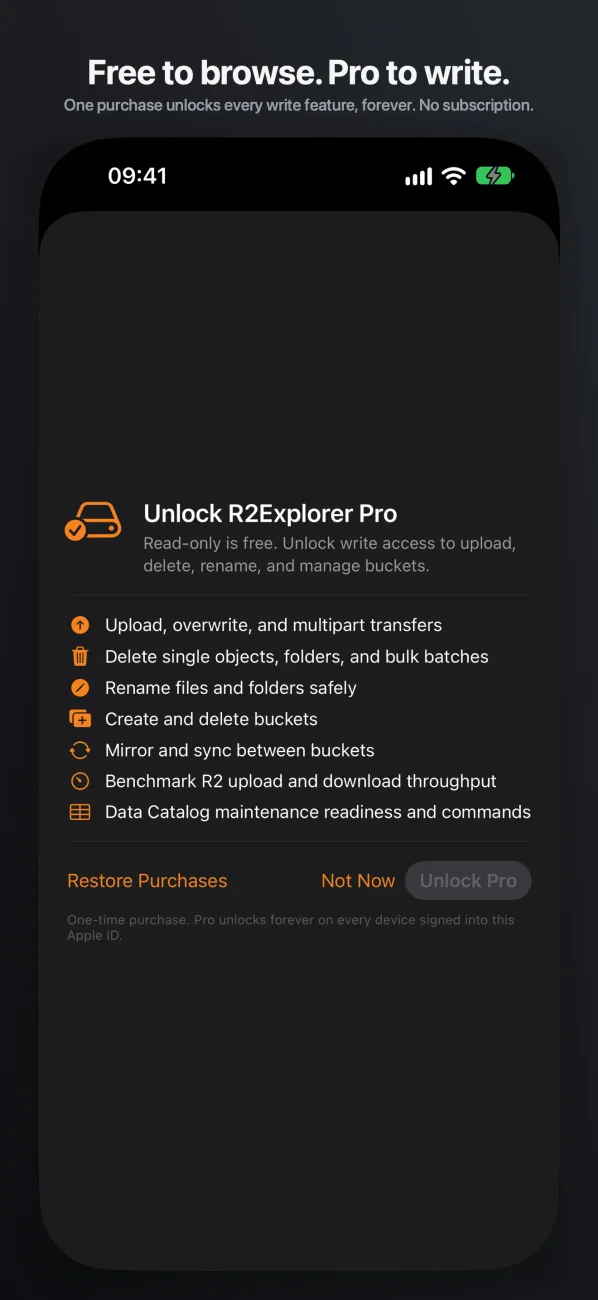
Unlock Pro with a one-time in-app purchase for every write feature: upload, delete, rename, create and delete buckets, and month-end cost projection. Pay once, with no subscription. One unlock covers every device on your Apple ID, Macs included, so if you already own R2Explorer for Mac, Pro is already unlocked here.
KEY FEATURES
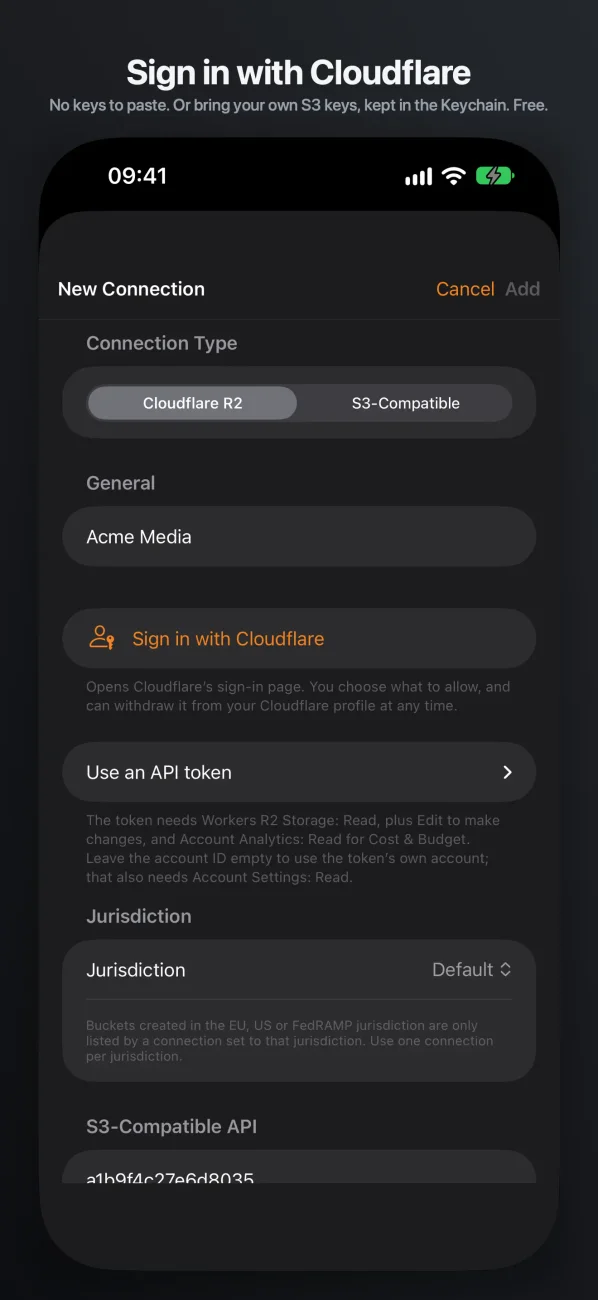
• Sign in with Cloudflare — Reach an R2 account with no API token to create or paste. R2Explorer never sees your password, and you can withdraw access from Cloudflare whenever you like. Prefer keys? Paste an Access Key ID and Secret for R2 or any S3-compatible service instead. Buckets in the EU, US and FedRAMP jurisdictions are one setting away.
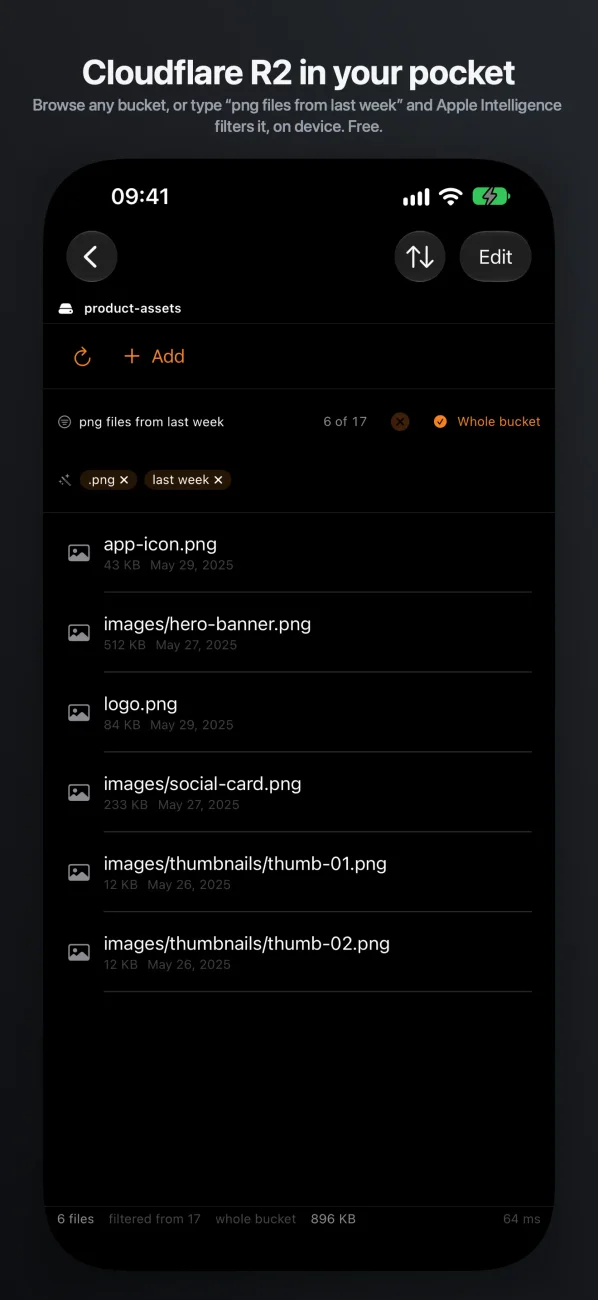
• Object Browser & Smart Filter — Folder views, breadcrumbs and sorting, with a filter that narrows the listing as you type and a Search all action that spans every folder in the bucket. Turn Smart Filter on and describe what you want instead: Apple Intelligence reads the phrase on your device and shows you the conditions it chose, so you can correct them. The phrase never leaves your iPhone.
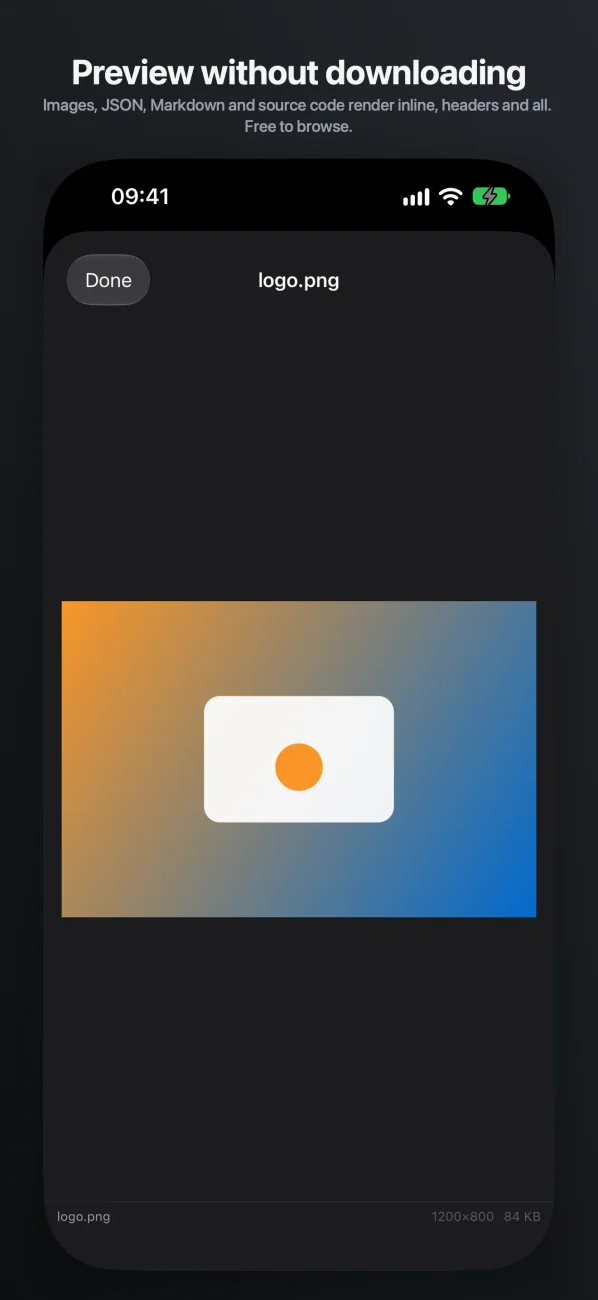
• Preview Without Downloading — Images, JSON, XML, YAML, Markdown and source code render inline, and you can inspect HTTP headers and metadata without pulling the file down.
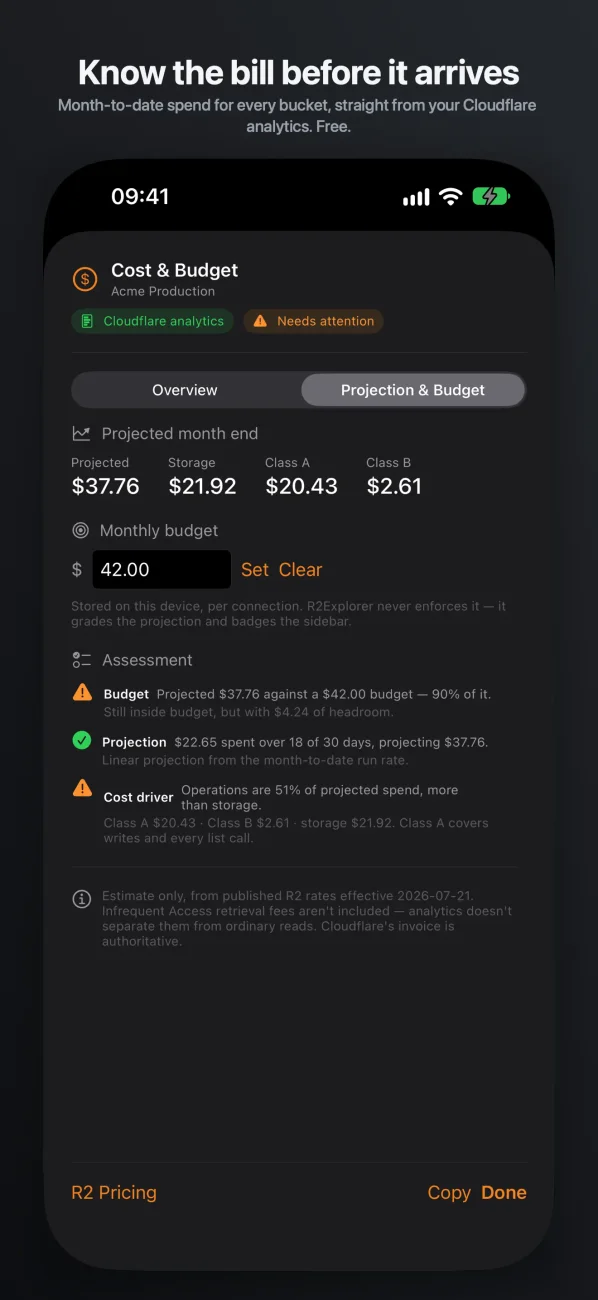
• Cost & Budget — Month-to-date spend per bucket, read from your own Cloudflare analytics, free. Pro projects where the month will land and grades it against a budget you set, so a surprise invoice stops being a surprise.
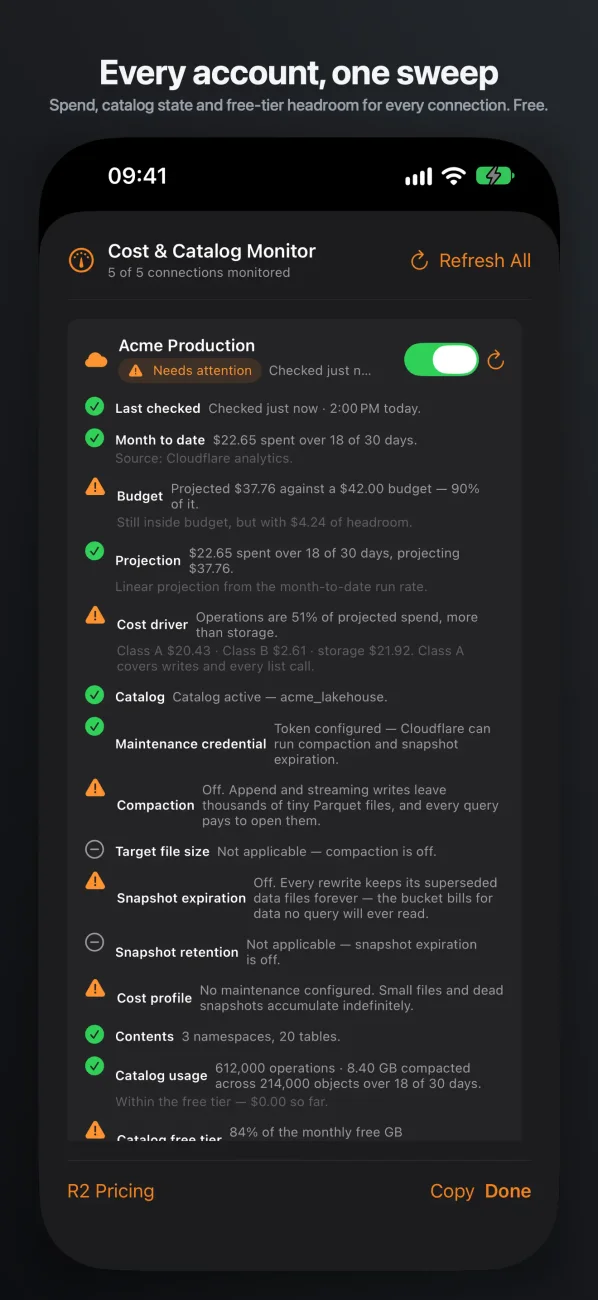
• Cost & Catalog Monitor — One sweep across every connection at once: spend, catalog state and compaction usage, with what is left of the free allowance. Every reading is stamped with when it was taken, so aged numbers cannot pass as current.
• R2 Data Catalog — Inspect catalog status, Iceberg namespaces and tables, and failed compaction jobs beside your objects. Pro grades the catalog against what Cloudflare expects and writes the wrangler commands that would fix each gap, for you to run wherever you run them. R2Explorer never runs them itself.
• Select, Download & Delete in Bulk — Edit mode selects many objects at once. Download a selection, or delete one in parallel batches with a progress view you can cancel. Rename any file or folder, or clear a bucket with Empty Bucket.
• Connection Health — Test Connection reports one row per credential plane, so a token missing R2 scope reads differently from one that is simply wrong, and Connection Doctor links each failure to the setting that fixes it.
• Your Connections, Everywhere — The connection list syncs across your iPhone, iPad and Mac over iCloud, so an account added on one is there on the others.
SECURITY & PRIVACY
Your credentials live only in the Keychain, encrypted by the OS, never in plain text and never sent to third parties. R2Explorer talks straight to your storage endpoints, with no intermediary servers and no telemetry. Smart Filter runs on Apple's on-device model, so the phrase you type never leaves your device either.
Mirror and Sync, Bucket Benchmark and Sippy migration are on the Mac version, and not here.
What’s new
Version 1.9.1 · Nov 8, 2026
When a Cloudflare sign-in expires, R2Explorer now offers Sign In Again.
It used to say the sign-in was no longer valid and offer only Retry, which could never work. The bucket list, object browser, file preview, Cost Inspector, Data Catalog and Connection Doctor now offer Sign In Again and reload once you are back, and Settings › Accounts marks the expired account with the same button.
• If R2Explorer cannot read its saved connections, for example after going back to an older version, it sets the file aside instead of saving an empty list over it, and the connection list says so
• That same case no longer deletes your connections from your other devices through iCloud. With iCloud sync on, this device gets them back
• The R2 SQL commands in the Data Catalog workbench export WRANGLER_BASIN_SQL_AUTH_TOKEN, the name current Wrangler reads, and the beta notices are gone
App privacy
What Magenta Creations declares on the App Store about how this app handles data.
-
Data not collected
The developer does not collect any data from this app.
Privacy practices may vary, for example with the features you use or your age.
Information
- Seller
- Magenta Creations
- Category
- Developer Tools
- Version
- 1.9.1
- Updated
- Nov 8, 2026
- Released
- Apr 13, 2026
- Size
- 11.1 MB
- Requires
- iOS 26.0 or later
- Age rating
- 4+
- Price
- Free
- In-app purchases
- Yes
- Languages
- English
- Copyright
- © 2026 R2Explorer
You might also like
-
 Code Bridge: AI Coding AgentMobile agent workflow bridge
-
 S3DeckS3, R2 & MinIO file manager
-
 ByokyWallet for your AI API keys
-
 W&B CatnipClaude Code Everywhere
-
 Shellward: SSH Client & SFTPThe AI-native terminal
-
 WhatCodeAI coding Agent for OpenCode
-
 Universal S3 clientManage your S3-like storages
-
 Conduit: SSH, Mosh & SFTPSSH, Mosh and SFTP client
-
 Device Monitor & Phone TesterCPU, RAM & Battery Diagnostics
-
 ERMIS - Client for HermesYour AI agent, hosted for you