
Race Timer: SpeedGate
Auto Starts, Precise Results
Designed for iPhone
Free · In-app purchases
- Age rating4+
- CategoryUtilities
- DeveloperMatteo Del Negro
- LanguagesEnglish
- Size7.0 MB
Links to the official App Store page
Download.org hosts no file of Race Timer: SpeedGate. The button opens its official App Store page, published by Matteo Del Negro. Listing last checked on Nov 12, 2026.
Screenshots


About
MEASURE YOUR ACCELERATION. YOUR WAY.
SpeedGate turns your iPhone into a GPS acceleration timer for measuring real-world vehicle performance — for a single launch, or for a full drive with continuous Monitoring.
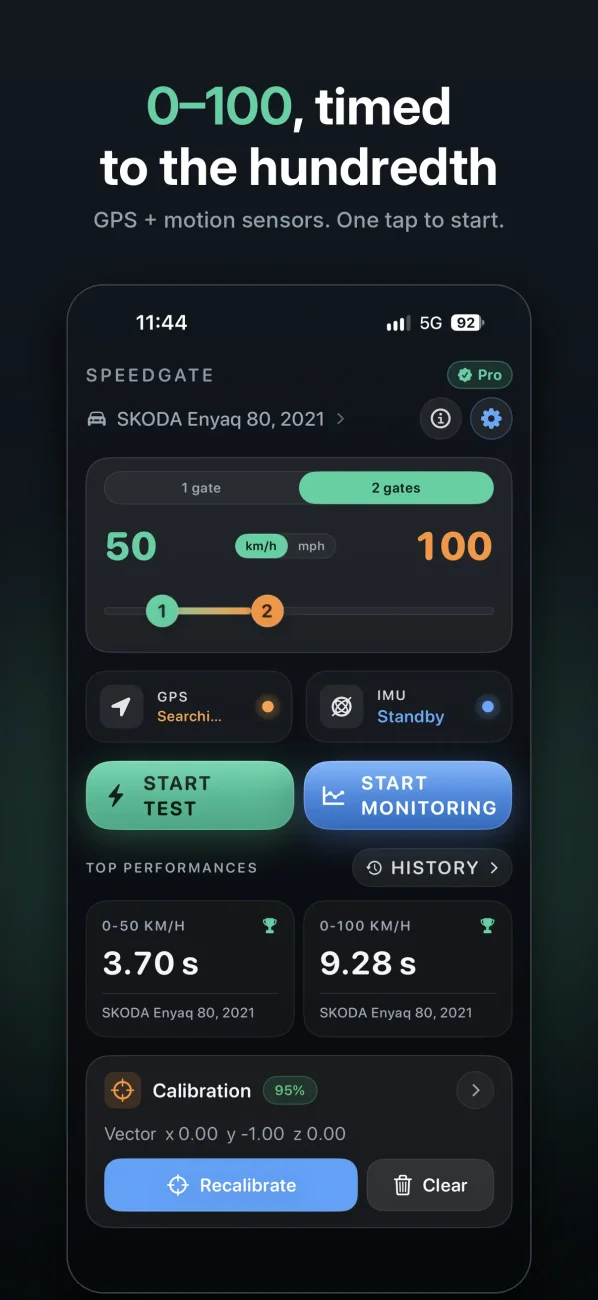
Set the speed you want to reach — 0–60 mph, 0–100 km/h, or any custom speed — and SpeedGate automatically detects when you start moving and times your run.
No manual stopwatch. No need to tap the screen while launching. Just set your gate, start the test and drive.
CUSTOM SPEED GATES
Choose your own target speed in mph or km/h. Use one gate for a simple acceleration test, or unlock two gates with SpeedGate Pro to measure two targets during the same run.
AUTOMATIC LAUNCH DETECTION
SpeedGate detects the beginning of your run automatically. Hands-free audio cues help you focus on driving while the app handles the timing. Three detection presets — Precise, Standard and Coarse — let you match the sensitivity to your vehicle, from electric cars to motorcycles and vibration-heavy engines.
MONITORING
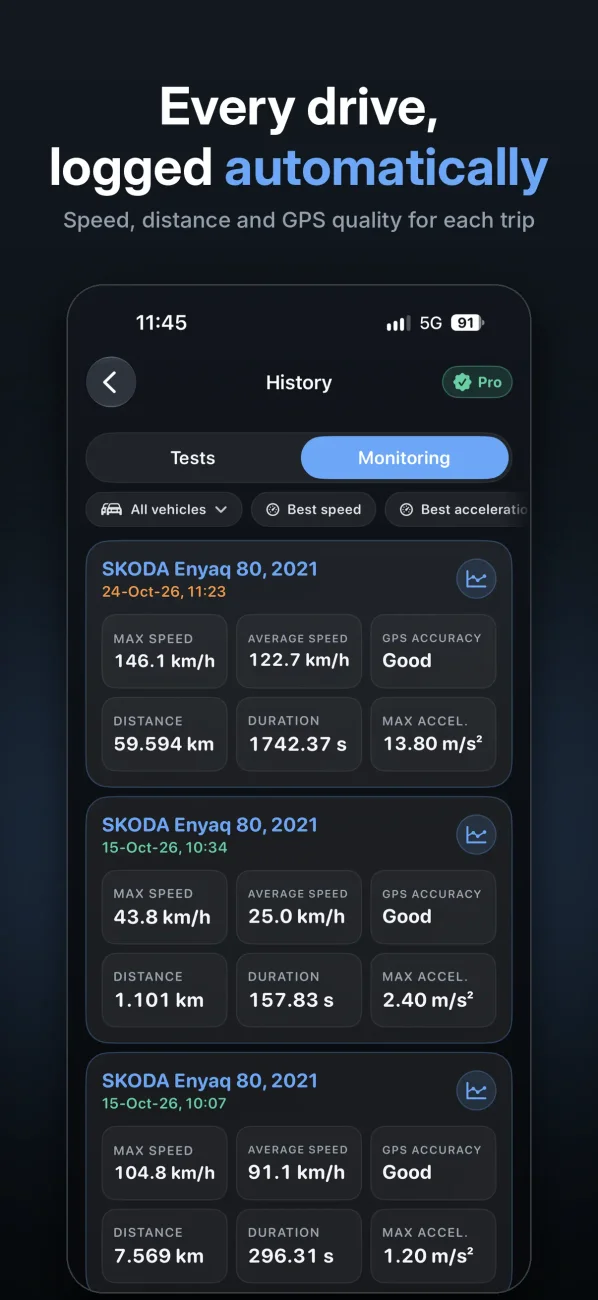
Switch on Monitoring to record a full drive instead of a single run: SpeedGate tracks your route, speed and distance continuously, then shows the path on a map with end-of-session stats once you're done.
GPS + MOTION SENSOR FUSION
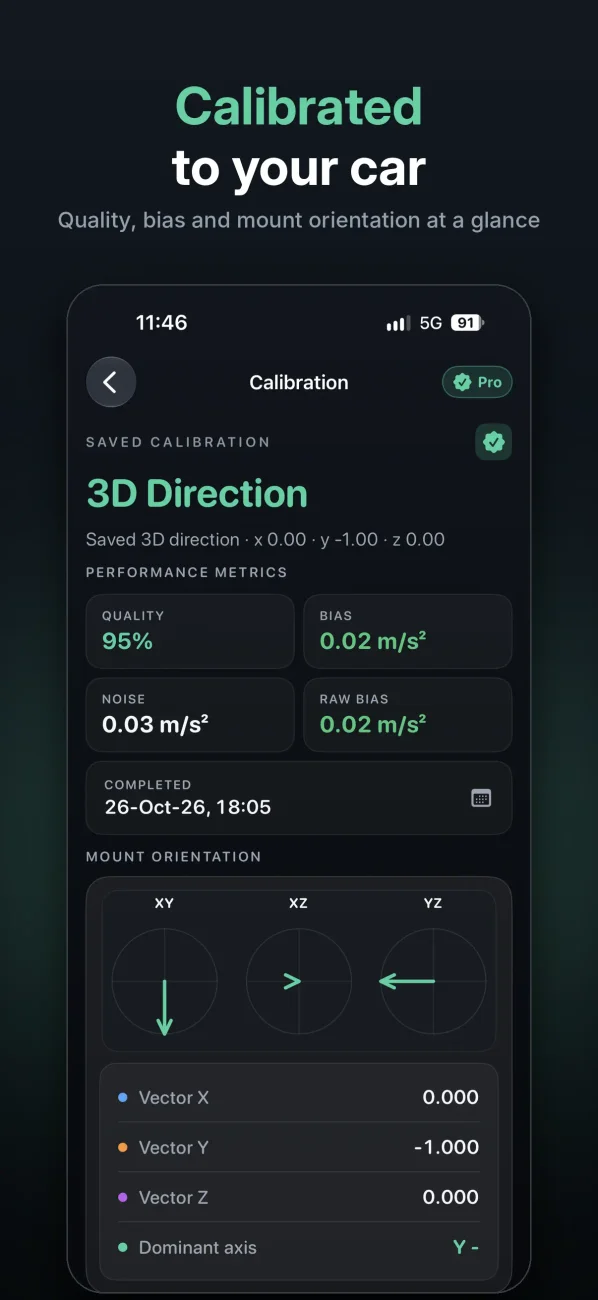
SpeedGate combines GPS and iPhone motion sensor data to create a fused speed and acceleration trace. Sensor calibration helps verify bias, noise and device orientation before measuring performance.
ANALYZE YOUR RUNS
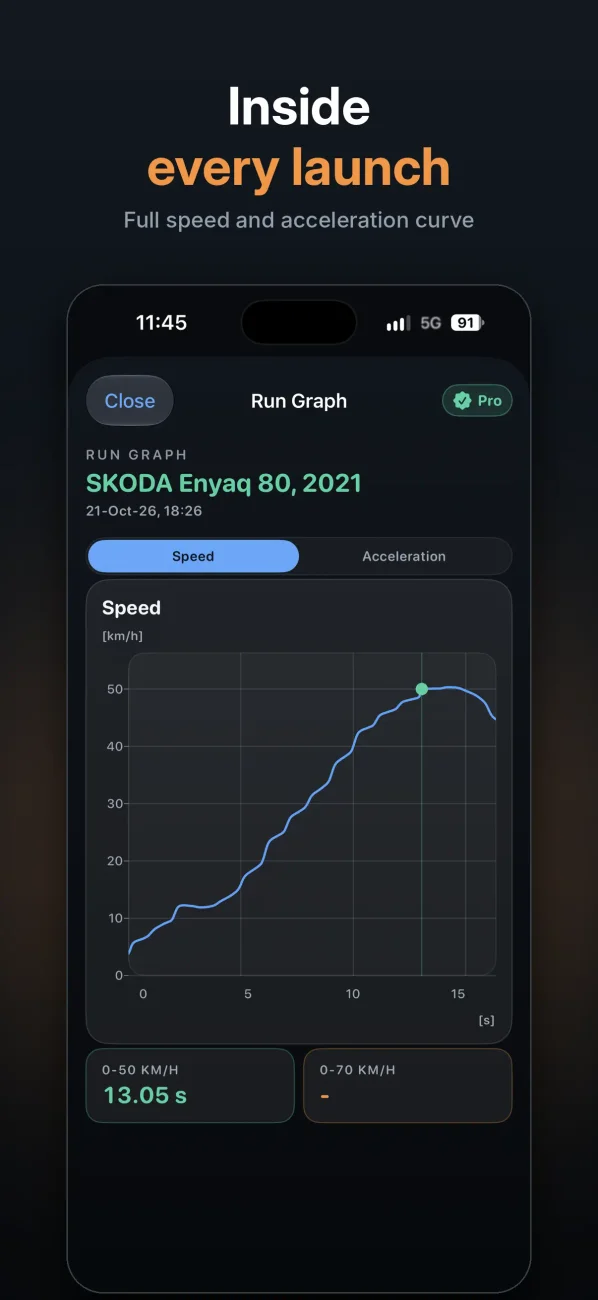
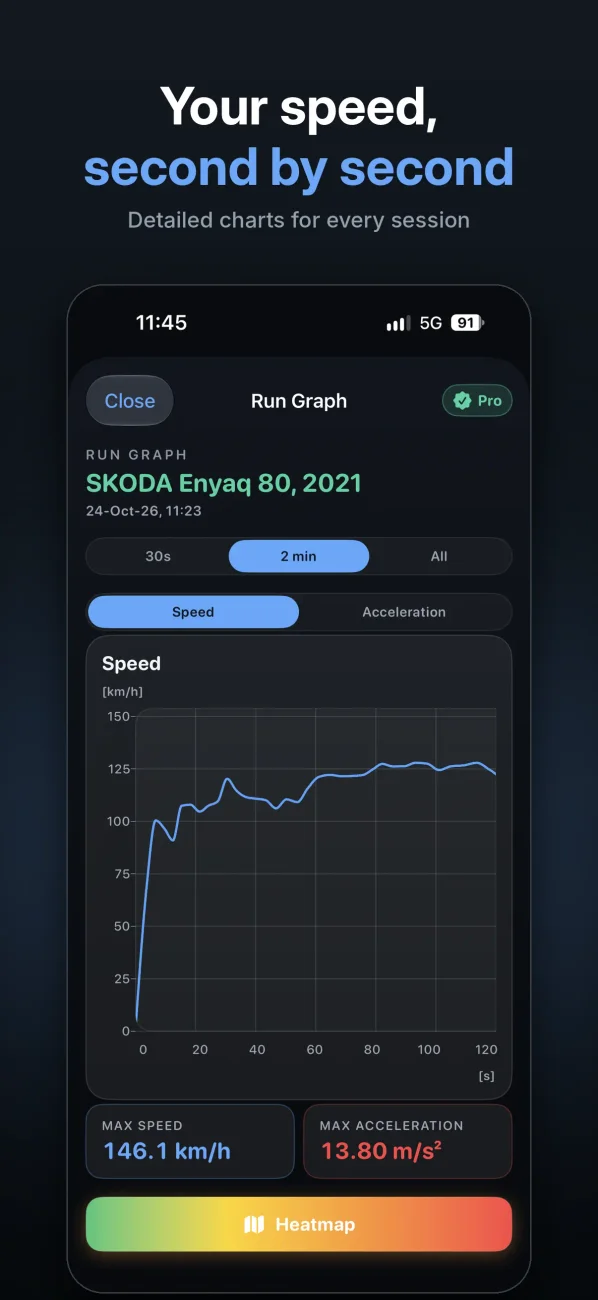
Review your acceleration results, distance, duration, maximum speed and measurement quality. SpeedGate Pro adds detailed telemetry graphs, aggregate performance charts and a speed/acceleration route heatmap to help you analyze and compare your runs.
VEHICLE PROFILES
Associate your runs with a vehicle and keep performance results organized — each vehicle keeps its own calibration and detection preset. SpeedGate includes one vehicle profile, while Pro lets you create and manage multiple vehicles.
START FREE
SpeedGate includes:
• Live acceleration tests with 1 speed gate
• Continuous Monitoring sessions
• Your 3 most recent runs in History
• 1 vehicle profile, with its own calibration
• All detection presets: Precise, Standard and Coarse
• Full sensor calibration
• GPS + IMU sensor fusion
• Data export, plus an automatic backup on every app update
SPEEDGATE PRO
Unlock the complete SpeedGate experience with a one-time purchase:
• Live tests with 2 speed gates
• Unlimited run history
• Multiple vehicle profiles
• Aggregate performance charts and detailed telemetry graphs
• Speed/acceleration route heatmap for Monitoring sessions
• Data import
NO SUBSCRIPTION
SpeedGate Pro is a one-time purchase. No recurring subscription.
YOUR DATA STAYS ON YOUR DEVICE
Speed and acceleration data are processed on your iPhone. Your saved SpeedGate data remains on your device, with export, backup and restore options when you choose to use them.
SpeedGate is designed for drivers who want a simple, flexible way to measure and analyze acceleration using the sensors already inside their iPhone.
Always drive responsibly and follow local traffic laws. Perform acceleration tests only where it is safe and legal to do so.
What’s new
Version 4.0 · Nov 10, 2026
What's new in this version:
• Monitoring: automatically track your drives with a route map and end-of-session stats — brand new
• More precise detection and calibration, including on motorcycles and other high-vibration vehicles
• Precise and Coarse presets are now free for everyone
• Per-vehicle calibration and sensitivity presets
• An automatic, restorable backup on every app update
• General improvements to charts, maps, and performance
App privacy
What Matteo Del Negro declares on the App Store about how this app handles data.
-
Data not collected
The developer does not collect any data from this app.
Privacy practices may vary, for example with the features you use or your age.
Information
- Seller
- Matteo Del Negro
- Category
- Utilities
- Version
- 4.0
- Updated
- Nov 10, 2026
- Released
- Jun 4, 2026
- Size
- 7.0 MB
- Requires
- iOS 17.0 or later
- Age rating
- 4+
- Price
- Free
- In-app purchases
- Yes
- Languages
- English
- Copyright
- © 2026 Matteo Del Negro
You might also like
-
 CalMerge - Calendar to PDFOne-time buy. No subs.
-
 Warranti: Warranty TrackerNever miss a return window
-
 AR Ruler-Measure Tape HeightMeasure length, height, area
-
 LANChat ProNearby Messages & File Share
-
 Core AI WidgetPrivate on-device AI vision
-
 Surya Time — Sun ClockKnow how much sun is left
-
 EarTimerTrain & bus naps with earbuds
-
 Flip Clock Pro: Desk ClockFull Screen Focus Timer
-
 Barcode+QRcode ScannerScan, Create & Share Codes
-
 ImageConverter proUtilities