- Age rating4+
- CategoryProductivity
- DeveloperBARTLOMIEJ ZBIGNIEW ROZKRUT
- LanguagesEnglish
- Size3.0 MB
Links to the official App Store page
Download.org hosts no file of Ramen Remote Desktop. The button opens its official App Store page, published by BARTLOMIEJ ZBIGNIEW ROZKRUT. Listing last checked on Nov 17, 2026.
Screenshots

About
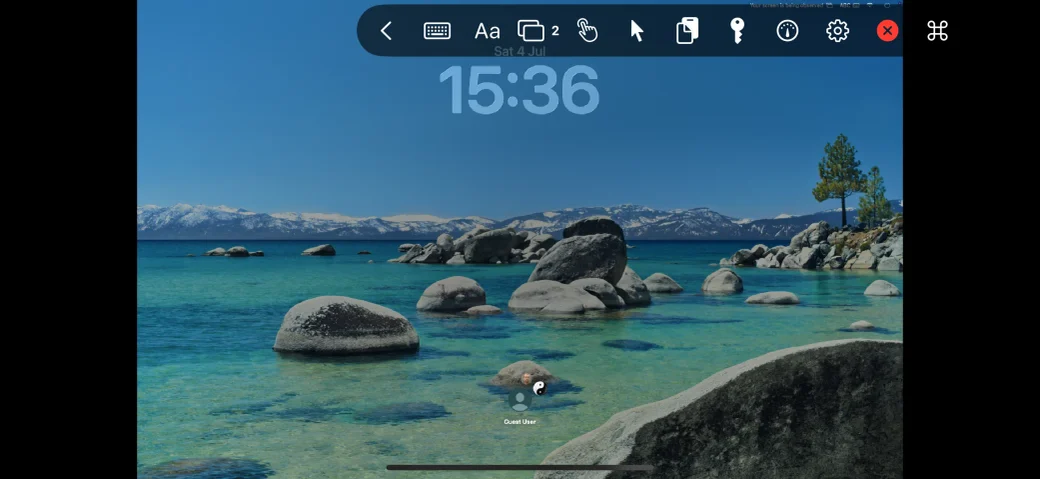
Ramen turns your iPad or iPhone into a fast, native window to your Mac. It connects to the Screen Sharing built into every Mac — over your own Wi-Fi or VPN — and serves your Mac's screen with a native pointer, hardware-keyboard support, and smooth Metal rendering.
No account. No cloud. No relay servers. Your screen travels straight from your Mac to your hand.
MADE FOR REAL WORK
• Tap to click, or flip to trackpad mode — your finger moves the cursor like on a trackpad
• Press and hold, then drag, to move windows and select text
• Hardware keyboards, trackpads, and mice just work — hover, right-click, and scroll included
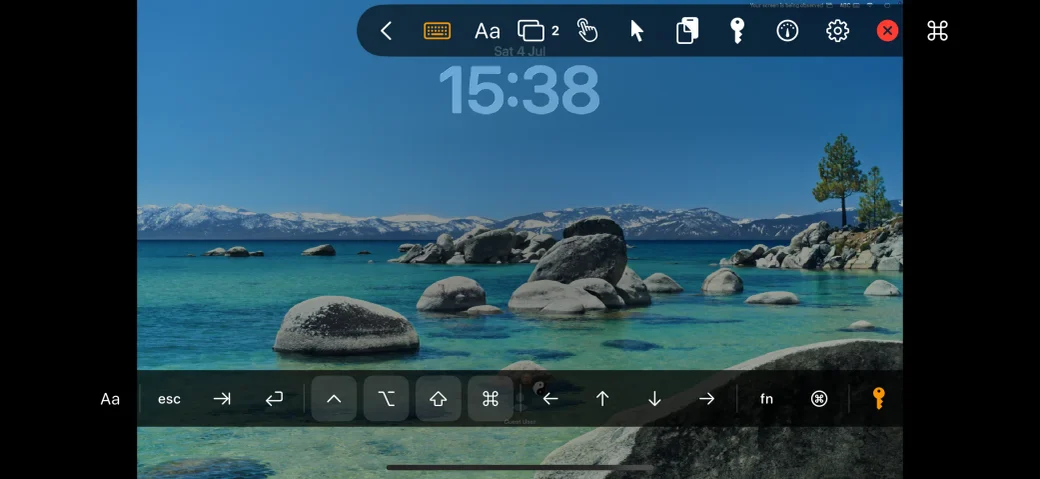
• A shelf of Mac keys: ⌘ ⌥ ⌃ modifiers, arrows, Esc, Tab, function keys, and common shortcuts
• Pinch to zoom, and a magnifier loupe that makes small Mac text readable on an iPhone
• Multiple displays: see them all at once or focus on one
• Quality presets from rich color to light-on-data (16-bit) for slower links
THE COMFORTS
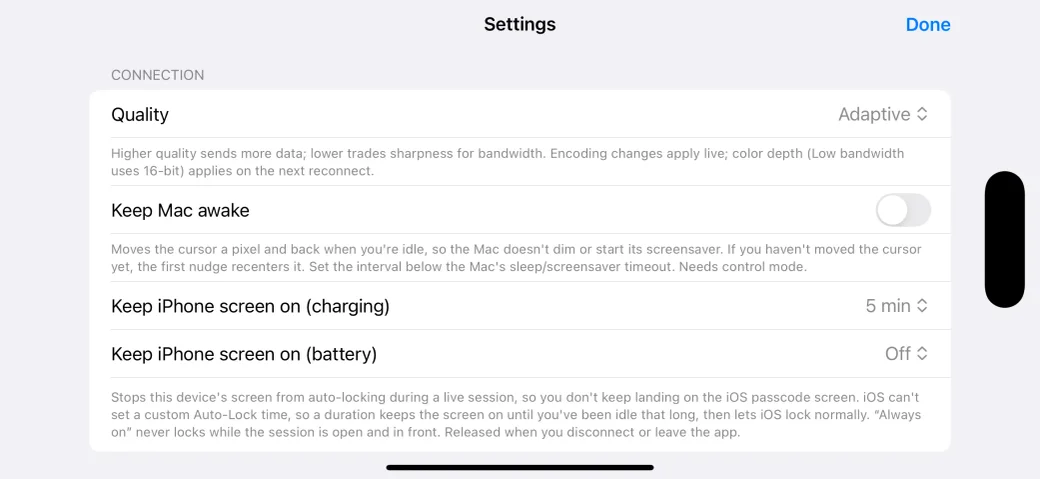
• Keep the Mac awake while you're connected — and optionally lock it when you disconnect
• Keep your device's screen on while you watch a long task or a dashboard
• Type your clipboard on the Mac as real keystrokes — works in login windows, password fields, and sudo prompts
• Type a saved password with Face ID — a lifesaver at the macOS login screen
• A quick app switch won't drop your session, and Ramen reconnects when the connection hiccups
PRIVATE BY DESIGN
• No account, no analytics, no telemetry — Ramen collects nothing at all
• Passwords stay in your device's Keychain, behind Face ID
• Everything runs on your own network: home Wi-Fi, or your VPN (Tailscale, WireGuard…) when away
AN HONEST MENU
Ramen is made for reaching your own Macs, and it's small on purpose:
• You need a Mac with Screen Sharing turned on, reachable from your device. There are no relay servers, so away from home you'll want a VPN such as Tailscale or WireGuard.
• File transfer, remote audio, and Windows/Linux hosts aren't on the menu (yet).
• macOS doesn't let third-party apps read the Mac's clipboard over Screen Sharing — so copying from the Mac isn't possible; typing your device's clipboard to the Mac works great.
SET UP IN A MINUTE
1. On your Mac: System Settings → General → Sharing → turn on Screen Sharing
2. In Ramen: Add Mac, enter its address (like yourmac.local) and your Mac login
3. Done. Your Mac, served.
Ramen is free while it grows. If something doesn't taste right — or you're hungry for a feature — tell me: bartek@rozkrut.pl
App privacy
What BARTLOMIEJ ZBIGNIEW ROZKRUT declares on the App Store about how this app handles data.
-
Data not collected
The developer does not collect any data from this app.
Privacy practices may vary, for example with the features you use or your age.
Information
- Seller
- BARTLOMIEJ ZBIGNIEW ROZKRUT
- Category
- Productivity
- Version
- 1.0
- Updated
- Jul 15, 2026
- Released
- Jul 15, 2026
- Size
- 3.0 MB
- Requires
- iOS 16.0 or later
- Age rating
- 4+
- Price
- Free
- Languages
- English
- Copyright
- © 2026 Bartek Rozkrut
You might also like
-
 MacAssistTouch controls for your Mac
-
 Nivlok - Remote DesktopSteer your Mac from anywhere
-
 DesktapPack light, work anywhere.
-
 AltRDP: High-Quality Remote60fps remote even headless PC
-
 DeskBridgeRemote desktop, from anywhere
-
 SkeuoNotesSimple, retro note-taking
-
 Pinwheel Screenshot OrganizerOrganize, find, free up space
-
 Bookmarkers Pro: Smart ManagerFor Safari,Chrome,Edge,Opera
-
 Turing NoteNotes for Programmers
-
 Vision: When Machine SeesDemonstrating Machine Visions