Ramen Remote Desktop
Your computer, served hot
iPhone, iPad için tasarlandı
Ücretsiz
- Yaş sınırı4+
- KategoriÜretkenlik
- GeliştiriciBARTLOMIEJ ZBIGNIEW ROZKRUT
- Dillerİngilizce
- Boyut3,0 MB
Resmi App Store sayfasına bağlanır
Download.org, Ramen Remote Desktop için hiçbir dosya barındırmaz. Düğme, uygulamanın App Store üzerindeki sayfasını açar; uygulamayı orada BARTLOMIEJ ZBIGNIEW ROZKRUT yayınlar. Sayfanın son kontrolü: 17.11.2026.
Ekran görüntüleri

Hakkında
Geliştirici bu metni dilinizde sunmamış.
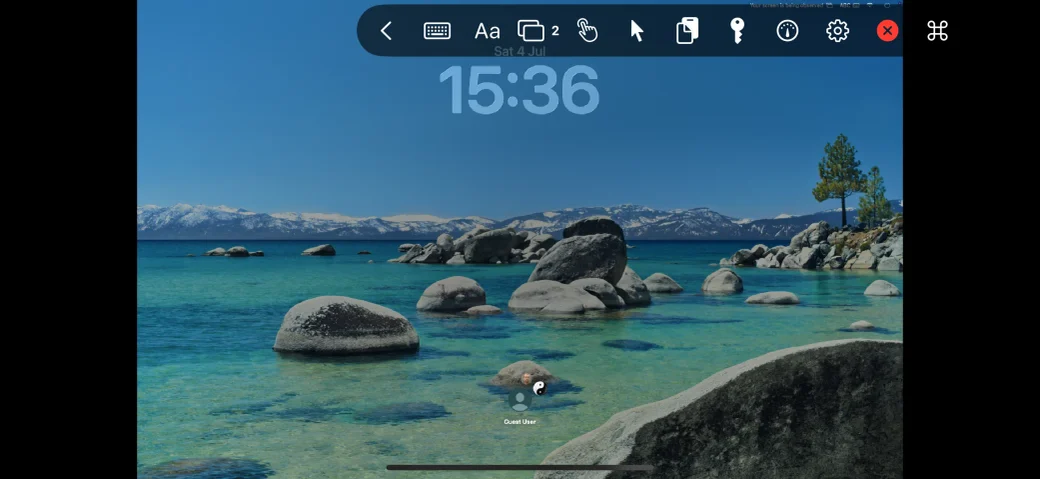
Ramen turns your iPad or iPhone into a fast, native window to your Mac. It connects to the Screen Sharing built into every Mac — over your own Wi-Fi or VPN — and serves your Mac's screen with a native pointer, hardware-keyboard support, and smooth Metal rendering.
No account. No cloud. No relay servers. Your screen travels straight from your Mac to your hand.
MADE FOR REAL WORK
• Tap to click, or flip to trackpad mode — your finger moves the cursor like on a trackpad
• Press and hold, then drag, to move windows and select text
• Hardware keyboards, trackpads, and mice just work — hover, right-click, and scroll included
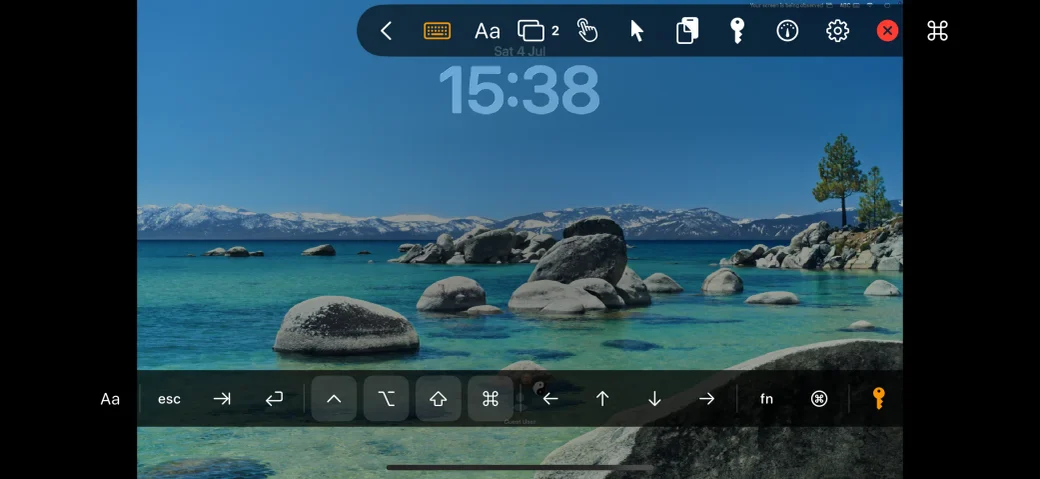
• A shelf of Mac keys: ⌘ ⌥ ⌃ modifiers, arrows, Esc, Tab, function keys, and common shortcuts
• Pinch to zoom, and a magnifier loupe that makes small Mac text readable on an iPhone
• Multiple displays: see them all at once or focus on one
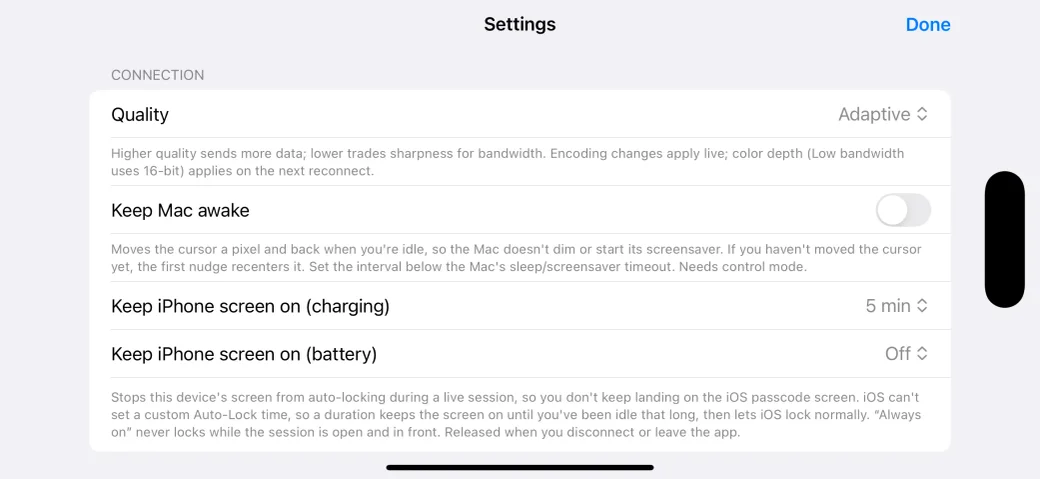
• Quality presets from rich color to light-on-data (16-bit) for slower links
THE COMFORTS
• Keep the Mac awake while you're connected — and optionally lock it when you disconnect
• Keep your device's screen on while you watch a long task or a dashboard
• Type your clipboard on the Mac as real keystrokes — works in login windows, password fields, and sudo prompts
• Type a saved password with Face ID — a lifesaver at the macOS login screen
• A quick app switch won't drop your session, and Ramen reconnects when the connection hiccups
PRIVATE BY DESIGN
• No account, no analytics, no telemetry — Ramen collects nothing at all
• Passwords stay in your device's Keychain, behind Face ID
• Everything runs on your own network: home Wi-Fi, or your VPN (Tailscale, WireGuard…) when away
AN HONEST MENU
Ramen is made for reaching your own Macs, and it's small on purpose:
• You need a Mac with Screen Sharing turned on, reachable from your device. There are no relay servers, so away from home you'll want a VPN such as Tailscale or WireGuard.
• File transfer, remote audio, and Windows/Linux hosts aren't on the menu (yet).
• macOS doesn't let third-party apps read the Mac's clipboard over Screen Sharing — so copying from the Mac isn't possible; typing your device's clipboard to the Mac works great.
SET UP IN A MINUTE
1. On your Mac: System Settings → General → Sharing → turn on Screen Sharing
2. In Ramen: Add Mac, enter its address (like yourmac.local) and your Mac login
3. Done. Your Mac, served.
Ramen is free while it grows. If something doesn't taste right — or you're hungry for a feature — tell me: bartek@rozkrut.pl
Uygulama gizliliği
Bu uygulamanın verileri nasıl işlediği hakkında BARTLOMIEJ ZBIGNIEW ROZKRUT tarafından App Store üzerinde yapılan beyan.
-
Veri toplanmıyor
Geliştirici bu uygulamadan hiçbir veri toplamıyor.
Gizlilik uygulamaları, örneğin kullandığınız özelliklere veya yaşınıza göre değişiklik gösterebilir.
Bilgiler
- Satıcı
- BARTLOMIEJ ZBIGNIEW ROZKRUT
- Kategori
- Üretkenlik
- Sürüm
- 1.0
- Güncellendi
- 15.07.2026
- Yayın tarihi
- 15.07.2026
- Boyut
- 3,0 MB
- Gereksinim
- iOS 16.0 veya sonrası
- Yaş sınırı
- 4+
- Fiyat
- Ücretsiz
- Diller
- İngilizce
- Telif hakkı
- © 2026 Bartek Rozkrut
Bunları da beğenebilirsiniz
-
 MacAssistÜretkenlik
-
 Nivlok - Remote DesktopÜretkenlik
-
 DesktapÜretkenlik
-
 AltRDP: High-Quality RemoteÜretkenlik
-
 DeskBridgeÜretkenlik
-
 SkeuoNotesÜretkenlik
-
 Pinwheel Screenshot OrganizerÜretkenlik
-
 Yer İşaretleri Pro: Akıllı MgrSafari,Chrome,Edge,Opera için
-
 Turing NoteÜretkenlik
-
 Vision: When Machine SeesÜretkenlik