Random Picker: Names & Numbers
Pick Random Names Numbers Dice
Designed for iPhone, iPad
Free · In-app purchases
- Age rating4+
- CategoryProductivity
- DeveloperSandeep Bhandari
- LanguagesEnglish+ 15 more
- Size11.2 MB
Links to the official App Store page
Download.org hosts no file of Random Picker: Names & Numbers. The button opens its official App Store page, published by Sandeep Bhandari. Listing last checked on Nov 15, 2026.
Screenshots




About
Stop overthinking every choice. Pick a number, name, date, dice roll, coin flip, or wheel result in seconds and skip the back-and-forth. Random Picker: Names & Numbers helps you make fair random picks for everyday decisions, games, classrooms, and group activities.
HOW IT HELPS
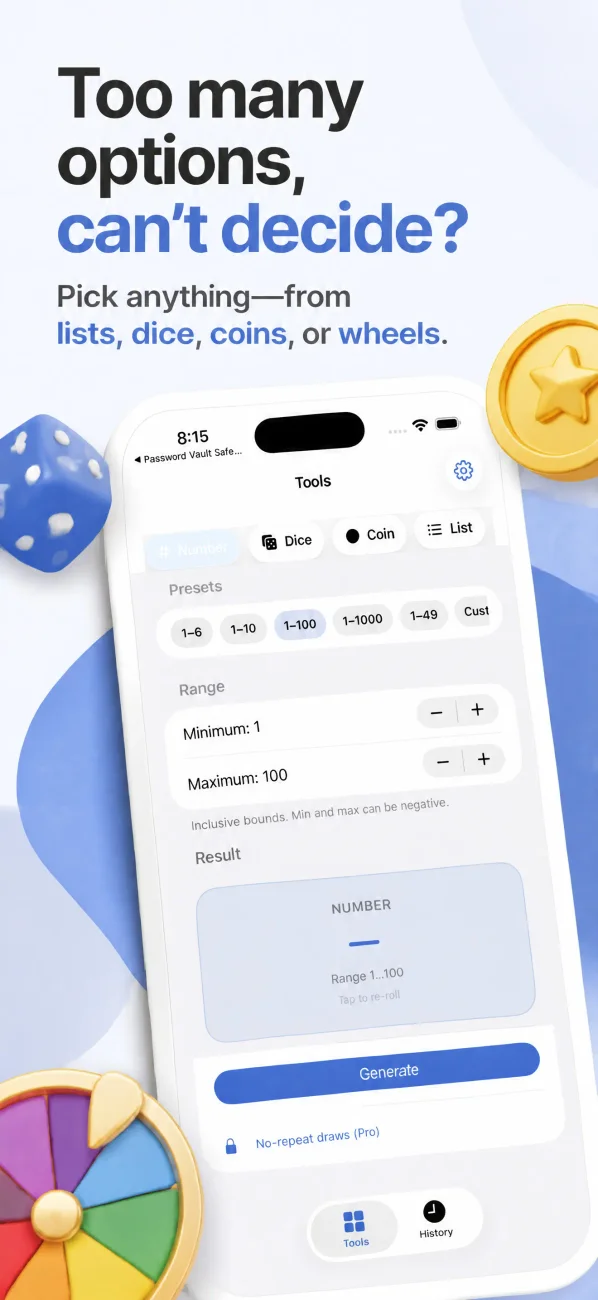
- Roll a random number with handy presets for common ranges or enter your own custom range.
- Roll dice from classic shapes to larger sets, use standard dice expressions, and handle advantage, disadvantage, or exploding rolls for tabletop play.
- Flip a coin or switch to Yes/No/Maybe, True/False, or Now/Later/Never when you want a quick answer.
- Pick from a saved list of names, chores, lunch spots, raffle entries, or any custom items.
- Spin a wheel for a visual random picker that is easy to use with groups.
- Generate a random date and time inside the range you choose.
- Tap the large result card to roll again quickly, then share the result as an image with a long press.
- Shake your phone to trigger the current tool’s main action when you want hands-on random picks.
- Review past results in History, filter by tool, and check your daily streak, total picks, and 7-day activity chart.
- Add a Home Screen or Lock Screen widget to see your latest result and jump straight into the matching tool.
- Use voice shortcuts for common actions like rolling dice, getting a random number, or picking from a saved list.
- Split one list into balanced random teams and save the team result to history for later.
WHY RANDOM PICKER: NAMES & NUMBERS
You get six random tools in one place, with one clear result card across every mode so the app feels quick and familiar. It is built for on-the-spot decisions: tap to re-roll, shake to roll, share results right away, and return to past picks without sorting through clutter.
IDEAL FOR
Use it to choose a student in class from a saved name picker list, settle board game turns with a dice roller or coin flip, pick a raffle winner with the wheel spinner, make a quick yes or no choice, generate a random date for prompts or planning, choose a number for contests, or split players into balanced teams before a match. It also fits everyday moments like deciding what to eat, who goes first, or which task comes next.
PAID FEATURES
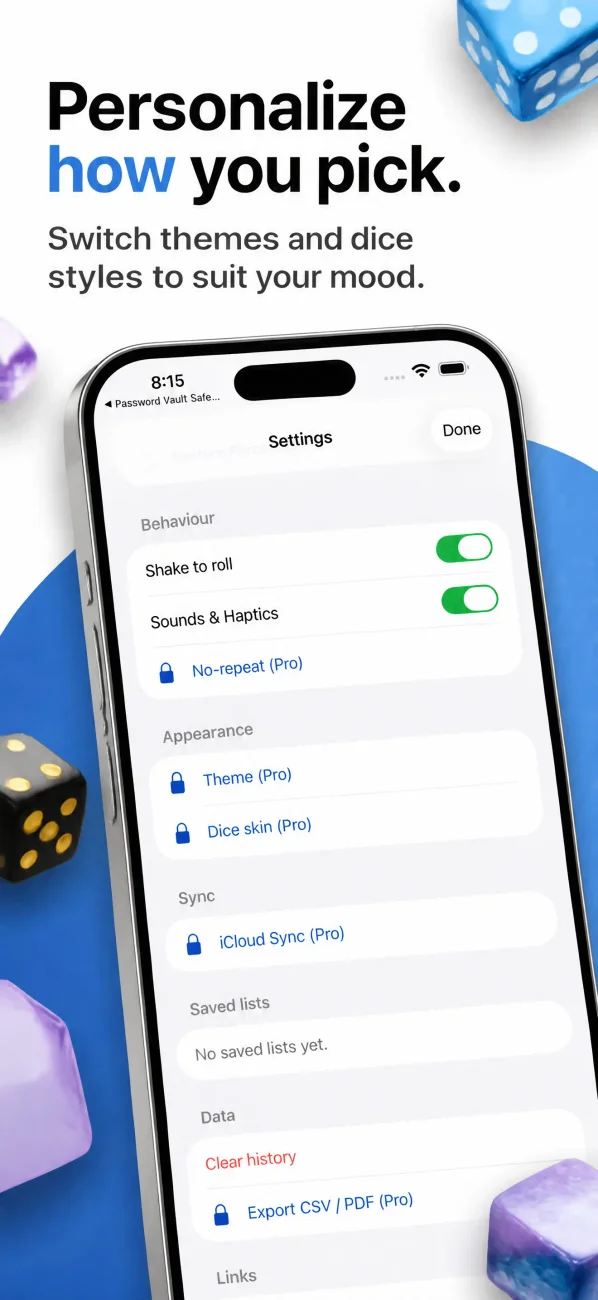
Pro adds weighted wheel segments for controlled odds, no-repeat draws across number, dice, list, and wheel tools, unlimited saved lists, extra themes, alternate dice skins, list and history sync, export options, per-slice emoji on the wheel, and an ad-free experience. If you choose to use widgets, shortcuts, or sharing, the app may ask for the related permission only when needed.
Try Random Picker: Names & Numbers and make your next choice feel quick, fair, and settled.
Terms of Use (EULA) - http://www.apple.com/legal/itunes/appstore/dev/stdeula
What’s new
Version 2.2 · Aug 21, 2026
Bug fixes and enhancements
App privacy
What Sandeep Bhandari declares on the App Store about how this app handles data.
-
Data used to track you
May be used to track you across apps and websites owned by other companies.
- Identifiers
- Usage data
-
Data linked to you
May be collected and linked to your identity.
- Identifiers
- Usage data
-
Data not linked to you
May be collected but is not linked to your identity.
- Diagnostics
Privacy practices may vary, for example with the features you use or your age.
Information
- Seller
- Sandeep Bhandari
- Category
- Productivity
- Version
- 2.2
- Updated
- Aug 21, 2026
- Released
- Apr 3, 2026
- Size
- 11.2 MB
- Requires
- iOS 26.0 or later
- Age rating
- 4+
- Price
- Free
- In-app purchases
- Yes
- Languages
- English, Arabic, Dutch, French, German, Hindi, Italian, Japanese, Korean, Polish, Portuguese, Russian + 4 more
- Copyright
- © Indrani Solutions
You might also like
-
 PickOne: Random Choice PickerSpin Wheel & Decision Maker
-
 Numblitz: Number Generator RNGRNG, Passwords & Quick Picks
-
 RANDOMIZER TOOLBOXRandomize anything
-
 Pick My Numbers - LotteryLucky Number Generator
-
 JustRandomItMake Choice Freely And Easily
-
 Random Number - RanNumPick a number with one tap
-
 Remember: Until It’s DoneProductivity
-
 Focus Music TimerLock Your Phone. Master Focus.
-
 Texlen: OCR Text ScannerText, lifted off the page.
-
 Habit Tracker - Streak LogDaily Routine & Streak Tracker