RAW Batch - RAW Converter
Convert DNG, NEF, CR3 & ARW
Designed for iPhone, iPad, Mac
Free · In-app purchases
- Age rating4+
- CategoryPhoto & Video
- DeveloperSEASOFT LTD.
- LanguagesEnglish
- Size6.1 MB
Links to the official App Store page
Download.org hosts no file of RAW Batch - RAW Converter. The button opens its official App Store page, published by SEASOFT LTD. Listing last checked on Nov 24, 2026.
Screenshots

About
RAW Batch turns your camera's RAW files into polished, ready-to-share images — in seconds.
Get your files in, effortlessly. Import straight from Files or Photos, or send a RAW file to RAW Batch from the Files app's share sheet. RAW Batch reads the most popular camera RAW formats, including CR2, CR3, NEF, ARW, DNG, RAF, ORF, RW2, and PEF, plus JPEG, PNG, TIFF, HEIC, and other common formats.
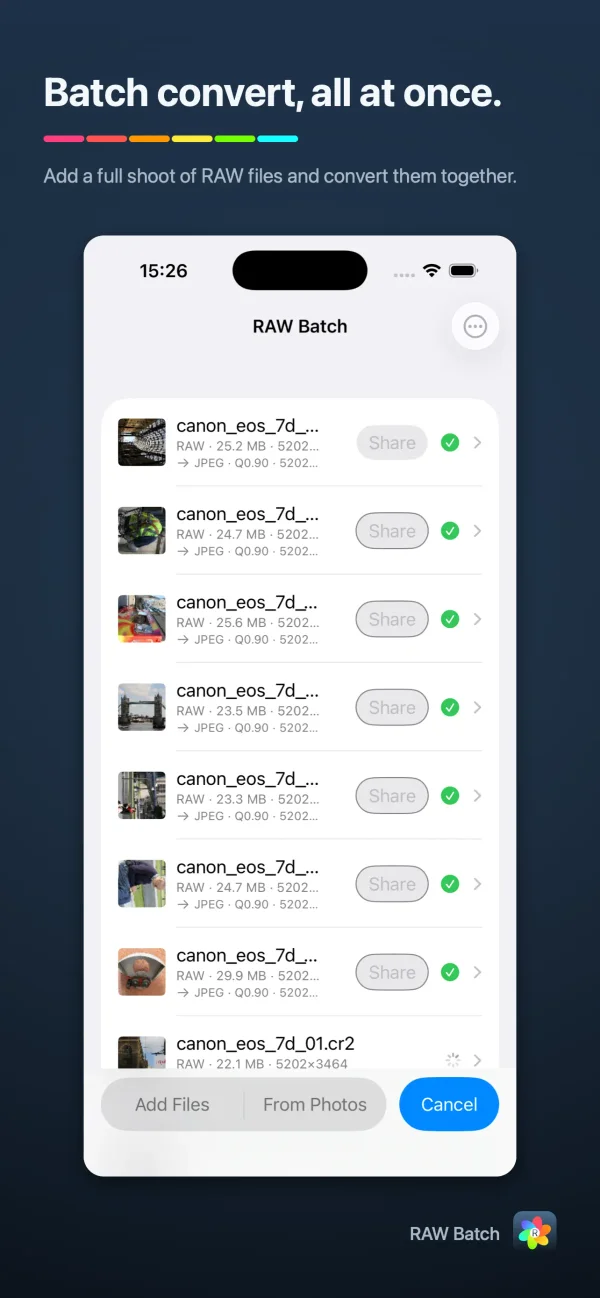
Convert a whole shoot at once. Add as many RAW files as you like and convert them together. Every file appears in one list with its thumbnail, format, size, and resolution, so you can see at a glance what's queued up. Watch progress as your batch converts, and consult the conversion log whenever you need details.
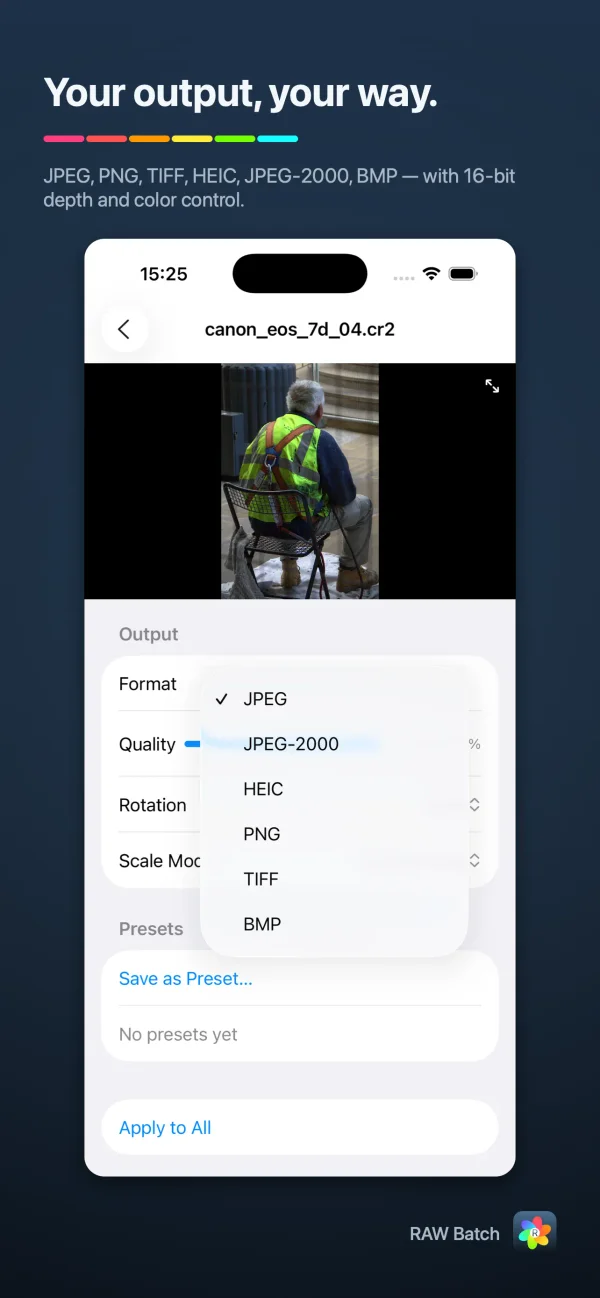
Your output, your way. Export to JPEG, PNG, TIFF, HEIC, JPEG-2000, or BMP. Dial in quality on the formats that support it, choose TIFF compression, and — for TIFF and PNG — export at true 16-bit depth with the color space of your choice. Fine-tune rotation and scaling: keep the original size, scale by percentage, fit to a width, height, or edge, or set exact pixel dimensions.
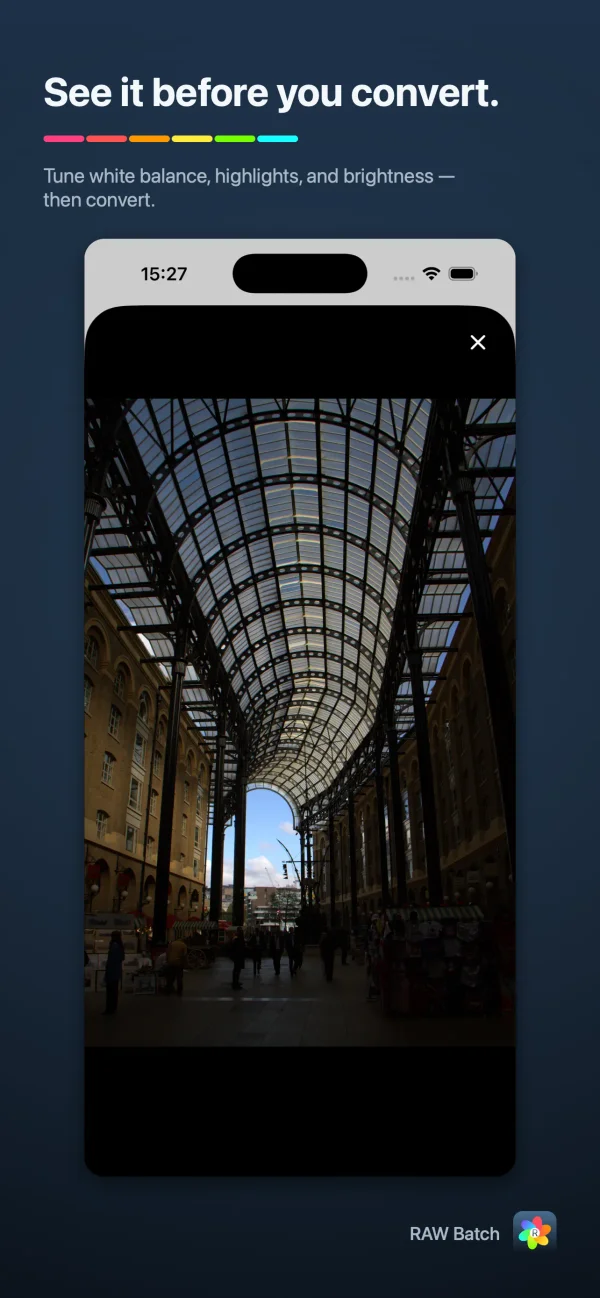
Develop your RAW files before you export. Take control of the RAW decode: set white balance to camera or auto, recover blown-out highlights with Clip, Recover, Blend, or Rebuild modes, and fine-tune brightness. Preview your changes live, tune until it looks right, then export with confidence.
Consistency across a whole shoot, in one click. Set up a single file the way you like it and apply those settings to the rest of the batch. Save your favorite configurations as named presets to reuse later.
Knows when a batch will not fit. RAW Batch checks free space before it copies or converts anything. If your shoot is too large for the device, it tells you how much the job needs, how much is available, and how much to free — instead of stopping half way through.
Made for iPhone and iPad. Tap a file to open its settings, or on iPad browse the batch in one column and edit its settings in the next. Save results straight to Photos or share them anywhere. All conversion happens locally on your device — no cloud upload required.
Start free. Go Pro when you're ready. The free plan includes 5 conversions a day, with no subscription required. Upgrade to Pro for unlimited conversions — as a yearly subscription or a one-time lifetime purchase. One purchase covers iPhone, iPad, and Mac.
Privacy Policy - https://getseasoft.com/legal/privacy-policy
Terms of Service - https://getseasoft.com/legal/terms-of-service
What’s new
Version 2.1.0 · Nov 23, 2026
• Updated RAW processing for more reliable conversions on iPhone and iPad
• Improved stability while previewing and converting large batches
App privacy
What SEASOFT LTD. declares on the App Store about how this app handles data.
-
Data not collected
The developer does not collect any data from this app.
Privacy practices may vary, for example with the features you use or your age.
Information
- Seller
- SEASOFT LTD.
- Category
- Photo & Video
- Version
- 2.1.0
- Updated
- Nov 23, 2026
- Released
- Jul 24, 2013
- Size
- 6.1 MB
- Requires
- iOS 16.0 or later
- Age rating
- 4+
- Price
- Free
- In-app purchases
- Yes
- Languages
- English
- Copyright
- Copyright © 2027 SEASOFT LTD. All Rights Reserved.
You might also like
-
 RawToJPG - RAW to JPGRAW Converter
-
 Pulso Convert: RAW ConverterCR3 CR2 NEF ARW RAF to JPEG
-
 Rawly: RAW to JPGDNG, CR2, NEF & ARW to JPG
-
 Image Converter: Offline BatchHEIC WebP AVIF JPG to PDF
-
 Maple: Raw Photo EditorProfessional RAW photo editor
-
 Raw To HEICCamera RAW to compact HEIC
-
 Image Converter: HEIC JPG RAWCompress, Resize, PNG to PDF
-
 RAWUnravelCamera RAW image processing
-
 Image Converter: JPG-PNG-HEICPhoto to PDF, WebP, GIF & TIFF
-
 BibbityLabRaw image editor