- Age rating4+
- CategoryPhoto & Video
- DeveloperBesarion Turmanauli
- LanguagesEnglish
- Size226.5 MB
Links to the official App Store page
Download.org hosts no file of RawMask Studio. The button opens its official App Store page, published by Besarion Turmanauli. Listing last checked on Nov 15, 2026.
Screenshots

About
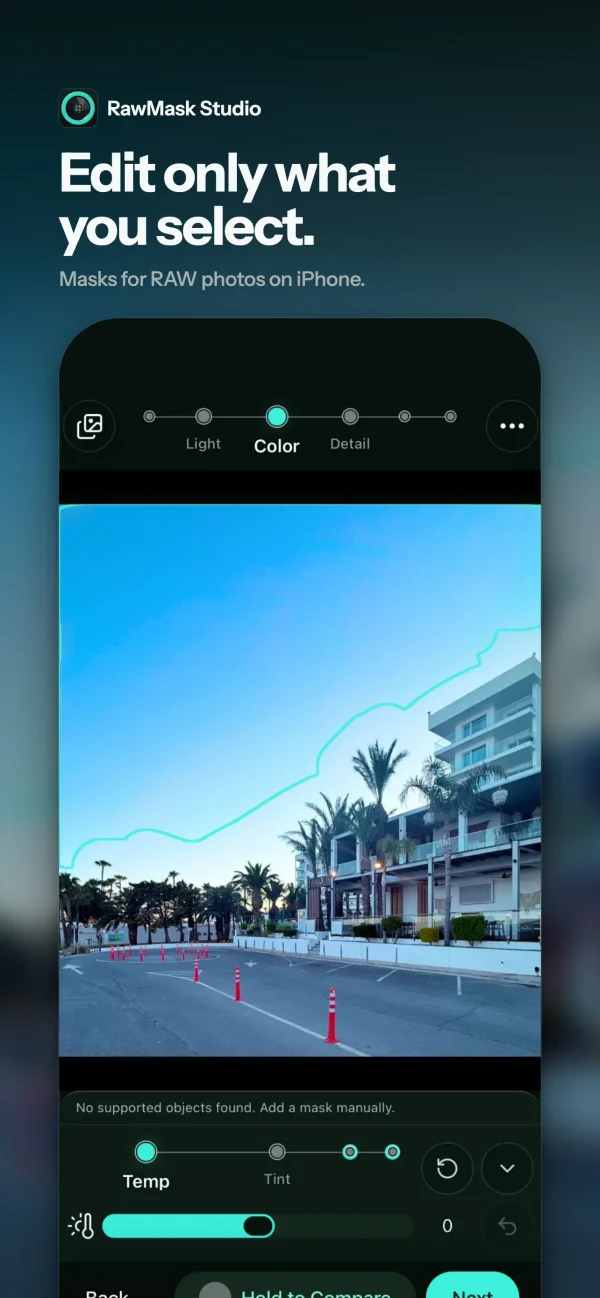
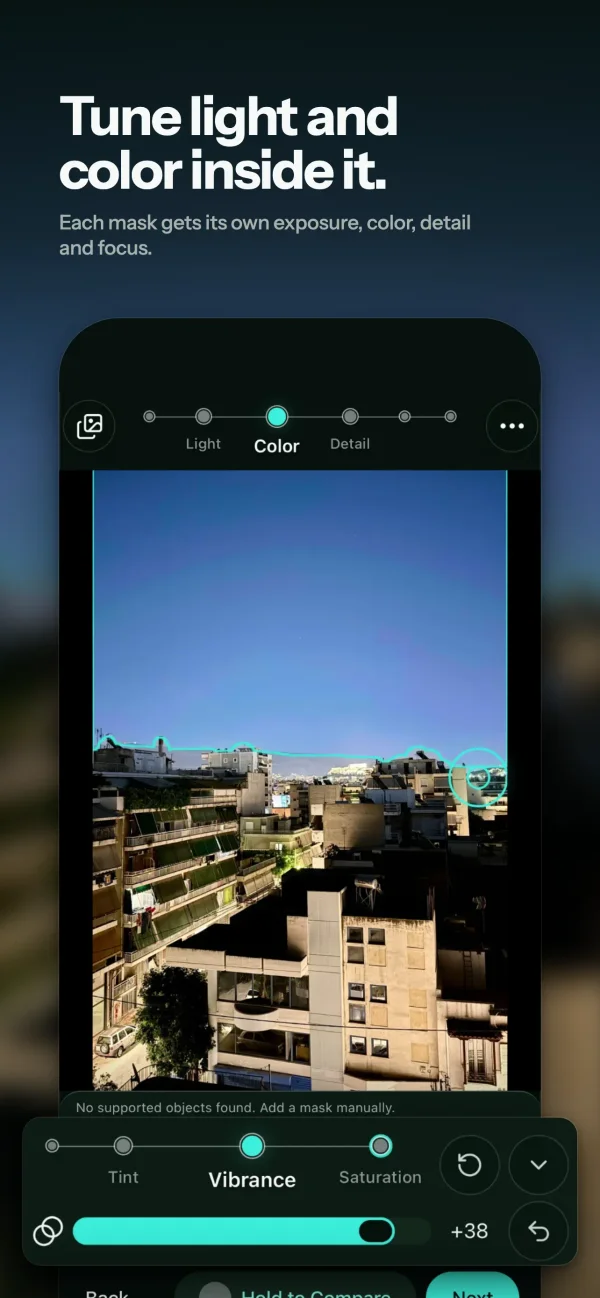
Edit only the part of the photo you choose. RawMask Studio is a RAW photo editor built around masks: pick a detected subject or draw your own mask, then change the light, color, detail and focus of just that area while the rest of the image stays untouched. It opens RAW and ProRAW files as well as everyday JPEG and HEIC photos, and every edit happens right on your iPhone.
MASKS FOR SELECTIVE EDITS
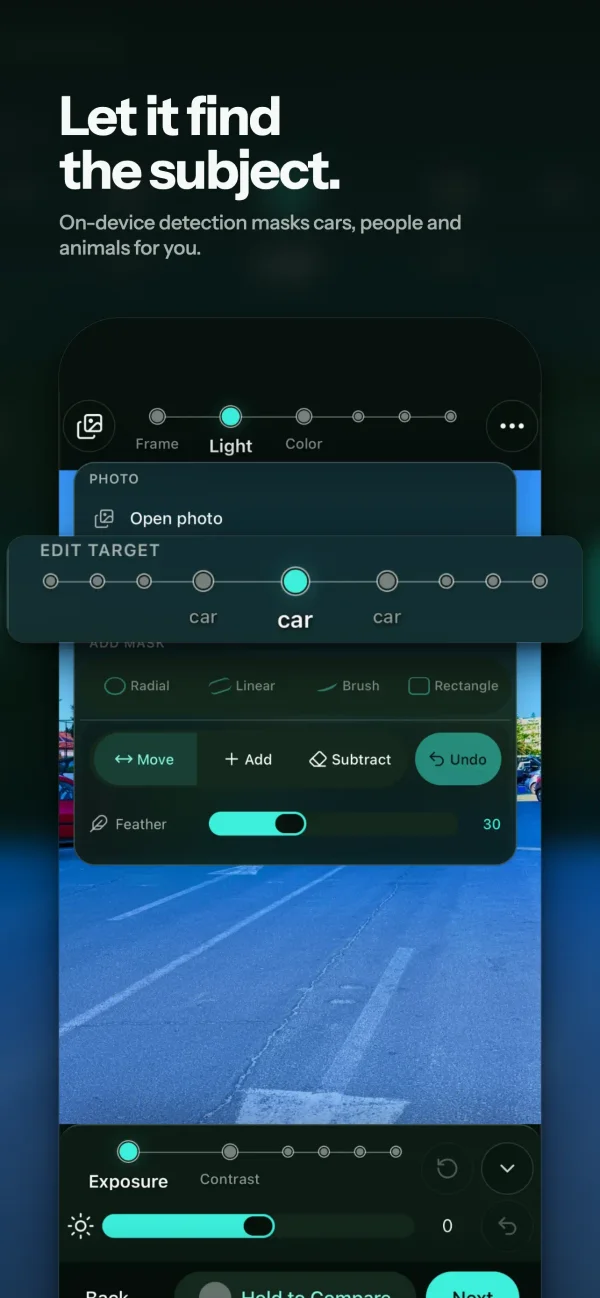
- Automatic masks: on-device detection finds subjects such as people, cars and animals and turns them into ready-to-edit masks
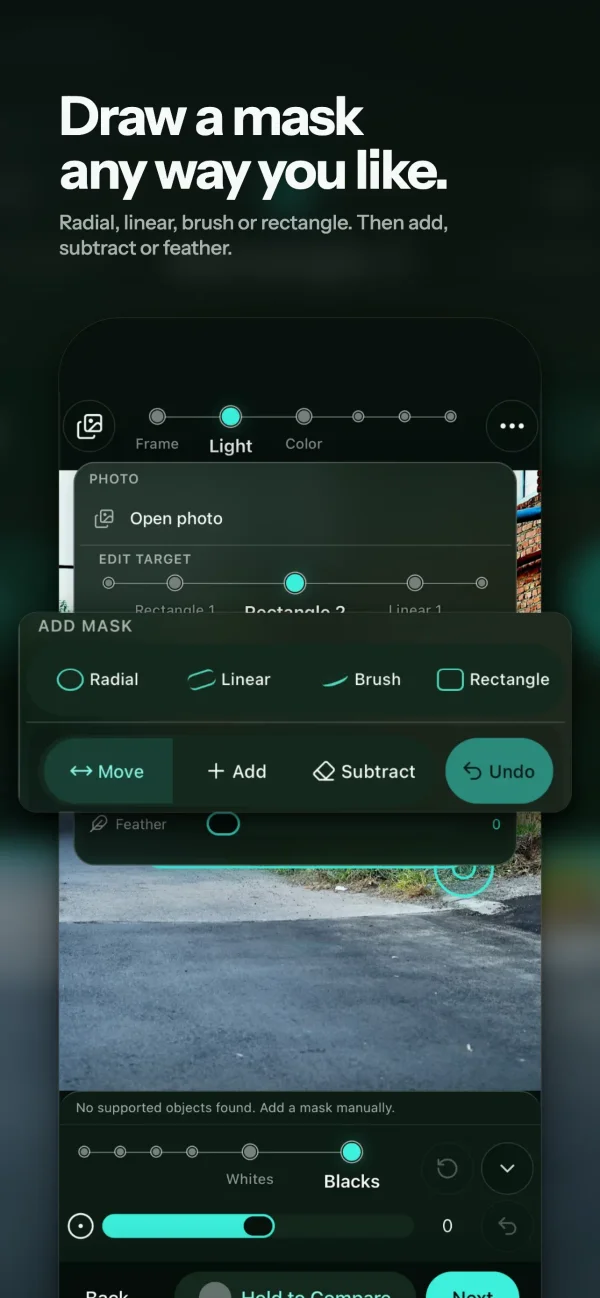
- Manual masks: radial, linear (gradient), brush and rectangle
- Refine any mask with the Add and Subtract brushes
- Soften the edge with Feather for smooth, natural transitions
- Give every mask its own light, color, detail and focus adjustments
RAW, PRORAW, JPEG AND HEIC
- Pick photos straight from your Photos library with the system picker
- Edit RAW and ProRAW captures with the same tools as regular photos
A CLEAR, STEP-BY-STEP WORKFLOW
- Frame: crop, straighten, rotate, aspect ratios and zoom
- Light: exposure, contrast, highlights, shadows, whites and blacks
- Color: temperature, tint, vibrance and saturation
- Detail: texture, clarity, dehaze, sharpness and noise reduction
- Focus: background blur with strength, range, feather and bokeh
- Effects: vignette, grain and fade
- Reorder or hide steps in Editor options to match the way you work
COMPARE AND REUSE
- Hold to Compare to check before and after at any moment
- Save whole-photo adjustments as a Preset and apply it to another photo
SAVE WITHOUT LOSING THE ORIGINAL
- Save edit to Photos is non-destructive: the original stays intact and you can revert the edit in Photos anytime
- Save a copy to Photos to keep the edited version as a new photo
- Export as JPEG, HEIF or TIFF through the share sheet
PRIVATE BY DESIGN
- No account, no sign-in and no ads
- Editing and subject detection run entirely on device, so your photos are never uploaded
- Free, with no in-app purchases
Open a photo, pick a mask and make one part of it shine.
What’s new
Version 1.3.0 · Oct 7, 2026
New in 1.3.0:
- Shape light and color with editable master and RGB curves.
- Use selective control points to adjust areas that match nearby brightness and color.
- Paint or outline objects with the AI object brush, then refine the selection with Include and Exclude.
- Revisit edits with History, Undo and Redo.
- Improved preview and export consistency, selection outlines, iPad controls and editing reliability.
App privacy
What Besarion Turmanauli declares on the App Store about how this app handles data.
-
Data not collected
The developer does not collect any data from this app.
Privacy practices may vary, for example with the features you use or your age.
Information
- Seller
- Besarion Turmanauli
- Category
- Photo & Video
- Version
- 1.3.0
- Updated
- Oct 7, 2026
- Released
- Sep 24, 2026
- Size
- 226.5 MB
- Requires
- iOS 17.0 or later
- Age rating
- 4+
- Price
- Free
- Languages
- English
- Copyright
- © 2026 Besarion Turmanauli
You might also like
-
 SageTone: Raw Photo EditorCurves, masks and presets
-
 RawStudio: Raw Photo EditorSee what you're clipping
-
 Rake Plus: Relight & RefocusFog, dehaze and bokeh by depth
-
 frmrrFilm camera & photo diary
-
 Reelcut: HDR Auto ReelsYour day's best shots, picked
-
 PixelGoneRemove unwanted objects
-
 Dancifier EditorPrivate AI Photo Editor
-
 Lensodia: Pro CameraPhoto & Video, Manual Controls
-
 Ultra CameraUpgrade your camera
-
 Jive35Lenses, Films + Iconic Styles