
Raymoto Studio
Laser engraving, made simple
Designed for iPhone, iPad, iPod touch
Free · In-app purchases
- Age rating4+
- CategoryGraphics & Design
- DeveloperShenzhen Raymoto Intelligent Technology Co.,Ltd
- LanguagesEnglish+ 11 more
- Size106.2 MB
Links to the official App Store page
Download.org hosts no file of Raymoto Studio. The button opens its official App Store page, published by Shenzhen Raymoto Intelligent Technology Co.,Ltd. Listing last checked on Nov 23, 2026.
Screenshots

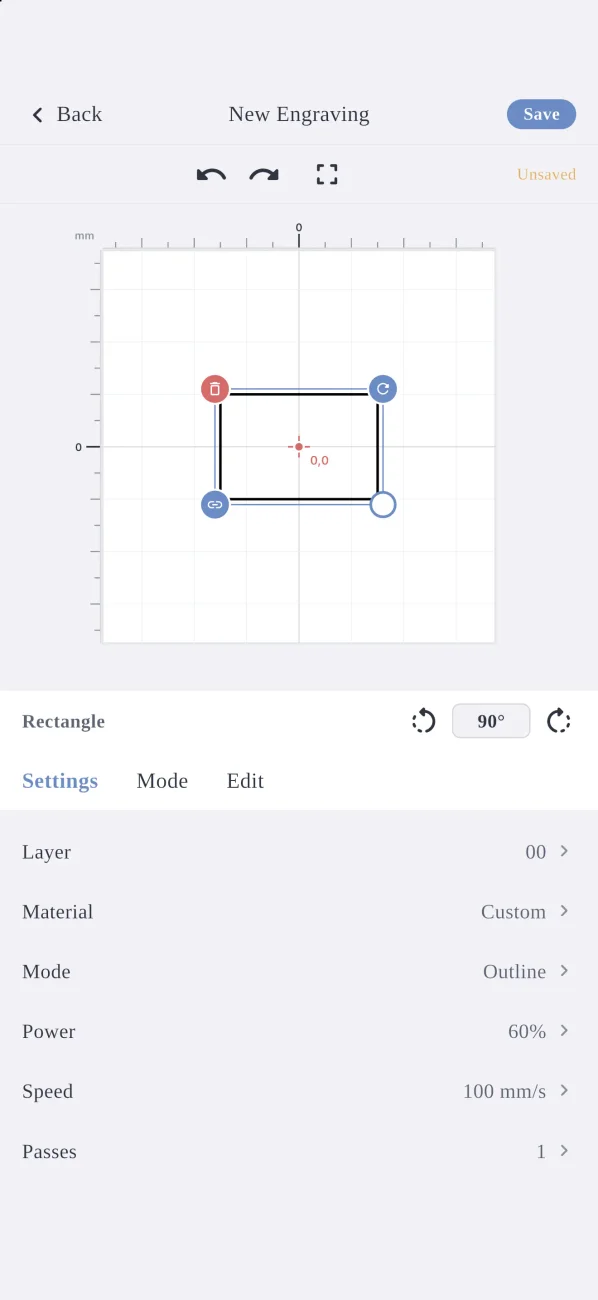
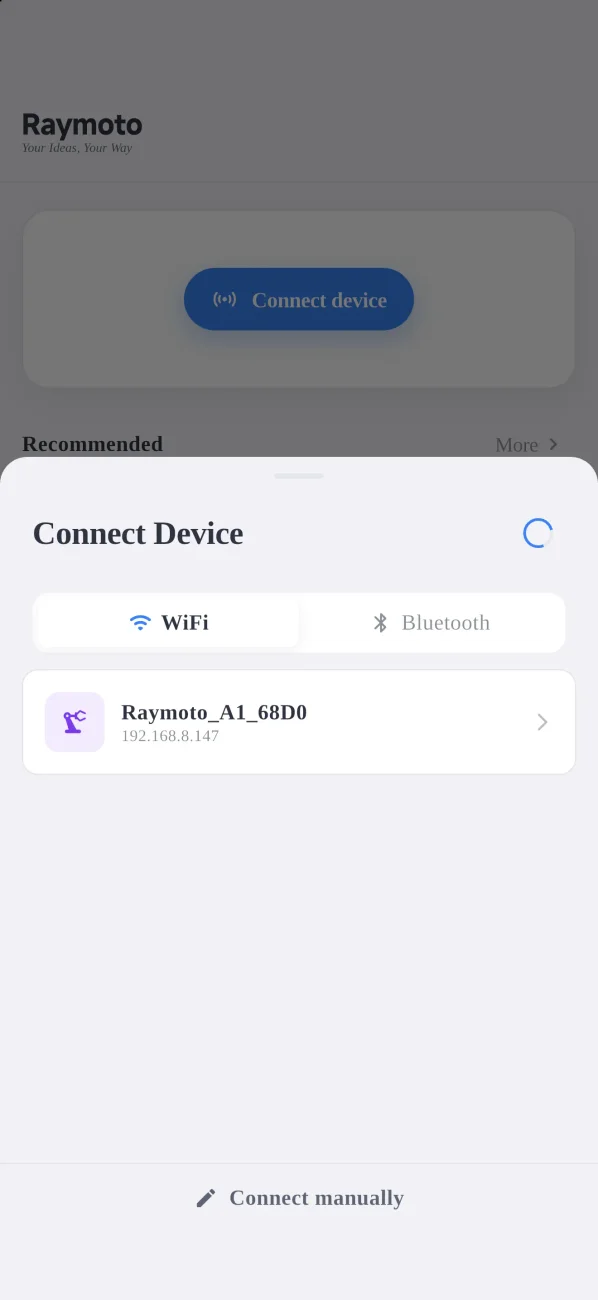
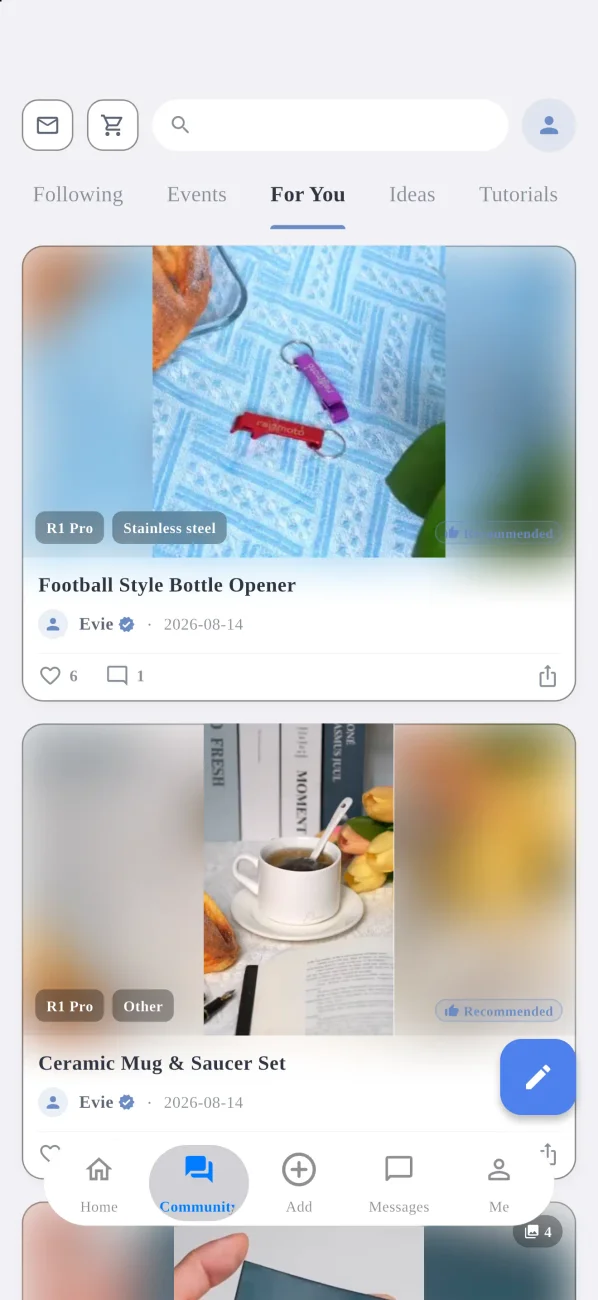
About
Raymoto Studio is the official companion app for Raymoto laser engraving machines (A1, R1, R1 Pro, B1).
DESIGN
- Full design canvas: import images, add text, shapes and QR codes
- Layer management, alignment, array duplication and outline offset
- Built-in material library with tested parameter presets
CONTROL
- Connect over Bluetooth LE or Wi-Fi
- Frame preview traces your artwork on the workpiece before you commit
- Real-time progress, pause and resume, emergency stop
- Rotary, roller and handheld modes supported
COMMUNITY
- Browse and share projects with other makers
- Download ready-to-engrave designs
- 12 languages supported
SAFETY
- Cover-open detection stops the laser when the protective lid is lifted
- Tilt protection and child lock support on compatible models
Requires a Raymoto laser engraving machine. Always follow the safety instructions that came with your machine and wear appropriate eye protection.
What’s new
Version 1.5.11 · Nov 16, 2026
The login status expires and is automatically renewed, and "login status has expired" will no longer appear; The balance of points is consistent at many ends.
When the verification code mail service is abnormal, it will prompt within 8 seconds and can log in with a password instead.
Fix R1 Pro's occasional "display engraving but the machine does not emit light": verify that the machine is actually started after engraving, and prompt power failure and restart when abnormal.
The outline preview speed is greatly improved, and the positioning can be seen clearly in complex patterns (A1 needs to upgrade firmware 3.1.66)
After the text is rotated, the preview and engraving are still output in the unrotated direction. Text supports offset contour and conversion path
Canvas grid spacing is adjustable and restart retention; Add adsorption to object (edge/center alignment grid line adsorption)
Fix the problem of dragging lines inside the picture when the line figure is covered on the picture.
Material presets are classified according to wood/paper/metal/acrylic/stone/fabric; A1 preset parameters are fully updated
Computer side: the materials selected by multiple layers do not affect each other; The material name hovers to display the full name; The width and separation of the right panel can be dragged.
The computer side adds a "material test matrix" to generate a power x speed test grid.
Community posting is changed to enter the review when it contains only sensitive words, and the rest is published directly; System messages can be accessed by click to view the full text.
The published works are changed to upload. rm engineering files, and the processing parameters are automatically read by layer and displayed by layer in details.
· iOS desktop icon names appear as Raymoto
App privacy
What Shenzhen Raymoto Intelligent Technology Co.,Ltd declares on the App Store about how this app handles data.
-
Data linked to you
May be collected and linked to your identity.
- Contact info
- User content
- Identifiers
- Usage data
- Diagnostics
Privacy practices may vary, for example with the features you use or your age.
Information
- Seller
- Shenzhen Raymoto Intelligent Technology Co.,Ltd
- Category
- Graphics & Design
- Version
- 1.5.11
- Updated
- Nov 16, 2026
- Released
- Oct 19, 2026
- Size
- 106.2 MB
- Requires
- iOS 15.0 or later
- Age rating
- 4+
- Price
- Free
- In-app purchases
- Yes
- Languages
- English, Arabic, French, German, Italian, Japanese, Korean, Portuguese, Russian, Simplified Chinese, Spanish, Traditional Chinese
- Copyright
- © 2026 Shenzhen Raymoto Intelligent Technology Co.,Ltd
You might also like
-
 BurnBadgerLaser engraving made easy
-
 AI Laser Engraving DesignerWood Metal Leather Glass Craft
-
 AI Camper Van Interior Design#1 AI Camper Van Interior
-
 toolKaiserSimple way to get organized
-
 CDR Viewer PlusOne-click to X4 X5 X6 X7...
-
 CutLabXCutLabX
-
 CDR Viewer & ConverterPreview CDR files content.
-
 HTVRONTYour Creative Studio
-
 MakeByMe: 3D Furniture DesignCreate DIY projects with plans
-
 Fashion Sketch Outfit DesignDraw style moda sketchbook